10 Best IPTV for VOD (2026)


Key Takeaway: TiviPlanet publishes qualified movie and series quality details, OrigineTV advertises the largest VOD total in this comparison, and OSIRISIPTV has the lowest monthly entry price. Catalog numbers remain provider claims, so search for specific titles, subtitles, complete seasons, regional rights, and smooth playback during a trial before paying for a long term.
Best IPTV for VOD: Quick Comparison
- TiviPlanet — qualified 4K and HDR wording with 180,000+ movies and series; the provider does not publish a title-by-title rights or resolution list.
- OrigineTV — large published VOD count with 270,000+ shows and VOD titles; its shortest ordinary paid term is three months and lifetime-labelled plans carry extra risk.
- OSIRISIPTV — lowest published monthly entry price with 24,000 movies and television shows; catalog labels reference well-known services without proving distribution rights.
- StreamingNordic IPTV — published subtitle and catch-up details with 200,000+ movies and series; its public positioning is strongest for Nordic and European viewers.
- Tellystudio — broad range of prepaid terms with 157,000+ VOD movies and television series; its lifetime-labelled package and sweeping performance claims require caution.
- Mangolia IPTV — clear one-to-five-connection pricing with 36,000 movies and series on current plan cards; the approved identity and public destination spell the brand differently.
- SofaIPTV — large published on-demand library with 80,000+ movies, television series, and classics; catalog size and uptime figures are provider claims rather than independent measurements.
- GoCheap IPTV — low dollar monthly price with movies and series included with its channel packages; its refund page contains unclear wording that should be clarified before payment.
- iScreenHD IPTV — monthly multi-device choices with premium VOD plus a movies-and-series library; its site contains inconsistent trial wording and broad performance promises.
- USA LIVE IPTV — straightforward prepaid totals with movies and series within its advertised entertainment catalog; the three-month minimum gives buyers less flexibility than monthly competitors.
| Provider | Best For | Published VOD Position | Starting Price | Connections | Visit Site |
|---|---|---|---|---|---|
| TiviPlanet | Qualified 4K and HDR wording | 180,000+ movies and series | €15 for one month | One connection | Visit Site |
| OrigineTV | Large published VOD count | 270,000+ shows and VOD titles | €34.99 for three months | One or two connections | Visit Site |
| OSIRISIPTV | Lowest published monthly entry price | 24,000 movies and television shows | €9.99 for one month | One standard stream | Visit Site |
| StreamingNordic IPTV | Published subtitle and catch-up details | 200,000+ movies and series | €14.99 for one month | One screen normally | Visit Site |
| Tellystudio | Broad range of prepaid terms | 157,000+ VOD movies and television series | $15 for 30 days | One connection on the published retail packages | Visit Site |
| Mangolia IPTV | Clear one-to-five-connection pricing | 36,000 movies and series on current plan cards | $13 for one month | One through five connections, with two screens starting at $25 monthly | Visit Site |
| SofaIPTV | Large published on-demand library | 80,000+ movies, television series, and classics | $13 for one month | One through five device tiers | Visit Site |
| GoCheap IPTV | Low dollar monthly price | Movies and series included with its channel packages | $12 for one month | One through five device tiers | Visit Site |
| iScreenHD IPTV | Monthly multi-device choices | Premium VOD plus a movies-and-series library | $14.99 monthly for one device | One through five simultaneous devices on separately priced plans | Visit Site |
| USA LIVE IPTV | Straightforward prepaid totals | Movies and series within its advertised entertainment catalog | $49.96 for three months | One connection by default, with extra connections available | Visit Site |
Disclaimer
Some links are tracked commercial links and may generate compensation without changing the price paid. This article provides general information from public provider pages, not a guarantee of catalog accuracy, playback, uptime, legality, support, or distribution rights. Prices, taxes, packages, titles, regions, trials, and policies can change. Use IPTV only for content you are authorized to receive, and never treat a VPN or technical access as legal permission.
The best IPTV for VOD should make movies and series easy to find, play, resume, and understand on the devices already in the home. I compared ten current services using official library descriptions, prices, connection limits, device guidance, trials, subtitles, and refund wording. Published catalog size was never treated as proof of quality or authorization.
A huge title count can hide duplicates, incomplete seasons, weak metadata, missing audio, or content that is unavailable in a particular country. Begin with a list of must-watch films and shows, then test search, episode order, subtitles, seeking, and peak-hour playback. Choose the shortest practical term until the service proves genuinely useful for the household.
Read More
Why You Can Trust OTTWatchGuide?
OTTWatchGuide reviewed current official plans, pricing, support, device, trial, and VOD descriptions for every ranked service. This was desk research, not purchased-subscription testing: no catalog, stream, subtitle, codec, uptime, refund, support response, or distribution license was independently verified. Provider figures are presented as claims, while practical unknowns are converted into clear checks a reader can complete before paying.
- Official Evidence: Provider pages supplied prices, library descriptions, device routes, connection limits, and current trial language.
- Catalog Discipline: Headline title counts were never accepted as proof of relevance, completeness, accuracy, or legal availability.
- Buyer Safeguards: Short trials, precise title searches, subtitle checks, simultaneous-use rules, and refund terms shaped the ranking.
- Legal Boundary: Technical access was separated from the rights required to distribute each movie, series, channel, or event.
1) TiviPlanet
TiviPlanet suits viewers who place on-demand discovery ahead of a live-channel count. Its official pages advertise 180,000+ movies and series, with support across Fire TV, Android, Apple devices, Windows, Roku, LG, Samsung, and MAG. Test this under ordinary household conditions before moving from trial access to a paid plan.
I would start with the shortest available access and search for ten must-watch films or series before judging the headline catalog. Check playback start time, subtitle choices, audio tracks, episode order, resume behavior, and picture quality. Confirm points during a short trial on the intended device before choosing a plan.
Features:
- Library Relevance: The provider advertises 180,000+ movies and series, but the number alone cannot show whether the collection matches a particular household. Search for recent releases, older favorites, complete seasons, children’s titles, documentaries, and regional content. Test this under ordinary household conditions before moving from trial access to a paid plan.
- Search and Metadata: A VOD service needs accurate titles, years, genres, seasons, episode numbers, and artwork. Test spelling variations and browse without relying on a single featured row. Weak metadata turns a large catalog into a slow guessing exercise. Treat the trial as a practical test on the screen you use most.
- Playback Quality: I test this on the household’s main screen. Published HD or 4K labels do not prove native resolution, steady bitrate, or correct frame rate for every film. Sample bright animation, dark scenes, fast action, and long episodes. Use a short trial on the intended device to confirm points before paying.
- Subtitle and Audio Checks: On-demand libraries are most useful when subtitles and alternate audio match the viewer. Open several titles from different countries and confirm language labels, timing, character rendering, forced subtitles, and audio-track switching. Ask whether missing tracks can be added. Use trial access to confirm details before paying anything further.
- Device Experience: Official compatibility includes Fire TV, Android, Apple devices, Windows, Roku, LG, Samsung, and MAG. That list describes possible access routes, not identical interfaces or performance. Confirm the exact app, login method, codec support, storage needs, remote-control navigation, and any separate player fee. Try this on the household setup before subscribing.
- Connections and Profiles: The published policy provides one connection; annual two-, three-, and four-screen plans cost €120, €160, and €200. Installation count and simultaneous playback are different. Verify this during the available trial. Use a short trial on the intended device to confirm points before choosing a longer prepaid plan or renewal.
- Rights and Availability: Catalog claims and working playback do not establish permission to distribute a film or series. Availability can change by country, studio, season, or server. Confirm must-watch titles through current rights holders and authorized services. Test this under ordinary household conditions before moving from trial access to a paid plan.
| Pros | Cons |
|---|---|
| Published VOD details support a practical first comparison today. | Important provider claims still require careful buyer verification today. |
| Current official pages document a distinct practical buying angle. | Catalog totals still lack independent title-level verification evidence today. |
| Trial access can expose search and playback problems early. | |
| I found device and plan information on official pages. |
Pricing:
- Published plans: €15 for one month, €30 for three months, €45 for six months, or €70 for one year.
- Connections: one connection; annual two-, three-, and four-screen plans cost €120, €160, and €200.
- Trial/refund: a free 24-hour trial and a conditional seven-day refund policy. Confirm taxes, payment fees, activation timing, renewal, and refund eligibility before checkout.
Link: tiviplanet.com
2) OrigineTV
For households comparing breadth with commitment, OrigineTV publishes 270,000+ shows and VOD titles. It targets Europe-focused viewers and supports Windows, macOS, iOS, Android, Fire TV, Apple TV, Samsung TV, and Chromecast. Confirm points during a short trial on the intended device before choosing a longer prepaid plan or renewal.
The useful test is whether the service organizes movies and series well on the exact screen used at home. I would inspect search, categories, seasons, subtitles, audio, parental controls, and resume playback during any trial. Also confirm simultaneous-use rules and rights for important titles before choosing a longer prepaid plan.
Features:
- Search and Metadata: A VOD service needs accurate titles, years, genres, seasons, episode numbers, and artwork. Test spelling variations and browse without relying on a single featured row. Weak metadata turns a large catalog into a slow guessing exercise. Treat the trial as a practical test on the screen you use most.
- Playback Quality: Published HD or 4K labels do not prove native resolution, steady bitrate, or correct frame rate for every film. Sample bright animation, dark scenes, fast action, and long episodes. Check startup time, seeking, audio sync, buffering, and recovery after pausing. Make the trial reproduce normal viewing before extending the plan.
- Subtitle and Audio Checks: My check starts on the device used most often. On-demand libraries are most useful when subtitles and alternate audio match the viewer. Open several titles from different countries and confirm language labels, timing, character rendering, forced subtitles, and audio-track switching. Verify details on the intended device before paying.
- Device Experience: Official compatibility includes Windows, macOS, iOS, Android, Fire TV, Apple TV, Samsung TV, and Chromecast. That list describes possible access routes, not identical interfaces or performance. Confirm the exact app, login method, codec support, storage needs, remote-control navigation, and any separate player fee. Check details during the available trial first.
- Connections and Profiles: The published policy provides one or two connections; two-screen plans start at €69.99 for three months. Installation count and simultaneous playback are different. Verify this during the available trial. Use a short trial on the intended device to confirm points before choosing a longer prepaid plan or renewal.
- Rights and Availability: Catalog claims and working playback do not establish permission to distribute a film or series. Availability can change by country, studio, season, or server. Confirm must-watch titles through current rights holders and authorized services. Test this under ordinary household conditions before moving from trial access to a paid plan.
- Library Relevance: The provider advertises 270,000+ shows and VOD titles, but the number alone cannot show whether the collection matches a particular household. Search for recent releases, older favorites, complete seasons, children’s titles, documentaries, and regional content. Recreate normal evening viewing during the trial before selecting a carefully chosen paid term.
| Pros | Cons |
|---|---|
| Published VOD details support a practical first comparison today. | Important provider claims still require careful buyer verification today. |
| Current official pages document a distinct practical buying angle. | Catalog totals still lack independent title-level verification evidence today. |
| Trial access can expose search and playback problems early. | |
| I found device and plan information on official pages. |
Pricing:
- Published plans: €34.99 for three months, €48.99 for six months, or €67.99 for twelve months on one connection.
- Connections: one or two connections; two-screen plans start at €69.99 for three months.
- Trial/refund: a free-trial request page and manual renewal. Confirm taxes, payment fees, activation timing, renewal, and refund eligibility before checkout.
Link: originetv.com
3) OSIRISIPTV
OSIRISIPTV enters this comparison with 24,000 movies and television shows and a published focus on global buyers. Compatibility spans smart televisions, phones, computers, MAG, Enigma, and M3U players. Confirm the current details before paying. Test this under ordinary household conditions before moving from trial access to a paid plan.
VOD value depends on relevant titles, usable metadata, and reliable playback rather than raw volume. I would test several recent releases, older favorites, a complete television season, subtitles, alternate audio, fast seeking, and playback resumption. Use a short trial on the intended device to confirm these points before choosing plan.
Features:
- Playback Quality: Published HD or 4K labels do not prove native resolution, steady bitrate, or correct frame rate for every film. Sample bright animation, dark scenes, fast action, and long episodes. Check startup time, seeking, audio sync, buffering, and recovery after pausing. Make the trial reproduce normal viewing before extending the plan.
- Subtitle and Audio Checks: On-demand libraries are most useful when subtitles and alternate audio match the viewer. Open several titles from different countries and confirm language labels, timing, character rendering, forced subtitles, and audio-track switching. Ask whether missing tracks can be added. Use trial access to confirm details before paying anything further.
- Device Experience: I would verify this on the primary television first. Official compatibility includes smart televisions, phones, computers, MAG, Enigma, and M3U players. That list describes possible access routes, not identical interfaces or performance. Use trial time to reproduce normal viewing before accepting a longer prepaid term, renewal, another plan, or upgrade.
- Connections and Profiles: The published policy provides one standard stream; separate two-connection multiroom packages. Installation count and simultaneous playback are different. Ask whether streams may run on different networks, whether credentials can travel, and whether separate profiles, favorites, histories, or parental controls exist. Test claim on your normal screen before committing money.
- Rights and Availability: Catalog claims and working playback do not establish permission to distribute a film or series. Availability can change by country, studio, season, or server. Confirm must-watch titles through current rights holders and authorized services. Test this under ordinary household conditions before moving from trial access to a paid plan.
- Library Relevance: The provider advertises 24,000 movies and television shows, but the number alone cannot show whether the collection matches a particular household. Search for recent releases, older favorites, complete seasons, children’s titles, documentaries, and regional content. Confirm points during a short trial on the intended device before choosing a plan.
- Search and Metadata: A VOD service needs accurate titles, years, genres, seasons, episode numbers, and artwork. Test spelling variations and browse without relying on a single featured row. Weak metadata turns a large catalog into a slow guessing exercise. Treat the trial as a practical test on the screen you use most.
| Pros | Cons |
|---|---|
| Published VOD details support a practical first comparison today. | Important provider claims still require careful buyer verification today. |
| Current official pages document a distinct practical buying angle. | Catalog totals still lack independent title-level verification evidence today. |
| Trial access can expose search and playback problems early. | |
| I found device and plan information on official pages. |
Pricing:
- Published plans: €9.99 for one month, €24.99 for three months, €44.99 for six months, €69.99 for twelve months, or €99.99 for twenty-four months.
- Connections: one standard stream; separate two-connection multiroom packages.
- Trial/refund: a free trial and conditional seven-day money-back language. Confirm taxes, payment fees, activation timing, renewal, and refund eligibility before checkout.
Link: osirisiptv.com
4) StreamingNordic IPTV
StreamingNordic IPTV suits viewers who place on-demand discovery ahead of a live-channel count. Its official pages advertise 200,000+ movies and series, with support across popular M3U-compatible apps on smart TVs, Fire TV, mobile devices, and computers. Treat the trial as a practical test on the screen you use most.
I would start with the shortest available access and search for ten must-watch films or series before judging the headline catalog. Check playback start time, subtitle choices, audio tracks, episode order, resume behavior, and picture quality. Confirm points during a short trial on the intended device before choosing a plan.
Features:
- Subtitle and Audio Checks: On-demand libraries are most useful when subtitles and alternate audio match the viewer. Open several titles from different countries and confirm language labels, timing, character rendering, forced subtitles, and audio-track switching. Ask whether missing tracks can be added. Use trial access to confirm details before paying anything further.
- Device Experience: Official compatibility includes popular M3U-compatible apps on smart TVs, Fire TV, mobile devices, and computers. That list describes possible access routes, not identical interfaces or performance. Confirm the exact app, login method, codec support, storage needs, remote-control navigation, and any separate player fee. Check details during the available trial first.
- Connections and Profiles: My trial begins with the normal evening setup. The published policy provides one screen normally; annual duo and trio packages cost €119.99 and €159.99. Installation count and simultaneous playback are different. Verify this during the available trial. Make the trial reproduce normal viewing before extending the plan.
- Rights and Availability: Catalog claims and working playback do not establish permission to distribute a film or series. Availability can change by country, studio, season, or server. Confirm must-watch titles through current rights holders and authorized services. Test this under ordinary household conditions before moving from trial access to a paid plan.
- Library Relevance: The provider advertises 200,000+ movies and series, but the number alone cannot show whether the collection matches a particular household. Search for recent releases, older favorites, complete seasons, children’s titles, documentaries, and regional content. Use a short trial on the intended device to confirm these points before choosing plan.
- Search and Metadata: A VOD service needs accurate titles, years, genres, seasons, episode numbers, and artwork. Test spelling variations and browse without relying on a single featured row. Weak metadata turns a large catalog into a slow guessing exercise. Treat the trial as a practical test on the screen you use most.
- Playback Quality: Published HD or 4K labels do not prove native resolution, steady bitrate, or correct frame rate for every film. Sample bright animation, dark scenes, fast action, and long episodes. Check startup time, seeking, audio sync, buffering, and recovery after pausing. Make the trial reproduce normal viewing before extending the plan.
| Pros | Cons |
|---|---|
| Published VOD details support a practical first comparison today. | Important provider claims still require careful buyer verification today. |
| Current official pages document a distinct practical buying angle. | Catalog totals still lack independent title-level verification evidence today. |
| Trial access can expose search and playback problems early. | |
| I found device and plan information on official pages. |
Pricing:
- Published plans: €14.99 for one month, €29.99 for three months, €45.99 for six months, or €69.99 for twelve months.
- Connections: one screen normally; annual duo and trio packages cost €119.99 and €159.99.
- Trial/refund: a 24-hour trial with no payment details requested. Confirm taxes, payment fees, activation timing, renewal, and refund eligibility before checkout.
Link: streamingnordic.tv
5) Tellystudio
For households comparing breadth with commitment, Tellystudio publishes 157,000+ VOD movies and television series. It targets global viewers and supports Firestick, smart televisions, IPTV Smarters-compatible devices, phones, and computers. Test this under normal household conditions before committing to any longer prepaid term, automatic renewal, or carefully chosen multi-screen upgrade.
The useful test is whether the service organizes movies and series well on the exact screen used at home. I would inspect search, categories, seasons, subtitles, audio, parental controls, and resume playback during any trial. Also confirm simultaneous-use rules and rights for important titles before choosing a longer prepaid plan.
Features:
- Device Experience: Official compatibility includes Firestick, smart televisions, IPTV Smarters-compatible devices, phones, and computers. That list describes possible access routes, not identical interfaces or performance. Confirm the exact app, login method, codec support, storage needs, remote-control navigation, and any separate player fee. Use trial access to confirm details before paying anything further.
- Connections and Profiles: The published policy provides one connection on the published retail packages. Installation count and simultaneous playback are different. Ask whether streams may run on different networks, whether credentials can travel, and whether separate profiles, favorites, histories, or parental controls exist. Confirm points on the intended device before paying anything.
- Rights and Availability: I check this with the household’s usual remote and network. Catalog claims and working playback do not establish permission to distribute a film or series. Availability can change by country, studio, season, or server. Confirm must-watch titles through current rights holders and authorized services. Test that claim before subscribing.
- Library Relevance: The provider advertises 157,000+ VOD movies and television series, but the number alone cannot show whether the collection matches a particular household. Search for recent releases, older favorites, complete seasons, children’s titles, documentaries, and regional content. Use a short trial on the intended device to confirm points before paying.
- Search and Metadata: A VOD service needs accurate titles, years, genres, seasons, episode numbers, and artwork. Test spelling variations and browse without relying on a single featured row. Weak metadata turns a large catalog into a slow guessing exercise. Treat the trial as a practical test on the screen you use most.
- Playback Quality: Published HD or 4K labels do not prove native resolution, steady bitrate, or correct frame rate for every film. Sample bright animation, dark scenes, fast action, and long episodes. Check startup time, seeking, audio sync, buffering, and recovery after pausing. Make the trial reproduce normal viewing before extending the plan.
- Subtitle and Audio Checks: On-demand libraries are most useful when subtitles and alternate audio match the viewer. Open several titles from different countries and confirm language labels, timing, character rendering, forced subtitles, and audio-track switching. Ask whether missing tracks can be added. Use trial access to confirm details before paying anything further.
| Pros | Cons |
|---|---|
| Published VOD details support a practical first comparison today. | Important provider claims still require careful buyer verification today. |
| Current official pages document a distinct practical buying angle. | Catalog totals still lack independent title-level verification evidence today. |
| Trial access can expose search and playback problems early. | |
| I found device and plan information on official pages. |
Pricing:
- Published plans: $15 for 30 days, $35 for 90 days, $65 for 180 days, $95 for 365 days, $165 for 730 days, or $235 for 1,095 days.
- Connections: one connection on the published retail packages.
- Trial/refund: a free one-day trial. Confirm taxes, payment fees, activation timing, renewal, and refund eligibility before checkout.
Link: tellystudio.com
6) Mangolia IPTV
Mangolia IPTV enters this comparison with 36,000 movies and series on current plan cards and a published focus on global buyers. Compatibility spans major IPTV apps and devices using supplied credentials. Confirm points during a short trial on the intended device before choosing a longer prepaid plan or renewal.
VOD value depends on relevant titles, usable metadata, and reliable playback rather than raw volume. I would test several recent releases, older favorites, a complete television season, subtitles, alternate audio, fast seeking, and playback resumption. Use a short trial on the intended device to confirm these points before choosing plan.
Features:
- Connections and Profiles: The published policy provides one through five connections, with two screens starting at $25 monthly. Installation count and simultaneous playback are different. Ask whether streams may run on different networks, whether credentials can travel, and whether separate profiles, favorites, histories, or parental controls exist. Verify these details before paying.
- Rights and Availability: Catalog claims and working playback do not establish permission to distribute a film or series. Availability can change by country, studio, season, or server. Confirm must-watch titles through current rights holders and authorized services. Test this under ordinary household conditions before moving from trial access to a paid plan.
- Library Relevance: I test this on the household’s main screen. The provider advertises 36,000 movies and series on current plan cards, but the number alone cannot show whether the collection matches a particular household. A short trial on the actual household setup should come before any longer carefully chosen prepaid purchase.
- Search and Metadata: A VOD service needs accurate titles, years, genres, seasons, episode numbers, and artwork. Test spelling variations and browse without relying on a single featured row. Weak metadata turns a large catalog into a slow guessing exercise. Treat the trial as a practical test on the screen you use most.
- Playback Quality: Published HD or 4K labels do not prove native resolution, steady bitrate, or correct frame rate for every film. Sample bright animation, dark scenes, fast action, and long episodes. Check startup time, seeking, audio sync, buffering, and recovery after pausing. Make the trial reproduce normal viewing before extending the plan.
- Subtitle and Audio Checks: On-demand libraries are most useful when subtitles and alternate audio match the viewer. Open several titles from different countries and confirm language labels, timing, character rendering, forced subtitles, and audio-track switching. Ask whether missing tracks can be added. Use trial access to confirm details before paying anything further.
- Device Experience: Official compatibility includes major IPTV apps and devices using supplied credentials. That list describes possible access routes, not identical interfaces or performance. Confirm the exact app, login method, codec support, storage needs, remote-control navigation, and any separate player fee. Use a short trial to confirm details before paying anything further.
| Pros | Cons |
|---|---|
| Published VOD details support a practical first comparison today. | Important provider claims still require careful buyer verification today. |
| Current official pages document a distinct practical buying angle. | Catalog totals still lack independent title-level verification evidence today. |
| Trial access can expose search and playback problems early. | |
| I found device and plan information on official pages. |
Pricing:
- Published plans: $13 for one month, $29 for three months, $49 for six months, or $73 for twelve months on one connection.
- Connections: one through five connections, with two screens starting at $25 monthly.
- Trial/refund: a free 24-hour trial and seven-day guarantee language. Confirm taxes, payment fees, activation timing, renewal, and refund eligibility before checkout.
Link: magnoliaiptv.com
7) SofaIPTV
SofaIPTV suits viewers who place on-demand discovery ahead of a live-channel count. Its official pages advertise 80,000+ movies, television series, and classics, with support across Firestick, Android TV, MAG, smart TVs, Windows, iOS, and M3U players. Use a short trial on the intended device to confirm points before paying.
I would start with the shortest available access and search for ten must-watch films or series before judging the headline catalog. Check playback start time, subtitle choices, audio tracks, episode order, resume behavior, and picture quality. Confirm points during a short trial on the intended device before choosing a plan.
Features:
- Rights and Availability: Catalog claims and working playback do not establish permission to distribute a film or series. Availability can change by country, studio, season, or server. Confirm must-watch titles through current rights holders and authorized services. Test this under ordinary household conditions before moving from trial access to a paid plan.
- Library Relevance: The provider advertises 80,000+ movies, television series, and classics, but the number alone cannot show whether the collection matches a particular household. Search for recent releases, older favorites, complete seasons, children’s titles, documentaries, and regional content. Treat the trial as a practical test on the screen you use most.
- Search and Metadata: My check starts on the device used most often. A VOD service needs accurate titles, years, genres, seasons, episode numbers, and artwork. Test spelling variations and browse without relying on a single featured row. Weak metadata turns a large catalog into a slow guessing exercise. Confirm details before paying.
- Playback Quality: Published HD or 4K labels do not prove native resolution, steady bitrate, or correct frame rate for every film. Sample bright animation, dark scenes, fast action, and long episodes. Check startup time, seeking, audio sync, buffering, and recovery after pausing. Make the trial reproduce normal viewing before extending the plan.
- Subtitle and Audio Checks: On-demand libraries are most useful when subtitles and alternate audio match the viewer. Open several titles from different countries and confirm language labels, timing, character rendering, forced subtitles, and audio-track switching. Ask whether missing tracks can be added. Use trial access to confirm details before paying anything further.
- Device Experience: Official compatibility includes Firestick, Android TV, MAG, smart TVs, Windows, iOS, and M3U players. That list describes possible access routes, not identical interfaces or performance. Confirm the exact app, login method, codec support, storage needs, remote-control navigation, and any separate player fee. Verify details on the intended device before paying.
- Connections and Profiles: The published policy provides one through five device tiers; two devices start at $25 monthly. Installation count and simultaneous playback are different. Ask whether streams may run on different networks, whether credentials can travel, and whether separate profiles, favorites, histories, or parental controls exist. Test that claim before subscribing.
| Pros | Cons |
|---|---|
| Published VOD details support a practical first comparison today. | Important provider claims still require careful buyer verification today. |
| Current official pages document a distinct practical buying angle. | Catalog totals still lack independent title-level verification evidence today. |
| Trial access can expose search and playback problems early. | |
| I found device and plan information on official pages. |
Pricing:
- Published plans: $13 for one month, $28 for three months, $49 for six months, or $70 for twelve months on one device.
- Connections: one through five device tiers; two devices start at $25 monthly.
- Trial/refund: a free 24-hour trial and ten-day guarantee claim. Confirm taxes, payment fees, activation timing, renewal, and refund eligibility before checkout.
Link: sofaiptv.com
8) GoCheap IPTV
For households comparing breadth with commitment, GoCheap IPTV publishes movies and series included with its channel packages. It targets English-speaking markets viewers and supports Firestick, smart televisions, mobile devices, computers, and compatible IPTV players. Confirm these points during a short trial on the intended device before choosing longer prepaid plan.
The useful test is whether the service organizes movies and series well on the exact screen used at home. I would inspect search, categories, seasons, subtitles, audio, parental controls, and resume playback during any trial. Also confirm simultaneous-use rules and rights for important titles before choosing a longer prepaid plan.
Features:
- Library Relevance: The provider advertises movies and series included with its channel packages, but the number alone cannot show whether the collection matches a particular household. Search for recent releases, older favorites, complete seasons, children’s titles, documentaries, and regional content. Run this check on the real television during a short trial first.
- Search and Metadata: A VOD service needs accurate titles, years, genres, seasons, episode numbers, and artwork. Test spelling variations and browse without relying on a single featured row. Weak metadata turns a large catalog into a slow guessing exercise. Treat the trial as a practical test on the screen you use most.
- Playback Quality: I would verify this on the primary television first. Published HD or 4K labels do not prove native resolution, steady bitrate, or correct frame rate for every film. Sample bright animation, dark scenes, fast action, and long episodes. Confirm points during a short trial on the intended device before paying.
- Subtitle and Audio Checks: On-demand libraries are most useful when subtitles and alternate audio match the viewer. Open several titles from different countries and confirm language labels, timing, character rendering, forced subtitles, and audio-track switching. Ask whether missing tracks can be added. Use trial access to confirm details before paying anything further.
- Device Experience: Official compatibility includes Firestick, smart televisions, mobile devices, computers, and compatible IPTV players. That list describes possible access routes, not identical interfaces or performance. Confirm the exact app, login method, codec support, storage needs, remote-control navigation, and any separate player fee. Test claim on your normal screen before committing money.
- Connections and Profiles: The published policy provides one through five device tiers; two devices start at $22 monthly. Installation count and simultaneous playback are different. Ask whether streams may run on different networks, whether credentials can travel, and whether separate profiles, favorites, histories, or parental controls exist. Verify these details before paying.
- Rights and Availability: Catalog claims and working playback do not establish permission to distribute a film or series. Availability can change by country, studio, season, or server. Confirm must-watch titles through current rights holders and authorized services. Test this under ordinary household conditions before moving from trial access to a paid plan.
| Pros | Cons |
|---|---|
| Published VOD details support a practical first comparison today. | Important provider claims still require careful buyer verification today. |
| Current official pages document a distinct practical buying angle. | Catalog totals still lack independent title-level verification evidence today. |
| Trial access can expose search and playback problems early. | |
| I found device and plan information on official pages. |
Pricing:
- Published plans: $12 for one month, $26 for three months, $46 for six months, or $70 for twelve months on one device.
- Connections: one through five device tiers; two devices start at $22 monthly.
- Trial/refund: a free 24-hour trial and separately published refund wording. Confirm taxes, payment fees, activation timing, renewal, and refund eligibility before checkout.
Link: gocheapiptv.com
9) iScreenHD IPTV
iScreenHD IPTV enters this comparison with premium VOD plus a movies-and-series library and a published focus on USA and Canada buyers. Compatibility spans MAG, Android, iOS, IPTV boxes, Formuler, Firestick, smart TVs, Windows, and Apple TV. Confirm points during a short trial on the intended device before choosing a plan.
VOD value depends on relevant titles, usable metadata, and reliable playback rather than raw volume. I would test several recent releases, older favorites, a complete television season, subtitles, alternate audio, fast seeking, and playback resumption. Use a short trial on the intended device to confirm these points before choosing plan.
Features:
- Search and Metadata: A VOD service needs accurate titles, years, genres, seasons, episode numbers, and artwork. Test spelling variations and browse without relying on a single featured row. Weak metadata turns a large catalog into a slow guessing exercise. Treat the trial as a practical test on the screen you use most.
- Playback Quality: Published HD or 4K labels do not prove native resolution, steady bitrate, or correct frame rate for every film. Sample bright animation, dark scenes, fast action, and long episodes. Check startup time, seeking, audio sync, buffering, and recovery after pausing. Make the trial reproduce normal viewing before extending the plan.
- Subtitle and Audio Checks: My trial begins with the normal evening setup. On-demand libraries are most useful when subtitles and alternate audio match the viewer. Open several titles from different countries and confirm language labels, timing, character rendering, forced subtitles, and audio-track switching. Confirm points on the intended device before paying anything.
- Device Experience: Official compatibility includes MAG, Android, iOS, IPTV boxes, Formuler, Firestick, smart TVs, Windows, and Apple TV. That list describes possible access routes, not identical interfaces or performance. Confirm the exact app, login method, codec support, storage needs, remote-control navigation, and any separate player fee. Put those claims through a trial.
- Connections and Profiles: The published policy provides one through five simultaneous devices on separately priced plans. Installation count and simultaneous playback are different. Ask whether streams may run on different networks, whether credentials can travel, and whether separate profiles, favorites, histories, or parental controls exist. Use available trial to test this yourself.
- Rights and Availability: Catalog claims and working playback do not establish permission to distribute a film or series. Availability can change by country, studio, season, or server. Confirm must-watch titles through current rights holders and authorized services. Test this under ordinary household conditions before moving from trial access to a paid plan.
- Library Relevance: The provider advertises premium VOD plus a movies-and-series library, but the number alone cannot show whether the collection matches a particular household. Search for recent releases, older favorites, complete seasons, children’s titles, documentaries, and regional content. Recreate normal evening viewing during the trial before selecting a carefully chosen paid term.
| Pros | Cons |
|---|---|
| Published VOD details support a practical first comparison today. | Important provider claims still require careful buyer verification today. |
| Current official pages document a distinct practical buying angle. | Catalog totals still lack independent title-level verification evidence today. |
| Trial access can expose search and playback problems early. | |
| I found device and plan information on official pages. |
Pricing:
- Published plans: $14.99 monthly for one device, $24.99 for two, $29.99 for three, $39.99 for four, or $49.99 for five.
- Connections: one through five simultaneous devices on separately priced plans.
- Trial/refund: a published 36-hour free trial; refund wording lacks a precise public window. Confirm taxes, payment fees, activation timing, renewal, and refund eligibility before checkout.
Link: iscreenhd.com
10) USA LIVE IPTV
USA LIVE IPTV suits viewers who place on-demand discovery ahead of a live-channel count. Its official pages advertise movies and series within its advertised entertainment catalog, with support across smart televisions, Fire TV, Android, mobile devices, computers, and common IPTV players. Confirm points on the intended device before paying anything.
I would start with the shortest available access and search for ten must-watch films or series before judging the headline catalog. Check playback start time, subtitle choices, audio tracks, episode order, resume behavior, and picture quality. Confirm points during a short trial on the intended device before choosing a plan.
Features:
- Playback Quality: Published HD or 4K labels do not prove native resolution, steady bitrate, or correct frame rate for every film. Sample bright animation, dark scenes, fast action, and long episodes. Check startup time, seeking, audio sync, buffering, and recovery after pausing. Make the trial reproduce normal viewing before extending the plan.
- Subtitle and Audio Checks: On-demand libraries are most useful when subtitles and alternate audio match the viewer. Open several titles from different countries and confirm language labels, timing, character rendering, forced subtitles, and audio-track switching. Ask whether missing tracks can be added. Use trial access to confirm details before paying anything further.
- Device Experience: I check this with the household’s usual remote and network. Official compatibility includes smart televisions, Fire TV, Android, mobile devices, computers, and common IPTV players. That list describes possible access routes, not identical interfaces or performance. Confirm points during a short trial on the intended device before choosing a plan.
- Connections and Profiles: The published policy provides one connection by default, with extra connections available. Installation count and simultaneous playback are different. Ask whether streams may run on different networks, whether credentials can travel, and whether separate profiles, favorites, histories, or parental controls exist. Verify details on the intended device before paying.
- Rights and Availability: Catalog claims and working playback do not establish permission to distribute a film or series. Availability can change by country, studio, season, or server. Confirm must-watch titles through current rights holders and authorized services. Test this under ordinary household conditions before moving from trial access to a paid plan.
- Library Relevance: The provider advertises movies and series within its advertised entertainment catalog, but the number alone cannot show whether the collection matches a particular household. Search for recent releases, older favorites, complete seasons, children’s titles, documentaries, and regional content. Confirm points during a short trial on the intended device before paying.
- Search and Metadata: A VOD service needs accurate titles, years, genres, seasons, episode numbers, and artwork. Test spelling variations and browse without relying on a single featured row. Weak metadata turns a large catalog into a slow guessing exercise. Treat the trial as a practical test on the screen you use most.
| Pros | Cons |
|---|---|
| Published VOD details support a practical first comparison today. | Important provider claims still require careful buyer verification today. |
| Current official pages document a distinct practical buying angle. | Catalog totals still lack independent title-level verification evidence today. |
| Trial access can expose search and playback problems early. | |
| I found device and plan information on official pages. |
Pricing:
- Published plans: $49.96 for three months, $95.98 for one year plus a bonus month, or $139.98 for two years plus three bonus months.
- Connections: one connection by default, with extra connections available.
- Trial/refund: a published 30-day guarantee claim; no ordinary monthly plan. Confirm taxes, payment fees, activation timing, renewal, and refund eligibility before checkout.
Link: iptvliveus.com
How to Choose a VOD IPTV Service
A useful VOD subscription begins with the household’s actual watchlist, not the largest advertised number. Write down ten films, several older favorites, two complete television seasons, children’s options, and any required languages. Search those exact items during trial access. This quickly reveals whether the library is genuinely relevant, organized, and complete enough to justify payment.
Next, test the viewing experience on the main television and a secondary device. Check remote navigation, search speed, poster accuracy, episode order, subtitles, alternate audio, resume playback, seeking, and simultaneous streams. Compare the total charged today with the displayed monthly equivalent. Confirm points during a short trial on the intended device before choosing a plan.
- Watchlist Match: Search specific recent and older titles instead of trusting a single catalog-size claim. Confirm details before paying.
- Season Completeness: Open the first, middle, and final episodes to find missing or misordered seasons. Confirm details before paying.
- Language Needs: Verify subtitles, dubbing, forced captions, and audio labels on several unrelated titles. Test that claim before subscribing.
- Household Rules: Confirm simultaneous streams, network restrictions, profiles, favorites, histories, and parental controls. Confirm these points during trial access.
- Real Checkout Cost: Compare the upfront payment, taxes, fees, currency, renewal method, and refund eligibility. Verify these details before paying.
- Shortest Sensible Term: Use trial access and a short plan before accepting annual or lifetime-labelled risk. Check this before subscribing.
VOD Playback and Device Compatibility
Device support should be read as a route to access, not a promise of the same experience everywhere. One provider may use M3U credentials in several third-party players, and each player can handle search, subtitles, artwork, codecs, and resume data differently. Recreate normal evening viewing during the trial before selecting a carefully chosen paid term.
For picture quality, test more than a menu badge. Player diagnostics can reveal resolution, codec, frame rate, and bitrate, while the screen exposes motion judder, crushed shadows, audio drift, and buffering. Confirm the current details before paying. Use trial time to reproduce normal viewing before accepting a longer prepaid term, renewal, another plan, or upgrade.
- Television First: Run the trial on the primary television, remote, network, and audio equipment. Test that claim before subscribing.
- Player Cost: Check whether the recommended application requires a separate one-time or recurring payment. Test that claim before subscribing.
- Codec Support: Confirm hardware decoding for supplied formats before blaming the service for poor playback. Check this before subscribing.
- Seeking Test: Jump forward and backward repeatedly, then verify audio sync and subtitle timing recover. Confirm details before paying.
- Resume Behavior: Stop a film on one device and check whether progress returns accurately later. Check this before subscribing.
- Network Comparison: Compare Ethernet with normal Wi-Fi during the household’s busiest viewing period. Put those claims through a trial.
VOD Safety, Privacy, and Legal Checks
IPTV is a delivery technology, not automatic evidence that a seller may distribute every title it lists. A familiar poster, polished checkout, working stream, or large global catalog cannot prove regional rights. Check must-watch films and series against current studios, broadcasters, or authorized streaming services in the viewer’s country, especially for recent releases and exclusives.
Privacy and payment deserve separate scrutiny. Read what account details are collected, how support requests are handled, and whether payment leaves ordinary dispute options. Save plan terms, receipts, and written answers. Avoid supplying unnecessary identity documents. A trial on the primary screen should answer this before you accept a longer prepaid term, renewal, or upgrade.
- Rights Source: Confirm important titles through current studios, broadcasters, leagues, or authorized local platforms. Verify these details before paying.
- Recent Releases: Treat implausibly early movie availability as a reason for stronger rights verification. Test that claim before subscribing.
- Data Collection: Review the privacy policy and provide only information necessary for account delivery. Verify these details before paying.
- Payment Protection: Prefer methods with clear merchant identity, receipts, and realistic dispute or refund paths. Confirm details before paying.
- Policy Snapshot: Save the applicable plan, refund, renewal, and support terms at the time of purchase. Verify details first.
- VPN Limit: Use privacy tools lawfully; they do not grant viewing rights or override regional restrictions. Verify details first.
How Did We Evaluate These VOD IPTV Providers?
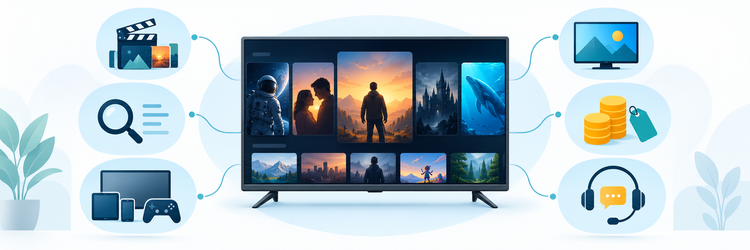
I began the ranking with current eligibility and working approved destinations, then used official provider pages for VOD descriptions, prices, connection limits, devices, trials, refunds, subtitles, and support claims. No accounts were purchased, and marketing totals were not treated as audited inventories. Treat the trial as a practical test on the screen you use most.
Each option was judged for watchlist fit, discovery, metadata, playback checks, language support, device usability, household rules, payment exposure, and legal uncertainty. Broad promises were qualified, inconsistent wording was noted, and the shortest useful trial or plan received more weight than lifetime-labelled savings. Final order reflects decision value from public evidence, not measured long-term performance.
- Library Evidence: Recorded published movie and series descriptions without converting claims into verified catalog inventories. Confirm details before paying.
- Discovery Value: Considered search, metadata, episode order, favorites, and resume behavior as essential buyer tests. Check this before subscribing.
- Language Utility: Looked for subtitle or audio guidance and identified verification needs when details were absent. Verify details first.
- Device Fit: Separated broad compatibility claims from app quality, codec support, and simultaneous-use rules. Verify these details before paying.
- Price Exposure: Compared upfront totals, shortest terms, multi-screen choices, trial access, and refund qualifications. Verify these details before paying.
- Legal Caution: Kept technical availability separate from distribution rights and the viewer’s authorization to watch. Check this before subscribing.
Verdict
No provider can be judged by a VOD total alone. The strongest choice is the one that contains the household’s wanted titles, organizes complete seasons correctly, supplies suitable subtitles and audio, works on the intended player, and offers a short low-risk test. Verify content rights and current terms before extending any subscription. Verify details first.
- TiviPlanet: Best for qualified movie and series quality details, though buyers still need a title-level trial, regional rights check, subtitle review, and device test before paying.
- OrigineTV: Best for the largest published VOD count here, but the three-month minimum, lifetime labels, regional focus, and unverified title total increase commitment risk.
- OSIRISIPTV: Best for a low monthly entry price, provided the desired catalog, subtitle options, playback quality, distribution rights, and one-stream limit suit the household.
FAQs
What does VOD mean in IPTV?
VOD means video on demand: movies, series, and other programs selected from a library rather than watched on a live schedule. Availability, metadata, subtitles, picture quality, and rights can vary by title and region.
How should viewers compare IPTV VOD libraries?
Create a watchlist of recent films, older favorites, complete seasons, children’s titles, and required languages. Search each item during trial access, then check duplicates, missing episodes, subtitle timing, audio tracks, artwork, and playback.
Is a larger VOD library always better?
No. Large totals can include duplicates, incomplete seasons, weak metadata, unavailable regional titles, or low-quality copies. Relevance and usability matter more than volume, so test specific titles and everyday navigation before paying.
Can IPTV VOD include subtitles and multiple audio tracks?
Some services advertise subtitles or multilingual content, but support varies by title and player. Open several unrelated movies and episodes to verify language labels, timing, forced captions, character rendering, dubbing, and track switching.
Which devices work with IPTV VOD?
Providers commonly mention Fire TV, Android TV, smart televisions, Apple devices, phones, computers, MAG boxes, and M3U-compatible players. Confirm the exact app, login format, codec support, store availability, and any separate player fee.
How much internet speed does VOD IPTV need?
Required speed depends on resolution, bitrate, codec, Wi-Fi conditions, and other household traffic. Test the intended title and device on the normal home network. Stable Ethernet can outperform a faster but congested wireless connection.
Does installing the service on several devices allow simultaneous viewing?
Not necessarily. Device installation and concurrent streams are different limits. Check the purchased connection count, whether different networks are permitted, and whether simultaneous VOD viewing shares profiles, favorites, or playback history.
Are free trials useful for testing VOD?
Yes. Use the trial to search a prepared watchlist, open complete seasons, test subtitles and audio, seek through long videos, resume playback, compare devices, and observe performance during the busiest household viewing period.
Is IPTV VOD legal?
IPTV technology is legal, but a provider needs permission to distribute each movie or series in the relevant country. I would confirm important titles through their studios, broadcasters, or authorized services rather than relying on catalog access alone.
Does a VPN make IPTV VOD legal?
No. A VPN can change routing or mask traffic from parts of the network, but it cannot create distribution rights, remove contractual restrictions, or make unauthorized viewing lawful. Use privacy tools only for legitimate purposes.
Are lifetime VOD IPTV plans worth buying?
Lifetime-labelled access carries substantial risk because the seller, catalog, servers, rights, and support can change or disappear. Start with a trial and short paid term, and treat any large prepayment as potentially unrecoverable.
What should viewers check before paying for a long IPTV plan?
Verify must-watch titles, complete seasons, subtitles, audio, picture quality, search, resume playback, simultaneous streams, device compatibility, total checkout cost, renewal, refunds, privacy, merchant identity, and regional content rights in writing.