10 Best Nuvio Addons (2026)

Key Takeaway: AIOStreams is the best all-round organizer for multiple sources, Torrentio offers the simplest broad movie and series setup, and Comet gives experienced users the strongest private-hosting control. Install only manifests from reviewed project pages, protect personalized URLs, and use sources you are authorized to access.
Best Nuvio Addons: Quick Comparison
- AIOStreams — one organized stream list, with a clear role and limitations explained in its full review below.
- Torrentio — simple movie and series results, with a clear role and limitations explained in its full review below.
- Comet — advanced private hosting, with a clear role and limitations explained in its full review below.
- MediaFusion — regional and language catalogs, with a clear role and limitations explained in its full review below.
- AIOMetadata — richer posters and metadata, with a clear role and limitations explained in its full review below.
- TMDB Addon — multilingual tmdb catalogs, with a clear role and limitations explained in its full review below.
- Official Sources — opening lawful provider apps, with a clear role and limitations explained in its full review below.
- Anime Kitsu — anime catalogs and metadata, with a clear role and limitations explained in its full review below.
- OpenSubtitles — broad subtitle coverage, with a clear role and limitations explained in its full review below.
- Stremio Community Subtitles — custom and shared subtitles, with a clear role and limitations explained in its full review below.
| Tool Name | Best For | Platform | Price | Visit Site |
|---|---|---|---|---|
| AIOStreams | One organized stream list | Nuvio and Stremio-compatible clients | Free, open source | Visit Site |
| Torrentio | Simple movie and series results | Nuvio and Stremio-compatible clients | Free addon | Visit Site |
| Comet | Advanced private hosting | Nuvio, Stremio, and Kodi | Free, open source | Visit Site |
| MediaFusion | Regional and language catalogs | Nuvio, Stremio, Kodi, and browser | Free, open source | Visit Site |
| AIOMetadata | Richer posters and metadata | Nuvio and Stremio-compatible clients | Free, open source | Visit Site |
| TMDB Addon | Multilingual TMDB catalogs | Nuvio and Stremio-compatible clients | Free, open source | Visit Site |
| Official Sources | Opening lawful provider apps | Nuvio and Stremio-compatible clients | Free, open source | Visit Site |
| Anime Kitsu | Anime catalogs and metadata | Nuvio and Stremio-compatible clients | Free, open source | Visit Site |
| OpenSubtitles | Broad subtitle coverage | Nuvio and Stremio-compatible clients | Free addon | Visit Site |
| Stremio Community Subtitles | Custom and shared subtitles | Nuvio and Stremio-compatible clients | Free, open source | Visit Site |
Disclaimer
OTTWatchGuide may earn a commission from qualifying links, although no sponsored placement was supplied for this article and rankings remain editorial. This guide provides general information, not legal, privacy, security, or performance guarantees. Addons, manifests, instances, prices, regional availability, and project ownership can change. Use only content and services you are authorized to access, follow local law and platform terms, and protect every connected account.
The best Nuvio addons do more than produce a long list of links. I compared official repositories, manifest instructions, protocol support, metadata quality, catalog controls, subtitle handling, hosting choices, maintenance signals, and meaningful limitations. This shortlist balances approachable source tools with metadata, lawful provider navigation, anime discovery, and subtitles for a more complete setup.
Nuvio accepts compatible addon manifests, but each addon remains a separate remote service with its own operator, data practices, dependencies, and uptime. Addons do not grant viewing rights or make every result safe. Review configuration pages carefully, keep account tokens out of public screenshots, and test the exact device before copying one profile across a household.
Read More
Why You Can Trust OTTWatchGuide?
This ranking was built from Nuvio’s current public code and addon-management behavior, official addon repositories, maintained project documentation, and configuration pages reviewed on October 12, 2026. It separates verified capabilities from developer performance claims, distinguishes metadata from stream and subtitle roles, and does not claim unperformed playback testing. Recommendations reward clear provenance, useful controls, practical documentation, and transparent limitations.
- Primary Evidence: Compatibility and feature claims were checked against repositories, manifests, configuration pages, and current documentation.
- Role Clarity: Every recommendation has a distinct purpose instead of repeating ten versions of the same scraper.
- Freshness Review: Maintenance signals, deployment routes, provider support, and documented limitations were checked before drafting.
- Safety Boundary: Inclusion never implies that every returned source is licensed, safe, private, or available everywhere.
1) AIOStreams
AIOStreams is the strongest practical starting point for Nuvio users who want several compatible sources presented as one readable list. It aggregates upstream addons, then applies shared filtering, sorting, deduplication, and formatting. I rank it first because one carefully configured manifest can replace a confusing stack of overlapping source addons.
The project supports direct streams, peer-to-peer results, debrid services, usenet, and many Stremio-protocol clients. Its flexibility comes with a learning curve: every rule and upstream dependency can affect the final list. Begin with a small configuration, verify authorized material, and add complexity only when it solves a clearly visible problem.
Features:
- Unified Results: AIOStreams collects results from enabled upstream addons and presents them through one manifest. That keeps Nuvio from showing several differently formatted source groups for the same title. Consolidation improves scanning, but it also creates a central dependency, so record which upstreams are enabled before troubleshooting missing or duplicated entries.
- Detailed Filters: Rules can include or exclude streams by resolution, size, bitrate, codec, language, release group, service, and cached status. Precise filters reduce clutter on a television. An overly strict rule can hide every result, so save a simple baseline and change one condition at a time when diagnosing an empty list.
- Flexible Sorting: Users can prioritize qualities, languages, sizes, and source types instead of accepting each upstream addon’s default order. I prefer a short priority chain that remains understandable months later. Complicated or contradictory rules are harder to audit and may bury a suitable authorized stream beneath technically higher-ranked but impractical alternatives.
- Nuvio Native Debrid: AIOStreams can return raw peer-to-peer results for Nuvio to resolve through a supported native debrid integration. In that setup, leave debrid credentials out of AIOStreams and confirm the selected instance permits P2P. Entering a provider key inside the addon may bypass Nuvio’s own resolver and change account routing.
- Hosted or Private: Public and managed instances offer a quick configuration route, while the open-source project supports self-hosting. A hosted instance requires trust in its operator, availability, and data handling. Private deployment gives control but makes the owner responsible for HTTPS, secrets, updates, monitoring, backups, and sufficient capacity for every request.
- Source Transparency: AIOStreams does not create an independent licensed catalog; it reorganizes results from configured sources. That distinction helps users diagnose outages and assess authorization. Review every upstream separately, remove feeds that repeatedly return mismatches, and never assume aggregation makes an unavailable, unsafe, or unauthorized source acceptable merely because it appears neatly formatted.
- Cross-Client Design: The documented Stremio addon protocol lets the same general configuration work with Nuvio and other compatible clients. Playback still depends on each device, player, codec, network, and operating system. Test the actual television or phone before copying one manifest across a household, because identical results can behave differently on separate clients.
| Pros | Cons |
|---|---|
| Combines several addon feeds into one consistent result list | Complex rules can accidentally suppress every available stream |
| Powerful filters support precise quality and language preferences | Upstream outages still affect the consolidated final output |
| Open source design permits controlled private household deployment | Self-hosting requires secure updates monitoring and reliable HTTPS |
| My preferred Nuvio setup keeps source ordering understandable | |
| Broad protocol compatibility supports several media client applications |
Pricing:
- Addon: Free and open source; managed hosting, debrid services, usenet, and server resources may cost extra.
Link: github.com
2) Torrentio
Torrentio remains an approachable source addon for Nuvio users who want broad movie and series results without maintaining a server. Its configurator exposes indexer selection, quality exclusions, sorting, size limits, and optional provider authorization. I place it second because setup is remarkably direct, although the hosted service is closed source.
For Nuvio’s native debrid path, generate a keyless configuration that returns peer-to-peer hashes rather than resolved provider links. Hosted behavior and upstream indexers can change without notice, so keep another lawful source available. Treat every personalized manifest as sensitive, even when the URL does not visibly resemble an account password.
Features:
- Provider Selection: Torrentio lets users enable or remove individual indexers before generating a manifest. Trimming slow or irrelevant providers can reduce duplicates and shorten Nuvio’s result list, while regional sources may improve language coverage. More providers do not automatically mean better matches because every additional indexer introduces another changing dependency and possible timeout.
- Quality Exclusions: Resolution and release filters can hide CAM, screener, 3D, low-resolution, unknown, or oversized results before they reach Nuvio. These controls matter on televisions with limited codec or HDR support. Start conservatively, then restore one excluded category only when authorized titles repeatedly return no practical alternatives on the target device.
- Sorting Options: Results can be ordered using quality, seeders, file size, or combinations exposed by the current configurator. Sensible ordering makes a remote-friendly list faster to scan. I treat seeder counts as availability hints rather than quality guarantees, while large 4K files may exceed the network or player’s comfortable limits.
- Native Resolver Mode: When Nuvio handles a supported debrid account itself, Torrentio should return raw P2P information without a provider token. This allows Nuvio to wrap selected hashes through its connected service. Configuration labels and behavior may change, so verify with authorized test media rather than assuming a keyless manifest always supplies compatible results.
- Low Maintenance: The hosted configurator avoids Docker, databases, certificates, and server upgrades during initial setup. Convenience reduces operational work, but users receive less control over uptime, logging, code visibility, and sudden changes. Anyone needing reproducible infrastructure or private deployment should consider an open-source self-hosted alternative such as Comet, MediaFusion, or AIOStreams.
- Personalized Manifest: A configured install URL contains the choices needed to reproduce an addon profile and may contain provider authorization when entered. Never paste that URL into forums, screenshots, or shared documents. Rebuild the configuration after suspected exposure, and avoid entering account credentials on cloned pages reached through unverified tutorials or shortened links.
- Source Limits: Torrentio searches configured indexes; it does not license the files those indexes describe or guarantee that results remain available. Upstream failures, removals, and metadata mismatches can affect coverage. Users must verify rights, filenames, language, format, and device compatibility before opening a result rather than treating appearance in Nuvio as approval.
| Pros | Cons |
|---|---|
| Quick configuration suits first-time Nuvio and television users | Hosted service provides limited operational and code transparency |
| Broad indexer selection covers varied releases and languages | Upstream indexer changes can disrupt results without warning |
| Useful exclusions keep remote-friendly result lists properly manageable | Personalized manifests become sensitive when credentials are included |
| My preferred simple source addon needs no server maintenance | |
| Keyless configurations can suit Nuvio native resolution workflows |
Pricing:
- Addon: Free to configure and install; optional debrid accounts or other connected services are separate.
Link: torrentio.strem.fun
3) Comet
Comet is the advanced technical choice for Nuvio users who want a controlled torrent, debrid, and usenet search layer. It supports multiple scrapers, caching, administration, optional proxying, and the Stremio addon protocol. I rank it third because its depth is impressive, while secure production deployment demands genuine practical server experience.
Current documentation covers containers, SQLite or PostgreSQL, dashboards, metrics, content filters, and numerous source integrations. Nuvio can consume its generated manifest like another compatible addon. Those capabilities create considerably more moving parts, making Comet appropriate for someone comfortable maintaining certificates, databases, secrets, network access, resource limits, and timely application upgrades.
Features:
- Scraper Breadth: Comet can combine results from Jackett, Prowlarr, Torrentio, Zilean, MediaFusion, and additional systems. Broad coverage helps specialized configurations, but it also increases duplicates, timeouts, and failure paths. Start with a small set, measure whether each source adds value, and remove integrations that repeatedly contribute mismatches or unnecessary delay.
- Nuvio Compatibility: Comet exposes the Stremio addon protocol that Nuvio can consume through a manifest URL. That makes a private Comet server usable without a dedicated Nuvio plugin. Client behavior can still differ, so test catalog, stream, subtitle, and playback expectations on the exact Nuvio build and device before wider rollout.
- Debrid Options: Several debrid providers are supported, giving households flexibility beyond one service. If Nuvio should resolve raw hashes through its own integration, configure Comet accordingly rather than resolving links twice. I would isolate secrets from manifests shared with clients and review provider terms before enabling remote, proxy, or multi-user patterns.
- Caching Databases: SQLite offers a lighter starting point, while PostgreSQL supports more production-oriented deployments. Cached metadata and results can shorten repeated searches. Databases introduce migrations, backups, storage, and corruption risks, so operators should monitor health and test upgrades instead of treating a successful container restart as proof that stored data remains sound.
- Administration Tools: A dashboard, bandwidth controls, metrics, and observability integrations provide insight missing from simple hosted addons. These tools can expose slow sources or overloaded servers. They also expand the attack surface, making authentication, HTTPS, limited network access, careful log handling, and prompt security updates essential for any internet-reachable deployment.
- Optional Proxying: Comet can proxy compatible streams and enforce connection limits when clients require a common server path. Proxying consumes server bandwidth and does not override provider terms, content rights, or household restrictions. Protect the endpoint, calculate realistic capacity, and never present a technical relay as permission for account sharing or unauthorized distribution.
- Content Controls: Ranking, adult-content filtering, anime metadata support, and file-quality signals can make results easier to navigate. Automated labels remain aids, not proof that a release is accurate, safe, or authorized. Users should inspect filenames, size, language, codec, and source before playback, especially when configuring Nuvio profiles intended for children.
| Pros | Cons |
|---|---|
| Extensive scraper support enables a flexible private architecture | Production hosting demands substantial practical server administration experience |
| Works through Nuvio using the standard addon protocol | More integrations create additional security and failure points |
| Strong dashboards and metrics improve operational troubleshooting visibility | Proxy traffic can consume significant bandwidth and resources |
| My advanced recommendation keeps deployment under owner control | |
| Open source documentation supports careful reproducible private deployments |
Pricing:
- Addon: Free and open source; hosting, domains, monitoring, debrid, and usenet services are separate costs.
Link: github.com
4) MediaFusion
MediaFusion particularly suits Nuvio viewers who value regional catalogs, language coverage, broad discovery, and flexible source aggregation. It supports Stremio-compatible clients, Kodi, browser playback, multiple services, and self-hosting. I recommend it when discovery matters alongside stream resolution, although the many catalogs and settings can feel busy beside a focused addon.
Official documentation describes community instances, containers, encrypted configuration data, smart aggregation, and support for movies, series, events, and several languages. Community availability is best effort rather than guaranteed infrastructure. Regional or live entries require careful rights checking because technical reach does not establish authorized distribution in a viewer’s current location.
Features:
- Regional Discovery: Rich catalogs cover numerous languages and content groupings, making MediaFusion more useful than English-only source addons for some viewers. Metadata breadth does not confirm distribution rights. I treat region and language labels as discovery aids, then verify ownership, local availability, and authorization before choosing any linked or playable result.
- Source Aggregation: Prowlarr, Jackett, public indexes, Torrentio, Zilean, feeds, and peer MediaFusion instances can contribute results. This flexibility enables specialized setups, but more inputs also mean inconsistent metadata and failure modes. Add sources gradually, document why each exists, and remove any that repeatedly produce frequent mismatches, redirects, or unhelpful duplicates.
- Catalog Range: Movies, series, sports listings, events, posters, ratings, and parental controls create a broad browsing layer inside compatible clients. A larger interface can distract users who need only a compact source list. Disable irrelevant catalogs, confirm time-zone behavior for scheduled items, and keep children’s profiles separate from administrative configuration controls.
- Hosting Routes: Community instances provide a quick start, while Docker Compose, Kubernetes, and direct deployment serve operators wanting control. A public host may change, throttle, or disappear beyond the developer’s responsibility. Self-hosting improves control but introduces patching, monitoring, backups, domain management, database care, and realistic capacity planning that beginners should not underestimate.
- Credential Protection: Project documentation describes encrypted configuration data, which is preferable to exposing plain secrets. A personalized manifest should still be treated as sensitive because it may grant access to connected services. Do not publish it, include it in screenshots, or keep using it after suspected disclosure; rotate affected tokens and generate a replacement.
- Client Coverage: MediaFusion can serve Nuvio through the Stremio protocol while also supporting Kodi, a browser player, and compatible automation interfaces. Each route carries different playback and security implications. Enable only the interfaces you need, restrict administration, and test formats on actual devices before assuming identical behavior across every supported client.
- Provider Differences: Multiple playback and debrid providers are supported, but their cache checks, APIs, and link handling are not identical. Review the current configuration reference for the chosen service. Do not assume a feature described for one provider transfers cleanly to another or that any provider grants rights to the underlying content.
| Pros | Cons |
|---|---|
| Wide language coverage improves useful regional content discovery | Large feature set can create cluttered Nuvio profiles |
| Multiple deployment methods fit beginners and experienced operators | Community instance uptime remains beyond direct developer control |
| Nuvio protocol support complements Kodi and browser interfaces | Self-hosting introduces databases proxies and ongoing server maintenance |
| My catalog choice balances discovery with flexible source controls | |
| Documentation separates community hosting from private deployment duties |
Pricing:
- Addon: Free and open source; community instances may be free, while private hosting and connected services cost separately.
Link: github.com
5) AIOMetadata
AIOMetadata is the best Nuvio companion for people who care about posters, descriptions, ratings, cast data, and organized catalogs. It combines metadata services behind one configurable manifest. I place it fifth because it improves browsing rather than playback, and its advanced setup relies on external APIs and careful catalog ordering.
The project can draw from TMDB, TVDB, IMDb-related data, AniList, MyAnimeList, RPDB, Trakt, and other integrations according to configuration. Nuvio should prioritize the metadata addon before stream addons when external metadata is clearly preferred. API availability, provider rate limits, regional text, and identifier mapping mismatches can still affect individual titles.
Features:
- Multiple Metadata Sources: AIOMetadata combines film, television, anime, rating, and artwork data from several configurable services. A merged profile can fill gaps left by one database. It can also inherit conflicting titles or dates, so verify unusual records against the primary provider rather than assuming the most detailed card is necessarily the most accurate.
- Catalog Builder: Users can shape home catalogs from supported lists, services, genres, and discovery sources instead of accepting one fixed layout. This gives Nuvio a more personal homepage. I recommend adding a few high-value rows first, because dozens of overlapping catalogs slow navigation and make it harder to understand where recommendations originate.
- Poster Customization: Optional RPDB and artwork integrations can add ratings, alternate posters, logos, and richer presentation. These services may need separate API keys or paid access. A decorative poster does not change stream quality or licensing, and missing artwork should not be diagnosed as a playback failure when metadata and streams come from separate addons.
- Anime Support: AniList, MyAnimeList, Kitsu-related identifiers, and anime-focused metadata improve naming and episode discovery for animated series. Mapping between absolute episodes, seasons, specials, and provider IDs remains difficult. Test several known titles, and keep Anime Kitsu available when a dedicated catalog performs better than a generalized metadata configuration for that library.
- Addon Ordering: Nuvio processes metadata providers according to their order and preference settings. Placing AIOMetadata appropriately helps its posters and descriptions win over fallback data. Reordering can change visible cards without changing stream sources. Record the original sequence before experimenting so a confusing metadata regression can be reversed quickly and safely.
- External Accounts: Optional Trakt, TMDB, RPDB, MDBList, or similar integrations can personalize lists and artwork. Each connection introduces separate credentials, quotas, and privacy considerations. Use official authorization routes, grant only necessary access, and revoke abandoned configurations. Never expose a generated manifest that embeds tokens merely to obtain troubleshooting help from a public forum.
- Self-Hosting Choice: Open-source code and deployment files support private operation for technically capable users. Self-hosting can control versions and logs, but it does not remove third-party API dependencies. Operators remain responsible for certificates, secret storage, updates, backups, rate limits, and clear separation between a public configuration interface and private administrative services.
| Pros | Cons |
|---|---|
| Combines several metadata providers behind one configurable manifest | Advanced configurations require several separate external API services |
| Rich catalog controls improve Nuvio home screen organization | Conflicting provider identifiers can produce occasional metadata mismatches |
| Strong anime and artwork integrations expand discovery options | Too many catalogs quickly make the homepage feel crowded |
| My preferred metadata layer makes browsing more coherent | |
| Open source deployment supports privacy-conscious experienced technical users |
Pricing:
- Addon: Free and open source; optional metadata APIs, artwork plans, list services, and hosting may cost extra.
Link: github.com
6) TMDB Addon
TMDB Addon is a focused practical alternative for Nuvio users who want multilingual movie and television metadata without AIOMetadata’s breadth. It builds catalogs, search, and detail pages around The Movie Database. I like its narrower purpose for simpler profiles, though advanced recommendations and artwork still depend on optional external integrations.
The project documents TMDB lists, person searches, Trakt, MDBList, RPDB, catalogs, and language controls. A TMDB API key or hosted configuration may be required, depending on deployment. Metadata availability differs by region and language, so translated titles or descriptions can be incomplete even when the original record is well maintained.
Features:
- Multilingual Details: Language controls let Nuvio display supported translated titles, summaries, and related metadata from TMDB. This is valuable for multilingual households and regional discovery. Translation completeness varies by title, and fallback text may appear in another language, so test preferred and secondary locales before standardizing the configuration across multiple profiles.
- Movie and TV Catalogs: Trending, popular, genre, year, network, and other catalog options can provide structured home rows for films and series. Focused catalogs keep discovery predictable. Too many variations create repetition, so select only rows that answer different viewing needs and place the most useful catalogs ahead of experimental or narrowly filtered lists.
- List Integrations: TMDB lists, Trakt lists, and MDBList integrations can turn curated collections into Nuvio catalogs. These services may require separate identifiers, accounts, or keys. I would verify that private list data is not exposed through a shareable manifest and remove abandoned integrations that continue generating errors or unnecessary external requests.
- Person Search: Searching by actors, directors, or other credited people helps viewers explore connected work beyond title and genre. Credits can be incomplete or differ between databases, especially for regional productions. Treat person-based results as discovery aids, then confirm title availability through authorized sources rather than assuming a metadata match includes a playable stream.
- RPDB Artwork: Optional RPDB support can overlay ratings and use alternate poster styles, producing a more information-dense Nuvio interface. The service may involve its own key and plan. Posters are presentation data, not independent review evidence, and visible ratings may change as upstream databases update or when a different poster profile is selected.
- Simple Scope: A TMDB-centered addon is easier to reason about than a large metadata aggregator when one database already meets household needs. That simplicity reduces mapping and configuration variables. It also means gaps in TMDB are more visible, so specialized anime or regional sources may still be necessary for particular libraries and languages.
- Open Deployment: The Apache-licensed repository supports inspection and self-hosting, letting experienced operators control versions and configuration. Deployment still depends on external APIs and secure internet access. Protect keys, apply updates, monitor limits, and avoid exposing administrative settings publicly; open code does not make an unattended server secure or permanently available.
| Pros | Cons |
|---|---|
| Focused TMDB approach keeps metadata configuration easier to audit | Translation completeness varies across individual titles and regions |
| Multilingual controls suit households using several interface languages | Optional integrations add separate keys quotas and accounts |
| Flexible catalogs support people lists genres and networks | TMDB gaps may require specialized supplemental metadata addons |
| My simpler option avoids unnecessary metadata provider overlap | |
| Open source licensing enables controlled private application hosting |
Pricing:
- Addon: Free and open source; optional artwork, list services, APIs, and self-hosting are separate.
Link: github.com
7) Official Sources
Official Sources takes a different approach: it returns legitimate provider destinations that open in official apps or websites instead of scraping or proxying media. The addon was designed primarily for Nuvio TV and follows the standard manifest route. I recommend it for viewers prioritizing lawful availability and familiar subscription services.
The project uses provider data to build deep links and does not accept streaming-service credentials. Its configured token stores preferences rather than account secrets. Coverage depends on Watchmode data, link support, region settings, and installed apps, so a destination can still require a subscription, rental, purchase, or manual episode selection.
Features:
- Official Destinations: Results point toward recognized streaming services, stores, or broadcaster destinations rather than proxying video through the addon. This keeps account sign-in inside the provider’s own app or website. Availability data can still be stale or regionally incomplete, so confirm the destination’s current title page and price before assuming access is included.
- Nuvio-First Design: The repository explicitly documents configuring a manifest for Nuvio and placing Official Sources high in addon order. That makes compatibility easier to evaluate than projects mentioning only Stremio. Nuvio versions and deep-link handling can change, so test the target television platform because app switching behaves differently across Android, web, and other builds.
- No Provider Passwords: Official Sources does not request Netflix, Disney+, Prime Video, or other viewing-service credentials. Authentication happens after Nuvio opens the provider destination. I consider that boundary especially valuable: users should reject any clone that asks for streaming passwords inside its own configuration page, token, log, or support form.
- Region Preferences: Configured region and provider choices help narrow results to services relevant to a household. Regional catalogs and licensing change frequently, and IP location may not match account country. Treat availability as a navigation hint, verify the current provider page, and avoid using region controls as claims that access is guaranteed everywhere.
- Deep-Link Limits: Some platforms support direct app or title links better than others, while episode-level links may depend on the data plan and provider. A result can open a series page rather than the exact episode. The project documents fallbacks, so users should expect occasional manual navigation instead of treating every extra click as failure.
- Preference Tokens: The addon encodes non-sensitive configuration choices into a versioned URL token, avoiding placement of streaming-account credentials there. The manifest should still be handled carefully because it reveals personal service and region preferences. Rebuild it when settings change, and use only the domain associated with the reviewed repository or private deployment.
- Self-Hosted Operation: The open-source project can be deployed by an operator with a supported provider-data API key. Hosting creates costs and maintenance duties, while API plans may limit deep links or request volume. Protect server keys, monitor quotas, and do not expose administrative values in browser code, URLs, public logs, or screenshots.
| Pros | Cons |
|---|---|
| Opens legitimate destinations in official apps and websites | Availability data may lag current regional provider catalogs |
| Does not collect passwords for viewing service accounts | Some results open title pages instead of exact episodes |
| Designed specifically with Nuvio installation and ordering guidance | Self-hosting requires an API key quotas and maintenance |
| My lawful-navigation pick keeps provider authentication properly separated | |
| Open source code supports review and private deployment |
Pricing:
- Addon: Free and open source; provider subscriptions, rentals, purchases, Watchmode access, and hosting are separate.
Link: github.com
8) Anime Kitsu
Anime Kitsu adds a dedicated anime catalog and metadata layer to Nuvio through the Stremio addon protocol. It particularly helps when general databases mishandle alternate titles, seasons, or anime discovery. I include it as the specialist catalog pick, not a stream source, because users still need authorized playback options separately.
The open-source project uses Kitsu data to supply catalogs, search, and title details. Anime naming and episode mapping remain complicated across databases, especially for specials, split cours, films, and absolute numbering. Pair it with a compatible stream or official-source addon, keep it ordered intentionally, and verify unusual matches before playback.
Features:
- Anime Catalogs: Dedicated anime rows make seasonal, popular, trending, and category discovery easier than browsing broad film-and-TV databases. Kitsu’s organization can surface titles under familiar anime conventions. Catalog results remain metadata only, so appearing in Nuvio does not guarantee a stream, local availability, licensing, or a match from another installed addon.
- Kitsu Metadata: Descriptions, posters, titles, and identifiers come from Kitsu-oriented data better suited to anime than many general catalogs. Community-maintained records can still contain gaps or alternate naming choices. I compare an uncertain card with another database before changing addon order or assuming the stream provider is responsible for a metadata mismatch.
- Search Support: Anime-focused search improves discovery when romanized, English, and native titles differ. Results may still vary with punctuation, sequel naming, or franchise structure. Try a known alternate title and inspect year or artwork before selecting a result; this is safer than opening the first similarly named series and trusting its episode mapping.
- Identifier Mapping: Compatible streams often rely on IMDb, TMDB, Kitsu, AniList, or other identifiers, requiring mappings between separate databases. Good mappings connect metadata to playback, while missing mappings create empty results. A stream addon may support one identifier family but not another, so test the pairing rather than evaluating Anime Kitsu alone.
- Specials and Seasons: Anime seasons, specials, OVAs, films, and split cours do not always align with conventional television numbering. A dedicated catalog can improve presentation without eliminating every mismatch. Verify episode titles and release dates when numbering looks unusual, especially before marking progress or assuming a source returned the wrong file for the selected card.
- Lightweight Role: Because Anime Kitsu focuses on metadata and catalogs, it can complement a general configuration without adding another broad scraper. That separation makes failures easier to identify. Keep its catalog rows limited to genuine anime needs, because duplicating every title through several metadata addons creates clutter and confusing poster or naming changes.
- Open Source: The public repository lets users inspect code, follow changes, and self-host if desired. A private instance still relies on upstream Kitsu availability and internet connectivity. Operators must maintain dependencies, HTTPS, and updates, while hosted users should verify the official project link rather than installing an unknown mirror with a similar name.
| Pros | Cons |
|---|---|
| Dedicated anime catalogs outperform broad databases for discovery | Does not provide any playable streams by itself |
| Alternate titles improve searches across several naming conventions | Cross-database mappings can leave some titles without results |
| Focused metadata role complements existing source addons cleanly | Specials and split seasons still create numbering confusion |
| My anime pick keeps specialized catalogs separate from playback | |
| Open source code permits inspection and private hosting |
Pricing:
- Addon: Free and open source; any private hosting and separate playback services are additional.
Link: github.com
9) OpenSubtitles
OpenSubtitles is the practical subtitle choice for Nuvio users who want broad language coverage from a well-known database. Stremio’s official addon index identifies an OpenSubtitles subtitle addon, and Nuvio can consume compatible manifests. I rank it ninth because subtitle matching is essential, although availability and synchronization vary between individual releases.
Subtitles are matched through title, episode, language, filename, and release information where available. A file for the correct episode can drift if it targets another cut or frame rate. Keep preferred languages narrow, compare release names, and use the player’s delay controls or another subtitle source when timing remains wrong.
Features:
- Language Coverage: OpenSubtitles hosts subtitles across many languages, making it useful for multilingual households and titles lacking embedded tracks. Coverage varies dramatically between popular and obscure releases. I select only needed languages to keep Nuvio’s menu readable, then check translator notes and release labels rather than assuming the first result is the best match.
- Official Listing: Stremio’s maintained official-addon index identifies the OpenSubtitles integration and its subtitle resource role. That provides a clearer provenance trail than an anonymous mirror. Nuvio compatibility still depends on its current protocol handling and manifest route, so confirm installation using an authorized title before relying on the addon across every device.
- Release Matching: Subtitle timing often depends on the exact cut, source, frame rate, and included intros or recaps. Matching names improve the chance of synchronization. A subtitle labeled for the correct title and episode can still drift, so compare the video filename and try another release before repeatedly adjusting a large timing offset.
- Language Preferences: Restricting preferred languages reduces clutter and makes remote navigation faster. Broader settings help mixed-language households but can produce very long result menus. Choose primary and fallback languages deliberately, and remember that forced, hearing-impaired, full-dialogue, and machine-translated tracks serve different needs even when they share the same language code.
- Player Controls: Nuvio or its selected player may provide subtitle delay, size, styling, position, or encoding controls. These settings can repair modest timing or readability problems without changing addons. Player capabilities differ by platform, so test accessibility requirements on the actual television and keep an alternative player available when essential controls are missing.
- Community Data: Database entries are uploaded and maintained by contributors, which creates useful breadth alongside inconsistent naming and quality. Ratings or download counts can guide selection but are not guarantees. Avoid treating a subtitle file as trusted executable content, obtain it through the supported addon route, and keep clients and devices updated.
- Fallback Value: A dedicated subtitle addon complements stream and metadata tools without duplicating their role. It becomes particularly useful when a stream lacks embedded text or uses an unwanted language. If several addons return the same subtitle, keep one reliable source enabled first and remove redundant providers that add clutter without better matches.
| Pros | Cons |
|---|---|
| Broad language database helps diverse international viewing households | Timing quality varies between uploads and video releases |
| Official Stremio listing provides a clear provenance trail | Some obscure titles have notably incomplete language coverage |
| Release labels can improve synchronization for matching files | Multiple similar results can make television selection confusing |
| My first subtitle choice covers many popular titles | |
| Language preferences keep television subtitle menus properly manageable |
Pricing:
- Addon: The addon is free; OpenSubtitles account tiers or external services may have separate terms and limits.
Link: github.com
10) Stremio Community Subtitles
Stremio Community Subtitles is a flexible final pick for Nuvio users needing custom files, corrections, or manual selection across devices. The open-source addon supports uploads and a community database. I recommend it after a simpler subtitle source because account setup and version linking add work, but they solve difficult matches.
The project documents provider integrations for OpenSubtitles, SubDL, and Subsource, plus automatic selection, voting, and subtitle management. Users can link a chosen subtitle to a specific video version, improving future synchronization. Uploaded text becomes shared community data, so carefully review privacy, copyright, account, and removal implications before contributing any file.
Features:
- Custom Uploads: Users can upload a subtitle for a video and make it available through the addon on another compatible device. This solves cases where a good local file exists but television clients cannot load it directly. Review the file first, remove personal information, and confirm you have permission to share its text.
- Version Linking: A subtitle can be associated with a specific video version, helping future viewers receive a better synchronized match. Filenames, hashes, and release labels matter because different cuts can diverge. I use this feature only after confirming the selected video and track stay aligned beyond the opening scene or episode recap.
- Provider Integrations: OpenSubtitles, SubDL, and Subsource can be connected for broader manual searching according to the project documentation. Each provider may require its own account or API key. Protect those credentials, understand quotas, and disconnect unused integrations rather than embedding old secrets in a self-hosted environment or sharing complete configuration details publicly.
- Cross-Device Access: The addon’s main advantage is making selected or uploaded subtitles available across web, mobile, television, and desktop clients that support the protocol. Actual rendering still depends on the player. Test fonts, encoding, placement, and delay controls on the target screen, especially for right-to-left scripts or accessibility-focused styling needs.
- Community Voting: Votes and shared selections can help better-synchronized tracks rise above poor matches. Popularity is useful evidence, not a guarantee that the subtitle fits every release. Compare the linked version and recent feedback, and keep a fallback option because a highly rated file may target another edit, frame rate, or language variant.
- Account Management: The service includes controls for uploaded subtitles, provider selections, votes, and related user data. Those tools matter because contributions persist beyond one playback session. Review account settings periodically, remove mistaken uploads where possible, and avoid using personally identifying filenames or notes that do not belong in a shared subtitle database.
- Self-Hosting: The repository includes deployment material for operators who want a private or community instance. Current versions bundle several supporting components, which simplifies setup but still requires database, storage, mail, HTTPS, moderation, and backup work. An unattended subtitle service can accumulate sensitive accounts and uploads, so maintenance and access controls remain essential.
| Pros | Cons |
|---|---|
| Custom uploads solve difficult television subtitle loading limitations | Account creation adds friction beyond simple subtitle addons |
| Version linking can preserve better synchronization for others | Uploaded files raise privacy copyright and moderation concerns |
| Several provider integrations substantially expand manual subtitle selection | Self-hosting requires databases storage email and careful maintenance |
| My advanced subtitle pick supports meaningful community corrections | |
| Open source deployment enables carefully controlled specialist communities |
Pricing:
- Addon: Free and open source; external provider accounts, email delivery, storage, and private hosting may cost extra.
Link: github.com
How Do You Choose the Right Nuvio Addon?
Start with the missing function, not the longest feature list. AIOStreams, Torrentio, Comet, and MediaFusion deal mainly with sources; AIOMetadata, TMDB Addon, and Anime Kitsu improve discovery; Official Sources opens legitimate provider destinations; the final two picks handle subtitles. Combining one tool from every category is unnecessary when Nuvio’s built-in data already meets the need.
I suggest installing one addon, testing several authorized titles, and observing search time, duplicates, naming, and playback before adding another. Record the manifest’s origin and configuration purpose. A small profile is easier to audit, faster to troubleshoot, and less likely to expose credentials than a collection installed from an anonymous mega-list without any understanding of ownership.
- Define the Gap: Decide whether you need sources, metadata, lawful provider links, anime discovery, or subtitles first.
- Check Provenance: Prefer a maintained repository and documented configuration page over copied manifests from forums or videos.
- Match Your Skills: Hosted services reduce maintenance, while self-hosting demands HTTPS, updates, backups, monitoring, and secure secrets.
- Limit Overlap: Two general scrapers or metadata layers can create duplicates without adding genuinely different authorized coverage.
- Test the Device: Confirm codecs, external-player behavior, subtitle controls, and deep links on the actual television or phone.
- Protect Credentials: Treat personalized manifests, provider tokens, API keys, and private instance URLs as sensitive account material.
How Do You Install Addons in Nuvio Safely?
Open the project’s reviewed configuration page, choose only settings you understand, and copy the generated HTTPS manifest URL. In Nuvio, open the addon-management area, select the intended profile, add the URL, and keep the addon enabled. Current builds may normalize a URL with or without the trailing manifest path, while menu labels can vary by platform.
After saving, test a title you are authorized to access and confirm that the addon provides its intended resource type. A metadata addon should change cards or catalogs, while a subtitle addon should not be blamed for missing streams. If native debrid is enabled in Nuvio, follow its current raw-P2P requirements instead of entering credentials into every source addon.
- Use Official Pages: Generate manifests from the linked project repository or its documented configuration domain, never a clone.
- Select the Profile: Confirm the active Nuvio profile before installing, because addons and collections may be profile-specific.
- Keep HTTPS: Avoid unencrypted public manifests unless a trusted local deployment specifically requires a private-network address.
- Order Intentionally: Place preferred metadata and source addons according to Nuvio’s current priority and override behavior.
- Verify One Role: Test catalogs, metadata, streams, or subtitles separately so a failure can be assigned correctly.
- Save a Record: Store the project URL and non-secret settings locally, without copying tokens into a public document.
How Can You Protect Privacy and Avoid Unsafe Nuvio Addons?
A manifest is an instruction and service address, not a security certificate. It can identify a private configuration, embed tokens, or direct Nuvio toward an operator who receives requests and device-related data. Open-source code improves inspectability but does not prove that a particular public instance runs that code unchanged or maintains secure logs and infrastructure.
Use unique service tokens, prefer official device authorization, and revoke anything exposed through screenshots or support posts. Avoid addons that request streaming-account passwords inside their own forms. Self-hosters should separate public configuration from administration, patch dependencies, restrict logs, protect backups, and review every upstream source because one trusted aggregator can still call several less transparent services.
- Inspect the Domain: Compare the configuration host with the project documentation before entering any token or personal setting.
- Reject Password Requests: Legitimate provider deep links should leave account authentication inside the provider’s official app or website.
- Rotate Exposure: Revoke keys and rebuild personalized manifests after accidental sharing, device loss, or suspicious account activity.
- Restrict Administration: Keep dashboards, databases, metrics, and configuration endpoints behind authentication and narrow network rules.
- Sanitize Support Logs: Remove manifest paths, tokens, account identifiers, internal addresses, and filenames before requesting public help.
- Review Dependencies: Understand which upstream addons, APIs, indexers, databases, and community hosts receive or influence each request.
How Did We Evaluate These Nuvio Addons?
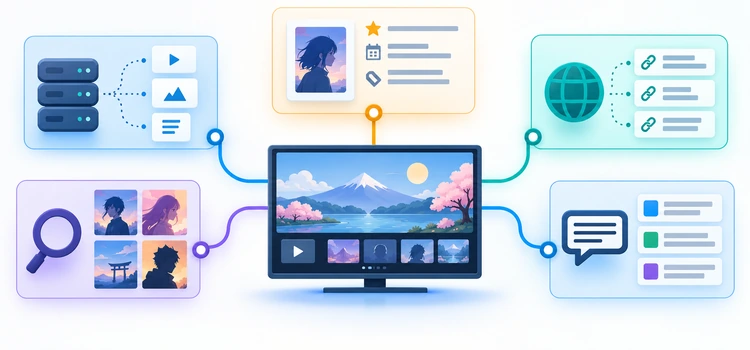
The shortlist began with projects that expose a genuine addon manifest and a clear function compatible with Nuvio’s Stremio-style addon handling. We compared role, configuration transparency, documentation, protocol fit, source or metadata controls, hosting choices, credential boundaries, and maintenance evidence. Performance or coverage statements from developers remained attributed claims rather than independent benchmark results.
Ranking favors usefulness across a typical Nuvio setup, then rewards a distinct specialist role. Source aggregators appear first because most readers search for playback results, while metadata, lawful-provider, anime, and subtitle tools complete the experience. Closed hosted services rank below equally useful transparent alternatives, and every project is judged with its operational burden and dependencies visible.
- Protocol Fit: The project needed a current manifest route or documented Stremio-compatible addon interface usable by Nuvio.
- Distinct Purpose: Each finalist had to solve a practical problem not already handled better by an earlier recommendation.
- Configuration Quality: Useful controls, readable defaults, exportable settings, and clear failure behavior improved comparative standing.
- Credential Boundary: Reviews considered personalized manifests, API keys, provider authorization, hosted trust, and private deployment options.
- Maintenance Evidence: Current documentation, repository activity, release history, and clearly acknowledged limitations informed practical reliability judgments.
- Safety Context: Rankings never treat technical availability, debrid caching, encryption, or open source as proof of lawful access.
Verdict
AIOStreams is the best overall Nuvio addon for people who want several sources organized consistently, while Torrentio provides the easiest focused setup and Comet gives capable self-hosters deeper control. Metadata, official-provider, anime, and subtitle picks serve different gaps. Install only what improves your profile, preserve clear provenance, and keep every manifest and credential protected.
- AIOStreams: Best for combining several compatible feeds into a readable Nuvio list with detailed filtering, sorting, formatting, and self-hosting choices.
- Torrentio: Best for beginners wanting a quick movie and series source addon, provided they accept hosted-service limits and protect personalized URLs.
- Comet: Best for skilled operators seeking private infrastructure, observability, databases, broad scraper support, and control across Nuvio and other clients.
FAQs
What is a Nuvio addon?
A Nuvio addon is a remote service that exposes a compatible manifest plus resources such as catalogs, metadata, streams, or subtitles. Nuvio reads that manifest and queries the declared capabilities. The addon remains separate from Nuvio, so its operator, uptime, privacy practices, data sources, and configuration requirements must be evaluated independently.
Do Stremio addons work in Nuvio?
Many addons using the standard Stremio addon protocol can work in Nuvio when installed through their manifest URL. Compatibility is not universal because clients may differ in supported resources, deep links, configuration behavior, and playback. Check current Nuvio documentation and test each addon’s intended function on the exact device and app version.
Which Nuvio addon is best for beginners?
Torrentio is the simplest focused source option, while AIOStreams is better when a beginner is willing to learn one consolidated configuration. Add AIOMetadata only if the built-in catalogs feel limited, and use OpenSubtitles when embedded tracks are insufficient. Start with one addon rather than importing a large unverified bundle immediately.
Is AIOStreams better than Torrentio for Nuvio?
AIOStreams is more flexible because it can merge and standardize several upstream addons, but that also creates more settings and dependencies. Torrentio is easier when one broad source feed is enough. Choose AIOStreams for consolidation and detailed rules; choose Torrentio for a shorter setup with fewer parts to diagnose when results disappear.
Can Nuvio addons provide legal streaming links?
Yes. Official Sources is designed to open legitimate provider apps and websites, while other addons may return public-domain, personally hosted, licensed, or unauthorized sources depending on configuration. An addon’s presence does not prove rights. Verify the destination and use only content permitted by the provider, rights holder, and applicable local law.
Are debrid services required for Nuvio addons?
No. Metadata, catalog, official-provider, and subtitle addons work without debrid, and some source addons can return direct or peer-to-peer results. Optional debrid integrations may affect resolution and availability. Follow Nuvio’s current supported-provider instructions, keep tokens private, and do not assume a paid service grants permission to access copyrighted material.
Should you enter a debrid key in AIOStreams for Nuvio?
It depends on the routing model. When Nuvio should resolve raw P2P hashes through its native supported integration, leave debrid credentials out of AIOStreams and use a compatible P2P-enabled instance. If AIOStreams resolves links itself, credentials belong there instead. I would avoid configuring both paths until their interaction is fully understood.
Why does a Nuvio addon show no results?
The addon may be disabled, incorrectly ordered, unavailable, blocked by filters, missing a required key, or unable to map the title’s identifier. Test another authorized title, loosen one filter, and inspect sanitized status information. Separate metadata, stream, and subtitle failures before reinstalling everything, because each resource follows a different path.
Can multiple Nuvio addons be installed together?
Yes, but overlapping source or metadata addons can create duplicates, slow responses, and unpredictable priority. Start with one addon per role, then add another only when it fills a measurable gap. Keep a record of order and purpose so you can disable the correct component when cards, streams, or subtitles behave unexpectedly.
Are public addon instances safe?
A public instance is not automatically safe or unsafe. It requires trust in the operator’s deployment, updates, access controls, logs, and data handling. A neglected self-hosted server can be worse. Prefer documented operators, minimize credentials, use HTTPS, protect personalized manifests, and choose the maintenance model whose risks you can actually manage.
Why are metadata and stream addons separate?
Metadata addons supply titles, posters, summaries, identifiers, and catalogs, while stream addons return playable choices for a selected item. Separation lets users combine a preferred discovery layer with different authorized sources. It also explains why a beautiful card can have no stream, or why a source result can appear under imperfect metadata.
How can you remove or replace a Nuvio addon?
Open Nuvio’s addon-management area for the correct profile, disable the addon first if you want a reversible test, or remove it when the replacement is verified. Preserve the project URL and safe settings before deletion. Revoke external tokens separately, because removing a manifest from Nuvio may not invalidate credentials held by its service.