9 Best Firestick Apps (2026)

Key Takeaway: Prime Video, Netflix, and YouTube TV are the strongest starting points for most Fire TV households because they cover integrated discovery, premium on-demand viewing, and live television. Disney+, Hulu, and HBO Max deepen the paid catalog, while Tubi, Pluto TV, and Plex add worthwhile free or personal-media options.
Best Firestick Apps: Quick Comparison
| App | Best for | Cost snapshot | Fire TV fit | Official site |
|---|---|---|---|---|
| Prime Video | Amazon households and integrated rentals | Prime is $14.99 monthly or $139 yearly; extras vary | Deep Fire TV integration | Visit Site |
| Netflix | Broad premium on-demand viewing | Plans start at $8.99 monthly | Mature app with 4K on supported setups | Visit Site |
| Disney+ | Disney franchises and family libraries | $11.99 with ads; $18.99 Premium monthly | Official Amazon Fire TV support | Visit Site |
| Hulu | Current television and flexible bundles | $11.99 with ads; $18.99 Premium monthly | Supported except older retired hardware | Visit Site |
| YouTube TV | Cable-style live TV and cloud DVR | $82.99 standard Main Plan monthly | Broad current Fire TV support | Visit Site |
| HBO Max | Prestige series, films, and Warner libraries | $9.99 to $20.99 monthly | Fire OS 5 or later supported | Visit Site |
| Tubi | Free movies, series, and live channels | Free with advertising | Official app on supported Fire TV devices | Visit Site |
| Pluto TV | Free channel surfing | Free with commercial breaks | Simple Fire TV live-guide experience | Visit Site |
| Plex | Personal media plus free streaming | Free locally; optional passes add capabilities | App available through Amazon Appstore | Visit Site |
Disclaimer
OTTWatchGuide does not provide legal or financial advice. App availability, pricing, trials, channels, titles, advertisements, and playback features can change without notice and may differ by region, Fire TV model, account, or plan. Use official app-store listings and provider websites, review renewal terms before subscribing, and stream only content you are authorized to access.
The best Firestick apps should open quickly, behave predictably with the remote, and deliver enough useful programming to justify their price. This guide compares nine legal, officially distributed services across movies, series, live channels, sports, free viewing, and personal media, with Fire TV compatibility treated as a requirement rather than an afterthought.
I reviewed official device lists, current U.S. plan pages, playback features, account limits, and Fire TV setup guidance before arranging the choices below. Availability, channels, resolutions, and promotions can still vary by device generation, location, subscription, and licensing, so confirm the offer shown inside each official app before paying.
Read More
Why You Can Trust OTTWatchGuide?
OTTWatchGuide evaluates streaming products for practical household use, not just catalog size. This comparison relies on official provider pricing, device-support documentation, and Amazon Fire TV guidance available during review. No placement was purchased, and rankings balance breadth, value, usability, and Fire TV performance instead of rewarding one headline feature.
- Every selection has an official provider site and a legitimate Fire TV distribution path.
- Published prices and plan limits were checked against first-party pages during the review.
- Compatibility notes distinguish broad Fire TV support from model-specific or regional restrictions.
- Free, paid, live, on-demand, and personal-media uses are compared on appropriate terms.
- Promotional claims are separated from standard pricing so temporary discounts do not distort rankings.
1) Prime Video
Prime Video earns first place because it feels native on Fire TV while covering subscription titles, rentals, purchases, live programming, and optional channel add-ons. Search results, Alexa requests, watchlists, and playback controls sit close to the device experience, reducing friction between choosing a title and starting it on the television.
Its advantage is flexibility rather than a single catalog promise. Households can watch included Prime programming, rent a recent release, or add a specialty subscription without installing a separate viewing system. I rank it highest for Firestick owners using Amazon accounts, although paid extras can complicate an otherwise convenient interface.
Features:
Fire TV integration: Prime Video connects closely with Fire TV search, home-screen recommendations, Alexa voice requests, and supported playback controls. That relationship makes discovery unusually convenient every day, especially when a household already uses Amazon profiles, purchases, or watchlists across several compatible televisions and mobile devices under the same account.
Mixed content marketplace: One interface combines titles included with Prime, standalone rentals, digital purchases, free ad-supported programming, and optional subscriptions. Clear labels matter because not every thumbnail is covered by the base membership, but the arrangement can replace several separate storefronts in practice for viewers who understand each transaction type.
Original and licensed catalog: Amazon originals sit beside licensed films, television seasons, documentaries, sports, and rotating promotional collections. The selection changes over time and differs by country, yet its range gives most households something useful beyond a narrow genre. Detail pages regularly identify purchasing choices, language options, ratings, and availability.
Profiles and watchlists: Profiles help separate recommendations, progress, and saved titles for different viewers using one eligible household account. Kids profiles can narrow browsing, while watchlists preserve potential choices across supported devices. Account rules and simultaneous-stream limits still apply, so large households should review Amazon's current terms before relying on shared access.
Playback capabilities: Supported Fire TV hardware can provide HD or Ultra HD playback, subtitles, alternate audio, and accessibility features when the particular title and television setup qualify. Resolution depends on the device, connection, display, plan, and rights. A stable broadband connection and compatible HDMI path remain essential for consistent high-quality results.
Alexa navigation: Voice commands can locate eligible programs, open the app, and control common playback actions on supported Fire TV configurations. I find voice most useful for specific titles or actors, not vague browsing, because results may mix included programs with rentals, purchases, and add-on subscriptions that require another payment.
Channels and live options: Optional Prime Video Channels consolidate participating subscriptions within the Amazon experience, and selected live events or channels may appear alongside on-demand programming. Billing convenience is valuable, but channel prices, trials, cancellation rules, catalogs, and device access are controlled by each offer and should be checked before enrollment.
| Pros | Cons |
|---|---|
| My existing Amazon account makes Fire TV setup straightforward. | Included and paid titles can appear beside each other. |
| Search and Alexa controls work naturally across Fire TV. | Add-on channels can raise the monthly total quickly. |
| Rentals, purchases, subscriptions, and originals share one interface. | Some features vary by title, hardware, and location. |
| Profiles and watchlists support a busy household effectively. | |
| Optional channels reduce switching among multiple separate apps. |
Pricing:
- Amazon Prime: $14.99 per month or $139 per year.
- Prime Video rentals, purchases, and channel subscriptions: priced separately and vary by title or provider.
- Promotional trials and discounts: eligibility and duration vary; confirm the checkout screen.
Link: amazon.com
2) Netflix
Netflix remains the strongest premium app for Firestick owners who value polished discovery, broad international programming, dependable profiles, and familiar playback controls. The Fire TV app supports Netflix functions and can deliver 4K on eligible models and setups, making it an easy recommendation for households that watch on-demand entertainment frequently.
Its catalog rotates and no longer tries to be every studio's library, yet originals, licensed series, films, documentaries, animation, and productions keep the home screen varied. I place Netflix second because the application experience is refined, while rising prices, plan restrictions, and title availability require a closer look before subscribing.
Features:
Fire TV device support: Netflix documents support for Amazon Fire TV streaming media players, tablets, and television models, although menus and maximum resolution differ by generation. Signing in through the official app is straightforward, and compatible devices display navigation rows, search, playback controls, account profiles, and subtitle settings designed for television screens.
Personalized discovery: Recommendations adapt to viewing activity within each profile, while rows group new releases, continuing programs, genres, trending selections, and saved titles. The system can surface overlooked programs efficiently, but frequent viewers may notice repeated promotion of originals. Search remains the faster path when a household already knows what it wants.
Profiles and parental tools: One account can create multiple profiles with separate viewing histories, recommendations, maturity controls, language preferences, and lists. Kids experiences reduce exposure to unsuitable titles, while profile locks add another control layer. Subscription rules still determine simultaneous streams and household access, so profiles do not create separate memberships.
Resolution and sound: Select Fire TV devices can stream Netflix in Ultra HD when the plan, title, internet connection, television, and HDMI equipment all qualify. Netflix recommends sufficient bandwidth and compatible copy protection for 4K. Dolby Vision, HDR, surround sound, subtitles, and audio descriptions likewise depend on the full playback chain.
Global programming mix: Netflix invests in films and series from many countries, supplementing Hollywood releases with Korean dramas, European crime stories, anime, documentaries, and localized originals. Dubbing and subtitle choices make that catalog accessible, though availability and language tracks vary by territory. Travelers may therefore see a different library after crossing borders.
Downloads beyond Fire TV: Eligible plans support downloads on compatible mobile devices for offline viewing, which complements rather than changes the television app. I use that distinction when comparing services: Firestick viewing still requires a connection, but the same subscription can support travel viewing on a phone or tablet within current device and expiration limits.
Account management: Netflix lets members change plans or cancel through the account page, subject to billing arrangements with third parties. Plan details explain advertising, stream counts, downloads, and video quality. Reviewing those limits before signup prevents a low-cost tier from becoming frustrating when several household members expect simultaneous television access.
| Pros | Cons |
|---|---|
| My profiles keep recommendations and progress cleanly separated. | Full catalog changes regularly as licenses expire frequently. |
| Mature Fire TV interface responds predictably to remote input. | Premium capabilities sit behind more expensive plan levels. |
| International originals provide welcome variety beyond familiar major studios. | Household rules limit sharing outside the primary residence. |
| Strong subtitle, dubbing, and accessibility options aid viewing. | |
| Select setups support 4K, HDR, and immersive sound. |
Pricing:
- U.S. plans start at $8.99 per month on Netflix's current signup page.
- Exact plan names, full tier prices, advertising, stream counts, and quality appear during signup.
- Netflix may update prices; review the final plan screen before confirming membership.
Link: netflix.com
3) Disney+
Disney+ is the Firestick choice for households centered on Disney, Pixar, Marvel, Star Wars, National Geographic, and related franchise programming. Its official Amazon Fire TV support, recognizable hubs, family-oriented catalog, and Premium 4K capabilities make the app easy to navigate when viewers already know which brand or character they want.
The service carries general entertainment through its U.S. experience and offers bundle paths beyond children's viewing. I rank it third because the core franchises are unusually cohesive and seek predictable value, while value depends on whether a household wants Disney+ alone or combines it with Hulu and ESPN services.
Features:
Franchise hubs: Dedicated areas organize Disney animation, Pixar, Marvel, Star Wars, National Geographic, and other included collections. This predictable structure helps families move past a crowded recommendation screen and browse a known universe directly. Catalog details, maturity ratings, and premiere timing can change by country, profile settings, and licensing arrangements.
Fire TV availability: Disney lists Amazon Fire TV among supported television devices, with compatibility depending on current hardware, software, and regional availability. Installing from the Amazon Appstore provides the legitimate application path. Older or modified devices may miss features, so updating Fire OS and the app should precede deeper troubleshooting.
Profiles and parental controls: Multiple profiles can separate watch history and recommendations, while Junior Mode and content-rating controls support younger viewers. A profile PIN can add protection around mature settings. These tools help manage one household, but adults should still review individual title ratings because franchise branding does not guarantee identical suitability across every program.
Video and audio quality: Premium supports higher-end formats, including up to 4K UHD and Dolby Atmos where the title, Fire TV device, television, audio equipment, and connection qualify. The advertising tier may have different capabilities. Actual playback can fall back gracefully when bandwidth or hardware cannot maintain the most demanding format.
Downloads on mobile devices: Premium permits eligible downloads on supported phones and tablets, giving subscribers an offline option away from the Firestick. Download limits, expiration, region, and periodic account verification apply. The television app itself remains streaming-based, so offline mobile support should not be mistaken for local playback on Fire TV hardware.
Bundles and linked services: U.S. customers can choose bundles that combine Disney+ with Hulu and selected ESPN offerings, sometimes at a lower total than separate subscriptions. I recommend comparing included tiers carefully because advertising, live access, billing ownership, and app switching differ. A bundle does not necessarily place every program inside one interface.
Group-friendly discovery: Watchlists, continuing rows, curated collections, and premiere pages make it simple to plan shared movie nights around familiar franchises. New theatrical releases do not follow one permanent streaming timetable, so subscribers should verify each title's date and any premium conditions rather than assuming every Disney release arrives immediately.
| Pros | Cons |
|---|---|
| My family can browse familiar franchises through clear hubs. | Library value depends heavily on specific franchise interest. |
| Official Fire TV support simplifies legitimate application installation. | Some live and linear content still carries advertisements. |
| Premium offers notably strong 4K and immersive-audio potential. | Bundle choices can be confusing during plan selection. |
| Profiles and parental controls suit mixed-age households well. | |
| Annual Premium billing offers a lower effective monthly cost. |
Pricing:
- Disney+ with ads: $11.99 per month.
- Disney+ Premium: $18.99 per month or $189.99 per year.
- Bundles: multiple U.S. combinations are available; prices and included tiers vary.
Link: disneyplus.com
4) Hulu
Hulu is particularly useful on Firestick for viewers who want recent television episodes, an on-demand library, originals, and an upgrade path to live channels. The app turns one Amazon streaming device into either a focused subscription-video service or a broader cable replacement, depending on the chosen plan and household budget.
Its U.S.-only positioning and bundle relationships require more attention than global services, yet Hulu remains distinctive for network programming. I place it fourth because it bridges on-demand and live viewing effectively, though owners of the first-generation Fire TV Stick should note that Hulu no longer supports that hardware.
Features:
Current television focus: Hulu is known for offering recent episodes from participating networks alongside complete seasons, originals, films, documentaries, and licensed favorites. Release timing and retained episodes vary by agreement, so a show may not remain permanently. The approach suits viewers who follow ongoing television but do not need every network live.
Supported Fire TV devices: Hulu's current compatibility guidance includes Amazon Fire TV products but excludes the first-generation Fire TV Stick. The official Amazon Appstore remains the appropriate installation source. Updating Fire OS, restarting the device, and confirming model support can resolve many problems before users change subscriptions or network equipment unnecessarily.
Advertising choices: Subscribers can choose a lower-cost Hulu plan with advertisements or Premium for minimal ad interruption on most on-demand programming. Select shows, live channels, and linear streams can still contain ads because of rights and broadcast rules. Viewers sensitive to interruptions should read plan disclosures rather than treating Premium as universal removal.
Hulu plus Live TV: The live package expands Hulu with a large channel lineup, sports, news, entertainment, and cloud DVR capabilities, while also bundling other Disney services under current terms. Local station availability and regional sports differ by ZIP code. Channel counts and promotional prices should therefore be checked for the actual service address.
Profiles and personalized viewing: Profiles divide recommendations, watch histories, favorites, and continuing rows among household members. Kids profiles limit browsing to younger audiences, although parental oversight remains useful. Simultaneous-stream rules come from the selected subscription, and optional upgrades may be necessary when several televisions regularly watch live programming at once.
Downloads for eligible plans: Premium subscribers can download selected on-demand titles to supported mobile devices, subject to device counts, expiration, and rights. I treat this as a useful companion benefit rather than a Firestick function because offline files do not transfer to the television app. Live channels also cannot be downloaded for later offline viewing.
Flexible billing paths: Hulu offers monthly on-demand plans, an annual advertising plan, live-TV packages, and several bundles. The range can reduce duplicate subscriptions when chosen carefully, but third-party billing may alter management steps. Subscribers should compare the standard renewal rate, trial eligibility, included services, and cancellation method before accepting a promotional offer.
| Pros | Cons |
|---|---|
| My favorite current series often appear soon after broadcast. | Service availability is primarily limited to United States. |
| On-demand and live plans support different household needs. | First-generation Fire TV Stick is no longer supported. |
| Recent television complements originals and licensed film libraries. | Premium cannot remove every live or rights-required advertisement. |
| Annual advertising plan can reduce effective subscription cost. | |
| Bundles may consolidate several related Disney-owned streaming subscriptions. |
Pricing:
- Hulu with ads: $11.99 per month or $119.99 per year.
- Hulu Premium: $18.99 per month.
- Hulu plus Live TV: $89.99 per month at the standard advertised rate; availability and included services vary.
Link: hulu.com
5) YouTube TV
YouTube TV is the leading Firestick app here for replacing cable today with live local, news, entertainment, and sports channels. Its Main Plan combines a broad lineup with unlimited cloud DVR, household accounts, and three simultaneous streams, creating a practical television system without a separate provider-supplied receiver or coaxial installation.
The tradeoff is cost: its standard monthly price sits far above on-demand services, and regional lineups matter. I rank it fifth because households seeking live television receive a polished guide and strong recording tools, while viewers mainly watching movies or series can spend less on a smaller combination of apps.
Features:
Live channel bundle: The Main Plan advertises more than one hundred channels covering local affiliates, major cable networks, news, entertainment, and sports, subject to location. Entering a ZIP code reveals the relevant lineup before signup. Individual networks, local stations, events, and blackout rules can still change under distribution agreements today.
Unlimited cloud DVR: Subscribers can record programs to cloud storage without managing a physical drive on the Firestick. Recordings remain subject to retention policies, account status, network availability, and playback restrictions. The generous capacity is especially helpful for sports seasons and recurring shows because families can build libraries without deleting older episodes manually.
Household accounts: A membership supports up to six household accounts with separate recommendations, libraries, and DVR activity, while the standard plan generally permits three simultaneous streams. Household and location requirements apply, so this is not an invitation to share broadly between unrelated homes. Optional features may modify stream limits under current terms.
Fire TV compatibility: Google lists numerous Fire TV Stick generations, Fire TV Cube models, and Fire TV Edition televisions among supported devices. Installation uses the official Amazon Appstore, followed by Google account authentication. Older hardware or outdated system software can reduce responsiveness, so exact model support should be confirmed before purchasing a subscription.
Sports viewing tools: Live scores, key-play navigation, multiview on eligible devices, league packages, and optional sports networks strengthen the service for fans. I advise checking local affiliates, regional coverage, and blackout rules for the teams that matter because a large national channel count does not guarantee every regular-season game in every market.
Picture and sound upgrades: Eligible programming can provide 5.1 audio on supported Fire TV equipment, while the 4K Plus add-on offers selected higher-resolution content and other benefits. Not every channel or event is produced in 4K. Television capability, bandwidth, home-device limits, and the particular program determine what the viewer actually receives.
No long-term contract: The core service bills monthly and can be canceled without a traditional annual cable contract, although prepaid add-ons and promotions may follow separate conditions. Temporary introductory prices eventually return to standard rates. Reviewing the upcoming billing date and add-on list prevents an initial discount from masking the ongoing household cost.
| Pros | Cons |
|---|---|
| My household gets separate libraries and recording histories. | Standard monthly rate rivals some traditional television packages. |
| Unlimited cloud DVR removes local storage management entirely. | Regional lineups and sports blackouts vary by address. |
| Broad Fire TV compatibility covers many current devices. | Selected 4K programming requires an additional paid upgrade. |
| Three standard simultaneous streams suit many families well. | |
| Strong live guide feels familiar to cable viewers. |
Pricing:
- Main Plan: $82.99 per month at the regular U.S. rate.
- 4K Plus: $9.99 per month at the currently displayed standard rate.
- Limited-time promotions and optional networks: prices, eligibility, and end dates vary.
Link: tv.youtube.com
6) HBO Max
HBO Max is a premium choice for Firestick owners drawn to HBO series, Warner Bros. films, documentaries, animation, and live programming. Its three U.S. tiers scale from advertising-supported 1080p viewing to Premium 4K and Dolby Atmos, letting households pay for picture quality and stream capacity that match their equipment.
The library is narrower than a general aggregator but strong in recognizable prestige programming and studio depth. I rank HBO Max sixth because it works best as a complement to another service, while annual plans and the lower advertising tier create entry points for viewers who know the catalog fits.
Features:
HBO and Warner catalog: The service combines HBO originals with Warner Bros. films, Max originals, documentaries, animation, and programming from related brands. Specific titles rotate as rights and release windows change. The concentration of prestige series makes browsing purposeful, but viewers seeking a massive live-channel grid should choose a different primary app.
Fire TV requirements: HBO Max supports Amazon Fire TV devices running Fire OS 5 or later according to its help guidance, including compatible sticks, televisions, and related hardware. Users can search the Amazon Appstore for the official app, then sign in directly or authenticate an eligible provider subscription when that option is available.
Three quality tiers: Basic with Ads and Standard offer up to 1080p, while Premium can provide up to 4K UHD and Dolby Atmos on supported titles and equipment. Video quality adjusts to network and device conditions. Premium benefits therefore matter most when the television, sound system, HDMI path, and connection can use them.
Simultaneous streaming: Basic with Ads and Standard permit two streams at once, while Premium permits four under current U.S. plan terms. These limits help households choose a tier based on concurrent viewing rather than only resolution. Account-sharing, travel, and household policies still apply separately from the simple numerical stream allowance.
Mobile downloads: Standard supports up to thirty downloads and Premium up to one hundred on eligible mobile devices, with conditions and exceptions. I separate this benefit from Firestick storage because downloads are designed for supported phones and tablets, not for moving offline episodes onto the television device. Basic with Ads excludes downloads.
Live sports and events: Standard and Premium include eligible live sports and other live programming when offered, while advertising and schedule rules differ from on-demand titles. Events can be delayed, blacked out, or unavailable in some areas. Sports-focused buyers should verify the current calendar instead of subscribing based on a past tournament or season.
Annual billing savings: Each U.S. tier offers an annual option priced below twelve separate monthly payments at current rates. Paying upfront can benefit steady viewers, but refunds, cancellation timing, and third-party billing rules deserve review. Monthly service remains safer for people interested in only one series or a short release window.
| Pros | Cons |
|---|---|
| My watchlist benefits from strong HBO prestige programming. | Catalog breadth is narrower than larger general services. |
| Premium supports four streams and eligible 4K playback. | Basic tier includes advertising and excludes mobile downloads. |
| Annual plans reliably reduce cost for year-round subscribers. | Top video formats require Premium and compatible equipment. |
| Fire OS 5 support includes many existing devices. | |
| Warner films effectively complement series, documentaries, and animation. |
Pricing:
- Basic with Ads: $9.99 per month or $99.99 per year.
- Standard: $16.99 per month or $169.99 per year.
- Premium: $20.99 per month or $209.99 per year.
Link: max.com
7) Tubi
Tubi is the strongest free on-demand Firestick app, combining a large library of movies and series with live channels supported by advertising. It requires no paid subscription, and an account is optional for basic viewing, making the service an easy addition when a household wants more choice without another renewal.
Catalog depth comes with tradeoffs: advertisements interrupt playback, titles rotate, and newest premium releases are rarely the focus. I rank Tubi seventh but first among free movie services because its official Fire TV app, broad genre organization, low signup friction, and legitimate distribution make experimentation risk-free for most compatible devices.
Features:
Free advertising-supported access: Tubi charges no subscription fee for its standard streaming library and finances viewing through commercial breaks. The legitimate model avoids unofficial sources, but advertisements cannot be removed with a paid Tubi tier. Break frequency can vary by title, live channel, device, and advertising demand within the viewer's location.
Movies and television library: The catalog spans mainstream studio films, older television seasons, documentaries, independent releases, animation, reality programs, and cult favorites. Licensing changes continuously, so saved titles can expire. Genre rows and search help surface useful choices, although viewers should not expect the newest theatrical releases or permanent ownership of any program.
Live television channels: Tubi supplements on-demand viewing with linear channels covering news, entertainment, sports, weather, and themed programming, with availability varying by market. The channel grid supports relaxed browsing and background viewing. These streams are not a complete cable replacement, and local-network access depends on location and current distribution agreements.
Official Fire TV support: Tubi lists Amazon Fire TV and Fire TV Stick among supported platforms and recommends current software and app versions. The Amazon Appstore is the safe installation source. Very old hardware may be excluded, so checking the model and updating the operating system should come before assuming an account or network problem.
Optional account benefits: Viewers can start many programs without creating a Tubi account, while registration enables watchlists, viewing progress, and synchronization across supported devices. I prefer signing in for multiroom use because continuing a film becomes easier. Registration does not remove advertisements or convert streamed titles into purchases that remain permanently available.
Simple television interface: Large artwork, genre rows, a search function, a live guide, and continuing-viewing tools translate well to Firestick remote navigation. The home screen can feel busy because the catalog is extensive, but filters and direct search reduce scrolling. Playback controls remain familiar to viewers accustomed to major subscription applications.
No Tubi payment requirement: Tubi itself does not require a credit-card payment for free access, although an Amazon device account may request billing information for broader platform purposes. Users should confirm they selected the official free app and avoid lookalike installers. Any unrelated storefront requirement is separate from a Tubi subscription charge.
| Pros | Cons |
|---|---|
| My watchlist synchronizes free titles across supported devices. | Advertisements cannot be removed through a paid Tubi plan. |
| No subscription payment makes service experimentation financially risk-free. | Rotating licenses can remove saved programs without notice. |
| Broad genre range serves varied household viewing tastes. | Recent premium releases are not the catalog priority. |
| Optional registration allows immediate basic viewing without commitment. | |
| Official Fire TV distribution avoids sideloading concerns entirely. |
Pricing:
- Tubi: free with advertising.
- Paid ad-free plan: not offered.
- Amazon account requirements, internet service, and device costs remain separate.
Link: tubitv.com
8) Pluto TV
Pluto TV is the best Firestick app in the group for recreating channel surfing without a monthly television bill. Its live guide presents themed channels for news, entertainment, reality, crime, classic programs, movies, and other interests, while a separate on-demand area offers additional free viewing supported by short commercial breaks.
The experience prioritizes scheduled streams rather than precise control over every title, so it complements instead of replaces a personalized subscription library. I rank Pluto TV eighth because it makes a Firestick feel television-like, requires little setup, and costs nothing, although channel names and schedules can change as agreements evolve.
Features:
Free live channel guide: Pluto TV organizes numerous advertising-supported streams into a familiar grid with category filters and now-playing information. Users can enter a channel quickly instead of choosing one episode from a huge catalog. The lineup varies by country and changes over time, and many channels are themed streams rather than local broadcast networks.
On-demand library: A separate section offers movies and episodes that viewers can start on their own schedule, expanding the service beyond linear programming. Selections rotate and include commercial breaks. Search and categories help locate titles, but availability should be treated as temporary access rather than a stable digital collection or substitute for ownership.
Low-friction viewing: The app can begin streaming without a paid membership, which is useful on a new Firestick or guest-room television. Optional profile features add personalization and synchronization. I value this quick start for casual use, though signing in becomes worthwhile when viewers want favorites, watchlists, or progress shared across supported devices.
Fire TV availability: Pluto TV promotes Amazon Fire TV as a supported way to watch, and the official app can be installed through Amazon's storefront. Remote-friendly navigation fits the platform well. Device age, software version, location, and connection quality still affect performance, so keeping both Fire OS and the app current reduces avoidable failures.
Commercial-funded model: Short advertising breaks pay for access, and there is no standard Pluto TV subscription that removes them. Commercial timing resembles traditional television more than premium on-demand apps. Ad volume can differ among live and on-demand programs, and local privacy choices may influence personalization without eliminating the service's basic advertising model.
Favorites and continuity: Signed-in users can save preferred channels or programs and resume supported on-demand viewing across compatible devices. Those conveniences make the large grid easier to manage. Favorites do not guarantee a channel remains available, and progress data depends on account connectivity, app support, and the continued licensing of the underlying title.
Background-friendly programming: News feeds, themed series marathons, reality channels, and genre streams work well when viewers want something playing without extensive decision-making. The tradeoff is limited schedule control. Sports, news, or entertainment streams may not match a full cable feed, so important events require confirmation through current official listings daily.
| Pros | Cons |
|---|---|
| My Firestick gains a familiar guide without monthly fees. | Commercial breaks are permanent within the free model. |
| Themed channels reduce time spent choosing individual episodes. | Many streams differ from traditional local cable channels. |
| On-demand programs add useful flexibility beyond scheduled broadcasts. | Lineups and schedules can change with little notice. |
| Official Fire TV app offers uncomplicated remote navigation. | |
| Optional profiles consistently improve favorites and cross-device continuity. |
Pricing:
- Pluto TV: free with commercial breaks.
- Paid ad-free plan: not offered for the standard service.
- Internet, Fire TV hardware, and any third-party subscriptions are separate.
Link: pluto.tv
9) Plex
Plex is a versatile specialist app for collectors, combining free ad-supported movies and live channels with organization and playback for a household's own media library. The Fire TV client can serve as a polished television front end, while Plex Media Server indexes files stored on supported computers or network devices.
That flexibility introduces more setup and policy detail than a simple subscription service, particularly for remote personal-video access. I rank Plex ninth for audiences but higher for media collectors because local playback can remain free, Fire TV support is strong, and optional passes expand remote, mobile, recording, and server-oriented capabilities.
Features:
Personal media organization: Plex Media Server can index compatible movies, television episodes, music, and photos, adding artwork and metadata before presenting them through television clients. Successful playback depends on file formats, server resources, network conditions, and authorized content. Users remain responsible for owning or having permission to store and stream their files.
Fire TV client: Plex offers its application through the Amazon Appstore and identifies current Fire TV devices as supported big-screen platforms, including eligible 4K playback. The client connects to personal servers and Plex-provided programming. Older hardware, unusual codecs, subtitles, or high-bitrate files may require server transcoding that reduces speed or quality.
Free streaming catalog: The app includes advertising-supported on-demand films and live channels that do not require a personal server. This content gives new users something to watch immediately, while its catalog and commercials remain distinct from locally owned media. Titles, channels, availability, and advertising behavior vary by region and licensing arrangements.
Local and remote distinctions: Streaming personal media inside the home can follow different requirements from viewing the same server remotely. Current Fire TV remote personal-video access may require a Plex Pass or Remote Watch Pass. I recommend checking the policy and testing local playback before paying, especially when remote travel access is the primary objective.
Plex Pass capabilities: Plex Pass adds premium server and client features that can include remote streaming rights, hardware-accelerated transcoding, downloads, DVR functions, advanced music tools, and other benefits under current terms. It does not remove advertising from Plex's free catalog or grant ownership of premium studio movies, so expectations should stay precise.
Remote Watch Pass: The lower-cost Remote Watch option targets remote personal-video playback for users who do not need the broader Plex Pass feature set. It is available monthly or annually with a stated trial. Server owners and managed household users should review who needs the entitlement because account roles and sharing arrangements affect access.
Navigation and watchlist: Big-screen navigation separates personal sources, free streaming, search, and saved items, while a universal watchlist can track availability across services. The breadth is useful but can confuse newcomers expecting only local files. Pinning preferred sources and hiding irrelevant areas creates a cleaner Firestick experience for routine playback.
| Pros | Cons |
|---|---|
| My personal library and free streams share one client. | Initial server setup requires more technical effort overall. |
| Local personal-media playback can remain free at home. | Remote Fire TV playback may require a paid pass. |
| Official Amazon Appstore client reliably supports television navigation. | Transcoding performance depends on separate server hardware resources. |
| Flexible passes suit remote viewers and media enthusiasts. | |
| Metadata and artwork neatly organize authorized personal files attractively. |
Pricing:
- Local personal-media playback and Plex free streaming: free, with ads in Plex-provided programming.
- Remote Watch Pass: $2.99 per month or $29.99 per year.
- Plex Pass: $6.99 monthly, $69.99 yearly, $249.99 for five years, or $749.99 lifetime.
Link: plex.tv
How to Choose Firestick Apps for Your Household
Start with the viewing job instead of the largest advertised catalog. One household may need current television, another live sports, and another only free background channels. Create a realistic monthly ceiling, identify must-have programs, and count simultaneous televisions before comparing promotions. A focused two-app combination often delivers more usable value than several overlapping memberships.
Fire TV ownership also makes hardware age important. A current app can install yet perform poorly when storage is nearly full, Wi-Fi is weak, or the device no longer receives support. Match the subscription to the specific Fire TV model, display capabilities, and home network rather than paying for formats the setup cannot reproduce.
- Needs list: Write essential shows, teams, channels, and movie libraries before opening provider comparisons or promotional checkout screens.
- Device check: Confirm every Fire TV model, because one retired stick can undermine an otherwise suitable household service.
- Renewal price: Compare standard rates, not introductory offers that disappear after only a few discounted billing cycles.
- Stream count: Count normal simultaneous viewers and profiles so plan limits do not create predictable evening conflicts.
- Catalog overlap: Assign each paid app one clear purpose instead of maintaining several nearly identical household libraries.
- Monthly rotation: Keep prestige services only while one current series, film cycle, or release window genuinely matters.
Paid, Free, Live, and Personal-Media Options
These apps solve different problems and should not be judged by one universal catalog number. Netflix, Disney+, Hulu, and HBO Max sell curated subscriptions; YouTube TV prioritizes live channels; Tubi and Pluto TV exchange viewing time for ads; Plex organizes authorized personal files; Prime Video blends membership content with transactions and optional channels.
A balanced Firestick setup can combine one broad paid service, one free service, and a live option only when the household genuinely watches scheduled channels. This structure keeps costs visible and reduces redundant menus. Free apps remain valuable complements, but advertisements, rotating rights, and limited new releases are the practical price of avoiding subscription charges.
- Subscription video: Choose it when consistent originals, profiles, and on-demand control matter more than live channel grids.
- Live television: Pay for it when local stations, news, sports, or scheduled events justify the higher monthly price.
- Free streaming: Add it for casual discovery, older films, themed channels, and backup entertainment without another renewal.
- Personal media: Use Plex only with files and streams the household is legally authorized to access and share.
- Digital rentals: Buy occasional access when one transaction costs less than maintaining an entire service for one title.
- Annual review: Recheck bundles yearly because included tiers, advertising, ownership, and cancellation steps can change independently over time.
Fire TV Compatibility, Performance, and Storage
Compatibility is more specific than seeing a Fire TV logo. Providers may support recent sticks, Cubes, and television editions while retiring early generations or limiting 4K, HDR, surround sound, and voice controls. Official device lists should be checked against the exact model name, Fire OS version, television input, and audio equipment in use.
Performance also depends on free storage, background processes, wireless congestion, and internet stability. Installing every available app can slow navigation and leave insufficient room for updates. Keep frequently used services, remove abandoned downloads or applications, update the operating system, and restart the device before interpreting buffering as proof that the provider itself is failing.
- Exact model: Confirm the Fire TV generation and operating-system version before subscribing to any unfamiliar streaming service.
- Free storage: Reserve space for application updates, caches, and system processes instead of filling every available gigabyte.
- Playback chain: Use the correct television input, HDCP path, and audio equipment for promised premium video formats.
- Wi-Fi test: Measure connectivity near the television because distance, walls, and congestion can reduce reliable streaming bandwidth.
- Basic restart: Reboot the Firestick and router after updates before reinstalling apps or changing paid plans unnecessarily.
- Official source: Prefer Amazon Appstore releases, which provide safer updates and clearer compatibility than unknown installation files.
How Did We Evaluate These Firestick Apps?
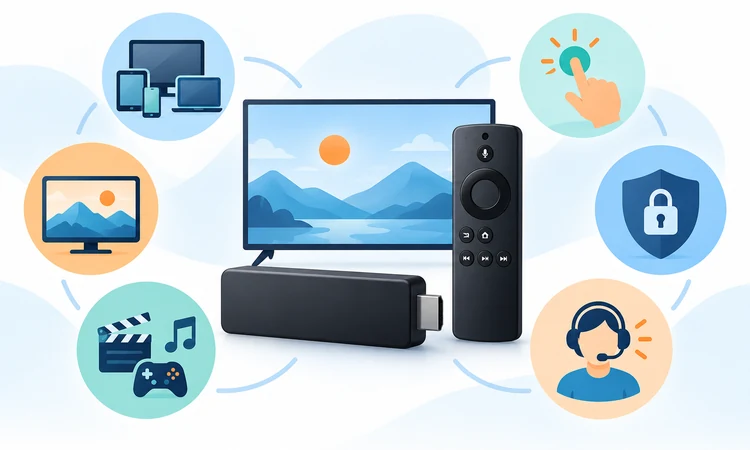
Every selection had to offer a legitimate Fire TV path and enough ongoing utility to justify a place on a general household list. I weighted documented compatibility, remote-friendly navigation, catalog usefulness, playback options, pricing clarity, account controls, and support resources. Free and paid apps were measured against their own promises, not forced into identical expectations.
Rank order reflects broad usefulness first, then specialization. Prime Video benefits from platform integration, while Plex ranks lower despite powerful personal-media tools because setup is more demanding. Official sources guided factual claims, current U.S. standard prices replaced short promotions, and temporary catalogs or live events were not treated as permanent advantages.
- Compatibility: Required official distribution or provider documentation covering relevant Amazon Fire TV devices and supported software.
- Usability: Included launch behavior, remote navigation, search, profiles, watchlists, and understandable playback controls during routine viewing.
- Content value: Considered breadth, distinctiveness, update cadence, live utility, and overlap with competing paid streaming services.
- Pricing clarity: Emphasized standard renewal rates, advertising, stream limits, annual commitments, and separately billed optional extras.
- Playback: Covered resolution, sound, subtitles, connection demands, and limitations across plans, programs, or device generations.
- Trust: Included legal availability, official help resources, cancellation clarity, privacy controls, and transparent provider restrictions.
Safe Installation, Privacy, and Troubleshooting
Install streaming apps through the Amazon Appstore on the Firestick or through a provider's verified Fire TV instructions. Sideloading unknown packages can bypass normal update and review channels, expose account credentials, or install unwanted software. A service missing from the official store may be unavailable for the model or region rather than secretly accessible elsewhere.
Privacy controls deserve the same attention as picture quality. Streaming platforms collect viewing and device data for operation, recommendations, measurement, and advertising under their policies. Review account permissions, advertising choices, profile access, and connected devices. Use unique passwords and multifactor authentication when offered, then remove sessions for hardware that is sold or discarded.
- Listing check: Verify the developer, icon, and official store page before entering an email address or payment details.
- Update first: Update Fire OS and the app before clearing data, reinstalling software, or contacting customer support.
- Account security: Use unique passwords and enable stronger sign-in protection whenever the streaming provider offers that option.
- Device audit: Review active devices after travel, houseguests, television replacement, or any suspected unauthorized account access.
- Cache step: Clear only the affected app cache first, because deleting data removes sessions and local preferences.
- Warning signs: Avoid impossible catalogs, lifetime access, or premium channels delivered through unofficial downloadable application files.
Verdict
Prime Video is the best overall Firestick app because its Amazon integration, mixed catalog, and transaction choices fit the platform naturally. Netflix provides the most polished general premium alternative, while YouTube TV is the strongest live-cable replacement. Tubi, Pluto TV, and Plex add capable no-subscription options when advertisements or setup tradeoffs are acceptable.
- Prime Video suits Fire TV households wanting integrated discovery, included programming, rentals, purchases, and optional channel subscriptions within one familiar Amazon experience.
- Netflix remains a dependable premium choice for profiles, international originals, polished recommendations, and strong playback support across compatible Fire TV home theaters.
- YouTube TV best serves viewers who prioritize live local channels, sports, news, household accounts, and unlimited cloud DVR over a lower monthly bill.
FAQs
What are the best Firestick apps overall?
Prime Video leads for Amazon integration, Netflix for on-demand viewing, and YouTube TV for live channels. Disney+, Hulu, and HBO Max suit catalogs; Tubi, Pluto TV, and Plex add alternatives.
Are these Firestick apps legal?
Yes. Each recommendation comes from a provider and has an official Fire TV path. Viewers must follow service terms and use only programs, files, accounts, and regional access they are legally authorized to use.
Can Firestick apps be installed without an Amazon account?
A Fire TV normally needs Amazon registration for use and Appstore downloads. Streaming services may require accounts. Free providers reduce signup friction, but device registration remains different from creating or paying for an account.
Which Firestick apps are completely free?
Tubi and Pluto TV offer free movies, series, and channels supported by advertisements. Plex adds free programming and personal-media playback. Internet, Fire TV hardware, rentals, external subscriptions, and some Plex remote features cost separately.
What is the best Firestick app for live TV?
YouTube TV is the complete paid option, combining a broad U.S. lineup, household accounts, three streams, and unlimited cloud DVR. Pluto TV and Tubi provide free channels but cannot reproduce local or sports coverage.
What is the best Firestick app for movies?
Netflix is the strongest premium movie choice; Prime Video adds rentals and purchases for new releases. Disney+ and HBO Max suit their franchise libraries, while Tubi supplies a valuable free movie supplement with advertisements.
Do Firestick apps support 4K streaming?
Several apps provide eligible 4K programs on compatible plans and Fire TV hardware. Resolution also depends on the title, television, HDMI path, internet connection, regional rights, and sometimes a higher-priced subscription tier or add-on purchase.
Why is a Firestick app buffering?
Buffering can reflect weak Wi-Fi, congestion, limited bandwidth, outdated software, low storage, or provider outages. Restart the Firestick and router, update both systems, test another app, and lower video quality before changing a paid plan.
How many streaming apps should a household keep?
Start with one broad paid service and one free option, then add live television or a specialist only when use justifies it. Review subscriptions monthly to remove overlap, trials, and plans that no longer fit.
Can Firestick apps be moved to external storage?
External-storage support varies by Fire TV model, operating system, drive setup, and app. Even after moving an app, some data may remain internally. Follow Amazon's model-specific guidance and reserve internal space for updates and caches.
Is sideloading necessary for the apps in this guide?
No. Every recommendation has a Fire TV installation path, so unknown packages are unnecessary. Availability can vary by model and country; if an app is missing, confirm support and compatibility instead of using unverified software.
Can one subscription work on several Firesticks?
Usually, but each provider applies household, stream, device, travel, and account rules. Installing an app on several Firesticks does not guarantee simultaneous playback. Check the plan limit and keep each device within the household account.
Do ad-free plans remove every advertisement?
No. Live channels, sports, linear feeds, promotional messages, and certain programs can retain advertisements because of rights or broadcast rules. Disney+, Hulu, and HBO Max publish plan-specific exceptions, so review current plan disclosures before upgrading.
How do I update an app on Firestick?
Open the Amazon Appstore or Fire TV application settings, locate the service, and select its update option. Automatic updates may handle releases when storage and connectivity permit; updating Fire OS and restarting can resolve failures.
Which Firestick app is best for personal media?
Plex is strongest for organizing and streaming authorized personal movies, shows, music, and photos through a television interface. It needs server transcoding resources, while remote playback can require Plex Pass or a Remote Watch Pass.