8 Best Stremio Addons for Live TV (2026)


Key Takeaway: YouTube is the clearest official channel catalog, Pluto TV is the strongest free licensed-channel connector, and RTVE best serves Spain. The other picks either connect transparent rightsholder catalogs or organize a viewer’s own authorized IPTV source; none includes rights to premium channels.
Best Stremio Live TV Addons: Quick Comparison
| Addon | Status | Best For | Content Source | Visit Site |
|---|---|---|---|---|
| YouTube | Official | Official channel discovery | YouTube publishers | Visit Site |
| Pluto TV | Community | Free ad-supported channels | Pluto TV | Visit Site |
| RTVE | Community | Spanish public television | RTVE Play | Visit Site |
| TV Legal France | Community | French broadcaster discovery | Named French services | Visit Site |
| M3U Mux | Community | Combining authorized playlists | User-supplied M3U/Xtream | Visit Site |
| IPTV Bridge | Community | Direct provider connections | User-supplied M3U/Xtream | Visit Site |
| Xtremio | Community | Xtream account organization | User-authorized Xtream | Visit Site |
| IPTV Catchup | Community | EPG and catch-up workflows | User-supplied M3U/EPG | Visit Site |
Disclaimer
This article provides general information, not legal, privacy, security, or subscription advice. No placement is sponsored. Addons, manifests, instances, channels, prices, accounts, regions, licenses, and policies can change after September 12, 2026. OTTWatchGuide did not test every stream, title, device, or permission. Use only official broadcasters and authorized providers; an M3U address, Xtream login, VPN, proxy, or debrid service does not create viewing rights or legalize access. Confirm current availability, ownership, household rules, and charges with the relevant rightsholder before watching.
Stremio addons live TV searches can expose an awkward mix of legitimate catalogs, empty connectors, and bundles making unverifiable premium-channel promises. This guide filters that field to eight defensible options. I compared current manifests, operator descriptions, source transparency, regional limits, privacy exposure, setup effort, and whether each addon clearly separates software functionality from content permission.
The shortlist includes one official Stremio channel catalog, three community connectors for recognizable free rightsholder services, and four bring-your-own-source tools. A listing here is not a license endorsement. The broadcaster, playlist operator, or subscription provider must actually authorize every stream in your location, and availability may change without the addon changing at all.
Read More
Why You Can Trust OTTWatchGuide?
OTTWatchGuide checked Stremio’s maintained addon index, current community listing pages, public source repositories where available, and official broadcaster pages on September 12, 2026. Rankings reward source clarity, lawful utility, documented behavior, privacy restraint, and realistic setup. We excluded torrent scrapers, debrid-dependent tools, premium-channel giveaways, and catalogs whose distribution authority could not be verified.
- Primary Evidence: Stremio, broadcaster, project, and provider-controlled pages support the central functionality and availability claims.
- Rights Boundary: Addon code, playlist transport, and content permission are treated as separate questions throughout this guide.
- Regional Honesty: Free access in one country never becomes a promise of equivalent availability everywhere else.
- Current Listings: Versions and published descriptions were rechecked immediately before this draft was prepared for WordPress.
1) YouTube
YouTube ranks first because Stremio’s maintained index marks it official and describes channel catalogs plus upload notifications. It offers the cleanest operator relationship and can surface videos from publishers that lawfully distribute their programming. The addon itself does not promise a universal electronic program guide or every channel’s live feed.
I place it above community options because its status and purpose are documented by Stremio, yet viewers should keep expectations narrow. A publisher decides whether an event is live, archived, region blocked, age restricted, or unavailable inside a client. Open the YouTube page when entitlement, chat, captions, or details matter.
Features:
Official Manifest: Stremio’s maintained index marked YouTube official and listed version 1.30.7 during this review. The manifest exposes channel catalog and metadata resources, identifying a discovery role rather than a generic television entitlement. Official status confirms Stremio’s relationship to the addon, but it cannot expand a publisher’s underlying video license.
Channel Catalogs: The addon description focuses on favorite YouTube channels and new-upload notifications. That makes it useful for broadcaster channels, public agencies, sports organizations, and creators that publish authorized feeds or replays. It should not be presented as a full cable replacement, because catalog discovery and real-time streaming are different technical functions.
Publisher Control: Every channel owner controls schedules, visibility, advertisements, geographic restrictions, memberships, and archive duration. A program available yesterday can disappear today without any Stremio change. I verify important events on the publisher’s verified YouTube channel and official website before promising that a live window, replay, or language option exists.
Playback Boundary: Stremio can organize metadata returned by the addon, while YouTube remains responsible for the hosted media and its rules. An addon listing never grants permission to restream, record, redistribute, or bypass controls. Viewers should follow the publisher’s current page, account requirements, age gates, and applicable terms for each video.
Regional Behavior: Rights for news, concerts, sports, and television simulcasts may differ by country. Publishers can allow a worldwide upload while limiting a live event, or remove the replay after a short window. Travelers should expect changes and should not treat a VPN endpoint as proof that viewing is authorized in their location.
Device Practicality: Channel catalogs are relatively simple to browse, but embedded playback, sign-in, casting, captions, and notifications can behave differently across Stremio clients. If an official live video fails, confirm it in YouTube’s own application before blaming the addon. The native service remains the best place for account-specific controls and support.
Privacy Consideration: Requests can reveal channel and title interests to Stremio, the addon infrastructure, YouTube, and normal network intermediaries under their separate policies. Avoid entering account credentials into unfamiliar configuration pages. Remove unused addons, keep clients updated, and use official sign-in screens whenever an account feature is actually required for access.
| Pros | Cons |
|---|---|
| Official Stremio status gives this recommendation strong provenance | Not a complete electronic program guide replacement for viewers |
| Publisher channels can offer lawful live programming directly | Live availability depends entirely on each channel publisher |
| Catalog focus avoids unverifiable premium channel bundle claims | Regional blocks may change unpredictably between scheduled events |
| My top choice requires no mystery playlist operator |
Pricing:
- Addon access: No addon fee is listed; YouTube publishers may require ads, membership, payment, or regional eligibility.
Link: github.com
2) Pluto TV
Pluto TV ranks second as a community connector whose stated source is a free, ad-supported service. The listing advertises live Pluto channels with catalog and search support, while Pluto’s official site presents hundreds of live channels. That combination is clearer than anonymous bundles, although the addon remains independently operated software.
I recommend it for casual news, entertainment, themed channels, and some sports programming where Pluto officially operates. The addon is not Pluto’s own Stremio product, and channel lineups vary by territory. If its catalog or streams fail, use Pluto’s official application or website and treat that rightsholder experience as authoritative.
Features:
Identifiable Source: The community listing names Pluto TV rather than advertising an unexplained premium bundle. Pluto’s official service describes hundreds of free channels supported by advertising. That transparency makes rights checking possible, though the addon operator must still obtain and maintain technically valid access to the same streams without defeating the broadcaster’s normal controls.
Live Catalog: The listing says the addon exposes live Pluto TV channels and supports catalog browsing. Viewers can therefore approach it as a channel directory instead of searching individual files. Catalog organization may differ from Pluto’s current native guide, and a listed tile does not guarantee a playable stream on every Stremio client.
Search Support: Search can reduce scrolling through themed channels, especially when the regional lineup is large. Results depend on the connector’s metadata and current source mappings rather than Pluto’s native personalization. My check is to confirm a missing or renamed channel on Pluto’s official live-TV page before assuming the service removed it everywhere.
Free Service Model: Pluto generally offers free ad-supported viewing, not an addon subscription. Free does not mean public domain, downloadable, or licensed for redistribution. Advertising, tracking, location checks, account features, and supported devices remain governed by Pluto’s current service. The connector cannot waive those requirements or transform the content’s copyright status.
Regional Lineups: Pluto operates localized services, and its official channel selection changes across countries. A review cannot promise identical networks, sports, films, audio languages, or schedules worldwide. Users should compare the addon against the official local Pluto guide and avoid installing substitute manifests that promise blocked premium stations or another country’s entire lineup.
Third-Party Status: Stremio Addons labels the connector as community software, not an official Stremio or Pluto integration. Independent hosting introduces uptime, maintenance, logging, and security questions. Inspect the current listing and source repository when available, use only the published configuration route, and uninstall the addon if its operator or requested permissions become unclear.
Fallback Path: Pluto’s official website and native apps remain the supported destination for account controls, accessibility, privacy choices, and technical help. When playback breaks inside Stremio, test the same channel there. That simple comparison distinguishes an addon problem from a regional outage, removed channel, expired stream URL, network fault, or service-wide maintenance.
| Pros | Cons |
|---|---|
| Named licensed service makes direct source verification straightforward | Community connector lacks official Pluto support guarantees today |
| Free channels cover several casual television viewing categories | Lineups and schedules vary significantly across different countries |
| Search can simplify a crowded regional channel catalog | Streams may break whenever source addresses change unexpectedly |
| My ranking rewards its unusually transparent content origin |
Pricing:
- Addon access: No addon fee is listed; Pluto TV is generally free with advertising where available.
Link: stremio-addons.net
3) RTVE
RTVE ranks third for viewers seeking Spain’s public television services through a clearly named community connector. The addon listing describes live television, radio, catalogs, schedules, metadata, and search, while RTVE Play’s official site publishes officially listed direct channels such as La 1, La 2, Canal 24 Horas, Teledeporte, and Clan.
I value this narrow national focus because users can verify each channel against a broadcaster instead of trusting anonymous playlist branding. The addon expressly says it is not affiliated with RTVE, so support and data handling belong to its independent operator. Rights, accounts, sports windows, and availability remain program specific.
Features:
Public Broadcaster Source: RTVE Play is the underlying service, and its official direct page lists multiple live television and radio streams. The community addon organizes access but does not own those broadcasts. This source clarity enables viewers to compare names, schedules, and availability against RTVE rather than accepting unsupported claims from an unknown playlist seller.
Live Television: The listing documents live TV resources alongside metadata and catalogs. Expected services include RTVE’s own general, news, sports, children’s, and thematic offerings where the broadcaster exposes them. Individual sports, films, or acquired programs may be blacked out, replaced, or limited even when the surrounding channel remains freely available in Spain.
Radio Support: RTVE radio catalogs broaden the addon beyond television, which can be useful for news, music, and spoken programming. Radio availability still follows the broadcaster’s rights and technical feeds. A television-focused user can ignore those catalogs, while anyone seeking only native support should use RTVE Play when a community route creates unnecessary complexity.
Schedule Metadata: Program schedules help viewers understand what a live channel is carrying before opening it. Electronic guide data can be delayed, shifted by breaking news, or mapped incorrectly by any connector. My practice is to verify time-sensitive events on RTVE’s official schedule, accounting for the viewer’s time zone and any last-minute programming changes.
Explicit Non-Affiliation: The listing states that the addon is not affiliated with RTVE. That disclosure is important: it means Stremio users should not expect broadcaster customer support, service guarantees, or official privacy assurances for the connector. Review the project repository, manifest host, requested configuration, and current maintainer activity before installing independent community software.
Geographic Limits: Some RTVE programming is internationally available, while other content is limited by territorial licenses. A visible channel tile does not confirm that every program is authorized abroad. Users should honor official location messages and choose the broadcaster’s international offerings rather than trying to defeat restrictions through rewritten URLs, proxies, or questionable mirror services.
Official Fallback: RTVE Play’s native web and application experiences remain the authoritative places for accessibility settings, account tools, privacy information, and supported playback. If the addon produces an error, compare the same channel there. That test helps separate regional unavailability, account requirements, broadcaster maintenance, and connector-specific failures without installing riskier alternatives.
| Pros | Cons |
|---|---|
| Official broadcaster pages verify the underlying channel source directly | Best suited mainly to Spanish-language television programming audiences |
| Live television and radio receive organized catalog support | Connector is expressly unaffiliated with RTVE itself today |
| Schedule metadata adds useful context before starting playback | Some programs remain geographically restricted despite visible listings |
| My shortlist favors its focused, auditable public-service role |
Pricing:
- Addon access: No addon fee is listed; RTVE Play describes free access, subject to program and location restrictions.
Link: stremio-addons.net
4) TV Legal France
TV Legal France ranks fourth because its community listing frames the catalog around legal French services, naming France.tv, ARTE.tv, TF1+, M6+, RMC BFM Play, INA, L’Equipe, Twitch, and YouTube. That declared sourcing is more responsible than a generic playlist, but each included service retains separate terms and restrictions.
I see it primarily as a discovery layer for viewers eligible to use those broadcaster platforms in France. The connector is independently maintained, not a joint official integration with every named company. Accounts, advertisements, age ratings, live availability, device support, and replay windows can therefore differ widely across individual destinations.
Features:
Named French Sources: The listing identifies major public and commercial platforms instead of hiding behind vague channel claims. Names make verification possible on official sites, including France.tv and ARTE’s live page. The word legal in an addon title is not decisive evidence, so users must confirm the exact stream, territory, operator, and current permission.
Mixed Service Types: The catalog can combine public broadcasters, commercial catch-up services, sports media, archives, and web-video platforms. These sources do not share one pricing or account model. Some content may be free with advertising, some may require registration, and acquired programs can have shorter windows or narrower territories than broadcaster-owned news programs.
Discovery Emphasis: A consolidated catalog can reduce app switching when a viewer wants to see what several French services are offering. It should be treated as navigation, not a universal entitlement layer. Opening a title or channel may still lead to a provider-controlled page, request an account, show advertising, or report that playback is unavailable.
Regional Eligibility: French services commonly determine access using territory, account country, rights contracts, and device rules. My recommendation is to verify the current native provider page before depending on an event or series. A proxy response or copied playlist URL does not establish lawful eligibility, and this guide does not recommend defeating the provider’s controls.
Account Separation: Each named service can apply its own registration, consent, personalization, and data-retention policies. Never type broadcaster passwords into a community page unless the workflow is documented and the destination is authentic. Prefer provider-controlled authentication, review connected applications afterward, and remove tokens or addon configurations that are no longer needed.
Changing Catalogs: French platform brands, channel names, stream formats, and licensing windows can change faster than a community addon listing. A tile may persist after a source moves or closes. Compare stale results with the official destination and report issues through the project’s current support route rather than installing an unknown replacement manifest.
No Blanket Endorsement: Inclusion here reflects a transparent lawful-use design, not verification of every returned URL or every future update. The community operator controls mappings and hosting. Users should inspect current source code when available, avoid modified copies, and stop using the addon if it begins advertising implausible premium channels or unrelated credentials.
| Pros | Cons |
|---|---|
| Named services allow direct source and rights checks | Several providers create inconsistent account sign-in experiences overall |
| French catalog focus keeps regional discovery usefully organized | Most value depends on current French regional eligibility |
| Public and commercial options broaden lawful viewing choices | Community mappings can become stale after platform changes |
| My assessment rewards transparent sourcing, not title branding |
Pricing:
- Addon access: No addon fee is listed; named services set their own free, advertising, account, or paid conditions.
Link: stremio-addons.net
5) M3U Mux
M3U Mux ranks fifth as a bridge for people who possess authorized playlist or Xtream credentials. Its listing says users can combine up to ten sources, organize channel catalogs, and supply credentials privately during setup. The addon advertises no bundled playlist, so usefulness depends entirely on the viewer’s legitimate provider.
I prefer that empty-by-design model over services selling mysterious channel collections, although it requires careful configuration. M3U Mux cannot verify that a reseller holds distribution rights, and neither can Stremio. Use only a broadcaster, employer, school, hospitality system, or television provider that expressly authorizes your account, device, location, and viewing.
Features:
Bring Your Own Sources: The addon does not claim to include television channels. Users provide their own M3U, M3U8, or Xtream connection, keeping the software role conceptually separate from content supply. That design reduces misleading entitlement claims, but the user must confirm that the issuing provider can lawfully distribute every selected channel and program.
Multiple Inputs: M3U Mux advertises support for up to ten configured sources, useful for separating a broadcaster list, workplace feed, personal tuner gateway, and legitimate subscription. Combining lists can also create duplicates and confusing channel names. Start with one source, verify it thoroughly, then add others only when their ownership and purpose remain clear.
Catalog Organization: Playlist entries can become browsable Stremio catalogs instead of a flat text file. Organization improves navigation but does not validate what the list contains. My workflow labels sources by provider and region, removes expired entries, and avoids importing enormous lists whose operator, licensing, or credential history cannot be explained in straightforward terms.
Browser Configuration: The listing describes a browser-based setup process where users enter private connection details and install a personalized manifest. Check the domain and transport security before entering anything. Never paste credentials into copied tutorials, shortened links, public configuration examples, chat rooms, or unofficial clones that might retain or redistribute account secrets.
Credential Exposure: An Xtream username, password, playlist token, or embedded URL can function like a reusable account key. Anyone receiving it may consume streams or expose viewing activity. Use unique provider credentials where supported, understand whether configuration is stored server-side, rotate leaked tokens, and avoid sharing screenshots that reveal full playlist addresses.
Provider Limits: Legitimate providers can restrict concurrent streams, households, device types, countries, and recording behavior. Stremio’s ability to open a URL does not override those contractual limits. Review the service terms and account dashboard, then keep simultaneous playback within the purchased allowance to avoid interruptions, security flags, or unintended charges from the provider.
Maintenance Reality: Playlist formats, logos, EPG identifiers, redirects, and authentication methods change. A source can break even when M3U Mux itself remains online. Test the provider’s supported application first, update only from the current addon page, and remove abandoned configurations if the project stops disclosing its operator, code, or storage behavior.
| Pros | Cons |
|---|---|
| Empty design avoids bundled channel entitlement claims entirely | Configuration requires sensitive playlist or account connection details |
| Ten-source support suits organized legitimate multi-provider television setups | Source quality depends completely on the chosen provider |
| Catalogs simplify browsing compared with raw playlist files | Community hosting introduces separate privacy and uptime risks |
| My approval applies only to clearly authorized inputs |
Pricing:
- Addon access: No addon fee is listed; authorized IPTV, tuner, workplace, or broadcaster sources may charge separately.
Link: stremio-addons.net
6) IPTV Bridge
IPTV Bridge ranks sixth as an empty connector for a user’s Xtream or M3U source. Its listing emphasizes serverless operation and says direct provider URLs are returned to Stremio. That architecture may limit intermediary handling, but users transmit requests to the provider and must evaluate the addon’s configuration process carefully.
I rank it below M3U Mux because its bridge favors a simpler provider connection rather than combining many inputs. The best case is a transparent licensed service that supplies documented credentials. Avoid resellers claiming every premium network worldwide for low prices, even when their login technically works with this addon.
Features:
Direct Provider Model: The listing says IPTV Bridge returns direct provider stream URLs instead of proxying video through its own service. This can reduce one intermediary in the playback path. It does not make the provider legitimate, private, reliable, or compatible; those questions depend on the credentials, host, rights holder, network, and current implementation.
M3U and Xtream Inputs: Supporting common connection formats can accommodate authorized television services, personal media gateways, and organization-managed feeds. A familiar protocol offers no rights guarantee because unlawful sellers use the same formats. Verify the company identity, billing descriptor, channel agreements, cancellation process, and customer support before treating any credential set as legitimate.
Minimal Transformation: A bridge that exposes provider URLs can preserve source behavior and reduce transcoding complexity. Playback still depends on codecs, adaptive streaming, authentication headers, geographic checks, and Stremio device support. My advice is to test a provider-approved sample or official application before committing to a long plan based only on addon compatibility.
Serverless Claim: Serverless describes implementation, not necessarily zero data processing. Configuration pages, deployment platforms, analytics, DNS services, and the IPTV provider can still receive technical information. Read the current source code and privacy disclosures when available, avoid unnecessary personal data, and never assume architectural marketing language creates confidentiality by itself.
Credential Hygiene: Use a unique password or revocable token if the provider allows one. Do not reuse email passwords, expose playlist query strings, or save credentials in shared browsers. After testing, inspect connected devices and sessions. Revoke access immediately if unknown playback, unexpected concurrent-stream errors, or configuration changes appear on the provider account.
Rights Verification: Ask where channels are licensed, which territories are served, and whether the seller is an authorized distributor. A professional-looking guide or working EPG is not proof. If the provider cannot answer plainly, choose the broadcaster’s official app or a recognized local television service rather than routing questionable streams through Stremio.
Troubleshooting Order: Confirm provider status, account validity, concurrent-stream limits, and native playback before changing the addon. Then check the current manifest and Stremio client. This order prevents users from sharing credentials with multiple unknown tools while chasing a provider outage, expired subscription, unsupported codec, regional block, or simple typing error unnecessarily.
| Pros | Cons |
|---|---|
| Direct stream model can reduce intermediary video handling | Serverless wording does not eliminate all data exposure |
| Supports common formats issued by legitimate television providers | Requires users to judge each provider’s licensing independently |
| Simple bridge suits a single transparent account well | Direct URLs may still expire or reject devices |
| My ranking assumes only revocable, provider-issued account credentials |
Pricing:
- Addon access: No addon fee is listed; the user’s authorized provider determines subscription and equipment costs.
Link: stremio-addons.net
7) Xtremio
Xtremio ranks seventh for users whose lawful provider supplies an Xtream-compatible account. The community listing says it organizes live television, movies, and series from the user’s server. That breadth can simplify one authorized subscription, but it also increases the importance of provider legitimacy, accurate categories, secure credentials, and device limits.
I include it for existing customers, never as a reason to buy an unknown IPTV package. Xtream compatibility is a login format; it does not identify the distributor or prove rights. Choose a recognized operator, verify invoices and support contacts, and decline sellers using cryptocurrency-only payments or disposable messaging accounts.
Features:
Xtream Account Connection: Xtremio expects server details and customer credentials issued by an IPTV provider. It does not supply the subscription described in the listing. Users should obtain access directly from a verifiable operator and confirm that third-party-player use is permitted before entering the login into any community addon or configuration page.
Live Categories: Provider-defined groups can make a large authorized lineup easier to browse. Category names and channel counts originate with the provider and may be inaccurate, duplicated, or padded. A category labeled premium does not prove permission. My evaluation favors smaller, locally coherent lineups whose operator can explain carriage rights and regional availability clearly.
Movies and Series: The listing also mentions on-demand movies and series, expanding beyond this article’s live focus. Treat those libraries with extra caution because recent theatrical releases and all-platform catalogs are common warning signs. Verify each provider’s on-demand license, rental model, expiration window, age rating, and recording rules before playing or saving anything.
Provider Metadata: Logos, program names, posters, genres, and episode information can improve navigation but come from server responses that may be incomplete or misleading. Check important schedules with the channel or broadcaster. Do not interpret polished artwork as evidence that the server obtained authorized copies, secure feeds, or reliable rights data from their owners.
Connection Privacy: Configuration can expose the server hostname, username, password, device address, viewing requests, and possibly account identity to involved systems. Use unique credentials and encrypted official endpoints where offered. Avoid public Wi-Fi for setup, remove screenshots before sharing support messages, and rotate access after any suspected disclosure or operator change.
Service Limits: The provider may cap simultaneous streams, register devices, block travel, or prohibit connection through unsupported players. Stremio does not erase these restrictions. Review plan terms and ask support before family members connect concurrently. Unexpected buffering can reflect an exceeded account limit rather than bandwidth, addon failure, or a need for another manifest.
Exit Strategy: Prefer monthly or trial access from a recognizable seller with ordinary payment protections. Export no sensitive data and know how to revoke credentials. If channel sources, company identity, billing, or support become opaque, stop using the server, uninstall the addon, and move to official broadcaster or regulated television applications instead.
| Pros | Cons |
|---|---|
| Organizes one legitimate Xtream account across categories clearly | Broad libraries demand careful provider distribution rights verification |
| Familiar provider format can simplify initial configuration steps | Account secrets pass through independent community configuration workflows |
| Live and on-demand sections remain distinctly browsable for households | Provider metadata may exaggerate the available authorized programming |
| My inclusion never endorses anonymous unverified subscription resellers |
Pricing:
- Addon access: No addon fee is listed; the connected licensed provider sets all plan prices and limits.
Link: stremio-addons.net
8) IPTV Catchup
IPTV Catchup ranks eighth for users needing an electronic program guide and lawful catch-up features with their M3U source. The listing says each user supplies a playlist and that no shared streams or credentials appear in the public catalog. Its self-hosted orientation offers control while increasing maintenance and security responsibility.
I reserve this option for an authorized provider documenting replay windows and supplying compatible EPG data. Catch-up is not automatically allowed when an old program URL works. Broadcasters can limit time shifting, recording, household use, and territories, so confirm plan terms before relying on historical playback or building a deployment.
Features:
User-Supplied Playlist: The project description says viewers bring their own M3U source rather than receiving a communal channel bundle. That separation is a positive design signal, not proof about any imported list. Confirm the playlist owner, license, subscriber identity, territory, and permitted player types before connecting it to a self-hosted or remote addon instance.
EPG Integration: Electronic program guide data can supply show names, times, descriptions, and channel mappings. Accuracy depends on identifiers and the provider’s feed. A shifted timezone or mismatched channel code can display the wrong program. My setup check compares several current entries with the broadcaster’s official schedule before trusting future or historical navigation.
Catch-Up Playback: Where a legitimate provider offers replay URLs, the addon can connect past guide entries to available programs. Catch-up rights may expire quickly and can exclude sports, films, or acquired series. Do not infer permission to archive, download, share, or retain a program beyond the provider’s published window and household terms.
Self-Hosting Control: Running the service yourself can expose configuration and logs to fewer third-party operators, provided the host is secured correctly. It also makes patching, certificates, access control, backups, and incident response your responsibility. Never expose an unprotected configuration endpoint or manifest containing credentials directly to the public internet for convenience.
No Public Credentials: The listing states that shared streams and credentials are not placed in the public catalog. Users must still protect personalized manifests, server logs, backups, and browser history. Treat every full playlist URL as secret, restrict access by design, and rotate tokens after sharing diagnostic output or moving between hosting platforms.
Technical Demands: EPG mapping, reverse proxies, environment variables, TLS certificates, containers, and provider-specific catch-up formats can complicate deployment. Less experienced viewers should choose an official broadcaster app or provider-supported player. A working installation also needs monitoring because abandoned dependencies and exposed dashboards can turn convenience into a security liability over time.
Narrow Recommendation: This ranking covers lawful personal time shifting only where the provider expressly supports it. It does not endorse restreaming, commercial display, recording circumvention, or redistribution. If written permission is uncertain, use the native replay feature and contact the broadcaster or provider instead of attempting to reconstruct older stream addresses independently.
| Pros | Cons |
|---|---|
| EPG and replay support enable organized authorized catch-up | Self-hosting requires ongoing technical security and maintenance knowledge |
| User-owned source keeps bundled piracy outside project design | Provider formats may need complicated channel mapping work |
| Personalized catalogs avoid publishing shared account credentials publicly | Catch-up rights vary by individual program and region |
| My recommendation targets documented personal replay permission only |
Pricing:
- Addon access: No addon fee is listed; hosting, provider, equipment, and network expenses remain separate.
Link: stremio-addons.net
How Did We Evaluate Stremio Live TV Addons?
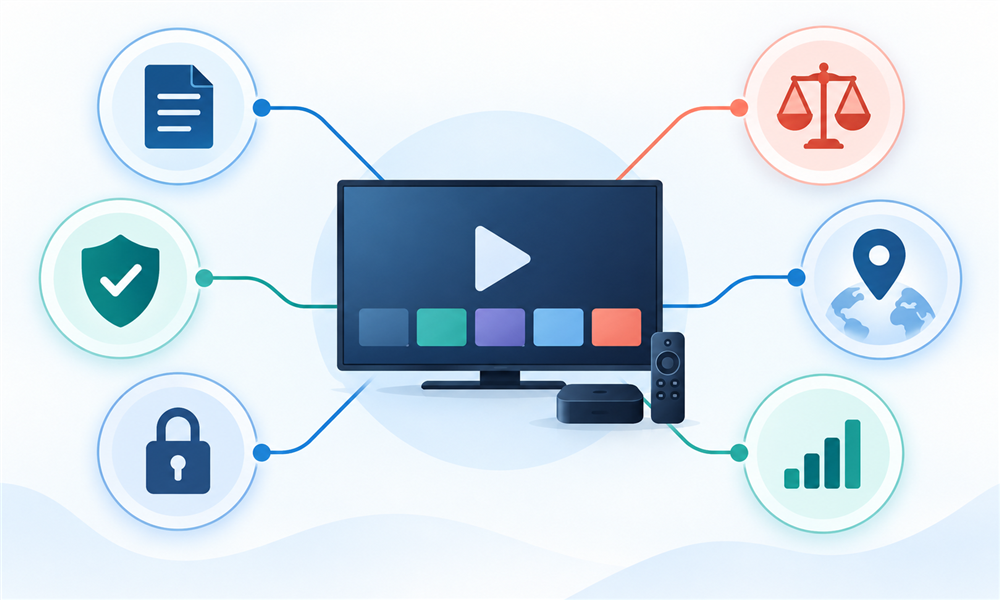
Our review begins with source identity, because a working stream proves transport rather than distribution permission. We then classify the addon as official, community-hosted, or self-hosted and document whether it supplies a catalog or merely reads user credentials. My scoring never awards extra credit for implausibly large premium-channel lists or restrictions bypassed.
Each remaining option is compared for regional honesty, account handling, configuration exposure, device practicality, guide quality, maintenance evidence, and a supported fallback. We favor recommendations that name the broadcaster or leave the source empty until the user adds an authorized service. No synthetic speed score or hands-on playback result appears without repeatable testing.
- Source Transparency: We identify who supplies channels before considering catalog size, interface polish, or claimed performance.
- Rights Clarity: Software capability receives no credit for content permission that cannot be independently verified.
- Regional Accuracy: Recommendations disclose that channels, events, and replay windows can change across national licensing territories.
- Privacy Surface: Reviews consider credentials, personalized manifests, logs, configuration hosts, analytics, and connected account exposure.
- Setup Effort: Rankings distinguish simple catalogs from self-hosted systems needing certificates, mapping, monitoring, and maintenance.
- Reliability Evidence: Official fallback routes and current project documentation matter more than unsupported uptime or speed claims.
How to Install a Stremio Live TV Addon Safely
Use the addon page or Stremio’s in-app catalog to inspect the operator, current version, description, and configuration requirements. Install only the exact manifest published by that source. For community tools, review the repository and recent maintenance where available. Avoid cloned domains, link shorteners, executable installers, and tutorials bundling unknown applications or credentials.
Open Stremio’s addon section, select the intended listing, and use its supported install or configure action. Bring-your-own-source tools may open a browser form before installation. Verify the address, enter only provider-issued details, and never reuse an important password. Remove the addon from Stremio promptly if the manifest, operator, or requested data changes unexpectedly.
- Confirm Identity: Match the addon name, operator, version, domain, and repository before opening any configuration screen.
- Prefer Catalog Installation: Stremio’s normal addon controls make later review and removal easier than copied manifests.
- Protect Tokens: Treat complete M3U URLs, Xtream logins, personalized manifests, and screenshots as reusable account secrets.
- Test One Source: Configure one authorized provider first, verify its native app, then add additional services carefully.
- Review Permissions: Reject unexpected downloads, browser extensions, wallet requests, remote-control software, or unrelated account access.
- Remove Cleanly: Uninstall unused addons, revoke provider sessions, rotate leaked tokens, and delete abandoned self-hosted configurations.
How to Verify a Legal IPTV Source
A legitimate live source should identify the operating company, service territory, customer support, pricing, cancellation terms, and the kinds of channels it is authorized to distribute. Recognizable broadcasters and regulated local television providers are easier to audit. An M3U or Xtream login is merely a delivery method and never proves a resale agreement.
Warning signs include every premium sports package worldwide, enormous new-release libraries, cryptocurrency-only billing, disposable chat support, no legal address, and instructions to hide usage from providers. Choose a smaller official lineup over an implausible universal bundle. When rights remain unclear, contact the channel owner or use its supported application directly.
- Check Company Details: Look for a stable legal identity, support address, ordinary billing descriptor, and clear cancellation policy.
- Compare Territory: A provider’s advertised market should make sense for the channels, languages, taxes, and household rules.
- Ask About Carriage: Legitimate operators can explain channel packages without evading basic questions about authorization or coverage.
- Inspect Pricing: Extremely cheap universal access often signals unauthorized redistribution, unstable feeds, or stolen account credentials.
- Use Protected Payments: Prefer normal consumer protections, invoices, and transparent renewals over irreversible anonymous payment requests.
- Respect Restrictions: Recording, travel, public display, and concurrent streaming require explicit permission beyond ordinary home viewing.
Fixing Common Stremio Live TV Problems
Begin with the official source. If Pluto, RTVE, YouTube, or a paid provider fails in its own supported application, the addon cannot repair the outage or rights restriction. If native playback works, recheck the current addon listing, Stremio version, channel entry, account limits, device codecs, time zone, and manifest configuration before changing tools.
Guide mismatches often come from EPG identifiers or time zones, while sudden authorization errors can reflect expired tokens or concurrent-stream limits. Clear only the necessary configuration and rotate credentials after exposure. The final troubleshooting step is removal: an abandoned, opaque, or increasingly intrusive addon is not worth retaining merely because one old channel occasionally loads.
- Test Native Playback: Compare the same channel in its official application before adjusting community addon settings.
- Check Account Limits: Confirm subscription status, simultaneous streams, registered devices, territory, and supported external players.
- Review Time Zones: Incorrect offsets can make valid EPG entries appear missing, duplicated, early, or unexpectedly late.
- Refresh Carefully: Update from the current listing rather than accepting replacement manifests posted in random support threads.
- Rotate Credentials: Change playlist tokens or passwords after leaks, unknown sessions, public screenshots, or compromised hosting.
- Accept Removal: Delete tools that lose documentation, operator identity, source transparency, or reasonable privacy boundaries.
Verdict
YouTube is the safest first choice when verified publishers distribute live or recent programming through an official Stremio catalog. Pluto TV is stronger for scheduled free channels, while RTVE suits Spanish public broadcasting. Advanced users should choose an empty connector only after confirming that their own provider authorizes Stremio, territory, devices, and viewing behavior.
- YouTube offers the clearest official provenance, but publisher decisions still control every live event, replay, account gate, and regional restriction.
- Pluto TV connects a recognizable free ad-supported service, making its channel source easier for viewers to audit than anonymous community bundles.
- RTVE organizes Spanish public channels effectively today, provided viewers recognize its independent status and verify program-level availability with the broadcaster.
FAQs
Are Stremio live TV addons legal?
An addon’s code can be lawful while a particular stream is unauthorized. Legality depends on the source, license, territory, account, and use. Choose official broadcasters or a provider with verifiable carriage rights, and never assume that installation, a working URL, or an addon directory listing proves permission.
Does Stremio include free live TV channels?
Stremio is a media-center platform, not a universal channel subscription. Addons can expose catalogs or connect external sources. Some rightsholders offer genuinely free ad-supported or public-service television, but the broadcaster decides which channels, programs, countries, devices, and replay windows are available at any moment.
Is the YouTube addon a complete live TV service?
No. Stremio’s official YouTube listing describes channel catalogs, metadata, and upload notifications. Verified publishers may offer live programming, yet each channel controls schedules and playback. Use YouTube’s official page to confirm a specific event, account requirement, regional block, chat feature, caption track, or replay.
Is Pluto TV official on Stremio?
The Pluto TV service is a legitimate free ad-supported platform, but the Stremio connector reviewed here is a community listing rather than an official Pluto integration. Treat Pluto’s own website and apps as authoritative for channels, territories, privacy controls, accessibility, support, and playback availability.
What is an M3U playlist?
M3U is a text playlist format that can list media addresses and channel metadata. It is a delivery mechanism, not a license. I only recommend using files or URLs issued by a broadcaster, personal tuner system, workplace, school, hospitality operator, or television provider that authorizes the intended viewing.
Does Xtream compatibility prove an IPTV provider is legal?
No. Xtream-style credentials are a technical login format used to deliver catalogs and streams. Both legitimate and unauthorized operators can use it. Verify the seller’s legal identity, territory, channel agreements, billing, customer support, cancellation terms, and permission for third-party players before subscribing or entering credentials.
Can a VPN make unavailable channels legal to watch?
No. A VPN can change network routing or visible location, but it does not create distribution rights, subscriptions, or permission. Follow the broadcaster’s regional message and terms. Privacy technology should not be used as evidence that a blocked event, channel, or replay is authorized elsewhere.
Why does a channel work in its official app but not Stremio?
The community connector may contain an expired address, unsupported authentication flow, mismatched codec, stale manifest, or incorrect metadata. Use the official app for reliable access, then check the addon’s current listing and project support. Do not paste provider credentials into multiple unknown alternatives while troubleshooting one connector.
Why is the electronic program guide incorrect?
EPG errors commonly come from mismatched channel identifiers, delayed provider data, time-zone offsets, daylight-saving changes, or schedule revisions. Compare the broadcaster’s official schedule, confirm the configured zone, and adjust only documented mappings. Guide text is convenient context, not guaranteed proof of what will actually air.
Can addon streams be recorded or redistributed?
Playback permission does not automatically include recording, permanent downloading, commercial display, public performance, retransmission, or redistribution. Those uses require the rightsholder’s terms or separate permission. Use only supported catch-up and recording features within their stated household, device, retention, and territory limits.
Is it safe to enter IPTV credentials into a community addon?
Only when the provider permits third-party players and the addon’s operator, domain, source code, storage model, and configuration path are sufficiently clear. Use unique revocable credentials, protect personalized manifests, and rotate tokens after leaks. Prefer a provider-supported application when sensitive account handling remains ambiguous.
How often should installed Stremio addons be reviewed?
Check them whenever an operator, domain, manifest, version, permission request, or playback pattern changes, and periodically remove anything unused. A community addon can be transferred or abandoned. Revisit its current listing and repository, revoke connected sessions, update self-hosted components, and keep only tools whose purpose remains clear.