9 Best YouTube TV Alternatives (2026)


Key Takeaway: Hulu + Live TV is the strongest all-around replacement, Fubo prioritizes sports, and Sling TV offers a modular budget path. All nine are lawful U.S. options, but channels, locals, sports rights, blackouts, prices, and device support vary.
Best YouTube TV Alternatives: Quick Comparison
| Service | Best For | Coverage Type | Current Starting Price | Visit Site |
|---|---|---|---|---|
| Hulu + Live TV | All-around replacement | 100+ live channels and bundled streaming services | $89.99/month; eligible trial | Visit Site |
| Fubo | Sports-focused larger households | Locals, sports, news, and entertainment | $73.99/month; possible regional fees | Visit Site |
| DIRECTV | Regional sports and premium networks | Broad internet television packages | $89.99/month; fees extra | Visit Site |
| Sling TV | Flexible smaller bundles | Modular live channels with limited locals | $19.99/month for Essentials | Visit Site |
| Philo | Low-cost sports-free entertainment | 70+ live entertainment and lifestyle channels | $25/month; eligible trial | Visit Site |
| Frndly TV | Family and feel-good programming | 50+ focused channels and on-demand shows | $8.99/month for Basic | Visit Site |
| ESPN Unlimited | ESPN-centered live sports | Linear ESPN networks and ESPN+ | $31.99/month | Visit Site |
| Peacock | NBC entertainment and sports | Network-specific streaming supplement | $7.99/month for Select | Visit Site |
| Paramount+ | CBS, sports, and Showtime | Network-specific streaming supplement | $8.99/month for Essential | Visit Site |
Disclaimer
This article provides general streaming and buying information, not legal, financial, or performance advice. OTTWatchGuide may earn from qualifying links when disclosed; no sponsor supplied this list. Prices, trials, channels, local affiliates, sports rights, blackouts, devices, and availability can change. Use authorized services and confirm current terms before subscribing.
The best YouTube TV alternatives solve different problems rather than copying one package exactly. Some preserve local stations, cable news, sports, and cloud DVR, while others cut the monthly bill by narrowing the channel mix. I compared current official plans so readers can match a replacement to essential networks, televisions, travel habits, and household screens.
This United States guide separates full live television bundles from lower-cost partial replacements. Hulu + Live TV, Fubo, DIRECTV, and Sling TV can cover several cable-style needs, while Philo and Frndly TV specialize in entertainment. ESPN Unlimited, Peacock, and Paramount+ work best for viewers willing to assemble narrower sports or network-specific combinations.
Read More
Why You Can Trust OTTWatchGuide?
OTTWatchGuide reviewed provider-controlled pricing, channel, device, DVR, stream-limit, support, privacy, and terms pages accessed September 15, 2026. This research-based ranking does not claim every service was purchased, every local lineup audited, or picture quality and latency measured. Provider-reported channel totals remain snapshots, and temporary discounts are separated from standard prices.
- Official Pricing: Every listed consumer price comes from a current provider-controlled page or support article.
- Local Qualification: ZIP-code variation, regional sports fees, blackouts, and affiliate availability are stated instead of generalized.
- Feature Boundary: Full replacements and narrower supplements are labeled clearly so low prices do not imply cable-equivalent coverage.
- Editorial Independence: No sponsored provider was supplied, and rankings reward fit, transparency, compatibility, and meaningful limitations.
1) Hulu + Live TV
Hulu + Live TV is the most balanced YouTube TV alternative for households wanting local affiliates, news, general entertainment, and major sports within one service. Its current United States package combines more than one hundred live channels with Hulu’s on-demand library, Disney+, ESPN access, and unlimited cloud DVR for everyday flexibility.
The bundle reduces separate subscriptions, yet its price now exceeds YouTube TV’s familiar historical range and live programming still contains advertisements. I rank it first because locals and broad cable networks create a credible replacement, although channel availability, blackouts, home-location rules, add-ons, and simultaneous streams require checking before signup locally.
Features:
Live Channel Bundle: More than one hundred provider-reported live channels cover local ABC, CBS, FOX, NBC, news, entertainment, children’s programming, and national sports in many markets. Lineups remain ZIP-code dependent, and selected regional or specialty networks may be absent. Confirm every household essential with Hulu’s current area checker before canceling an existing service.
Included Streaming Services: The current live television plans combine Hulu’s streaming library with Disney+ and ESPN access under one offer. This can replace several separate bills, but plan names and advertising levels differ. Live channels and many programs still carry commercial breaks even when the Hulu library portion uses a premium advertising configuration.
Cloud DVR: Unlimited DVR is included with live television plans, and official plan copy says recordings remain available for up to nine months. Viewers can fast-forward through DVR content, while on-demand versions follow separate advertising rules. Recording availability can differ by program, rights agreement, location, and whether the title is truly a DVR copy.
Local and Sports Coverage: Hulu highlights national sports networks, major broadcast affiliates, college coverage, professional leagues, and selected regional sports in participating cities. My recommendation depends on the exact home ZIP code because affiliates, events, and blackouts vary. A broad national logo list never guarantees a particular local station, team, or game at signup.
Household Viewing: Standard plan material describes two simultaneous screens for Hulu library viewing, while live television and add-on behavior can carry separate limitations. The optional Unlimited Screens add-on may help busy homes, but supported devices and out-of-home use have qualifications. Review the current terms before assuming unrestricted sharing across multiple residences or travelers.
Device Compatibility: Hulu supports current browsers, major mobile platforms, Roku, Fire TV, Apple TV, Chromecast, Android TV, selected smart televisions, PlayStation, Xbox, and other listed devices. Live TV support can be narrower than basic Hulu compatibility, and older models may lose updates. Verify the exact operating system and television model before subscribing.
Important Limits: Location data is required for live programming, channels can change, regional blackouts apply, and eligible trials may be unavailable to returning or bundle subscribers. The premium live plan removes ads mainly from eligible Hulu library content; live channels and programs still include advertising. Downloads do not turn the bundle into offline television.
| Pros | Cons |
|---|---|
| Broad live lineup covers locals, news, entertainment, and sports | Starting price is higher than several modular competitors today |
| Unlimited DVR supports time-shifted household television viewing well | Regional channels and events still vary by ZIP code |
| Hulu, Disney+, and ESPN access simplify separate subscription management | Standard household streaming limits may require a paid add-on |
| My shortlist favors its balanced replacement coverage and bundle value |
Pricing:
- With Ads Live Bundle: $89.99 monthly after an eligible three-day trial; regional restrictions apply.
- Premium Live Bundle: $99.99 monthly; eligible libraries reduce ads, but live channels retain them.
- Sports Add-on: $9.99 monthly; channels vary by plan and location.
- Entertainment Add-on: $7.99 monthly; participating networks can change.
Link: hulu.com
2) Fubo
Fubo is the strongest sports-centered full bundle for viewers needing local affiliates, national networks, cable channels, and cloud recording today. Current United States plans combine live sports with news and entertainment, while unlimited DVR and generous home-network streaming make the service particularly practical for large households following overlapping events simultaneously.
Its channel mix and regional sports availability can be excellent, but the bill may include regional sports fees and expensive upgrades. I place Fubo second because sports discovery and household limits stand out, although missing networks, ZIP-code differences, one-location television rules, and nine-month recording expiration demand careful review first today.
Features:
Sports-First Lineup: Fubo positions itself around live sports while retaining news, entertainment, and local programming in United States English packages. Coverage can include major leagues, college networks, soccer, and regional sports networks depending on plan and market. Rights, blackouts, disputes, and add-ons mean shoppers must compare specific teams and channels rather than headline totals.
Local Stations: All current United States English base plans include local programming where Fubo carries the relevant affiliate. Its official search tool covers ABC, CBS, FOX, CW, and additional stations by market. A missing affiliate may leave network video on demand or TV Everywhere access, but that is not identical to the live local feed.
Unlimited Cloud DVR: United States plans include unlimited cloud DVR storage at no extra charge, with recordings automatically expiring after nine months. Multiple programs can be scheduled simultaneously, and playback works across supported devices. My evaluation treats “unlimited” as storage capacity, not permanent ownership, because device restrictions and program-level recording exclusions can still apply.
Household Streams: Current United States English plans include up to ten simultaneous streams on the designated home network plus three additional mobile or browser streams away from home. Connected televisions can operate from only one location at a time. This is generous for one household but unsuitable for routinely sharing television access between separate homes.
Device Coverage: Fubo supports major browsers, Android and iOS devices, Fire TV, Android TV, Google TV, Apple TV, Roku, Chromecast, Xbox, and selected Samsung, LG, Vizio, Hisense, and Xumo hardware. Minimum versions differ, and some older devices receive limited functions. Verify model numbers against the current support matrix before committing.
Sports Discovery: Dedicated sports navigation, team and league favorites, guide filters, Lookback availability, and recording tools reduce the friction of finding scheduled events. Selected broadcasts may offer 4K or special features on qualifying plans and devices. Availability remains event-specific, and live 4K programming may not support recording or every ordinary player control.
Important Limits: Regional sports fees can raise the displayed plan price, local stations vary, and networks or events may be unavailable after carriage changes. Home-network rules restrict connected televisions across locations. Trials and introductory discounts depend on eligibility, while account sharing, broadcaster limits, and data usage require attention beyond the advertised stream count.
| Pros | Cons |
|---|---|
| Sports-focused navigation supports teams, leagues, and scheduled events | Regional sports fees can increase the final monthly bill |
| Unlimited DVR records multiple programs for nine months | Connected televisions cannot stream from two locations simultaneously |
| Generous home-network streams suit busy sports households well | Channel disputes may remove important networks with limited warning |
| My preferred sports bundle still demands ZIP-code verification |
Pricing:
- Essential: $73.99 monthly before taxes and regional sports fees; ZIP-code availability varies.
- Pro: $73.99 monthly before taxes and regional sports fees.
- Elite: $83.99 monthly before taxes and regional sports fees.
- Elite with Sports Plus: $93.99 monthly before taxes and regional sports fees.
- Deluxe: $103.99 monthly before taxes and regional sports fees.
- Ultimate: $98.99 monthly before taxes and regional sports fees; availability varies.
Link: fubo.tv
3) DIRECTV
DIRECTV is the premium YouTube TV alternative for households prioritizing regional sports networks, local affiliates, cable coverage, and traditional package depth. Its streaming packages work without a satellite dish and currently include unlimited cloud DVR, extensive on-demand programming, and generous in-home streams across supported televisions, mobile devices, and browsers nationwide.
The service becomes expensive once standard prices, taxes, sports charges, and optional Gemini equipment are considered. I rank it third for lineup breadth, because consumers must study promotion expiration, required fees, ZIP-code availability, and network-specific stream limits before treating the advertised introductory rate as their long-term monthly cost overall today.
Features:
Package Depth: ENTERTAINMENT, CHOICE, ULTIMATE, and PREMIER expand from general news and entertainment toward specialty sports, regional sports networks, movie channels, and premium services. Provider-reported totals currently range from more than ninety to more than one hundred eighty-five channels. Individual networks, locals, and included applications depend on plan, location, and current offer terms.
Regional Sports: CHOICE and higher packages emphasize regional sports networks and specialty channels that can be harder to find in lower-cost streaming bundles. Coverage remains ZIP-code specific, blackout rules apply, and a regional sports fee may be charged. Verify the exact network and team schedule before subscribing because league logos alone do not prove access.
Local Channels: DIRECTV includes local broadcast affiliates where available and provides a location selector during package comparison. Some markets lack particular stations, and channel availability can change. My guidance is to enter the service address before comparing price, since local news and major network events may determine whether DIRECTV can replace the current household package.
Cloud DVR: Current streaming packages promote unlimited cloud DVR, with recordings stored for up to nine months. Users can schedule from guides or program pages and watch across compatible devices. Program, league, channel, and device restrictions can remain, while older accounts or DIRECTV configurations may have different storage rules than newly advertised internet packages.
Concurrent Streaming: Internet customers can generally use unlimited compatible devices on the designated home network and up to three streams away from home, with only two out-of-home television-connected devices. Certain networks impose lower limits. This arrangement suits a large single residence but should not be interpreted as unrestricted account sharing across several permanent locations.
Device Options: The DIRECTV app supports current phones, tablets, browsers, Apple TV, Android TV, Roku, Fire TV, and selected Samsung televisions, while Gemini hardware provides a more integrated guide and application experience. Compatibility and included third-party applications vary by plan. Check whether a Gemini lease is optional, required, or priced separately in the offer.
Promotion Complexity: Advertised introductory savings may last one or three months, while smaller discounts can continue through month twenty-four. Taxes, regional sports fees, Gemini lease charges, and premium renewals may sit outside the headline. Consumers should save the full offer terms and compare the standard plan price, not only the first invoice or promotional banner.
| Pros | Cons |
|---|---|
| Broad packages include many local and specialty channels | Standard prices exceed most streaming-only competitors by far |
| Regional sports networks support many local-team viewing needs | Taxes, sports fees, and equipment can complicate comparisons |
| Unlimited home streams benefit large single-residence households today | Promotions make first-month pricing look temporarily much lower |
| My premium pick rewards depth despite substantial ongoing cost |
Pricing:
- ENTERTAINMENT: $89.99 monthly standard; promotions, taxes, fees, and equipment charges may apply.
- CHOICE: $94.99 monthly standard; taxes and regional sports fees may apply.
- ULTIMATE: $124.99 monthly standard; taxes, sports fees, and equipment may apply.
- PREMIER: $169.99 monthly standard; taxes, sports fees, and equipment may apply.
Link: directv.com
4) Sling TV
Sling TV is the most flexible alternative for viewers building a smaller live channel package around specific sports, news, or entertainment needs today. Its menu ranges from compact Essentials and Select plans to Orange, Blue, and the combined bundle, with optional Extras, short passes, free channels, and cloud DVR overall.
Lower entry prices bring compromises: locals are limited, Orange permits one stream, and desirable channels may require add-ons. I rank Sling fourth because modularity controls spending, but shoppers should map every essential network to a base plan, verify ZIP-specific affiliates, and total Extras before comparing the result with YouTube TV.
Features:
Modular Plans: Essentials, Select, Orange, Blue, and combined configurations organize channels by audience instead of forcing one large bundle. Essentials emphasizes ESPN and family programming, Select emphasizes news and selected sports, Orange adds broader sports, and Blue expands news and entertainment. Channel counts and names change, so compare the live plan grid directly.
Flexible Passes: Eligible consumers can buy one-day, weekend, or week access to Sling Orange programming rather than committing to a month. Short passes activate immediately and generally cannot be canceled after purchase. They help with a specific event, but recurring viewers should compare the cumulative price, channel rights, and add-ons against an ordinary monthly subscription.
Local Channel Boundary: Blue, Select, combined plans, and some related configurations include selected ABC, FOX, or NBC stations only in supported markets; Orange does not include locals. An over-the-air antenna can fill gaps, but integration varies by device. My budget recommendation assumes readers verify reception and never count antenna channels as part of Sling itself.
Cloud DVR: Paid Sling subscriptions include fifty hours of cloud DVR, while an Unlimited DVR add-on expands storage. Recordings can generally be watched on supported devices and kept for nine months, subject to channel permissions. Antenna channels added outside supported guide integrations may not record, and certain live or on-demand programs restrict skipping or recording.
Stream Limits: Orange supports one stream, Blue and Select support up to three, and Orange plus Blue can provide up to four across their separate channel groups. Essentials uses one stream. These limits follow the programming service, not merely the account, so simultaneous household use may be less intuitive when viewers choose overlapping channels.
Device Support: Sling works through browsers, smartphones, tablets, Roku, Fire TV, Apple TV, Android TV, Chromecast, supported smart televisions, Xbox, and other current devices. Some antenna and AirTV features work only on particular hardware. Confirm the exact model, operating-system version, and guide integration before buying accessories specifically for local channel support.
Add-On Costs: Sports Extra, News Extra, premium networks, language packages, and DVR upgrades allow precise customization but can erase the starting-price advantage. A low-cost plan may lack the household’s core channels, while the combined bundle can approach larger competitors. Calculate the ordinary monthly renewal price after promotions and include every required Extra in one total.
| Pros | Cons |
|---|---|
| Modular plans reduce payment for unwanted channel categories | Local station coverage remains limited in many markets |
| Short passes support temporary sports or event viewing | Orange allows only one stream at any time |
| Several price points fit different channel priorities well | Multiple Extras can erase the advertised savings quickly |
| My value choice requires careful channel mapping first |
Pricing:
- Essentials: $19.99 monthly for over ten channels and one stream.
- Select: From $19.99 monthly for over ten channels and three streams; markets vary.
- Essentials & Select: From $34.99 monthly with up to four streams.
- Orange: $45.99 monthly; current passes cost $4.99 daily, $9.99 weekends, or $14.99 weekly.
- Blue: From $45.99 monthly with three streams; locals vary.
- Orange & Blue: From $60.99 monthly with up to four streams.
Link: sling.com
5) Philo
Philo is the best low-cost entertainment alternative for households without local broadcast stations or major sports networks currently. Its Essential plan combines more than seventy live lifestyle and entertainment channels with over one hundred free advertising-supported channels, a large on-demand library, and one-year DVR retention across popular streaming devices today.
The focused lineup avoids expensive sports rights, which keeps the price well below comprehensive live television bundles. I rank Philo fifth because reality, home, food, documentary, and general entertainment fans receive strong value, although news, local affiliates, ESPN, and many live sporting events require another service or an antenna separately.
Features:
Entertainment Lineup: Philo’s paid plans center on more than seventy live entertainment, lifestyle, reality, factual, and family channels, with a separate collection of over one hundred advertising-supported free feeds. This design suits viewers who rarely watch sports or local news. Channel agreements remain changeable, and some premium networks require optional add-ons or Bundle+.
Essential Plan: Essential currently includes the full standard channel lineup, a seven-day trial for eligible new customers, and the ability to save recordings for one year. It is the clearest budget starting point. Third-party billing prices can differ, and the trial converts to the monthly charge unless canceled before the stated deadline.
Bundle+ Package: Bundle+ adds advertising-supported AMC+ content, HBO Max Basic with Ads, discovery+, and All Reality to the regular Philo lineup. It does not currently include a free trial. My comparison treats those services as bundled benefits, while recognizing that their applications, catalogs, advertisements, and account linking can follow separate terms and limitations.
DVR and Saved Shows: Subscribers can save qualifying programs for up to one year and fast-forward through recordings where rights permit. Free Channels users can save selected content for up to thirty days. Recording a series simplifies later viewing, but saved items remain licensed streams rather than owned copies and can change with channel availability.
Free Channels: Philo offers more than one hundred advertising-supported free channels without a credit card. This lets prospective subscribers test the application and browse niche programming before paying. Free feeds do not reproduce the paid lineup, and their shorter saved-program window, catalog, advertisements, and rights should be evaluated separately from Essential or Bundle+ benefits.
Device and Household Use: Philo supports common browsers, phones, tablets, Roku, Fire TV, Apple TV, Android TV, Chromecast, selected smart televisions, and other listed devices. Profiles, saved shows, and simultaneous viewing make shared use practical. Exact compatibility, stream limits, and billing options should be confirmed for the intended platform before starting a household trial.
Major Omissions: Philo intentionally omits expensive national sports packages and local broadcast affiliates, so it cannot replace YouTube TV for many news or game-focused households. An antenna may supply eligible local stations, while ESPN Unlimited or another sports service may fill selected gaps. Combining products can narrow the original savings and increase account management.
| Pros | Cons |
|---|---|
| Low price delivers extensive entertainment and lifestyle television | Major sports networks and local affiliates are missing |
| One-year DVR retention exceeds many full-service competitors today | News coverage cannot replace a broad cable-style lineup |
| Free channels allow no-card exploration before subscribing safely | Bundle combinations can reduce the original price advantage |
| My entertainment pick works best without sports requirements |
Pricing:
- Free Channels: Free with ads and no card; selected saves last thirty days.
- Essential: $25 monthly plus tax after an eligible seven-day trial; one-year DVR included.
- Bundle+: $33 monthly plus tax; no free trial.
- Add-ons: $3 to $13 monthly under current direct billing; availability varies.
Link: philo.com
6) Frndly TV
Frndly TV is the cheapest paid alternative for viewers focused on Hallmark-style movies, family programming, classic television, weather, outdoor content, and uncomplicated live channels. Every current plan includes the same provider-reported lineup of more than fifty channels plus on-demand programming, while picture quality, DVR, and simultaneous streams increase by tier.
The narrow selection cannot replace YouTube TV for mainstream sports, comprehensive news, or most local broadcast affiliates. I rank it sixth because transparent plans and annual discounts serve a defined audience well, but households should inspect the complete channel list before allowing the appealing starting price to drive the decision.
Features:
Focused Channel Mix: More than fifty live channels emphasize family-friendly entertainment, movies, classic series, weather, lifestyle, outdoor programming, and feel-good networks. Every subscription tier receives the same core lineup. This simplicity reduces plan confusion, but viewers needing ESPN, broad cable news, major locals, or regional sports should treat Frndly TV as a supplement.
Basic Plan: Basic provides the complete live and on-demand catalog at standard-definition picture quality with one simultaneous stream and no cloud DVR. It is the lowest monthly or annual entry point. My assessment favors it for a single casual viewer, while households recording movies or using multiple televisions should compare Classic and Premium first.
Classic Plan: Classic adds high-definition viewing, unlimited cloud DVR with recordings stored for three months, and two simultaneous streams. It balances price and practical household features for most subscribers. “Unlimited” describes recording capacity rather than permanent ownership, and programs can remain subject to channel, licensing, availability, and expiry conditions over time.
Premium Plan: Premium extends DVR retention to nine months and supports four simultaneous streams while preserving the same core channel lineup. Large families gain flexibility without buying a broader package. The extra payment does not add mainstream sports or local affiliates, so upgrading solves recording and device conflicts rather than fundamental gaps in programming coverage.
Annual Billing: Each tier offers discounted annual billing, effectively reducing the monthly cost for committed viewers. Annual payment increases upfront exposure if preferences, channels, device support, or household circumstances change. Review renewal and cancellation terms before paying, and test the intended television during any available trial or promotional eligibility window before choosing yearly service.
Add-On Libraries: Optional services such as Hallmark+, Lifetime Movie Club, A&E Crime Central, HISTORY Vault, Up Faith & Family, and Great American Pure Flix can appear inside the application. Add-ons carry separate prices and terms. Bundling may simplify navigation, but it can also raise the total beyond another provider with broader general programming.
Device Compatibility: Frndly TV works on common browsers, mobile devices, Roku, Fire TV, Apple TV, Android TV, Chromecast, and selected smart television platforms. Availability and feature parity can change by device. Confirm high-definition playback, DVR access, captions, application support, and operating-system requirements for every screen the household plans to use regularly.
| Pros | Cons |
|---|---|
| Extremely low starting price serves focused family viewing | Narrow lineup omits major sports and broad news |
| Every plan receives the same core channel selection | Basic limits picture quality and allows one stream |
| Classic and Premium include unlimited cloud recording storage | Most local broadcast affiliates are not included live |
| My focused budget pick requires a careful lineup check |
Pricing:
- Basic: $8.99 monthly or $83.88 yearly; standard definition, one stream, no DVR.
- Classic: $10.99 monthly or $95.88 yearly; HD, two streams, three-month DVR.
- Premium: $12.99 monthly or $119.88 yearly; HD, four streams, nine-month DVR.
- Add-ons: Optional libraries carry separate monthly prices and terms.
Link: frndlytv.com
7) ESPN Unlimited
ESPN Unlimited is the best partial replacement for households leaving YouTube TV mainly to keep ESPN networks and ESPN+ sports. The standalone plan includes ESPN, ESPN2, ESPNU, ESPNEWS, ESPN Deportes, SEC Network, ACC Network, ESPN on ABC, ESPN+, and related digital feeds without requiring a traditional live television package today.
It does not provide general cable news, entertainment channels, or a full set of local stations, so another service or antenna may be necessary. I rank it seventh because sports-focused viewers can avoid a broad bundle, but league rights, blackouts, device rules, and separate out-of-market packages remain important exclusions today.
Features:
Complete ESPN Portfolio: Unlimited combines ESPN’s major linear networks and ESPN+ under one direct subscription. Current official support lists ESPN, ESPN2, ESPNU, ESPNEWS, ESPN Deportes, SEC Network, ACC Network, ESPN on ABC, SECN+, ACCNX, NFL Network, and CW Sports. Availability can change, while individual events remain subject to league rights and blackouts.
Sports Breadth: Official plan material highlights NFL, NBA, WNBA, NHL, MLB, college football and basketball, tennis, golf, wrestling, studio shows, and additional events across included networks. Coverage breadth does not mean every game. My evaluation requires checking team schedules, local restrictions, out-of-market rights, and whether a separate league subscription remains necessary.
ESPN Select Alternative: ESPN Select includes ESPN+ content at a lower price, while Unlimited adds the linear ESPN network portfolio. Viewers who receive ESPN channels from a participating television provider may have entitlement included. Verify account activation before paying twice, because provider access and standalone billing can overlap without canceling an existing subscription.
Provider Entitlement: Supported pay-television subscribers, including customers of several live streaming services, may receive ESPN Unlimited through their package after linking a MyDisney account. Activation procedures differ by provider. Canceling or changing the qualifying television plan can end the entitlement, so it should not be treated as a permanently separate subscription benefit after switching services.
Bundles and Add-Ons: Disney+, Hulu, and ESPN Unlimited bundles combine sports with on-demand entertainment, while selected seasonal offers pair NFL+ Premium or MLB.TV. Bundle prices, eligibility, renewals, and device rights differ. Compare the ESPN Unlimited annual or monthly plan first, then add content that fills a documented household gap without duplicate billing.
Account and Devices: ESPN subscriptions use a MyDisney account and work through supported ESPN applications and browsers. Connected televisions, phones, tablets, and web viewing may expose different features. Device limits and playback rights can vary by event, partner, or platform, so confirm current support before relying on one account for several simultaneous high-profile games.
Partial-Replacement Limit: ESPN Unlimited is not a general live television bundle. It does not replicate broad cable entertainment, comprehensive local news, every regional sports network, or all league packages. Blackouts remain. Combine it with an antenna or focused entertainment service only when the total and account complexity beat a full replacement bundle.
| Pros | Cons |
|---|---|
| Direct access covers the major ESPN network portfolio | General entertainment and cable news channels are absent |
| ESPN+ events sit beside traditional linear programming streams | Blackouts and separate league packages can still apply |
| Standalone pricing can replace an expensive broad bundle | Local stations are not comprehensively included outside events |
| My sports-only alternative depends on precise schedule checks |
Pricing:
- ESPN Select Monthly: $13.99 monthly for ESPN+ content only.
- ESPN Select Annual: $139.99 yearly; renewal terms apply.
- ESPN Unlimited Monthly: $31.99 monthly for ESPN networks and ESPN+.
- ESPN Unlimited Annual: $319.99 yearly; renewal terms apply.
- Bundles and League Add-ons: Prices and renewals vary; check duplicate entitlements.
Link: espn.com
8) Peacock
Peacock is a useful partial alternative for viewers wanting NBC and Bravo entertainment, Peacock Originals, films, selected live sports, always-on channels, and eligible local NBC access today. Three current tiers let households choose a lower-cost television library, a broader sports plan, or premium features without purchasing a full cable-style bundle.
The inexpensive Select tier excludes sports, movies, and Peacock Originals, while Premium Plus cannot remove advertisements from every live event or channel. I rank it eighth because it fills NBC-related gaps, but it cannot replace ESPN, broad local coverage, cable news, regional sports networks, or a comprehensive multichannel guide alone.
Features:
Tiered Catalog: Select focuses on advertising-supported television favorites from NBC, Bravo, and related libraries but excludes sports, movies, and Peacock Originals. Premium adds those broader categories, while Premium Plus adds limited no-ad and download benefits. My comparison uses Premium as the realistic YouTube TV supplement because Select omits several headline reasons to subscribe.
Live Sports: Premium and Premium Plus include selected live sports and events alongside on-demand programming. Rights can cover NBC-associated leagues and competitions, but blackouts, location checks, and event-specific terms remain. Peacock does not carry every ESPN, FOX, CBS, regional, or league broadcast, so shoppers should compare an actual season schedule rather than marketing categories.
NBC and Bravo Programming: Current seasons, library episodes, movies, originals, news-related programming, and always-on channels can satisfy households centered on NBCUniversal content. Local NBC station access depends on plan and location. The catalog changes, and a title’s presence today does not guarantee permanent availability or the same advertising treatment during future viewing.
Profiles and Streams: Peacock supports up to six profiles and a maximum of three concurrent streams per account. Kids profiles and parental controls can separate household viewing. These limits suit many families, but they do not authorize sharing outside the defined household. Crashed sessions may temporarily count toward the limit until the service clears them.
Offline Downloads: Premium Plus subscribers can download selected titles on supported mobile and tablet devices. Accounts can hold up to twenty-five downloads across devices, with viewing and expiry limits. Downloads may disappear after playback begins, after thirty days, when a title leaves the service, upon logout, or after the subscription no longer permits them.
Broad Device Support: Peacock supports current browsers, Android and iOS, Fire TV, Android TV, Google TV, Apple TV, Chromecast, Roku, PlayStation, Xbox, and selected smart televisions and provider boxes. Minimum operating systems vary. Confirm the exact model and software version, particularly for older Roku, Apple TV, smart television, or tablet hardware.
Advertising Boundary: Premium Plus removes many on-demand advertisements, but live sports, events, channels, selected programming, sponsorships, and promotional messages can still contain them. Select and Premium are advertising-supported. The service is for personal household use, and location restrictions can affect sports or local NBC access. No tier supplies a universal cable-channel replacement.
| Pros | Cons |
|---|---|
| Affordable tiers cover substantial NBCUniversal entertainment catalogs today | Select omits sports, movies, and Peacock Originals entirely |
| Premium includes selected live sports and major events | No plan recreates a broad multichannel television bundle |
| Six profiles and three streams support household viewing | Premium Plus still shows advertisements during certain programming |
| My NBC-focused supplement still needs complementary streaming services |
Pricing:
- Select: $7.99 monthly or $79.99 yearly; excludes sports, movies, and Originals.
- Premium: $10.99 monthly or $109.99 yearly; includes movies, sports, and Originals with ads.
- Premium Plus: $16.99 monthly or $169.99 yearly; fewer ads and eligible mobile downloads.
Link: peacocktv.com
9) Paramount+
Paramount+ is the best partial alternative for households centered on CBS programming, NFL on CBS, UEFA Champions League, UFC, Paramount films, children’s shows, originals, and Showtime. Essential and Premium plans cost far less than full live television bundles, with three simultaneous streams and a broad on-demand catalog across popular devices.
Only Premium provides the eligible live local CBS station and Showtime benefits, while both tiers remain narrower than YouTube TV. I rank Paramount+ ninth because it can replace a network slice, but ESPN, NBC, FOX, cable news, regional sports, and complete local coverage still require an antenna or additional subscriptions.
Features:
CBS and Paramount Catalog: The service combines thousands of episodes and films from CBS, BET, Comedy Central, MTV, Nickelodeon, Paramount, and other company brands. Originals and changing libraries add on-demand value. My recommendation assumes viewers want this ecosystem, because the catalog does not represent unrelated cable networks and can rotate under licensing or plan decisions.
Live Sports: Current official plan material highlights NFL on CBS, UEFA Champions League, UFC, and additional sports. Rights, markets, blackouts, and event schedules vary, while certain local broadcasts require Premium. This makes Paramount+ useful for particular leagues, not a universal sports replacement. Check the official event calendar and plan label before subscribing.
Plan Difference: Essential is advertising-supported and omits the full live local CBS station, although selected sports remain available. Premium includes Showtime programming, eligible downloads, fewer on-demand advertisements, and live CBS access where supported. Live television retains advertisements, and promotional messages or sponsorships can appear even when the plan is described as ad-free.
Household Viewing: Current plan information allows streaming on three devices at once, making the service practical for families with different Paramount interests. Profiles and kid-friendly spaces help separate recommendations. Account terms still limit personal household use, and simultaneous access does not guarantee three copies of every live event when rights or technical restrictions apply.
Downloads and Quality: Premium adds downloads for supported mobile devices and can provide 4K UHD, Dolby Vision, or HDR10 on selected titles and compatible hardware. These benefits are catalog-specific, not universal. Downloads expire under service rules, while picture quality depends on the title, plan, device, application version, display, and internet connection.
Device Compatibility: Paramount+ works through current browsers, mobile applications, Roku, Fire TV, Apple TV, Android TV, Google TV, Chromecast, supported smart televisions, PlayStation, Xbox, Xfinity, Xumo, and additional listed devices. Feature parity varies. Confirm the exact hardware and operating-system version before relying on downloads, live CBS, surround sound, or premium video formats.
Partial-Replacement Limit: Paramount+ replaces only the CBS, Paramount, Showtime, and included sports slice of a larger television package. It does not provide broad locals, ESPN networks, NBC, FOX, general cable news, or most regional sports networks. Combining it with Peacock, ESPN Unlimited, Philo, or an antenna may work, but increases accounts and total cost.
| Pros | Cons |
|---|---|
| Low price covers major CBS and Paramount programming | Essential omits the full live local CBS feed |
| Selected NFL, soccer, and UFC events add value | Sports coverage cannot replace ESPN or regional networks |
| Premium combines Showtime, downloads, and eligible local CBS | Live programming still includes ordinary commercial breaks today |
| My CBS-centered supplement requires broader local coverage elsewhere |
Pricing:
- Essential: $8.99 monthly with ads and selected sports; no full local CBS feed.
- Premium: $13.99 monthly with Showtime, downloads, and eligible live CBS; live ads remain.
- Annual Billing and Promotions: Prices vary; verify renewal and eligibility before purchase.
Link: paramountplus.com
How to Choose the Right YouTube TV Alternative
Begin with the channels that would genuinely cause regret after canceling YouTube TV. List essential local affiliates, sports networks, regional team coverage, news, children’s programming, and favorite entertainment channels. Then compare only plans carrying those needs in the home ZIP code. Large provider totals are less useful than one missing station or league right.
Decide whether the household needs a full replacement or a smaller combination. Hulu + Live TV, Fubo, DIRECTV, and broad Sling configurations preserve more cable-style behavior. Philo and Frndly TV specialize, while ESPN Unlimited, Peacock, and Paramount+ replace narrower slices. My final choice should include internet, antenna, add-ons, taxes, fees, and overlapping subscriptions.
- List Essentials: Name every indispensable station, league, local affiliate, and program before opening provider comparison pages.
- Check the ZIP: Confirm local channels, regional sports networks, taxes, fees, and blackouts for the actual service address.
- Choose Coverage: Decide whether one full bundle or several focused subscriptions better matches regular household viewing habits.
- Count Screens: Compare home, mobile, travel, and second-location limits against simultaneous viewers during busy evenings and weekends.
- Test Devices: Verify every television, player, browser, phone, tablet, and accessibility need on official support pages.
- Total Everything: Include standard renewal prices, add-ons, annual commitments, sports fees, equipment, internet, and antenna hardware costs.
Local Channels, Sports, DVR, and Household Streams
Local stations and sports rights create the biggest gaps between a headline package and real household coverage. A service may advertise ABC, CBS, FOX, NBC, ESPN, or regional sports while lacking the relevant affiliate or game in one market. Always use the current ZIP-code checker and official schedule before ending the old subscription or buying annual access.
DVR and simultaneous streams matter after the channel test passes. Unlimited storage may still expire after nine months, while a generous home-network limit can shrink during travel or on a second television location. Review fast-forward rules, recording exclusions, profile behavior, and device-specific restrictions. An antenna can improve locals, but reception and guide integration are separate questions.
- Affiliate Check: Verify call signs, not only network logos, because local carriage differs between nearby television markets.
- Team Schedule: Compare each must-watch game against channels, blackouts, regional networks, and separate league-package requirements.
- Recording Expiry: Unlimited DVR describes capacity; Hulu, Fubo, and DIRECTV recordings commonly expire after nine months.
- Travel Rules: Home-network, mobile, browser, and connected-television limits can differ substantially when viewers leave their residence.
- Antenna Reality: Over-the-air reception depends on distance, terrain, placement, building materials, equipment, and local transmitters.
- Ad Controls: Live channels and on-demand versions can apply different pausing, skipping, recording, and commercial rules.
How Did We Evaluate These YouTube TV Alternatives?
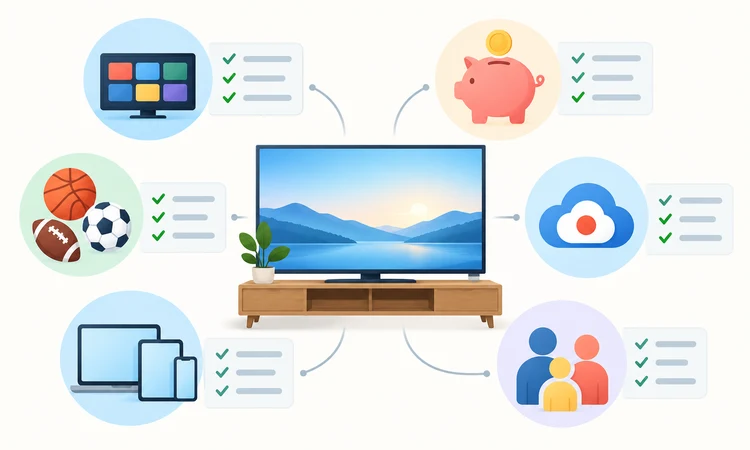
The evaluation began with lawful United States availability and current official documentation. Full bundles were judged on local and national channel breadth, sports, cloud DVR, household streams, platform support, pricing clarity, and major omissions. Focused services remained eligible only when their lower price solved a recognizable YouTube TV use case without pretending to provide complete replacement coverage.
Rankings favor practical fit over the largest promotional total. Standard renewal prices count more than temporary discounts, and ZIP-code qualifiers count more than generic network logos. No subscription, stream, picture quality, advertisement load, latency, or support response was personally tested. Provider-reported counts establish advertised scale, while official limitations shape every recommendation and final position.
- Lawful Access: Every recommendation is an official licensed consumer service available to eligible United States viewers.
- Channel Fit: Local affiliates, sports, news, entertainment, children’s programming, and network-specific gaps were compared separately.
- Cost Clarity: Standard prices, temporary offers, fees, add-ons, trials, annual billing, and partial replacements received qualification.
- Household Utility: DVR retention, simultaneous streams, profiles, travel, home networks, and second-location rules influenced rankings.
- Device Reach: Browser, mobile, streaming-player, smart-television, console, and minimum-version support affected practical everyday household usability.
- Evidence Limits: Rankings avoid invented performance tests, unverified reliability promises, and promotional scale treated as audited fact.
Setup, Device, and Internet Checklist
Verify hardware before paying. A service can support Roku, Fire TV, Apple TV, Android TV, Google TV, game consoles, smart televisions, browsers, and mobile devices without supporting every model or operating-system version. Check the oldest household screen first, then confirm captions, audio description, parental controls, profiles, remote behavior, and any required location permission.
Test the monthly plan on the main television during normal peak viewing before considering annual billing. Use the provider’s official application store path, secure the account with a unique password, configure purchase protections, and review privacy choices. Reliable internet matters, but no provider can guarantee buffer-free playback across every network, device, broadcast, and household condition.
- Model Numbers: Match each television or player against current minimum operating-system and hardware requirements before signup.
- Main-Screen Trial: Evaluate guide navigation, captions, picture stability, audio, and remote controls during ordinary viewing hours.
- Network Capacity: Account for simultaneous streams, video calls, gaming, downloads, Wi-Fi coverage, and internet data limits.
- Account Security: Use unique credentials, review recognized devices, protect payment methods, and remove access from retired hardware.
- Accessibility Test: Confirm captions, audio description, screen-reader behavior, contrast, and controls on representative live programming.
- Official Apps: Install only from provider pages or recognized stores, rejecting copycat portals and unofficial modified applications.
Verdict
The best replacement depends on which YouTube TV strengths matter most. Hulu + Live TV offers the most balanced bundle, Fubo emphasizes sports and household capacity, and Sling TV makes controlled downsizing easier. DIRECTV serves premium regional-sports needs, while Philo, Frndly TV, ESPN Unlimited, Peacock, and Paramount+ reward viewers comfortable choosing narrower coverage deliberately.
- Hulu + Live TV: Best for households wanting locals, sports, entertainment, DVR, Hulu, Disney+, and ESPN together, provided the higher monthly price remains acceptable.
- Fubo: Best for sports-focused homes needing many streams and strong recording tools, although regional fees, blackouts, and one-location television rules require verification.
- Sling TV: Best for budget-conscious viewers who can build around selected channels, but limited locals, plan-specific streams, and accumulating Extras complicate savings.
FAQs
What is the best overall alternative to YouTube TV?
Hulu + Live TV is the strongest all-around alternative for many United States households because it combines local affiliates, national cable networks, sports, unlimited DVR, Hulu, Disney+, and ESPN access. Fubo may fit sports-heavy homes better, while DIRECTV offers broader regional sports depth. Always verify the exact ZIP-code lineup before switching.
Which YouTube TV alternative is cheapest?
Frndly TV starts at $8.99 per month but offers a narrow family-oriented lineup. Sling Essentials begins at $19.99, and Philo Essential costs $25 for broader entertainment without major sports or locals. The cheapest true fit depends on required channels; a low price becomes poor value when several add-ons or supplements are necessary.
Which service is best for live sports?
Fubo is the strongest broad sports-first bundle here, while DIRECTV can be better for certain regional sports networks. ESPN Unlimited works for viewers mainly needing ESPN’s portfolio, and Sling can lower costs for selected national sports. No option carries every league, team, local affiliate, or event, and blackouts still apply.
Are local channels available without YouTube TV?
Yes. Hulu + Live TV, Fubo, and DIRECTV carry major local affiliates in many markets, while Sling offers selected locals in fewer areas. Paramount+ Premium can include an eligible local CBS station, and Peacock may provide eligible NBC access. An antenna can add free broadcasts where reception is strong, but coverage varies.
Which alternative has the best cloud DVR?
Hulu + Live TV, Fubo, and current DIRECTV streaming packages promote unlimited cloud DVR with recordings generally retained for nine months. Philo keeps qualifying saved programs for up to one year. Sling includes fifty hours and offers an upgrade. Recording rights, fast-forward behavior, expiry, and device access still differ by provider and program.
Can these services stream in two different homes?
Rules vary. Fubo and DIRECTV allow generous home-network viewing but restrict certain connected-television use away from the designated residence. Hulu and Peacock apply household or location rules, while Sling uses plan-specific stream limits. I recommend reading the current sharing terms rather than assuming simultaneous streams authorize permanent access across separate households.
Is an antenna a good YouTube TV replacement?
An antenna can provide local ABC, CBS, FOX, NBC, PBS, and independent stations where signals are available, with no recurring television subscription after equipment costs. It cannot supply cable news, ESPN, most regional sports networks, or on-demand libraries by itself. Reception depends on location, terrain, building materials, placement, and antenna design.
Does ESPN Unlimited replace YouTube TV for sports?
It replaces the ESPN network portfolio and ESPN+ for many sports-focused viewers, but not every need. ESPN Unlimited does not provide comprehensive local affiliates, FOX, NBC, CBS, every regional sports network, or all league packages. Team schedules, blackouts, out-of-market rights, and separate subscriptions should be checked before canceling a broad television bundle.
Are Peacock and Paramount+ full live TV replacements?
No. They are network-specific supplements. Peacock centers on NBCUniversal entertainment and selected sports, while Paramount+ covers CBS, Paramount, Showtime, and included events. Either can replace a meaningful slice of YouTube TV for the right household, but neither supplies the broad locals, cable news, sports networks, and channel guide of a full bundle.
Can these alternatives be canceled anytime?
Most monthly streaming plans renew until canceled and avoid long annual contracts, but promotions, annual subscriptions, short passes, third-party billing, and prepaid offers carry different rules. Sling short passes generally cannot be canceled after activation. Review the official terms, cancel through the billing owner, and keep confirmation before the next renewal date.
Do any alternatives offer a free trial?
Hulu + Live TV currently advertises an eligible three-day trial, while Philo Essential offers eligible new customers seven days. Fubo and other services may change trial availability by promotion, plan, customer history, and billing partner. A trial normally converts to paid service unless canceled before its deadline, so record the exact end time.
Is combining smaller services better than buying one bundle?
Combining Philo or Frndly TV with ESPN Unlimited, Peacock, Paramount+, and an antenna can cost less when a household watches focused channels. It also creates several bills, applications, guides, and account rules. Compare the full monthly total and missing networks against Hulu + Live TV, Fubo, DIRECTV, or Sling before deciding.