9 Best IPTV Canada Service Providers (2026)

Start with the provider that matches your priority, then use the table to compare Canada evidence, connection limits, and the price actually shown.
Key Takeaway: EagleCast TV has the clearest Canada-specific plan evidence and three advertised connections; SofaIPTV publishes a Canada-inclusive country list and selectable device counts; OSIRISIPTV offers a lower euro-priced entry plan. Confirm the precise channel package, rights, currency, tax, and playback in your province before paying.
Best IPTV Canada Service Providers: Quick Comparison
- EagleCast TV — Canada-specific plans list three included connections; use the trial to check your province’s channels and confirm checkout currency.
- SofaIPTV — Canada appears on its country list, with one-to-five-device tiers; verify regional channels and concurrent-stream rules before choosing.
- OSIRISIPTV — The €9.99 monthly standard plan permits one stream at a time; ask for the Canadian lineup and read its qualified refund terms.
- Velino TV — Canada appears in its country selector, but a stable Canadian price was not verified; confirm the chosen tier and final currency.
- GoCheap IPTV — Published one-to-five-device tiers start at US$12 monthly for one device; request a current provincial lineup before buying.
- USA LIVE IPTV — Its homepage names Canada and shows prepaid plan totals; verify local channels, the one-connection limit, and checkout currency.
- Tiviplanet — A €15 one-connection month and one-day trial are advertised; check the actual Canadian lineup before a longer prepaid term.
- Tellystudio — US$15 buys a listed 30-day, one-connection term, with a one-day trial advertised; verify the Canadian lineup and rights.
- OrigineTV — The three-month €34.99 plan has one connection and manual renewal; confirm Canadian channels before paying upfront.
| Provider | Canada evidence | Standard connections | Entry price shown | Visit Site |
|---|---|---|---|---|
| EagleCast TV | Canada-specific plan page | Three included | $14.99 / one month; currency code not stated | Visit Site |
| SofaIPTV | Canada on official country list | One on entry plan; other counts selectable | US$13 / one month, one device | Visit Site |
| OSIRISIPTV | Canada in official FAQ | One on standard plan | €9.99 / one month | Visit Site |
| Velino TV | Canada in official country selector | Confirm selected tier | Official checkout price varies by selection | Visit Site |
| GoCheap IPTV | Worldwide availability claimed | One on entry plan; up to five offered | US$12 / one month, one device | Visit Site |
| USA LIVE IPTV | Canada named on official homepage | One on listed basic plans | $49.96 / three months; currency unconfirmed | Visit Site |
| Tiviplanet | International service; confirm Canadian lineup | One on entry plan | €15 / one month | Visit Site |
| Tellystudio | Worldwide channels claimed; confirm Canada | One on listed plans | US$15 / 30 days | Visit Site |
| OrigineTV | Worldwide channels claimed; Europe-led site | One on entry plan | €34.99 / three months | Visit Site |
Disclaimer
This article is general information, not legal or financial advice. Some outbound provider links are tracked and may generate compensation; placement does not establish licensing or performance. Prices, taxes, plans and regional availability can change. Canadian access to particular programs depends on rights, not merely an internet connection or VPN. Use authorized content and independently confirm terms before purchasing.
Finding the best IPTV Canada service providers means checking more than an enormous channel number. A subscription can advertise Canadian coverage yet omit your local station, require a separate player, charge in foreign currency, or limit simultaneous streams. I compared current provider pages for Canada-specific evidence, device formats, published prices, and material restrictions without claiming firsthand playback results.
This comparison covers nine currently eligible services with different levels of Canadian specificity, device support, and pricing transparency. It does not certify channel rights, uptime, or every regional catalogue item. Start with a short trial where available, ask for a current province-specific lineup, and verify checkout currency and tax before committing to a longer term.
Read MoreRead Less
Why You Can Trust OTTWatchGuide?
This comparison uses current provider-owned plan, country, help, and product pages, plus Canadian regulator guidance on distribution rights. It separates a service’s own claims from what the research independently establishes. No subscriptions were purchased and no channel, uptime, refund, or support response was tested. Rankings prioritize Canadian specificity, pricing clarity, connection rules, and transparent limitations rather than unverified catalogue totals.
- Source Review: Checked provider-owned regional, product, setup, and pricing pages; distinguished explicit Canada mentions from worldwide claims.
- Freshness Check: Recorded the access date and preserved differences between displayed currency and Canadian checkout totals.
- Editorial Boundary: Did not equate a channel-list claim with proof of access, licensing, or stable playback.
1) EagleCast TV
EagleCast TV ranks first because its plan page explicitly targets Canada, instead of relying on a generic worldwide promise. The page lists three included connections across its principal terms, which may suit households with several screens. That is a published plan specification, not evidence that any particular channel works today.
Its channel directory mentions Canadian content, while its plan page publishes short and long terms. I would begin with the advertised trial and request a current lineup for the province before choosing a paid term. The website shows dollar signs without a clear currency code, and distribution rights remain unverified.
Features:
- Canadian Focus: The official pricing page says EagleCast TV is focused on viewers in the United States and Canada. Its product description also refers to Canadian entertainment. That specificity makes it easier to identify a relevant offering, but it does not prove access to a particular Toronto, Montréal, Vancouver, or regional station today.
- Connection Allowance: The listed one-month, three-month, annual, and two-year plans each state that three connections are included. That is more useful for a household than a vague multiple-device claim, though account rules should still be checked at checkout. Extra connections have term-dependent charges; they are not automatically part of the base price.
- Device Paths: EagleCast’s monthly product page names Fire TV, Android, iOS, Samsung smart TVs, and MAG devices. Those are claimed compatibility routes, not proof of a native app in every Canadian store. Check the exact player and installation route for your device, particularly if sideloading or account credentials would be required.
- Program Guide: Its plan listing includes live TV with an electronic program guide, alongside catch-up and on-demand categories. A guide can make a large lineup easier to browse, but guide completeness varies by channel and region. Ask to see a current sample for the Canadian stations you actually intend to watch.
- Short Trial: The plans page advertises a free 48-hour trial, making a limited compatibility check possible before a longer commitment. I would test the intended screen, connection count, peak-hour playback, and the actual Canadian lineup during that window. Trial eligibility and activation method need confirmation with the provider before relying on them.
- Price Transparency: Four displayed terms provide a clear starting comparison, from one month to two years. The pages show a dollar symbol but not a currency code in the inspected plan view, so a Canadian buyer should confirm whether the final charge is in CAD or USD and whether tax or payment fees apply.
- Rights Boundary: The provider’s channel list and sports wording are marketing or catalogue assertions, not evidence that it possesses Canadian distribution rights for every named broadcaster or event. A downloadable directory may also age quickly. Seek a current province-specific list and rights explanation; avoid treating a logo or channel name as authorization to watch.
| Pros | Cons |
|---|---|
| Canada-specific plan language makes the geographic offer easier to assess | Dollar symbol lacks an explicit currency code on inspected plan |
| Three included connections appear across the main published plans | Canadian channel access remains a provider claim, not tested evidence |
| Four terms allow a short commitment before longer plans | |
| I found a clearly stated short trial on pricing |
Pricing:
- One month: $14.99, one-off payment; three connections included. Currency code, Canadian tax, and payment conversion require checkout confirmation.
- Three months: $29.99; three connections included. Extra connections are priced separately.
- One year: $69.69; three connections included. The advertised 48-hour trial is a separate pre-purchase option.
- Two years: $119.99; three connections included. Confirm refund conditions before a long commitment.
Link: eaglecast.tv
2) SofaIPTV
SofaIPTV earns the second position because its country-list page explicitly includes Canada and warns that availability varies by region and category. This is a more useful signal than a generic global channel count. The entry plan covers one device, while the pricing interface offers separate tabs for larger device counts.
The site identifies its price selector as United States dollars and offers a 24-hour trial. I would use that day to check the package in the province, rather than assume every advertised sport or French-language program appears. The provider’s ten-day refund message should be checked against its policy before purchase.
Features:
- Country Listing: Canada appears on SofaIPTV’s official supported-country list. The same page says channel, category, and regional availability can vary and invites requests for missing channels. That combination establishes an intended Canadian offering, not a guaranteed local lineup. Ask support for the exact English, French, news, or regional package needed before subscribing.
- Device Tiers: The pricing interface separates one through five devices into distinct tabs, so a larger household can inspect an appropriate tier. The US$13 monthly entry figure belongs to the one-device view, not every household size. Clarify whether the purchased device count means concurrent viewing, registered installations, or another limit.
- Trial Window: A one-device 24-hour free trial is displayed beside the paid plans. Use it to check login delivery, your own broadband connection, the actual player, and the programs that matter most. A brief trial cannot demonstrate long-term uptime or future rights, but it can expose immediate incompatibilities without a full-term payment.
- Currency Display: The current page identifies the selected currency as United States dollars. That matters for Canadian cards: the final CAD amount may reflect the bank’s exchange rate, foreign-transaction fees, and applicable tax. A low displayed figure should be compared with the actual checkout total, not silently converted into a Canadian price.
- Player Options: The provider offers download and setup routes involving IPTV player software, while the subscription supplies the claimed content source. A player by itself does not include channels or legal rights. Verify that the recommended app is available for your exact TV or phone platform and that the provider supplies compatible login details.
- Refund Message: SofaIPTV advertises a ten-day money-back guarantee on its homepage. I would read the written refund policy and retain the order confirmation before relying on that headline. A refund statement does not establish that any technical complaint qualifies, nor does it substitute for checking the service during the shorter trial window.
- Catalogue Limits: The country page groups live TV, sports, and on-demand content but qualifies availability by region and updates. Do not assume a listed country guarantees a specific NHL feed, Canadian local station, or French-language service. Ask for a current sample lineup and information on Canadian rights, especially for premium or geographically restricted programming.
| Pros | Cons |
|---|---|
| Canada appears explicitly on the provider’s own country list | Regional category availability is expressly variable on that list |
| One through five device tiers are visibly selectable | Entry price buys one device, not every household configuration |
| US dollar selector makes the displayed currency identifiable | |
| I can use the advertised one-day trial before payment |
Pricing:
- 24-hour trial: US$0, shown for one device; confirm eligibility and activation.
- One month: US$13 for one device.
- Three months: US$28 for one device.
- Six months: US$49 for one device.
- Twelve months: US$70 for one device. Other device counts have separate pricing; Canadian conversion and tax are not included in these figures.
Link: sofaiptv.com
3) OSIRISIPTV
OSIRISIPTV takes third place because its FAQ includes Canada in its offering and spells out a crucial connection restriction. A standard account may be installed on several devices but streams on only one at a time. That distinction makes its lower displayed euro entry price easier to evaluate more honestly.
The subscription page lists M3U, MAG, and Enigma formats and several prepaid terms. I would choose a trial or short plan first and ask about the Canadian lineup and rights. Its prominent seven-day guarantee is qualified by FAQ language requiring support attempts, so the refund outcome should never be assumed.
Features:
- Canada Signal: The official FAQ names Canada in a list of countries. This supports Canadian relevance at the provider-claim level, but the page does not certify a province, local station, sports event, or language pack. Request current program details and a trial from the Canadian connection you plan to use.
- One-Stream Rule: OSIRISIPTV says a standard account can be installed on multiple devices yet works on one at a time. That limitation matters more than the number of installations. A separate multiroom product is listed for two devices, with different pricing; avoid treating it as included with the standard monthly subscription.
- Source Formats: The subscriptions page lists M3U, MAG, and Enigma compatibility. These are access formats for a content subscription, not a guarantee of a native app on every television. Confirm which login details the provider will supply and whether your existing player supports that format before entering payment or installing unfamiliar software.
- Euro Pricing: The five published standard terms use euros, beginning at €9.99 for a month. A Canadian card may be charged a changing CAD equivalent with bank fees and possibly taxes. Comparing the euro figure directly with a US-dollar competitor’s sticker price would mislead; compare actual checkout totals and connection allowances instead.
- Trial Guidance: The provider advertises a free trial account and advises testing if bandwidth is uncertain. I would test the intended device and the required Canadian program categories during the trial rather than infer nationwide performance from a speed number. Trial availability, length, and channel access should be confirmed at request time.
- Bandwidth Advice: The FAQ suggests checking download speed and references 12 Mbps as a threshold. That is the provider’s guidance, not a measured guarantee of smooth HD or 4K playback. Wi-Fi quality, other household traffic, stream encoding, and server conditions also matter, so run a practical test on the actual screen.
- Refund Qualification: The subscription page advertises a seven-day money-back guarantee, while the FAQ says refunds depend on conditions and attempted troubleshooting. This discrepancy matters to a Canadian buyer considering a long term. Read the full written policy, keep the support conversation, and do not budget on an automatic refund if the lineup disappoints.
| Pros | Cons |
|---|---|
| Official FAQ includes Canada among its named countries | Standard account permits only one simultaneous stream at once |
| M3U, MAG, and Enigma formats are stated clearly | Refund headline and FAQ describe materially different practical conditions |
| Five euro-priced terms include a short monthly option | |
| I found a distinct multiroom offer for households |
Pricing:
- One month: €9.99 for the standard one-stream plan.
- Three months: €24.99 for the standard one-stream plan.
- Six months: €44.99 for the standard one-stream plan.
- Twelve months: €69.99 for the standard one-stream plan.
- Twenty-four months: €99.99 for the standard one-stream plan. A separate two-device multiroom month is listed at €19.99. Confirm Canadian conversion, taxes, trial terms, and conditional refund policy before purchase.
Link: osirisiptv.com
4) Velino TV
Velino TV appears fourth because its official selector includes Canada, a more direct geographic signal than a generic global slogan. The main site describes live channels and on-demand programming, while its setup guide covers several device families. Those are provider claims, not independently verified Canadian channel availability or stable playback.
Its Europe-focused branding warrants a regional check before purchase. I would select Canada in the interface, request the province-specific lineup, and confirm the selected term and currency at checkout. The public pages inspected did not provide a dependable single Canadian entry price, so the comparison deliberately avoids an invented figure.
Features:
- Canadian Selector: Velino’s official application landing page offers Canada as a location choice. That indicates an intended Canadian route, but the selector alone does not establish a particular local station, language feed, or distribution permission. Ask the provider for the current regional package and test must-have channels before choosing a long subscription.
- Device Instructions: The official setup guide separates smart TVs, Android, iOS or Apple TV, computers, Fire Stick, and MAG or Formuler hardware. These are installation pathways, not proof of native apps in every Canadian store. Check the exact player name and device model, and avoid downloading a file from an unfamiliar mirror.
- Player Credentials: Velino’s smart-TV instructions describe Xtream Codes login details, while another route uses an M3U URL. That distinction matters because an existing player may accept only one method. Confirm the format supplied with the chosen plan, whether the player requires a separate fee, and how credentials are delivered securely.
- Picture Claims: The homepage advertises HD and 4K content, but a resolution label does not guarantee that every channel plays at that quality. Your device, display, network, and the particular stream determine the result. Use a trial or short term to inspect the specific Canadian programs you intend to watch.
- Catalogue Scope: The provider advertises a large international live and on-demand library. Its headline numbers are self-reported and may change by region or licensing arrangement. A smaller verified set of required Canadian stations is more useful than a huge global total, especially when sports events and local news are purchase priorities.
- Pricing Verification: The inspected public pages did not expose one stable Canadian consumer price for a specified connection count and duration. I would request a written quote or reach the official checkout before comparing Velino with priced alternatives. Record the final currency, taxes, renewal rules, and any player charges rather than infer them.
- Rights Boundary: Marketing phrases about global access, privacy, or uninterrupted playback cannot establish Canadian distribution rights or measured reliability. Separate the technical ability to load a playlist from permission to view its contents. Ask for licensed Canadian offerings, review the written terms, and choose authorized channels if the answer remains unclear.
| Pros | Cons |
|---|---|
| Canada is explicitly offered in the official location selector | Europe-led homepage leaves Canadian channel details to confirm independently |
| Setup instructions cover several distinct device and login formats | No stable Canadian consumer price was verified publicly here |
| Official guide distinguishes Xtream credentials from M3U access | |
| I found a device-specific route before selecting payment |
Pricing:
- Consumer plans: Not publicly listed on the inspected official pages in a stable Canada-specific price table. Confirm selected term, connection count, currency, tax, trial, and refund conditions at official checkout before paying.
Link: velino.tv
5) GoCheap IPTV
GoCheap IPTV ranks fifth for its clear device-count grid and United States dollar selector. The official page offers one through five device tiers and a free one-day trial. It claims worldwide availability, but the inspected page does not guarantee a Canadian local lineup, so buyers should confirm their province explicitly.
The one-device monthly tier is inexpensive compared with alternatives, yet that figure cannot stand in for a family plan. I would test the player and channels during the trial, then compare the appropriate device tier at checkout. Its large catalogue and uptime statements remain provider claims rather than independent measurements.
Features:
- Tier Selection: The official pricing grid separates one, two, three, four, and five device plans. That lets a household compare its intended size rather than extrapolate from the cheapest one-screen offer. Ask whether a device means a registered installation or a simultaneous connection, since those restrictions have different consequences during shared viewing.
- Trial Access: A free 24-hour, one-device trial appears in the published plan grid. The period is useful for checking credential delivery, player compatibility, and a current Canadian package on your own connection. It is too short to establish long-term uptime, and trial eligibility or available content should be confirmed before relying on it.
- Currency Selector: GoCheap’s displayed selector identifies United States dollars, euros, and British pounds. The cited entry amount comes from its USD view only. A Canadian card may incur conversion and tax, so the displayed USD number is not a final CAD charge. Compare the complete checkout amount for the selected term and tier.
- Term Range: The one-device table shows monthly, quarterly, six-month, annual, and lifetime choices. A lifetime label is not a guarantee that a service or content right will exist forever. Begin with the shortest suitable option and inspect written renewal and refund conditions before treating a longer term as better value.
- Device Setup: The homepage mentions Fire Stick, smart televisions, and phones, and describes a separate app installation step. That makes the subscription a content source rather than a player by itself. Check whether the specified app is available for the exact Canadian device and whether it adds a separate cost.
- Worldwide Claim: The provider calls its service available worldwide, but its homepage does not prove a complete Canadian local package. Request an up-to-date list for your province, language, and sports needs. A claimed worldwide footprint is not a guarantee that a particular broadcaster may be distributed or will play from Canada.
- Support Promise: The site advertises round-the-clock support and weekly on-demand updates. Neither statement was tested for this article. I would ask a specific Canadian lineup and device question during the trial, then judge the actual response and written policy before making a longer commitment. Keep a copy of promises made during checkout.
| Pros | Cons |
|---|---|
| One through five device prices are published separately | Canadian local lineup needs direct confirmation before a purchase |
| USD currency selector clarifies the displayed base amount | Headline uptime figure has not been independently tested here |
| Free one-day one-device trial appears in pricing grid | |
| I can compare short terms before annual commitment |
Pricing:
- 24-hour trial: US$0 for one device, subject to current eligibility.
- One month: US$12 for one device; US$22 for two devices.
- Three months: US$26 for one device; US$36 for two devices.
- Six months: US$46 for one device; US$55 for two devices.
- Twelve months: US$70 for one device; US$96 for two devices. Three-to-five-device and lifetime plans are separately priced. Confirm the final CAD checkout total and written terms.
Link: gocheapiptv.com
6) USA LIVE IPTV
USA LIVE IPTV ranks sixth because its official homepage names Canada among locations its server network covers. The displayed basic plans have one connection and publish billed totals, rather than only a monthly equivalent. Canadian coverage remains a provider assertion; the actual provincial channel package and rights were not verified.
The site uses sports and entertainment brand names, which should not be mistaken for licensing evidence. I would request the Canadian channel and event list, then review the refund policy before purchase. Its lowest monthly equivalent requires a longer prepayment, so a buyer must compare total commitment, not headline savings.
Features:
- Canada Mention: The provider’s homepage explicitly includes Canada in its claimed server footprint. That is a geographic signal, not proof that a Canadian household receives its local broadcasters. Ask for the current province-specific channel list and the legal basis for distributing must-have programming rather than relying on a server-location statement.
- Billed Totals: The main pricing cards show a three-month billed total and longer prepaid totals beside monthly equivalents. The latter can look inexpensive while requiring substantially more cash upfront. Compare the actual billed amount, connection count, currency, and refund restrictions before choosing a term; the page’s dollar sign needs checkout confirmation.
- Connection Limit: The displayed basic packages specify one connection. Installation on several devices, if allowed, should not be interpreted as simultaneous viewing. A multi-screen household needs a separately confirmed offer and price. Ask the provider whether connection rules involve concurrent streams, registered devices, or an IP-location restriction before final checkout.
- Guide Features: The homepage claims an electronic program guide and catch-up programming. Those can improve navigation, but availability may differ across channels, regions, and time periods. Request a working example for the Canadian stations you require, and do not infer that every sports feed has replay rights or complete schedule data.
- Device Range: The page lists Fire Stick, smart TVs, set-top boxes, phones, and computers, along with IPTV player compatibility. This breadth is provider-described, not a successful installation test. Verify the exact application, login method, and app-store availability for your intended screen before paying for a long term or sideloading anything.
- Refund Headline: A thirty-day money-back statement appears on the official site. A headline is not a substitute for the written conditions, eligible reasons, and claim procedure. I would retain the purchase record and ask support how a Canadian buyer requests a refund, particularly when the purchased product does not match an advertised lineup.
- Rights Verification: The homepage’s references to premium networks and other streaming brands do not prove authorization to redistribute them in Canada. Some offers may sound broader than plausible licensed packages. Check official Canadian distributors for essential events and avoid assuming that an inexpensive all-in-one subscription includes the legal rights implied by marketing.
| Pros | Cons |
|---|---|
| Canada is named on the provider’s official homepage | Premium brand mentions do not document Canadian distribution rights |
| Billed totals are displayed beside monthly price equivalents | Cheapest monthly equivalent needs a substantial prepaid commitment |
| Basic plan connection count is stated on pricing cards | |
| I found an explicit refund headline worth checking |
Pricing:
- Three months: $49.96 billed for one connection; the site displays a $16.65 monthly equivalent. Confirm currency code and Canadian checkout total.
- One year: $95.98 billed for one connection; the site displays a $7.99 monthly equivalent and advertises an extra month.
- Two years: $139.98 billed for one connection; the site displays a $5.83 monthly equivalent and advertises extra months. These are displayed offers, not guaranteed future prices. Read the written refund policy before prepaying.
Link: iptvliveus.com
7) Tiviplanet
Tiviplanet sits seventh because its official English pricing page separates one-device plans from annual multi-device packages. It describes international live channels, on-demand programs, catch-up on many channels, and guided setup. The page does not establish a specific Canadian lineup, so regional availability and rights need direct confirmation before any payment.
A no-payment one-day trial is advertised, making the intended TV and connection easier to check. I would ask for the province-specific list and test a must-have program during that day. Its euro prices and annual household tiers require checkout comparison; the lowest per-device equivalent is not the smallest upfront commitment.
Features:
- Clear Plan Split: Tiviplanet’s official pricing page distinguishes a single connection from annual packages with two, three, or four simultaneous connections. That is helpful for households sharing televisions, but the displayed annual price must be compared with the full upfront spend. Verify that each device can stream at the same time under the selected contract.
- Short Trial: The site offers a free one-day trial without payment as a pre-purchase step. Use it for the actual Canadian connection, device, and programs you expect to watch. A trial may reveal immediate failures, but it cannot demonstrate year-round reliability or confirm rights for every future televised sports event.
- Guided Setup: Tiviplanet says support supplies access details and helps configure the appropriate player after plan selection. This can reduce setup friction for someone unfamiliar with IPTV formats. Confirm which app is required, whether it costs extra, and whether it is available from the official store on your Canadian device.
- Catch-Up Claim: The one-device plan descriptions mention catch-up television on most channels. That qualification matters: replay may be absent for a particular Canadian broadcaster, sport, or program. Ask for a current working demonstration on your must-have Canadian channel instead of assuming the feature applies to the entire international lineup automatically.
- Quality Labels: The provider advertises HD, FHD, 4K, and UHD where available, with films and series in several formats. Those labels describe a possible catalogue, not a measured stream on your broadband. Test the precise channel and playback device during the trial, including at the time you usually watch television.
- Euro Billing: All inspected English pricing cards are denominated in euros. A Canadian buyer may see a different converted amount after exchange rates, bank fees, and taxes. Compare the final payment for the intended connection count and term, not the site’s approximate monthly arithmetic for longer prepaid household connection plans.
- Canadian Uncertainty: The public pricing page calls its channels international but does not document every Canadian province or local station. I would request a dated regional list and written rights information before treating the service as a substitute for licensed Canadian television. A language option or global claim cannot resolve those questions.
| Pros | Cons |
|---|---|
| One through four connection options are published clearly | Canadian local channel coverage needs direct written confirmation |
| Free one-day trial requires no payment according to site | Annual multi-device savings require a larger upfront payment |
| Guided setup and catch-up are described on official pages | |
| I can inspect connection prices before choosing a term |
Pricing:
- One-day trial: €0, advertised without payment; confirm availability and channel access.
- One month, one connection: €15.
- Three months, one connection: €30.
- Six months, one connection: €45.
- One year, one connection: €70. Annual multi-device packages show €120 for two, €160 for three, and €200 for four connections. Confirm Canadian taxes, conversion, and refund conditions at checkout.
Link: tiviplanet.com
8) Tellystudio
Tellystudio takes eighth position because its homepage publishes a complete one-connection price ladder and a free one-day trial. It describes international live channels, on-demand titles, a program guide, and broad device compatibility. The page’s worldwide wording does not establish which Canadian local channels or licensed sports feeds a province receives.
Several long terms appear beside the short monthly option. I would test the trial and choose a limited paid period before considering a multi-year or lifetime label. The site’s sweeping performance and catalogue claims were not verified, and the exact final currency and tax for Canadian checkout should be confirmed.
Features:
- Free Day: Tellystudio’s official homepage lists a one-day, one-connection trial at zero dollars. This offers a practical window to verify account delivery, playback on your device, and current Canadian categories. It does not establish future availability or service uptime, and trial activation and access limits should be confirmed at request time.
- Published Ladder: The site lists monthly, quarterly, six-month, annual, two-year, three-year, and lifetime options for one connection. Those terms allow direct comparison of total spend, although the longest terms amplify service and rights uncertainty. A lifetime label should not be read as a guarantee of perpetual access to specific programming.
- Program Guide: An electronic television guide is included in the feature list and plan descriptions. A useful guide can make a large channel set navigable, but the site does not establish complete schedule data for each Canadian station. Ask for the actual guide view on the programs you care about during the trial.
- Screen Support: Fire Stick, smart televisions, and IPTV player software are named on the provider site. That indicates intended device routes, not a guarantee of native installation on every Canadian model. Verify the exact app and login method, any separate player charge, and whether your device allows the required installation.
- International Library: Tellystudio markets a very large worldwide live and on-demand catalogue. The total is self-reported and can include categories irrelevant to a Canadian household. A current province-specific package and reliable access to a few required channels matter more than a global headline count or a promise of every event.
- Support Availability: The official page advertises assistance at all hours for setup, billing, and technical issues. I would use the trial to ask a concrete Canadian lineup or device question and judge the actual response. A support promise is not evidence that a refund or particular fix will be granted.
- Rights and Claims: The homepage uses sweeping language about smooth playback and premium sports. Those are promotional statements, not independent measurements or proof of Canadian distribution permission. Check licensed Canadian sources for must-have events and review the provider’s written policies before buying. Avoid using a long prepaid term to test an unverified claim.
| Pros | Cons |
|---|---|
| Free one-day trial appears with the official plans | Canadian regional channels are not documented in pricing cards |
| Several billing periods and total prices are displayed | Extremely long plans magnify unverified continuity and rights risk |
| Electronic guide and common device routes are described | |
| I can compare one-connection terms before paying upfront |
Pricing:
- One-day trial: US$0 for one connection, as displayed on the official site.
- Thirty days: US$15 for one connection.
- Ninety days: US$35 for one connection.
- One hundred eighty days: US$65 for one connection.
- One year: US$95 for one connection. The site also displays two years at US$165, three years at US$235, and a lifetime-labelled option at US$365. Confirm taxes, refund policy, and final Canadian charge.
Link: tellystudio.com
9) OrigineTV
OrigineTV closes the nine-provider comparison because its official pricing and help pages publish clear term lengths, connection counts, device formats, and manual renewal. It advertises worldwide channels while branding itself heavily for Europe. Canadian buyers therefore need a more specific province-by-province confirmation than the site’s general international catalogue language provides.
The three-month one-connection plan is the shortest published paid term in the inspected price table. I would seek the advertised trial first, check the required Canadian local stations, and confirm euro conversion at checkout. Its lifetime-labelled offer and broad sports marketing should not replace written licensing, availability, and refund information.
Features:
- Connection Choice: The official pricing table separates one- and two-connection packages with different totals. A buyer can therefore compare the exact household requirement rather than assume extra simultaneous screens are included. The FAQ warns that a single subscription does not permit multiple simultaneous streams, so select the appropriate tier before payment.
- Manual Renewal: OrigineTV says its subscriptions do not renew automatically; the customer renews after expiry. That can make future billing more predictable than an unnoticed recurring charge. It does not remove the need to inspect refund conditions, payment fees, and the duration promised for promotional or lifetime-labelled packages at checkout.
- Device Formats: The plan cards mention M3U and MAG, while the help pages describe phones, smart televisions, Fire Stick, and other devices. These are different routes to a content subscription, not proof of a native app everywhere. Confirm the credentials supplied and the exact Canadian device installation path before paying.
- Guide and Replay: Pricing cards list an electronic program guide and catch-up capability. Neither label guarantees schedules or replay for every Canadian station or event. Ask support for a current sample of the required channels, including time-zone handling and replay duration, and test them during the trial before selecting a paid term.
- Trial Claim: The official homepage advertises a one-day trial. This can reveal whether a specific TV and connection work, but a trial offer may have eligibility or channel restrictions. Request its current terms and assess the actual Canadian program list instead of relying on a generic worldwide channel count alone.
- Euro Price: The inspected official table uses euros for one- and two-connection terms. A Canadian card’s final CAD amount may include conversion, fees, and tax. Compare the total billed amount with other providers’ totals for the same concurrency and period; do not silently convert euros at a fixed or old exchange rate.
- Europe Emphasis: OrigineTV repeatedly describes itself as a European IPTV service while also promoting global channels. That makes Canadian suitability possible but less substantiated than a Canada-specific plan page. I would obtain a dated province-specific list and rights explanation before presenting its international sports or broadcaster names as a dependable Canadian package.
| Pros | Cons |
|---|---|
| Official table separates one and two simultaneous connections | European focus leaves Canadian regional fit less explicit |
| Manual renewal is clearly explained in official FAQ | Shortest published paid term is three months upfront |
| M3U, MAG, guide, and catch-up features are listed | |
| I found published totals for several contract lengths |
Pricing:
- One-day trial: Advertised on the official homepage; verify current eligibility and access.
- Three months: €34.99 for one connection; €69.99 for two connections.
- Six months: €48.99 for one connection; €97.99 for two connections.
- Twelve months: €67.99 for one connection; €135.99 for two connections.
- Lifetime-labelled offer: €99.99 for one connection; €199.99 for two connections. Confirm the scope and written continuity terms, Canadian conversion, taxes, and refund conditions before buying.
Link: originetv.com
How to Compare IPTV Plans in Canada
A Canadian buyer should compare the offer delivered to their own province, not the largest number printed on a homepage. Ask for the current package list, billing currency, connection definition, supported player, and refund policy in writing. A single short trial is more informative than an unsupported promise that every local, sports, and international feed will be available.
Use a consistent comparison: the final amount your payment method will charge, the screens permitted at once, and the programming you intend to watch. Device installation can be flexible while concurrency remains restricted. If a provider cannot answer a rights or channel question, treat that as uncertainty rather than evidence of availability. A conventional licensed streaming service may be preferable.
- Province: Request a current lineup for your location; a national country label does not prove each regional station appears.
- Currency: Compare checkout totals in CAD, accounting for foreign exchange, payment fees, and any applicable sales tax.
- Connections: Separate installed devices from simultaneous streams; compare the exact tier your household would actually buy.
- Trial: Test your real network and screen during the shortest available access period before any extended purchase.
- Rights: Ask whether the provider can document Canadian distribution permission for the specific channels and events advertised.
- Refunds: Read written conditions rather than assuming a large guarantee badge promises an unconditional return of money.
Devices, Broadband, and Player Formats
An IPTV subscription is the content source; a player is the application that loads its credentials or playlist. Those are different purchases and responsibilities. Fire TV, Android TV, iOS, Samsung TV, and MAG are not interchangeable platforms, and an app mentioned on a provider site may not have a native listing in your device’s Canadian store.
Check the TV model, operating system, and playlist format. See the Fire TV IPTV guide and Roku TV explainer for those device paths. Test household broadband and Wi-Fi during peak viewing. Neither a generic compatibility slogan nor Android sideloading instructions prove that a provider works on every Roku or Apple TV model.
- Format: Confirm whether your provider supplies M3U, MAG, or another login method your chosen player accepts.
- Platform: Verify a native Canadian app listing or a documented installation path for your exact device model.
- Network: Test at the intended viewing time; advertised broadband speed alone cannot predict real streaming quality.
- Wi-Fi: Improve signal at the TV before blaming the provider for stalls during busy household periods.
- Screens: Ask whether a connection limit counts simultaneous playback, registered devices, IP addresses, or account profiles.
- Updates: Check how the player and service receive security, guide, and compatibility updates after purchase.
Canadian Channels, Regional Rights, and Safer Buying
IPTV describes a delivery method, not a legal status or a licence to distribute every program. The CRTC explains that internet viewing can be restricted by Canadian distribution rights and location. A provider’s list of broadcaster names is therefore not proof of permission or present access. Do not assume NHL, a premium movie channel, or local news is included.
The prudent approach is to identify each must-have program, check the rights holder or official Canadian distributor, and ask the provider for its licensed offering. A VPN can change network appearance, but it cannot grant distribution rights. If the answer remains unclear, use an authorized direct broadcaster or conventional TV service instead of treating a cheap all-channel claim as verification.
- Named Channels: Check the current regional package rather than relying on a broad Canada badge or old PDF.
- Sports: Confirm the exact league, event, language feed, season, and Canadian rights holder independently before paying.
- French: Ask for current French-language availability and region; a global Francophone catalogue is not Quebec coverage.
- Geoblocking: Expect some programs to vary by location because distribution contracts can differ across Canadian regions.
- Privacy: Avoid providing unnecessary personal data or installing unfamiliar player files merely to test a subscription.
- Legal Boundary: Treat access and rights as separate questions; a VPN does not make unauthorized viewing lawful.
How Did We Evaluate These IPTV Canada Service Providers?
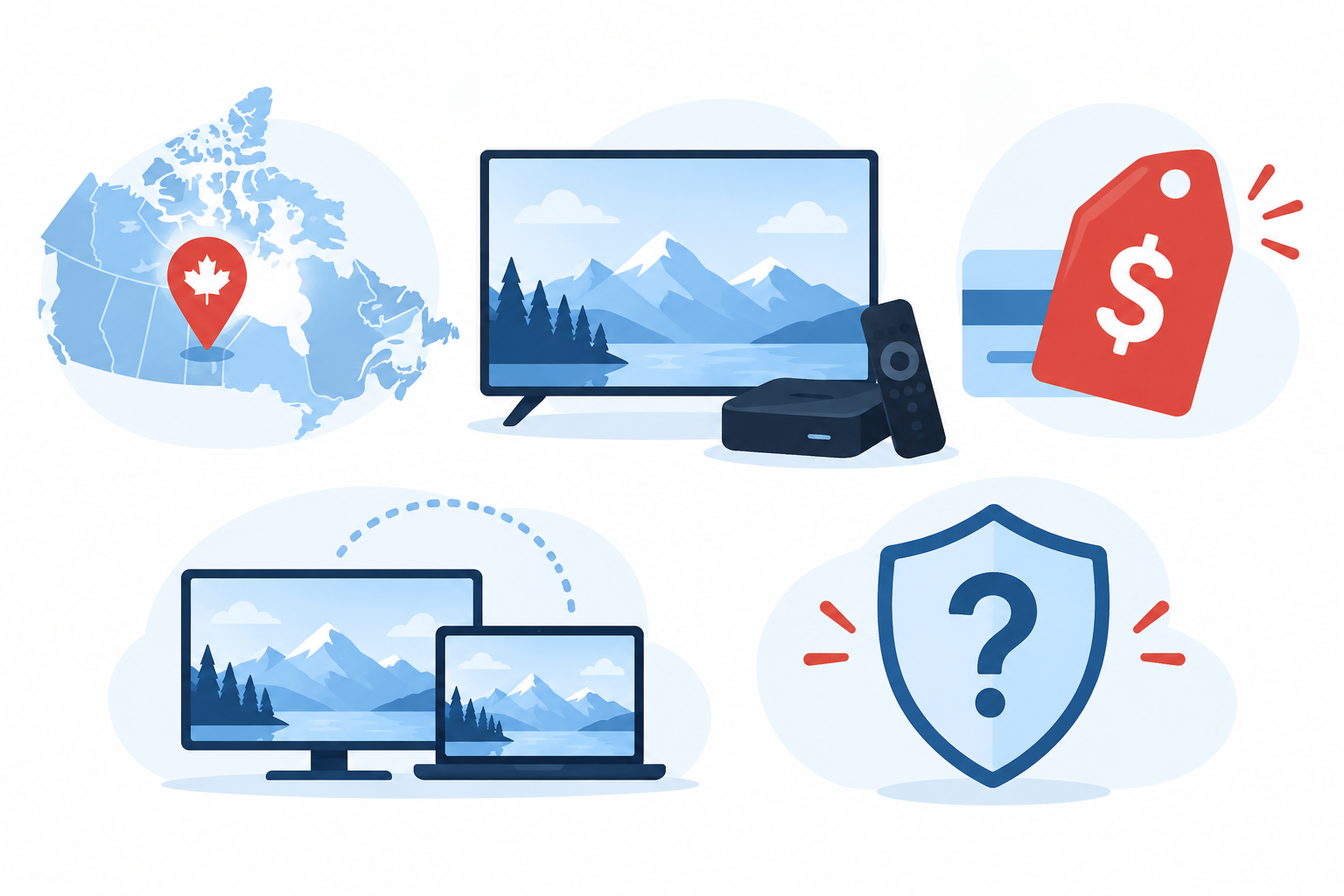
The comparison began with the current eligible provider list, then checked each selected service against its own regional, pricing, device, and help pages. I weighted a clearly stated Canadian offering more heavily than global channel counts. The published tiers and connection rules were compared as written, without converting currencies or assuming a trial proves long-term reliability.
This is a desk-research evaluation, not a benchmark or rights audit. No accounts were purchased, and no claims about real-time uptime, playback quality, or specific broadcaster licences were independently tested. The accompanying image illustrates the decision criteria, not scores or laboratory results. Readers should repeat the practical checks on their device and in their province before subscribing.
- Eligibility: Confirmed current approved identity and status before considering provider claims or placing any recommendation.
- Canada Fit: Prioritized explicit Canada evidence, then qualified globally marketed services whose exact Canadian lineups need confirmation.
- Pricing: Used official pages only and preserved original currencies, plan periods, and unknown Canadian checkout costs.
- Connections: Compared included simultaneous use where stated, avoiding confusion between installations and active viewing sessions.
- Devices: Recorded supported formats and platforms as provider claims, without inferring every native Canadian app-store listing.
- Rights: Kept channel and sports marketing separate from verified Canadian distribution permission and lawful access.
Verdict
EagleCast TV offers the clearest Canada-specific plan language and three listed connections. SofaIPTV makes its country list and US-dollar one-device pricing easy to inspect. OSIRISIPTV has a lower euro entry price but permits one standard stream. None has independently verified every Canadian channel or distribution right here; use a short trial and confirm checkout conditions before buying.
- EagleCast TV: Best for households prioritizing a Canada-specific offer and three listed connections, provided the final currency, channel package, and rights satisfy their needs.
- SofaIPTV: Best for comparing selectable device tiers with clearly shown US-dollar pricing, subject to the provider’s regional availability and concurrency details.
- OSIRISIPTV: Best for a short, lower-priced euro entry plan on one stream, after checking conversion charges and the conditional refund language.
FAQs
Is IPTV legal in Canada?
IPTV is a method of delivering television over an internet connection. Whether a particular service can lawfully show a specific program in Canada depends on distribution rights and other facts. I would not infer those rights from a channel logo, playlist, low price, or provider claim alone. Check authorized Canadian sources and seek clear rights information before paying.
Are these providers guaranteed to carry Canadian local channels?
No. The nine services have different levels of Canadian specificity: some name Canada directly, while others advertise international coverage without documenting a local provincial package. Neither statement guarantees a particular station today. Ask for a dated province-specific lineup and check the channels you actually need during any trial. A global catalogue or old directory is not a live entitlement check.
Do these plans include NHL games or other Canadian sports?
No specific NHL game, team feed, or sports right has been verified for this comparison. Marketing references to sports or a country package do not establish event access or permission to distribute it in Canada. Check the league’s current Canadian broadcaster information and confirm the exact event and feed with the provider before making a purchase decision.
Are the prices shown in Canadian dollars?
No. Providers display euros or United States dollars, and some show a dollar symbol without a code on the inspected plan page. The final Canadian-dollar charge can change with conversion, bank fees, and tax. Compare the total at checkout for the same duration and number of connections. Never treat a foreign-currency price or monthly equivalent as a guaranteed CAD charge.
Can households watch on more than one screen at once?
It depends on the exact tier. EagleCast TV lists three connections, while several other entry plans specify one; SofaIPTV and GoCheap IPTV publish selectable device tiers. OSIRISIPTV distinguishes installation on multiple devices from one simultaneous standard stream. Compare the priced tier your household needs, and ask whether a provider counts concurrent playback, registered installations, or both before buying.
Is a separate IPTV player app needed?
Often yes. A provider subscription supplies access credentials or a playlist, while a player app displays that source. A player alone does not provide channels. Check whether your device supports the format and app, whether the app costs extra, and whether the installation route is trustworthy. Do not assume one provider’s Android instructions also work on Apple TV or Roku.
Which connection speed should a Canadian household have?
There is no universal speed that guarantees good playback. OSIRISIPTV mentions 12 Mbps in its FAQ, but that is its guidance, not an independent test. Stream quality also depends on Wi-Fi, concurrent household use, encoding, and provider performance. Test the actual service at your normal viewing time, preferably during a short trial, before paying for an extended term.
Is a free trial enough to judge a provider?
A trial can reveal login, device, lineup, and immediate playback problems, but it cannot establish future uptime, long-term support quality, or rights for every program. EagleCast TV advertises 48 hours; SofaIPTV displays 24 hours; OSIRISIPTV mentions a trial without a universal duration in the checked FAQ. Confirm current eligibility and terms directly before relying on any advertised offer.
Will a VPN make an unlicensed channel lawful to watch?
No. A VPN can affect routing or apparent location, but it does not give a service distribution rights or a viewer permission for unauthorized content. It may also conflict with platform terms or fail to overcome geoblocking. Use authorized sources and check Canadian rights separately from technical access; do not treat privacy tools as a legal workaround.
What should Canadian buyers check before paying for a longer term?
Check the current Canadian lineup for your province, the rights and availability of must-have programs, the exact player and connection allowance, and the final checkout currency, tax, and fees. Read written refund conditions and try the shortest plan or available trial. Keep order and support records, especially if promotional promises differ from the policy details.