Roku Vs Firestick: Key Differences

Key Takeaway: Roku suits viewers who want an approachable, app-forward interface and flexible private-listening options, while Firestick suits Amazon households that value Alexa, profiles, and smart-home control. Compare the exact models, not only the brands: the current Roku player range and Fire TV lineup differ in picture formats, storage, networking, remotes, and operating systems.
Roku and Firestick solve the same basic problem: they add streaming apps to a television through HDMI. Their day-to-day experience differs more than their shared purpose suggests. Roku emphasizes a straightforward home screen and broad discovery, while Amazon builds Fire TV around recommendations, Alexa, profiles, and connections to its wider ecosystem. I compare those consequences below.
Neither platform includes every paid service with the hardware purchase, and neither brand guarantees identical features across all models. Resolution, HDR support, Wi-Fi generation, storage, remote controls, and app compatibility vary. The useful question is therefore not simply which brand wins, but which current device fits your television, household, subscriptions, privacy preferences, and network.
Disclaimer
This comparison provides general purchasing, compatibility, privacy, and lawful-use information rather than performance, legal, or financial guarantees. No sponsored destination was supplied. Device prices, promotions, applications, menus, advertising, support periods, picture formats, and regional availability can change after October 8, 2026. Verify the exact model and return terms before ordering. Use authorized apps and content sources; neither a streaming device nor a privacy tool creates viewing rights. OTTWatchGuide may earn a commission from qualifying links without increasing your price.
Read MoreRead Less
Why You Can Trust OTTWatchGuide?
OTTWatchGuide reviewed current Roku product and support pages, Amazon Fire TV specifications and help documentation, platform privacy controls, setup requirements, and model-specific feature tables on October 8, 2026. This comparison separates official capabilities from editorial judgment, distinguishes platform features from individual hardware, and does not claim laboratory benchmarks, long-term ownership, universal app availability, or identical menus in every country.
- Primary Sources: Current manufacturer specifications and support documentation ground factual claims.
- Model Boundaries: Platform-wide behavior is separated from hardware that varies by generation.
- Cost Clarity: Hardware purchases, subscriptions, rentals, and optional accessories remain distinct.
- Evidence Limits: No unperformed speed, Wi-Fi, thermal, or playback testing is implied.
Roku Vs Firestick at a Glance
Both platforms cover major streaming services, voice search, automatic updates, parental controls, and 4K options. Roku generally keeps installed apps visually prominent and offers a consistent interface across its players. Fire TV places stronger emphasis on personalized content rows, Alexa, and Amazon services. Household habits decide.
The clearest differences appear after setup. Roku offers a broad product ladder that includes simple sticks, Roku Ultra, and Streambar hardware. Fire TV spans sticks, the Fire TV Cube, and televisions, with newer sticks split between Fire OS and Vega OS. That operating-system change makes exact-model app checks especially important before replacing an older device.
| Decision area | Roku | Firestick |
|---|---|---|
| Home experience | App-forward layout with customizable app order and discovery rows | Recommendation-led interface tied closely to Amazon content and Alexa |
| Voice control | Roku Voice through compatible remotes and mobile app | Alexa search, commands, and compatible smart-home control |
| Household profiles | Third-party apps manage most profiles; Roku account links the device | Fire TV profiles personalize home recommendations, watchlists, and preferences |
| Private listening | Mobile Headphone Mode; direct Bluetooth or remote headphone support varies | Bluetooth headphones supported; compatible Echo options depend on setup |
| Casting and mirroring | Casting, compatible AirPlay, Play on Roku, and model-dependent mirroring | Supported app casting and model-dependent display mirroring |
| Advertising | Sponsored and recommendation surfaces appear within Roku OS | Sponsored placements and personalized recommendations appear within Fire TV |
| Best fit | Viewers prioritizing simple navigation and app visibility | Amazon and Alexa households wanting deeper ecosystem integration |
The Biggest Difference Is the Home Screen
Roku’s current U.S. Home experience combines a collapsible left menu with Home, Live TV, Sports, Subscriptions, Search, and other destinations. Installed apps remain easy to find and rearrange, although Roku now also displays personalized rows, trailers, recommendations, and advertising. Buyers who remember an entirely neutral grid should expect more discovery features than older screenshots suggest.
Fire TV organizes the screen around content recommendations, recently watched items, apps, live television, and Amazon-linked services. Profiles can personalize watchlists and recommendations for different viewers. This is useful when a household already relies on Prime Video or Alexa. Yet, people who prefer opening an app before seeing suggested programs may find Roku’s layout easier to scan.
- Choose Roku for predictability: Familiar app placement reduces the number of decisions before opening a known service.
- Choose Fire TV for discovery: Personalized rows can surface programs across supported services before an app opens.
- Expect ads on both: Neither home screen should be treated as an advertising-free environment.
- Check regional menus: Search destinations, free channels, sports areas, and subscriptions vary by country.
- Plan for updates: Interface layouts can change without a hardware replacement as software rolls out.
- Consider every viewer: A simple grid and personalized profiles solve different household navigation problems.
Apps, Free Content, and Subscriptions
Mainstream services commonly support both platforms, but availability is not universal. Each provider decides where its app appears, which device generations remain supported, and what playback formats or account features work. Before buying, list your essential local, sports, accessibility, and niche apps, then confirm each one against the exact model and country rather than assuming brand-wide support.
Roku promotes The Roku Channel and hundreds of free, ad-supported streaming channels in supported markets. Fire TV combines free choices, live sources, Prime Video, and third-party services within its discovery system. Free does not mean ad-free or permanent. Catalogs, channels, and eligibility change, while premium subscriptions, rentals, purchases, and internet service remain separate expenses.
| Cost or access item | What the device purchase covers | What may cost extra |
|---|---|---|
| Streaming hardware | Player, included remote, and supplied power accessories | HDMI extender, Ethernet adapter, upgraded remote, or replacement power parts |
| Platform account | Roku and Amazon accounts have no separate activation fee | Optional purchases made through the linked account |
| Free programming | Eligible ad-supported apps, channels, and promotional content | Data charges, regional requirements, or account registration may apply |
| Paid applications | Installation is often free | Monthly or annual service subscription, premium tier, or live-TV package |
| Movies and episodes | Search and discovery can show purchase options | Rental or purchase price displayed by the charging provider |
| Premium features | Model’s listed hardware and software capabilities | Compatible television, audio system, cables, subscription tier, and content |
Avoid comparing promotional hardware prices alone. Roku publicly displays current U.S. player prices, while Amazon pricing and bundles can change by account, seller, event, and availability. Compare the final checkout total, normal price, return window, included remote, power method, and required adapters. A cheap stick becomes poor value if it lacks an essential application or format.
Hardware, Picture Quality, and Performance
The brand name does not establish speed. A premium player can feel more responsive than an older entry model from the same company, while application design and network quality also affect navigation. Compare processor generation, memory, storage, Wi-Fi, Ethernet options, and codec support when those details are published.
Current Roku choices range from HD hardware to 4K HDR players, including models with Dolby Vision, stronger Wi-Fi, Ethernet, USB, rechargeable remotes, or lost-remote finding. Amazon’s 2026 Fire TV Stick 4K uses Vega OS, Wi-Fi 6, HDR10+, and Direct Power through a compatible television USB port. Other Fire TV models retain different operating systems and specifications.
| Hardware question | Why it matters | What to verify |
|---|---|---|
| Television resolution | An HD television gains no visible benefit from 4K output | Exact TV resolution, HDMI input, and HDCP support |
| HDR format | Dolby Vision and HDR10+ support differs by player and content | Player, television, application, plan, title, and HDMI path |
| Wireless generation | Newer Wi-Fi can help on a compatible, well-positioned network | Router support, signal strength, interference, and distance |
| Storage | More space delays app offloading and reinstall cycles | Advertised capacity, usable space, app size, and operating system |
| Ethernet | Wired networking can improve consistency in difficult rooms | Built-in port, adapter compatibility, and maximum link speed |
| Power source | Television USB reduces cables but may not suit every port | Required voltage, supplied cable, standby behavior, and restart risk |
Picture-quality badges describe capability, not a guaranteed result. Dolby Vision, HDR10+, Dolby Atmos, and 4K require a compatible chain from the application and subscription tier through the player, television, sound system, and content. Network stability matters more than a theoretical wireless label when the device sits behind a television or far from the router.
Remotes, Voice Search, and Smart Homes
Both platforms sell remotes that can control compatible television power and volume, but included buttons vary. Roku Voice can search, launch entertainment, and handle supported commands through compatible remotes or the mobile app. Premium Roku remotes may add backlighting, rechargeability, hands-free commands, personal shortcuts, or a lost-remote finder. Confirm the included remote before purchase.
Fire TV’s advantage is deeper Alexa integration. The remote microphone can search entertainment, open apps, adjust compatible equipment, and control supported smart-home devices. Hands-free commands usually require a compatible linked Echo or Fire TV hardware designed for far-field listening. Equipment Control can coordinate supported televisions, soundbars, and receivers, but device compatibility is never universal.
Voice convenience carries practical limits. Recognition varies with accent, language, room noise, account settings, and the requested app. A voice result can point to a rental even when the title exists inside another subscription. Review the screen before purchasing, and teach household members when the microphone listens, how voice history is managed, and which profiles or PINs apply.
Private Listening, Casting, and Phone Features
Roku’s mobile app can act as a remote, launch supported content, display media from a phone, and provide Headphone Mode. Compatible setups can connect multiple mobile devices for private listening, although speakers mute and synchronization may vary. Some current players also support Bluetooth Headphone Mode directly, while selected Roku remotes include a wired headphone jack.
Roku distinguishes casting from mirroring. Casting hands off playback to a supported app on the player, allowing the phone to do something else. Screen mirroring duplicates the device display and keeps the phone involved. Compatible 4K Roku hardware can support AirPlay, while Android and Windows mirroring depends on the device, model, and software. Google-branded Android devices have notable limits.
Fire TV offers a mobile remote, Bluetooth connections, supported-app casting, and display mirroring on compatible models. Fire TV also fits more naturally with Echo speakers and Alexa Home Theater in supported configurations. Neither platform guarantees that every mobile app will cast, every phone will mirror, or protected video will display. Confirm the specific phone, application, network, and receiver.
Profiles, Parental Controls, Privacy, and Ads
Fire TV profiles personalize parts of the home experience, including recommendations, watchlists, and live preferences. Amazon documents up to six Prime Video profiles on one account, including adult and Kids choices. Third-party apps can still use separate profiles and simultaneous-stream limits. Parents should configure both platform controls and each service’s controls rather than trusting one PIN to cover everything.
Roku links a device to one Roku account, while most household viewing profiles live inside streaming apps. Roku PIN settings can restrict eligible purchases and app additions. Roku TVs offer additional household modes and controls that are not necessarily available on standalone players. A simpler account model can reduce profile switching, yet it may provide less system-level personalization for individuals.
Both companies collect device and usage information and show advertising. Amazon provides controls for Device Usage Data, third-party app usage collection, and interest-based ads, while explaining that some processing continues for core features. Roku offers privacy and advertising choices that vary by product and region. Read each platform’s current notice and review settings on every device separately.
- Use purchase PINs: Prevent accidental rentals, subscriptions, and app purchases where supported.
- Configure app controls: Netflix, Prime Video, and other services maintain their own profile and maturity settings.
- Review microphone behavior: Voice remotes listen after activation; far-field devices have additional controls.
- Limit guest exposure: Sign out of personal services before lending, selling, or using shared lodging.
- Reset advertising choices: Device identifiers and interest settings can be managed without eliminating every advertisement.
- Factory-reset before transfer: Remove account links and local settings before another household receives the hardware.
Setup, Travel, Updates, and Troubleshooting
Setup is similar: connect the device to HDMI, provide approved power, select the television input, pair the remote, join Wi-Fi, install updates, and link the required platform account. Roku activation should not involve a support fee. Fire TV requires an Amazon account. Payment details may simplify purchases, but the hardware itself does not include paid streaming memberships.
Travelers should pack the remote, power cable, adapter, and any HDMI extender. Hotel and dorm networks may require a browser-based sign-in, device registration, or assistance from the property. Region restrictions still apply when hardware moves. Never assume a VPN overrides provider terms, licensing, or local law, and avoid entering account credentials on untrusted captive portals.
When streaming fails, identify whether the problem affects one app, every app, or the whole device. Restart the player and router before factory-resetting anything. Check power, HDMI input, updates, network status, and the provider’s service status. Clearing an app cache is model-dependent. A factory reset removes local settings and requires setup again, so reserve it for guided escalation.
How Did We Evaluate Roku and Firestick?
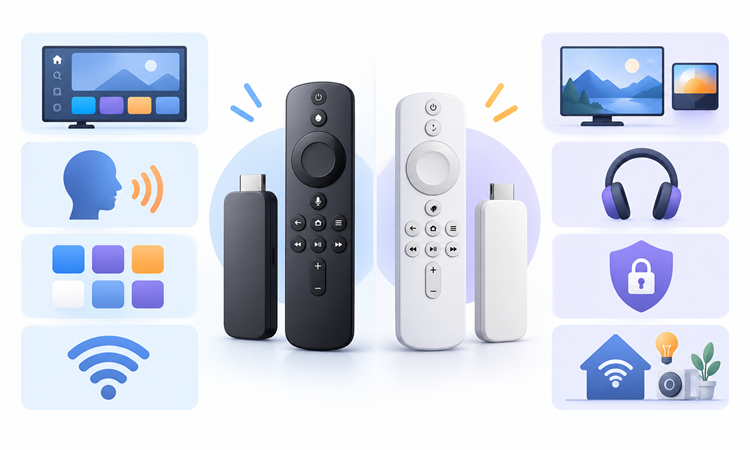
The comparison prioritizes differences that remain visible after the novelty of setup: how quickly viewers reach their apps, what the remote controls, which household features reduce friction, and what the exact hardware supports. Official documentation establishes capabilities. Editorial judgment explains consequences without treating specifications as measured performance or assuming one current model represents every previous generation.
We also separated costs that shoppers often combine. The player is a one-time hardware purchase, while internet access, subscriptions, rentals, accessories, and premium formats can add expense. App availability, regional catalogs, and menus can change independently of the device. The evaluation therefore favors verifiable compatibility checks over broad claims about channel counts, universal speed, or permanent value.
- Interface: App access, discovery balance, advertisements, customization, and profile behavior.
- Compatibility: Required applications, country availability, casting methods, televisions, audio systems, and accessibility.
- Hardware: Resolution, HDR, networking, storage, power, ports, remote, and model generation.
- Ecosystem: Roku services versus Amazon, Alexa, Echo, Prime Video, and equipment-control connections.
- Privacy: Published controls for voice, advertising, device usage, app data, purchases, and children.
- Value: Normal price, promotions, subscriptions, accessories, return terms, and likely replacement friction.
Which One Should You Buy?
Choose Roku when simple app access, flexible private listening, and a less ecosystem-centered experience matter most. Its player range offers clear steps from HD to premium hardware, so households can match capabilities to a television. Roku is not advertisement-free or perfectly neutral, and newer discovery features make the interface busier than the classic app grid.
Choose Firestick when Alexa, Prime Video, Fire TV profiles, or compatible Echo and smart-home equipment already shape the household. The recommendation-led screen can shorten discovery for some viewers and feel crowded to others. New Fire TV models do not all run the same operating system, so confirm essential applications and features against the precise generation before ordering.
The safer purchase is the model that passes a written checklist. Confirm every must-have app, television resolution, HDR and audio format, wireless environment, power source, remote feature, accessibility need, privacy preference, and return window. If an older player still receives updates and runs required apps reliably, neither brand switch automatically produces a meaningful improvement.
Verdict
Roku and Firestick are capable streaming platforms with different priorities. Roku is usually easier for app-first navigation and private listening, while Fire TV provides richer Alexa, profile, and Amazon integration. The deciding factor should be the exact current model, required apps, television formats, household controls, network conditions, and tolerance for each home screen’s recommendations and advertising.
- Roku: Choose it for straightforward app access and broad hardware choices, while checking the selected model’s HDR, networking, and remote features.
- Amazon Fire TV support: Choose Firestick for Alexa and Amazon integration, but verify that essential apps support the exact Fire OS or Vega OS model.
- Keep Current Hardware: Delay replacement when required apps, updates, picture formats, remote functions, and network performance already meet household needs.
FAQs
Is Roku better than Firestick?
Neither platform is universally better. Roku generally suits people who want installed apps to remain prominent and prefer flexible private-listening options. Firestick generally suits Amazon households that use Alexa, Prime Video, profiles, or compatible smart-home equipment. Compare exact models, essential apps, picture formats, network features, remote controls, and current checkout prices before deciding.
Does Roku or Firestick have more apps?
Raw app counts are a weak buying measure because catalogs change, regional stores differ, and many listings are irrelevant to one household. Confirm every essential service individually, including local television, sports, accessibility, music, and niche apps. New Fire TV models may use different operating systems, so developers may not support every generation identically at launch.
Do Roku and Firestick require monthly fees?
Neither platform charges a mandatory monthly fee merely to keep the device working. You still need internet service, and paid streaming subscriptions, live-TV packages, rentals, purchases, and optional premium channels cost separately. Free apps often contain advertisements. Review the charging provider, renewal date, trial conversion, and cancellation path before confirming any purchase.
Which is easier to use, Roku or Firestick?
Roku is often easier for viewers who prefer selecting a familiar app from a consistent home layout. Fire TV may feel faster for people who want personalized recommendations before opening an app or already use Alexa. Ease depends on household habits, profile needs, accessibility, remote familiarity, and whether suggested content feels helpful or distracting.
Which is better for 4K and HDR?
Both brands sell 4K-capable hardware, but formats vary by model. Check Dolby Vision, HDR10, HDR10+, HLG, Dolby Atmos, and HDMI requirements separately. Successful premium playback also depends on the television, sound system, application, subscription tier, title, cable path, and network. A format logo alone does not guarantee a visible or audible improvement.
Can viewers watch free television on both devices?
Yes. Both platforms provide access to free, advertisement-supported applications and programming in supported regions. Roku emphasizes The Roku Channel and free live options, while Fire TV surfaces free sources alongside other recommendations. Catalogs and channel counts change. Some services require account registration, and local broadcasts may need separate antenna hardware or a television tuner.
Which device is better for Alexa and smart homes?
Firestick is the stronger choice for households already using Alexa, compatible Echo speakers, or supported smart-home devices. Its remote can handle entertainment search and equipment commands, while linked hardware can add hands-free control. Roku supports voice functions and selected integrations, but buyers should check the precise command, country, remote, and partner compatibility they need.
Can Roku or Firestick replace cable television?
Either device can run legitimate live-TV streaming applications, but replacing cable depends on channel availability, sports rights, local stations, regional blackouts, broadband cost, and simultaneous-stream limits. Add the full monthly price of required services before canceling. An antenna may cover local broadcasts, yet standalone streaming sticks do not contain a television tuner for direct antenna reception.
Which platform is better for private listening?
Roku provides particularly flexible Headphone Mode through its mobile app, with direct Bluetooth or a headphone-equipped remote available on compatible models. Fire TV supports Bluetooth headphones and other audio options, depending on the device. Check lip synchronization, household speaker behavior, supported inputs, and whether the feature works with external HDMI sources rather than only streamed applications.
Can a phone cast or mirror to Roku and Firestick?
Both support selected sharing methods, but casting and mirroring are not interchangeable. Casting hands a supported stream to an app on the player. Mirroring duplicates the phone or computer screen and keeps it active. Roku also supports AirPlay on compatible hardware. Phone model, operating system, application rights, network, and receiver generation determine what works.
Is Firestick faster than Roku?
Brand names do not establish speed. Processor generation, memory, storage pressure, application quality, software updates, power, and network conditions all affect responsiveness. A premium current player may outperform an older entry model from its own brand. I would compare exact specifications and return terms, then test required apps during the allowed return window instead of trusting universal rankings.
Which platform has better parental controls?
Fire TV offers system profiles, Kids features, and parental settings, while Roku provides account PIN options and platform-specific controls. Third-party apps still maintain their own profiles, maturity ratings, purchase protections, and viewing histories. Configure controls at both levels, verify every child profile, and remember that one platform PIN may not restrict content inside an already opened application.
Are Roku and Firestick safe and legal?
The devices are lawful consumer products, but legality depends on the application, content source, subscription, rights, and local law. Install authorized services and avoid offers promising implausible access to paid channels. Review privacy controls, use unique account passwords, enable purchase protections, update software, and factory-reset the player before selling or giving it away.
Is Amazon Prime required for Firestick?
No. Fire TV requires an Amazon account, but Prime membership is not mandatory for the hardware to function. You can install supported third-party applications and use free services without Prime, subject to their own terms. Prime Video benefits and add-on channels cost separately. Carefully review checkout prompts so a trial or subscription is not mistaken for device activation.
When should an older Roku or Firestick be replaced?
Replace it when essential apps lose support, updates end, storage causes repeated friction, the remote fails, networking is unreliable, or the television needs formats the player cannot deliver. A newer model will not fix weak broadband or a failing HDMI port. First, restart, update, inspect power, test another app, and confirm the service itself is operating.