10 Best Stremio Addons for Movies (2026)


Key Takeaway: WatchHub is the strongest lawful provider finder, Public Domain Movies offers a rights-cleared film collection, and The Movie Database Addon improves discovery. The remaining official and community picks handle metadata, subtitles, owned files, web video, streaming catalogs, popularity lists, or watchlist synchronization without promising unauthorized premium movies.
Best Stremio Movie Addons: Quick Comparison
- WatchHub
- Cinemeta
- OpenSubtitles v3
- Local Files
- YouTube
- Public Domain Movies
- The Movie Database Addon
- Streaming Catalogs
- TOP Streaming
- MyTrakt Sync
| Addon | Status | Primary Role | Price | Visit Site |
|---|---|---|---|---|
| WatchHub | Official | Licensed-service finder | No addon fee | Visit Site |
| Cinemeta | Official | Metadata and core catalogs | No addon fee | Visit Site |
| OpenSubtitles v3 | Official | Subtitle search | No addon fee | Visit Site |
| Local Files | Official | Local playback | No addon fee | Visit Site |
| YouTube | Official | Web-channel catalog | No addon fee | Visit Site |
| Public Domain Movies | Official | Public-domain playback | No addon fee | Visit Site |
| The Movie Database Addon | Community | Metadata and customizable catalogs | No addon fee | Visit Site |
| Streaming Catalogs | Community | Platform-themed discovery catalogs | No addon fee | Visit Site |
| TOP Streaming | Community | Country-specific popularity catalogs | No addon fee | Visit Site |
| MyTrakt Sync | Community | Watchlist and progress catalogs | No addon fee | Visit Site |
Disclaimer
This article provides general information, not legal, privacy, security, or subscription advice. No placement is sponsored. Add-ons, manifests, versions, prices, catalogs, accounts, devices, regions, licenses, and third-party policies can change after September 12, 2026. OTTWatchGuide did not test every host, title, device, or permission. Use only authorized content and official services; a VPN, proxy, or debrid service does not create viewing rights or legalize unauthorized access. Privacy tools never change this legal boundary, and provider access remains subject to current licensing, location, account, and household viewing rules everywhere.
The best Stremio addons for movies are not interchangeable sources of free films. Some supply metadata, catalogs, subtitles, or licensed-provider links; others play authorized local or public-domain files. This guide compares ten credible choices by documented role, official status, current listing, privacy exposure, setup requirements, device practicality, and clearly stated limitations. I used provider-controlled or project-maintained sources.
Recommendations prioritize lawful movie discovery and playback rather than torrent scrapers, debrid aggregators, or services with unverifiable distribution rights. Official add-ons come from Stremio’s maintained collection, while community entries are labeled and limited to metadata, catalogs, or account synchronization. Every viewer must confirm the final rightsholder, subscription, region, title, and permission before watching. Verify directly.
Read More
Why You Can Trust OTTWatchGuide?
OTTWatchGuide separated Stremio’s maintained official collection from independently operated community listings, then classified every recommendation by metadata, catalog, subtitle, local-file, tracking, or lawful playback role. Official manifests, support articles, terms, privacy materials, and current community pages were checked on September 12, 2026. No speed, buffering, safety, or hands-on testing claim was invented.
- Official Sources: Stremio-controlled help, terms, privacy, plans, and official add-on index support core claims.
- Community Checks: Public listing pages supplied current names, versions, roles, instances, and disclosed requirements.
- Editorial Boundary: Torrent scrapers and unverifiable live-stream bundles were excluded despite their popularity elsewhere.
- Decision Focus: Rankings reward lawful utility, role clarity, minimal permissions, current documentation, and manageable setup.
1) WatchHub
WatchHub ranks here as an official Stremio add-on for finding legitimate places to watch a selected movie or series. Its documented licensed-service finder role keeps the recommendation specific: it returns deep links to participating subscription, rental, and purchase services instead of hosting video. Its narrow purpose keeps viewer expectations realistic.
I place it at this position because finding legitimate places to watch a selected movie or series is valuable, while availability can be series-level, regional, incomplete, or outdated for individual episodes. It requires the relevant provider subscription or transaction. Readers should confirm the latest listing, operator, privacy terms, and availability.
Features:
Official Status: Stremio lists WatchHub in its maintained official add-on collection with the official flag enabled. That status identifies the developer relationship, not a guarantee that every provider result is current or complete. The add-on remains part of Stremio’s own distribution rather than an independently submitted community service. Verify directly.
Licensed Destinations: WatchHub points toward recognized streaming, rental, and purchase services. It does not turn a subscription-only title into free viewing, supply credentials, or bypass a provider’s regional controls. The destination service still decides entitlement, price, advertising, resolution, downloads, and whether the exact title is available. Verify the provider directly.
Playback Role: The add-on contributes stream entries that are provider deep links rather than hosted movie files. Selecting one normally transfers the viewer to the relevant service or application. That makes WatchHub a navigation layer, so playback quality, captions, profiles, and parental settings belong to the destination provider. Verify directly.
Regional Matching: Official descriptions say WatchHub supports many countries, but the returned services and offers depend on location. A platform name can appear even when a particular season or episode is absent locally. Compare the final provider page with the exact title, season, purchase type, and household region before paying.
Account Boundary: WatchHub itself does not replace accounts required by Netflix, Prime Video, Apple TV, or other destinations. Sign-in, billing, viewing history, and saved payment details remain with those services. My safest workflow is to open the provider separately when a deep link requests unexpected credentials or unfamiliar permissions directly.
Device Handoff: A deep link works only when the destination application, operating system, and provider support the requested route. Television platforms may handle transfers differently from desktop or mobile clients. If the handoff fails, search the official destination service directly instead of installing an unverified replacement that promises universal access.
Known Limitation: A recent public Stremio bug report describes series-level matching that can suggest a provider even when a later season is unavailable there. Treat WatchHub as a starting point, not final rights evidence. The destination’s current episode page and checkout screen are authoritative for availability, price, and viewing permission.
| Pros | Cons |
|---|---|
| Clear licensed-service role avoids misleading universal playback promises | Availability and behavior can change after this review |
| Current public documentation supports the central recommendation clearly | Some devices or regions may expose fewer functions |
| Lawful use cases remain separated from content entitlement | Third-party accounts can introduce separate privacy policies too. |
| My shortlist favors practical value with explicit limitations |
Pricing:
- Addon access: No add-on fee was listed; connected services may charge separately.
Link: github.com
2) Cinemeta
Cinemeta ranks here as an official Stremio add-on for building dependable movie and series discovery rows. Its documented metadata and core catalogs role keeps the recommendation specific: it supplies Stremio’s primary metadata, search, posters, genres, calendars, and title identifiers. That dependable foundation helps users evaluate separate playback options more clearly.
I place it at this position because building dependable movie and series discovery rows is valuable, while it organizes titles but does not by itself grant viewing rights or provide every playable source. It requires no separate playback subscription for metadata itself. Readers should verify current metadata and client behavior.
Features:
Protected Core Add-on: Stremio’s official collection marks Cinemeta as official and protected because it provides core discovery functions. Users may see it already present and may not be able to remove it. Protected status concerns application functionality; it does not certify unrelated community add-ons that respond to the same title.
Metadata Coverage: Cinemeta supplies details for movies and series, including names, descriptions, artwork, genres, years, and episode structures. This information helps Stremio display consistent title pages. Metadata can contain mistakes or lag behind releases, so confirm important credits, ratings, dates, and regional classifications with an authoritative title source. Verify directly.
Catalog Rows: Featured movie and series catalogs provide a usable starting point before any optional community rows are added. Genre filters and pagination support deeper browsing. Keeping Cinemeta near the top reduces duplicate home-screen catalogs, although personal taste may justify adding one specialized catalog for anime, regional discovery, or watchlists.
Search Foundation: Many add-ons use Cinemeta’s IMDb-style identifiers to match streams, subtitles, and external destinations to a selected title. Accurate matching reduces confusion between remakes and similarly named programs. The identifier system improves coordination, but users still need to inspect the returned provider, episode, language, and authorization before starting playback.
Calendar Support: Cinemeta includes calendar and last-video resources that help Stremio surface episodes connected to a library. These features depend on accurate metadata and account synchronization. My recommendation is to verify season numbering when international releases, specials, split seasons, or alternate episode orders cause a calendar entry to look inconsistent.
Playback Boundary: Cinemeta is primarily a catalog and metadata add-on, not a subscription service or universal source of video. A title page can exist even when no lawful playback option is installed or available locally. Add WatchHub or open the relevant rightsholder’s application rather than assuming metadata equals viewing permission.
Customization Limits: Standard Cinemeta behavior offers broad discovery, while current Stremio supporter features advertise additional configuration options. Availability may depend on application version and supporter status. Keep claims modest because catalog order, language, region, and recommendations can change as Stremio updates its clients and official add-on collection. Verify current details.
| Pros | Cons |
|---|---|
| Clear metadata role avoids misleading universal playback promises | Availability and behavior can change after this review |
| Current public documentation supports the central recommendation clearly | Some devices or regions may expose fewer functions |
| Lawful use cases remain separated from content entitlement | Third-party accounts can introduce separate privacy policies too. |
| My shortlist favors practical value with explicit limitations |
Pricing:
- Addon access: No add-on fee was listed; connected services may charge separately.
Link: github.com
3) OpenSubtitles v3
OpenSubtitles v3 ranks here as an official Stremio add-on for finding multilingual subtitle tracks for supported movies and episodes. Its documented subtitle search role keeps the recommendation specific: it adds text tracks without supplying video or changing content rights. This makes it useful without pretending that every add-on supplies movies.
I place it at this position because finding multilingual subtitle tracks for supported movies and episodes is valuable, while timing, translation quality, hearing-impaired labels, and availability vary by release. It requires a playable title from a lawful source. Readers should confirm the latest listing, operator, privacy terms, permissions, regional availability.
Features:
Official Subtitle Add-on: The maintained Stremio collection lists OpenSubtitles v3 as an official add-on. A separate older OpenSubtitles entry remains in the index, but v3 is the clearer recommendation for current setups. Official status reduces discovery ambiguity without guaranteeing that every submitted subtitle is accurate, synchronized, or appropriate. Verify directly.
Subtitle-Only Role: OpenSubtitles v3 returns subtitle resources for supported titles; it does not host movies, unlock subscriptions, or create regional rights. That separation matters when troubleshooting. If no video source appears, adding more subtitle services will not help, while a missing subtitle does not mean the lawful video itself is unavailable.
Language Choice: The add-on can surface multiple languages where contributors have uploaded matching tracks. Results depend on title identifiers, release names, and available files. Viewers should choose the required language and verify the opening dialogue, because translations, forced-subtitle tracks, and hearing-impaired annotations may differ from the selected video edition tested.
Release Matching: Subtitle timing often depends on the exact cut, frame rate, episode source, and release version. A highly rated file can still drift when paired with another edition. My practical check is to compare the first spoken lines and a later scene, then choose another track if synchronization steadily changes.
Accessibility Value: Reliable captions can make dialogue understandable in noisy rooms and improve access for viewers who are deaf or hard of hearing. Availability is not universal, and community-created text may contain errors. Treat official platform captions as preferable when the licensed provider supplies professionally timed accessibility tracks for viewers.
Privacy Boundary: Subtitle queries travel to the add-on service and may reveal requested title identifiers and technical connection data under the provider’s policies. Stremio’s own privacy statements do not automatically govern independent services. Review OpenSubtitles terms, avoid sharing account tokens, and remove unused community subtitle add-ons from the account promptly.
Troubleshooting Path: When results are missing, confirm the movie or episode metadata first, then compare languages and releases. Reinstalling unknown manifests rarely fixes an identifier mismatch. Use Stremio’s normal add-on controls and official support guidance, and avoid subtitle downloads from imitation sites that package executables, extensions, or unrelated software entirely.
| Pros | Cons |
|---|---|
| Clear subtitle role avoids misleading universal playback promises | Availability and behavior can change after this review |
| Current public documentation supports the central recommendation clearly | Some devices or regions may expose fewer functions |
| Lawful use cases remain separated from content entitlement | Third-party accounts can introduce separate privacy policies too. |
| My shortlist favors practical value with explicit limitations |
Pricing:
- Addon access: No add-on fee was listed; connected services may charge separately.
Link: github.com
4) Local Files
Local Files ranks here as an official Stremio add-on for playing personal media already stored on a supported computer. Its documented local playback role keeps the recommendation specific: it finds compatible local files without publishing them to other Stremio users. Its focused purpose keeps personal-library expectations practical, private, and lawful.
I place it at this position because playing personal media already stored on a supported computer is valuable, while the local service and compatible file formats are required, with no remote catalog guarantee. It requires files the viewer owns or is authorized to access. Users should test device compatibility first.
Features:
Private Local Role: Stremio’s terms say the Local Files add-on lets users watch their own local content and keeps those files on the device rather than making them available to other users. That design suits lawful personal libraries. It does not authorize copied material or change ownership, license, or household-sharing rules.
Supported Containers: The official add-on description names torrent, MP4, MKV, and AVI as playable file types. Actual playback also depends on codecs, subtitles, audio formats, operating-system decoders, and application support. A recognized container can still fail when its internal video or audio encoding is unsupported on the selected device locally.
Desktop Dependency: Local discovery generally relies on Stremio’s local service running on the computer where files exist. Television and web clients may not independently scan a remote disk. My advice is to test one ordinary MP4 before organizing a large library, then keep the host awake and network reachable throughout.
No Catalog Support: The maintained official name explicitly says Local Files operates without catalog support, so it should not be expected to build a polished poster library like Plex. Its strength is quick recognition and playback. Viewers wanting extensive organization may prefer dedicated personal-media software while retaining Stremio for discovery.
Rights Responsibility: A file being playable does not prove it was lawfully acquired. Users remain responsible for copyright, purchase, download, recording, and sharing rules that apply locally. Restrict the add-on to personal media, home videos, public-domain works, or files covered by an appropriate license or permitted private-copy exception. Verify directly.
Privacy Advantage: Local storage reduces dependence on a third-party streaming host, but Stremio and the operating system may still process account, device, and network information. Shared computers can expose filenames or recent activity. Use separate operating-system accounts, protect disks, and remove sensitive filenames before screen sharing or troubleshooting. Verify directly.
Practical Limitations: Network shares, unusual codecs, digital-rights-management files, and sleeping host computers can interrupt playback. The add-on is not a cloud backup, transcoding server, or remote-access guarantee. Keep original files backed up separately and verify that each device supports the format before relying on Local Files for important viewing sessions.
| Pros | Cons |
|---|---|
| Clear local role avoids misleading universal playback promises | Availability and behavior can change after this review |
| Current public documentation supports the central recommendation clearly | Some devices or regions may expose fewer functions |
| Lawful use cases remain separated from content entitlement | Third-party accounts can introduce separate privacy policies too. |
| My shortlist favors practical value with explicit limitations |
Pricing:
- Addon access: No add-on fee was listed; connected services may charge separately.
Link: github.com
5) YouTube
YouTube ranks here as an official Stremio add-on for following YouTube channels and discovering their published videos inside Stremio. Its documented web-channel catalog role keeps the recommendation specific: it adds channel catalogs and metadata rather than a general movie subscription. This focused purpose keeps web-video expectations useful, specific, and realistic.
I place it at this position because following YouTube channels and discovering their published videos inside Stremio is valuable, while removed, private, age-restricted, paid, or region-blocked videos may not play. It requires YouTube availability and any account or regional entitlement required for the selected video. Viewers should verify each result.
Features:
Official Collection Entry: Stremio’s maintained index marks YouTube as official and identifies channel catalog and metadata resources. The add-on is therefore part of Stremio’s controlled collection, not a similarly named community manifest. Its presence does not override YouTube policies, advertisements, availability decisions, or creator-controlled access restrictions. Verify the provider directly.
Channel Catalogs: The add-on organizes YouTube channels and searchable video rows inside Stremio. Categories include entertainment, education, gaming, music, news, sports, cooking, and other interests according to the official manifest. Catalog breadth makes it useful for discovery, though results should not be mistaken for licensed movie or television libraries online.
Search Support: Users can search channel catalogs and locate published videos without opening the standalone YouTube interface first. Results depend on current indexing and metadata. My recommendation is to open YouTube directly when a live premiere, members-only upload, paid title, age gate, or rapidly changing stream does not appear correctly inside Stremio.
Rights and Availability: Every YouTube video remains governed by its uploader, rightsholder, country rules, and YouTube terms. A searchable result may be private, removed, age-restricted, paid, or blocked locally. The add-on neither grants access nor proves that an uploader possesses rights, so favor verified channels and official publishers. Verify directly.
Playback Expectations: Quality, captions, advertisements, live-chat functions, and account features can differ from the full YouTube application. Stremio’s manifest describes channel discovery, while the final experience changes with client support. Viewers needing purchases, memberships, comments, downloads, or accessibility controls should use YouTube’s official application and current help pages. Verify directly.
Privacy Considerations: Requests can involve Stremio, the YouTube service, and associated network providers. Account sign-in or personalized activity follows applicable policies beyond Stremio’s own privacy statement. Avoid unofficial manifests requesting Google credentials, and authorize any Google connection only through a recognizable official consent page displaying the expected permissions. Verify directly.
Best Use: YouTube works best as a supplementary web-channel catalog for legitimate creator videos, trailers, explainers, news, and public streams. It is not a replacement for subscription services or a tool for avoiding payment. Keep specialized movie catalogs separate so everyday channel browsing does not overwhelm Stremio’s home screen unnecessarily.
| Pros | Cons |
|---|---|
| Clear web-channel role avoids misleading universal playback promises | Availability and behavior can change after this review |
| Current public documentation supports the central recommendation clearly | Some devices or regions may expose fewer functions |
| Lawful use cases remain separated from content entitlement | Third-party accounts can introduce separate privacy policies too. |
| My shortlist favors practical value with explicit limitations |
Pricing:
- Addon access: No add-on fee was listed; connected services may charge separately.
Link: github.com
6) Public Domain Movies
Public Domain Movies ranks here as an official Stremio add-on for watching a curated collection of older public-domain films. Its documented public-domain playback role keeps the recommendation specific: it provides both a catalog and playable streams for works presented as public domain. Its limited scope keeps expectations realistic and lawful.
I place it at this position because watching a curated collection of older public-domain films is valuable, while the collection is narrow and legal status can vary by country or version. It requires confirmation that public-domain status applies in the viewer’s jurisdiction. Readers should confirm local rights and edition status.
Features:
Official Listing: Public Domain Movies appears in Stremio’s maintained official add-on collection with the official flag enabled. The manifest describes a collection exceeding five hundred public-domain films. That provider statement establishes the add-on’s intended scope, while individual copyright status may still depend on country, restoration, music, subtitles, and edition details.
Catalog and Streams: Unlike metadata-only utilities, this add-on exposes both a movie catalog and playable stream resources. It can therefore produce direct viewing choices for included works. The catalog remains specialized rather than comprehensive, and availability should not be generalized to newer films, television series, commercial sports, or ordinary subscription programming.
Search Function: The manifest includes search support and pagination, helping viewers browse beyond one featured row. Older films can have alternate titles and duplicated editions, so search may require a release year or recognizable actor. My approach is to verify the exact film record before assuming a similarly titled upload.
Public-Domain Caveat: Copyright expiration rules differ across jurisdictions, and one version of a work may include protected restoration, score, translation, or artwork. Use the add-on as a curated starting point, not personalized legal advice. When uncertainty matters, consult an authoritative local copyright source or choose a rightsholder-controlled release. Verify directly.
No Subscription Requirement: The official add-on does not present a recurring viewer subscription for its collection. Internet data, Stremio supporter features, and unrelated services remain separate. Free access describes the listed public-domain streams, not every title visible elsewhere in Stremio, and it never turns protected works into free public property.
Educational Value: Classic cinema, silent films, historical documentaries, and early genre works can support study and casual discovery. Metadata and copies may vary in completeness or restoration quality. Teachers, venues, and community groups should remember that public exhibition, classroom use, and local copyright exceptions involve rules beyond ordinary personal viewing.
Technical Limits: Peer-assisted or hosted delivery can depend on available sources, seeds, bandwidth, and client support. A legal title may still start slowly or fail. Avoid promising zero buffering; instead, try another authorized edition, lower resource demands, or use an established archive or licensed service when reliable access is essential.
| Pros | Cons |
|---|---|
| Clear public-domain role avoids misleading universal playback promises | Availability and behavior can change after this review |
| Current public documentation supports the central recommendation clearly | Some devices or regions may expose fewer functions |
| Lawful use cases remain separated from content entitlement | Third-party accounts can introduce separate privacy policies too. |
| My shortlist favors practical value with explicit limitations |
Pricing:
- Addon access: No add-on fee was listed; connected services may charge separately.
Link: github.com
7) The Movie Database Addon
The Movie Database Addon ranks here as a community Stremio add-on for multilingual TMDB discovery, watchlists, and configurable catalog rows. Its documented metadata and customizable catalogs role keeps the recommendation specific: it adds flexible metadata choices without hosting or unlocking video. Its configurable focus keeps metadata expectations specific and realistic.
I place it at this position because multilingual TMDB discovery, watchlists, and configurable catalog rows is valuable, while configuration is more complex and metadata availability does not equal playback access. It requires optional TMDB, IMDb, MDBList, or poster-service accounts for advanced features. Readers should verify operators, permissions, and privacy practices.
Features:
Community Status: The Movie Database Addon is listed in the independent Stremio Addons community catalog, not Stremio’s official collection. The listing identified version 3.1.7 during research. Community status means the developer and host control maintenance, privacy, and uptime, so review the current listing and configuration destination before installing.
Metadata Focus: The add-on provides movie and television metadata derived from TMDB, including localized titles, descriptions, artwork, genres, and search. It improves discovery but does not supply playable video by itself. A separate lawful provider remains necessary, and users should not assume a platform-themed row proves that a title is available.
Catalog Control: Users can enable, disable, and order multiple movie and series catalogs instead of accepting one fixed home screen. Too many rows can slow browsing and duplicate Cinemeta results. My recommended starting point is one popular, one trending, and one language-specific catalog, then expand only when each addition earns space.
Language Options: Localized metadata helps multilingual households browse titles in a preferred language. Translations, posters, and release names can differ from the original or from a licensed provider’s presentation. Confirm the original title and release year when search results appear duplicated, incomplete, or mismatched across TMDB, IMDb, and Stremio identifiers.
Optional Integrations: The community listing describes optional TMDB account, MDBList, IMDb, watchlist, favorites, and rating-poster connections. Each integration introduces another service, policy, and possibly credential or token. Grant only necessary scopes, complete authorization on official domains, and revoke access when an integration is no longer used. Verify the provider directly.
Playback Boundary: Metadata and catalogs are indexes, not content licenses. Selecting a poster can lead to WatchHub, a subscribed provider, Local Files, or another installed source. The add-on neither guarantees a stream nor confirms ownership rights. Use the final rightsholder page to verify cost, country availability, advertising, and exact episode details.
Maintenance Risk: Community hosts can change, disappear, or update without Stremio controlling them. Record the listing page rather than sharing a private configured manifest, and revisit permissions after major updates. If the manifest becomes unreachable or starts requesting unexpected secrets, remove it and return to the official Cinemeta baseline safely.
| Pros | Cons |
|---|---|
| Clear metadata role avoids misleading universal playback promises | Availability and behavior can change after this review |
| Current public documentation supports the central recommendation clearly | Some devices or regions may expose fewer functions |
| Lawful use cases remain separated from content entitlement | Third-party accounts can introduce separate privacy policies too. |
| My shortlist favors practical value with explicit limitations |
Pricing:
- Addon access: No add-on fee was listed; connected services may charge separately.
Link: stremio-addons.net
8) Streaming Catalogs
Streaming Catalogs ranks here as a community Stremio add-on for browsing trending titles grouped by familiar streaming services. Its documented platform-themed discovery catalogs role keeps the recommendation specific: it organizes discovery rows but provides no video files or subscription access. Its discovery-only purpose keeps platform browsing expectations clear and realistic.
I place it at this position because browsing trending titles grouped by familiar streaming services is valuable, while catalog labels may not perfectly match current regional availability. It requires separate subscriptions for titles offered by paid platforms. Readers should confirm the listing, operator, privacy terms, permissions, and regional availability first.
Features:
Community Listing: Streaming Catalogs appears in the independent Stremio Addons catalog, where research showed version 1.1.1. It is not an official Stremio add-on and can use community-hosted instances. Check the selected instance, manifest status, developer information, and recent problem reports before relying on it as a permanent source.
Platform Rows: The add-on creates discovery catalogs themed around services such as Netflix, Disney+, Prime Video, Apple TV+, and other providers. These rows help people browse familiar groupings. They do not log into those services, supply subscriptions, or guarantee that every displayed title remains licensed in the selected country currently.
Movie and Series Coverage: Separate movie and series rows keep formats organized while highlighting popular or trending choices. Catalog composition can change as source data updates. My advice is to enable only platforms the household actually uses, because long duplicate rows make Stremio slower to scan and can obscure useful results.
Metadata-Only Function: Streaming Catalogs contributes catalogs and metadata rather than stream resources. A poster still needs WatchHub, Local Files, or another lawful playback source. This clean role boundary makes the add-on safer to explain, but it also means installation alone will not make a subscription title playable or free automatically.
No Debrid Requirement: The listing describes discovery behavior and does not require a debrid service for catalog creation. That avoids handing a download-service token to the add-on. Users may still provide configuration choices to a community host, so review its privacy statement and avoid including credentials inside a manifest URL.
Regional Accuracy: Provider libraries vary by country, plan, language, ad tier, and licensing window. A themed catalog may lag those changes or represent general popularity rather than entitlement. Treat it as browsing inspiration, then confirm the exact movie or episode inside the rightsholder’s official application before making a purchase decision.
Setup Discipline: Start with three or four provider rows and remove duplicates that overlap Cinemeta or other catalog tools. More add-ons do not automatically improve discovery. If loading becomes inconsistent, disable the newest community catalog first, verify the listing remains active, and retain one dependable metadata source while troubleshooting methodically.
| Pros | Cons |
|---|---|
| Clear platform-themed role avoids misleading universal playback promises | Availability and behavior can change after this review |
| Current public documentation supports the central recommendation clearly | Some devices or regions may expose fewer functions |
| Lawful use cases remain separated from content entitlement | Third-party accounts can introduce separate privacy policies too. |
| My shortlist favors practical value with explicit limitations |
Pricing:
- Addon access: No add-on fee was listed; connected services may charge separately.
Link: stremio-addons.net
9) TOP Streaming
TOP Streaming ranks here as a community Stremio add-on for comparing current top-ten discovery lists across supported markets. Its documented country-specific popularity catalogs role keeps the recommendation specific: it localizes popularity lists and posters without providing playback. Its popularity focus supports discovery while keeping playback rights separate from country rankings.
I place it at this position because comparing current top-ten discovery lists across supported markets is valuable, while rankings, supported platforms, countries, and poster features can change. It requires a separate lawful provider for any selected title. Readers should confirm the listing, operator, privacy terms, permissions, and regional availability first.
Features:
Community Status: TOP Streaming is independently developed and listed in the community catalog; the current page identified version 4.2.2 during research. It is not maintained by Stremio. Users should treat its configuration site and manifest as third-party services, reviewing the host, privacy terms, and requested data before installation.
Country Lists: The add-on builds top-ten style catalogs for multiple streaming platforms across numerous countries. These lists help compare what is popular rather than what one account can watch. My preferred use is discovery only, because popularity, licensing, and account entitlement remain separate questions that require confirmation with the actual provider.
Localized Metadata: Titles and posters can be adapted to selected languages and countries, making international browsing easier. Localization may change names, artwork, or release information and can occasionally mismatch a provider listing. Keep the original title visible when possible, especially when comparing remakes, regional cuts, or series with similar translated names.
Catalog Selection: Configuration lets users choose which services and countries appear, reducing irrelevant home-screen rows. A focused selection loads more cleanly than enabling every platform. Each added catalog also sends requests to the community host, so balance convenience with privacy, performance, and the practical value of another popularity list carefully.
No Playback Source: TOP Streaming supplies catalogs and metadata, not movies, television episodes, or bypass tools. Selecting a title still requires an authorized stream, subscription, rental, purchase, local file, or public-domain source. This distinction prevents a top-ten label from being misread as proof that content is free or available everywhere.
Optional Poster Services: The listing mentions enhanced poster options and account-synced settings around its configuration experience. Those extras may involve separate services, keys, or paid terms not required for basic discovery. Verify current pricing on each provider’s official page and avoid exposing tokens inside screenshots, shared manifests, or support messages.
Volatility: Popularity data, version numbers, supported platforms, country coverage, and hosting status can change quickly. Use the community page as a current checkpoint and expect occasional missing catalogs. If a list fails, retain Cinemeta as the dependable baseline and wait for the independent developer to correct the service. Verify directly.
| Pros | Cons |
|---|---|
| Clear country-specific role avoids misleading universal playback promises | Availability and behavior can change after this review |
| Current public documentation supports the central recommendation clearly | Some devices or regions may expose fewer functions |
| Lawful use cases remain separated from content entitlement | Third-party accounts can introduce separate privacy policies too. |
| My shortlist favors practical value with explicit limitations |
Pricing:
- Addon access: No add-on fee was listed; connected services may charge separately.
Link: stremio-addons.net
10) MyTrakt Sync
MyTrakt Sync ranks here as a community Stremio add-on for bringing Trakt lists, calendars, and watched status into Stremio. Its documented watchlist and progress catalogs role keeps the recommendation specific: it connects personal tracking data without granting access to videos. Its tracking-only purpose keeps viewing entitlement separate from personal organization.
I place it at this position because bringing Trakt lists, calendars, and watched status into Stremio is valuable, while OAuth permissions, community hosting, matching, and synchronization can fail. It requires a Trakt account and explicit authorization. Readers should confirm the latest listing, operator, privacy terms, permissions, regional availability, and provider.
Features:
Community Listing: MyTrakt Sync is a community add-on hosted independently from Stremio; the catalog listed version 3.16.6 during research. The listing describes watchlists, collections, calendars, and watched-status features. Confirm the exact host and developer before connecting an account because similarly named instances can have different operators and policies.
Trakt Authorization: Private lists and history require a Trakt connection, normally through an authorization flow. Read the consent page and approve only expected scopes. My safety rule is never to paste a Trakt password into an add-on configuration form; legitimate OAuth should send authentication to the recognizable Trakt domain directly.
Personal Catalogs: The add-on can turn Trakt watchlists, collections, custom lists, trending items, and calendars into Stremio catalog rows. This helps consolidate discovery across devices. List membership does not create playback access, and a tracked title may still require a separate subscription, rental, purchase, antenna, disc, or authorized local file.
Watched Status: Synchronization can display watched markers and help surface next episodes when metadata matches correctly. Remakes, specials, split seasons, and alternate numbering may produce errors. Test one series before trusting bulk progress, keep important lists in Trakt itself, and avoid assuming a community cache immediately reflects every recent change.
Third-Party Data Flow: Using the add-on can involve Stremio, Trakt, the community host, and optional metadata or poster providers. Each service has separate logging and retention practices. A private manifest can function like a credential, so do not publish it, place it in screenshots, or send it to unknown support forums.
Metadata Dependencies: The listing mentions TMDB, Kitsu, AniList, MDBList, and poster integrations around advanced features. Additional connections can improve artwork or matching but increase complexity and permissions. Enable one integration at a time, verify its official consent screen, and remove unused access from both the add-on configuration and connected-account settings.
Failure Recovery: When synchronization stalls, confirm Trakt service status, authorization, metadata identifiers, and the selected community instance before reinstalling. Reauthorizing may duplicate catalogs or reset cached state. Keep a record of enabled rows, revoke abandoned tokens, and return to plain Cinemeta discovery if the independent host becomes unreliable. Verify directly.
| Pros | Cons |
|---|---|
| Clear watchlist role avoids misleading universal playback promises | Availability and behavior can change after this review |
| Current public documentation supports the central recommendation clearly | Some devices or regions may expose fewer functions |
| Lawful use cases remain separated from content entitlement | Third-party accounts can introduce separate privacy policies too. |
| My shortlist favors practical value with explicit limitations |
Pricing:
- Addon access: No add-on fee was listed; connected services may charge separately.
Link: stremio-addons.net
How to Choose the Right Stremio Movie Addon
Begin with the missing movie function, not the longest popular-addons list. WatchHub solves lawful provider discovery, Cinemeta supplies core metadata, OpenSubtitles v3 adds text tracks, and Local Files handles authorized media already stored on a computer. Community catalogs become useful only when a specific language, streaming-service grouping, popularity list, or watchlist improves discovery.
Next inspect ownership, listing status, requested accounts, manifest host, and privacy policy. Install one add-on at a time, then verify its new rows or resources before adding another. Duplicate metadata sources can create clutter and mismatches, while redundant community instances increase outages and data exposure without creating any additional license to view protected content.
- Choose a Role: Separate metadata, catalogs, subtitles, tracking, local playback, and provider links before comparing.
- Prefer Official: Use Stremio’s maintained collection for core functions whenever an official option meets requirements.
- Limit Community Hosts: Add one documented community service at a time and remove duplicate hosts.
- Check Final Rights: Confirm every title, episode, subscription, rental, region, and account on the actual provider.
- Protect Tokens: Never publish OAuth codes, API keys, passwords, or private configured manifest URLs publicly.
- Review Regularly: Recheck versions, operator details, permissions, and usefulness after major client updates or failures.
Official vs Community Addons and Permissions
Stremio’s terms define official add-ons as provider-developed tools that are automatically accessible, while independent developers create community add-ons for manual installation. Official status is a maintenance and responsibility signal, not proof that every linked title is available. Community status is not automatically unsafe, but it increases the importance of identifying its operator.
Stremio support explains that add-ons behave like web services rather than ordinary programs installed locally. That architecture reduces local-code risk, yet the remote service can still receive content queries and configuration data. Account integrations may add OAuth permissions, tokens, or private manifest URLs. Review each requested connection separately and disconnect it.
- Official Collection: Verify names against Stremio’s maintained index rather than trusting familiar branding on manifests.
- Remote Requests: Assume the selected host can observe requests, timestamps, connection details, and supplied configuration.
- OAuth Only: Authorize Trakt or other accounts through the provider’s recognizable consent page, not elsewhere.
- Private Manifests: Treat configured URLs as credentials when they embed tokens, user identifiers, or access keys.
- Minimal Scope: Grant only permissions required for catalogs or synchronization and revoke unused connections from accounts.
- No Security Shortcut: A popular listing, VPN, proxy, or debrid subscription cannot prove viewing rights.
How Did We Evaluate These Stremio Movie Addons?
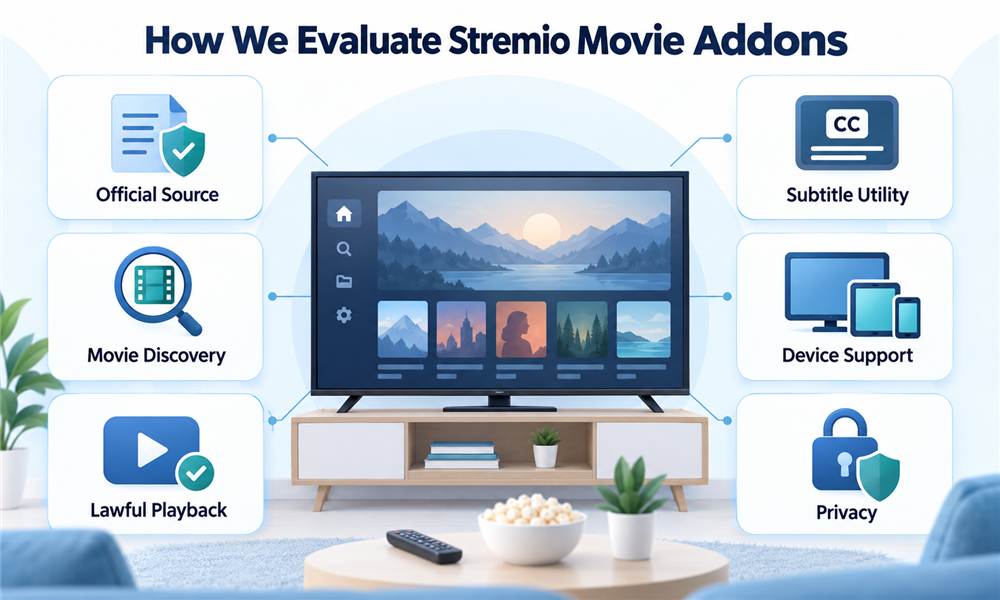
The evaluation started with Stremio’s official add-on repository, current help article, terms, privacy policy, plans page, and Addon SDK explanation. Each tool was classified by official or community status and by the resource it contributes: catalogs, metadata, subtitles, streams, or tracking. A recommendation needed a lawful primary use and source.
Community candidates were limited to current catalog, metadata, and watchlist utilities with public pages describing versions and requirements. I excluded torrent indexers, debrid aggregators, and unverified live-channel services because ownership or distribution rights could not be established. Rankings then considered permission exposure, account dependencies, regional accuracy, duplicate risk, device usefulness, and clear limitations.
- Official Status: Stremio’s maintained repository and support definitions determined which entries could be called official.
- Addon Role: Manifest resources and project documentation separated catalogs, metadata, subtitles, tracking, and local-file playback.
- Permission Review: Accounts, OAuth, API keys, private manifests, and host visibility shaped setup and rankings.
- Privacy Context: Stremio’s policy was kept distinct from the independent policies and logs of community services.
- Legal Use: Only documented public-domain, personal-file, official-provider, subtitle, metadata, catalog, or tracking use cases qualified.
- Device Fit: Client differences, handoffs, local-service dependencies, catalog clutter, and television navigation shaped practical value.
Safe Setup and Troubleshooting
Install Stremio from its official download page or recognized application store, then inspect the built-in add-on catalog. Start with official components and add one community utility only when it solves a named problem. Record the public listing, avoid sharing configured manifests, and test catalogs, metadata, subtitles, or handoffs with an authorized title.
When something fails, identify the layer first. Missing posters suggest metadata trouble; empty rows indicate a catalog or host problem; absent captions concern subtitle matching; a provider handoff can fail because of region or entitlement; local playback depends on the host service and codecs. Reinstalling unrelated stream add-ons usually increases confusion.
- Update First: Use a current Stremio client before diagnosing a manifest, catalog, subtitle, or provider-handoff failure.
- Disable Recent Additions: Remove or disable the newest community add-on when duplicate rows or slow loading.
- Verify the Host: Open the public listing and confirm the selected instance remains documented, reachable, and current.
- Check Identifiers: Compare title, year, season, episode, language, and database mapping before blaming the playback provider.
- Revoke Abandoned Access: Remove unused OAuth grants, API keys, and private manifests after testing services.
- Keep Legal Alternatives: Use the official rightsholder application when an add-on result is missing, ambiguous, or unauthorized.
Verdict
The best Stremio movie addons improve discovery, accessibility, or authorized playback without pretending to unlock every film. WatchHub is the strongest lawful provider finder, Public Domain Movies offers direct rights-cleared viewing, and The Movie Database Addon provides flexible catalogs. Official local-file and subtitle tools plus carefully selected community utilities fill narrower needs with transparent boundaries. Verify directly.
- WatchHub: Best for locating legitimate subscription, rental, or purchase destinations, although every episode, region, entitlement, and provider page still requires confirmation.
- Public Domain Movies: Best for direct playback from a clearly described public-domain collection, although local status and individual editions still deserve confirmation.
- The Movie Database Addon: Best for customizable movie metadata and catalogs, but it supplies discovery information rather than a licensed video subscription or viewing entitlement.
FAQs
What are Stremio addons?
Stremio add-ons are remote services that contribute catalogs, metadata, subtitles, playable streams, or related resources to the application. Their roles, operators, and permissions differ.
What is the best Stremio addon for movies?
WatchHub is the strongest movie recommendation for lawful viewing because it points toward recognized provider destinations. Public Domain Movies suits direct rights-cleared playback.
Are official and community addons the same?
No. Stremio develops or maintains official add-ons, while independent developers operate community add-ons. Community tools require separate scrutiny of hosts, permissions, privacy, and maintenance.
Do Stremio addons install software locally?
Stremio support describes add-ons as web services rather than ordinary locally installed programs. Their remote nature still creates privacy and account-security considerations.
Are Stremio addons legal?
An add-on can support lawful or unlawful uses depending on its content, operator, rights, and viewer behavior. Use authorized providers, public-domain works, and permitted personal files.
Does a VPN make unauthorized Stremio streaming legal?
No. A VPN changes network routing or privacy characteristics; it does not create a license, subscription, geographic entitlement, or permission from a copyright holder.
Is a debrid service required for these addons?
No. The recommended official and community utilities work as catalogs, metadata, subtitles, local playback, tracking, public-domain access, or provider links without requiring debrid.
Why can a title appear without a playable stream?
Metadata and catalog add-ons can create title pages without video. Install a lawful provider finder, open the rightsholder’s app, or use an authorized local file.
Are Stremio addons available on every device?
Support differs by client, operating system, add-on role, and provider handoff. Local Files especially depends on a compatible host and network arrangement.
How many movie addons should be installed?
Install only enough to cover distinct roles. My usual starting point is Cinemeta, WatchHub, OpenSubtitles v3, and one useful movie catalog.
How should addon account tokens be protected?
Use recognizable OAuth pages, grant minimal scopes, keep private manifests out of screenshots, revoke abandoned access, and never paste passwords into unknown configuration forms.
What happens when a community addon stops working?
Check its public listing and host status, disable duplicates, confirm metadata identifiers, and wait for the developer. Use official Stremio functions meanwhile.
Does Stremio provide a movie subscription?
Stremio says its supporter plans fund software features rather than movies. Viewers still need a licensed service, purchase, public-domain source, or authorized file.
Is Public Domain Movies legal everywhere?
Public-domain rules can vary by jurisdiction and edition. Confirm local status when necessary, especially for restorations, scores, translations, or versions with separate protected elements.
Can community metadata addons track browsing?
A community host may receive catalog or title requests and connection data under its own policies. Stremio’s privacy promises do not automatically cover independent services.