Is Stremio Safe and Legal to Use? (2026 Guide)

Key Takeaway: The official Stremio app can be a reasonable media organizer when it comes from a verified source, stays updated, and uses carefully assessed addons. Safety and legality are not universal properties of the platform: community services, requested accounts, content sources, local permissions, and each viewer’s jurisdiction change the answer.
Is Stremio safe? The official application is not automatically the same risk as every addon or stream shown inside it. I treat the client, addon operator, content rights, data handling, account controls, and device permissions as separate questions. That approach produces a more useful answer than calling the entire ecosystem safe or unsafe.
This guide explains what Stremio controls, what independent addon developers control, and what viewers must verify. It uses current official documentation, app-store disclosures, public project information, and authoritative security and copyright guidance. The goal is practical risk reduction for lawful streaming, not a guarantee that every installation, addon, source, country, or device behaves identically.
Disclaimer
This article provides general information, not legal, cybersecurity, privacy, or subscription advice. Laws, licenses, addons, policies, software, platforms, regions, and technical behavior can change after September 12, 2026. OTTWatchGuide did not inspect every build, addon, host, title, network, or jurisdiction. Use official software and authorized content, seek local professional advice when needed, and remember that a VPN, proxy, or debrid service does not create viewing rights, cure infringement, or guarantee anonymity, security, access, or legality.
Why You Can Trust OTTWatchGuide?
OTTWatchGuide separated claims made by Stremio from disclosures made in official app stores and rules published by government security and copyright authorities. Sources were checked on September 12, 2026. The review does not label an unknown addon trustworthy merely because it appears in Stremio, and it does not mistake public source code, encryption, popularity, or a privacy tool for proof of complete safety.
- Primary Sources: Stremio’s downloads, privacy policy, terms, support articles, and public repositories support platform-specific facts.
- Risk Separation: Application integrity, addon trust, content authorization, privacy, permissions, and account security were assessed independently.
- Legal Restraint: Copyright examples are identified as jurisdiction-specific, while viewers are directed to confirm local rules and rights.
- No Shortcut Claims: VPNs, proxies, debrid services, store availability, and popularity are not presented as legal or security guarantees.
Is Stremio Safe? The Short Answer
Stremio can be used with a manageable risk profile when the official client is installed from a verified channel, software stays current, and only necessary addons are enabled. The answer becomes less certain with unofficial installers, opaque community hosts, exposed account tokens, excessive permissions, or streams whose operators and distribution rights cannot be verified.
| Question | Practical answer | What to verify |
|---|---|---|
| Is the official app safe? | Reasonable to consider with normal precautions, but never guaranteed vulnerability-free | Official source, publisher, updates, device warnings |
| Are official addons safe? | Lower uncertainty because Stremio maintains them, not a promise about every linked destination | Documented role, data flow, final provider |
| Are community addons safe? | Varies by independent operator, hosting, configuration, and data practices | Developer, manifest host, permissions, policy, reputation |
| Is Stremio legal? | The software has lawful uses; a specific stream depends on rights and local law | Source authorization, title, region, license, jurisdiction |
| Is Stremio private? | Some data is limited or aggregated, but accounts, devices, servers, and addons create separate data flows | Privacy notices, logs, identifiers, retention, account settings |
| Does a VPN make it safe or legal? | No; it changes network routing, not content rights or every security risk | Provider claims, local rules, remaining endpoints and accounts |
No application deserves a permanent “safe” label. Security changes as clients, operating systems, dependencies, hosting, and attackers change. Stremio publishes code for several components, which can support independent scrutiny, yet public repositories do not prove that every downloaded binary, third-party package, addon server, or future release is harmless.
Official Stremio App Safety
The safest starting point is the official downloads page or a recognized store listing reached independently. Stremio currently provides desktop, mobile, television, and web options, with platform-specific installation routes. Avoid search advertisements, mirrors, repackaged installers, “premium unlocked” builds, and download pages that bundle browser extensions, profiles, certificates, or unrelated utilities.
Confirm the address and publisher before running an installer. On Android, prefer the linked store entry or an official APK from Stremio’s own download host when manual installation is genuinely necessary. On desktop, retain operating-system reputation checks and signature information when available. Do not disable antivirus, SmartScreen, Gatekeeper, or similar protections simply because a tutorial demands it.
Stremio maintains github.com repositories for clients and related components. That transparency is useful because researchers and developers can inspect code and issue histories. It is not a substitute for verifying the distribution channel, build process, bundled dependencies, update state, or local scan. A public project can still have defects, compromised dependencies, or unofficial builds using its name.
Official store availability is another positive signal, not a blanket certification. Store review can reduce some distribution risks while developer disclosures and enforcement remain imperfect. Check that the listing identifies the expected developer, read recent permission and data-safety information, install operating-system updates, and investigate any warning that appears during installation instead of dismissing it automatically.
Official Addons vs Community Addons
Stremio’s stremio.com terms distinguish official addons developed by the provider from community addons created independently and installed manually. Official stremio.zendesk.com guidance says addons behave as remote web services rather than ordinary extra programs installed locally. This can reduce direct local-code exposure, but the remote host may still receive requests, configuration values, tokens, timestamps, or network information.
| Area | Official addon | Community addon |
|---|---|---|
| Operator | Developed or maintained within Stremio’s official collection | Independent developer or service operator |
| Installation | Generally available through the official catalog | Often added manually through a manifest or configuration page |
| Oversight | Greater first-party responsibility and clearer support route | Stremio says it does not host, maintain, or monitor independent content |
| Data boundary | Still review linked services and requested accounts | Host may have separate logging, retention, and privacy practices |
| Failure risk | Can still break, change, or return incomplete information | Operator, domain, hosting, configuration, or funding can disappear |
| Safe approach | Use only for its documented role and verify final destinations | Identify operator, host, permissions, policy, and necessity before adding |
Community status does not automatically mean malicious. It means the trust decision shifts toward an independent operator whose identity, infrastructure, and policies may be less visible. A useful catalog or subtitle service may be low impact, while a configured addon that receives private tokens or returns unfamiliar streams creates substantially more exposure. Judge the exact service, not the label alone.
Before adding one, open its public documentation and identify who operates the manifest domain. Look for a clear purpose, maintained code or issue history where available, a privacy notice, expected configuration fields, and a removal path. Treat requests for media-service passwords, payment outside a recognized checkout, unknown browser extensions, sideloaded certificates, or disabled security controls as stop signs.
Private configured manifest URLs may contain tokens or identifiers. Do not post them in screenshots, chat rooms, support tickets, or public issue trackers. Prefer provider-hosted OAuth consent when connecting an external account, review requested scopes, and revoke access after abandoning the addon. Passwords should never be pasted into an unrelated addon form merely to “sync” a library.
Is Stremio Legal to Use?
Installing and using a media-center application can have lawful purposes, including organizing catalogs, finding authorized providers, playing permitted local files, or viewing public-domain material. That does not make every source offered by every independent addon authorized. Legality usually turns on the specific content, source, license, location, access method, and viewer conduct rather than the interface alone.
Stremio’s terms place responsibility for community-addon legality on their independent developers and require users to comply with intellectual-property rules. The company also says it does not control community content. Accordingly, the appearance of a title, familiar service name, high-quality stream, or popular addon inside the application is not evidence that distribution permission exists.
For a practical check, identify the actual service delivering the video. Ask whether it is the rightsholder, a licensed broadcaster, an authorized subscription or rental provider, a documented public-domain archive, or a file you are permitted to use. If the operator and rights basis cannot be established, do not assume authorization from convenience, price, resolution, or availability.
Copyright rules vary. In the United States, copyright.gov warns that uploading or downloading works through peer-to-peer networks without authority can infringe rights. Other countries apply their statutes, exceptions, procedures, and remedies. Territorial licensing also means a service authorized in one country may not offer the title or usage in another.
Bypassing a password, paywall, access control, household rule, or regional entitlement can create additional issues beyond ordinary infringement analysis. A subscription to one service does not authorize copies from another host. When a title matters, confirm the exact provider, plan, region, household terms, and episode before playback; consult qualified local counsel for a consequential legal decision.
Privacy and Data Collection
Stremio’s stremio.com policy says account registration involves an email address and hashed password, while social sign-in can provide profile information from the chosen provider. It also describes technical logs that may include an IP address, device or operating-system details, language, identifiers, dates, and times. Read the current policy because wording, products, and legal bases can change.
The policy says Stremio does not keep a history of addons and sources used, and it describes analytics as anonymized or aggregated. A support article about Guest Login separately says anonymized usage information can include visit length and device or operating-system details. These statements are not necessarily contradictory, but “guest” should not be interpreted as zero technical data.
The play.google.com developer disclosure currently says the app may collect optional email, app interactions, and device identifiers for stated purposes, with encryption in transit and a deletion mechanism. Such labels are useful disclosures rather than independent audits. Apple, television platforms, web clients, and future app versions may present different notices or technical paths.
Independent addons sit outside Stremio’s complete privacy boundary. A remote addon can potentially observe the catalog, title, subtitle, or stream request sent to its server, plus connection metadata and anything included in a configured URL. An external media provider, identity provider, analytics service, DNS resolver, internet provider, or VPN operator may process separate information under its own policy.
Use Guest Login only if its tradeoffs fit the task, and create an account only when synchronization benefits justify it. Review exported account data when available, delete unused sessions, remove abandoned addons, and request account deletion if leaving permanently. Privacy improves by minimizing accounts, tokens, services, and retained data—not by assuming a single toggle makes activity invisible.
Account, Device, and Permission Security
A Stremio password should be long, unique, and stored in a reputable password manager. Reuse turns an unrelated breach into a risk for the streaming account. Stremio’s stremio.zendesk.com guidance documents “Delete All Sessions”; use it after losing a device, sharing access accidentally, seeing an unfamiliar session, or changing a potentially exposed password.
Social login shifts some protection to the Google, Apple, or other identity account involved. Secure that account with multifactor authentication when offered, review connected applications, and protect recovery methods. A successful identity-provider login can affect more than Stremio, so unexpected consent screens, urgent verification emails, and lookalike domains deserve careful inspection.
Review application permissions in the operating system instead of granting every prompt automatically. Local-file access may be reasonable when intentionally playing media stored on the device. Microphone, contacts, accessibility, device-administration, certificate installation, or unrelated file access would require a clear feature explanation. Permission names and options differ across Windows, macOS, Android, iOS, and television systems.
| Warning sign | Safer response |
|---|---|
| Installer comes from a mirror, shortened link, or advertisement | Close it and navigate directly to the official download page or recognized store |
| Tutorial says to disable device protection | Stop; verify the installer and investigate the warning rather than suppressing it |
| Addon asks for a media-service password in its own form | Do not enter it; look for a recognizable provider-hosted OAuth flow |
| Manifest URL contains a token or personal identifier | Treat the entire URL as a secret and revoke or regenerate it after exposure |
| Stream operator or rights basis cannot be identified | Use the rightsholder’s app, an authorized provider, or permitted local media |
| New popup requests certificates, profiles, extensions, or payment | Reject it unless the documented feature and verified operator clearly require it |
Television devices deserve the same discipline as computers. Automatic updates, screen locks, current firmware, limited sideloading, and separate household profiles reduce avoidable exposure. Do not place a personal account on a borrowed or public device. If remote HTTPS, local streaming services, or network discovery are enabled, understand which interfaces become reachable and disable unused functions.
How to Use Stremio More Safely
1. Start From a Verified Source
Type the official address yourself or use the device’s established app store. Confirm the developer and destination before installation, especially after clicking a search result. Avoid modified builds and bundles. If manual sideloading is required, obtain the file only from Stremio’s own download route and keep platform protections enabled.
2. Update the Client and Device
Install current Stremio releases and operating-system security updates. Updates can fix known defects, but a version number alone does not prove safety. Remove abandoned installations and unsupported devices from regular use when they no longer receive security patches. Recheck download sources after migrating to a new platform or television.
3. Keep the Addon Set Small
Begin with official components and add one community service only for a named need. Record its operator and manifest host, then verify what changed. Duplicate catalogs and unknown stream providers increase data flows and troubleshooting complexity. Remove services that are unused, undocumented, unavailable, or no longer maintained.
4. Inspect Rights Before Playback
Trace the video to its actual provider. Confirm authorization for the title, episode, region, plan, and account rather than relying on an addon’s label. Prefer rightsholder applications, licensed broadcasters, recognized rentals, authorized subscriptions, documented public-domain collections, and permitted local files. Leave ambiguous streams unopened.
5. Protect Credentials and Tokens
Use a unique password, secure the identity provider, and choose recognizable OAuth screens. Never send passwords, recovery codes, API keys, session cookies, or configured manifest URLs to unknown operators. Revoke connections that are no longer used. Delete all Stremio sessions promptly after suspected exposure or a lost device.
6. Limit Permissions and Network Exposure
Grant only access needed for an understood feature. Review local-file, storage, network, and background permissions periodically. Turn off remote services, local discovery, or caching features when unnecessary. Household routers and devices should also receive updates, strong administrative credentials, and encryption appropriate to their supported standards.
7. Respond to Warnings, Not Work Around Them
Pause when the browser, store, antivirus, or operating system flags a download. Confirm the URL, publisher, file source, and current official instructions. Do not make exclusions merely to follow a video tutorial. Unexpected redirects, extensions, certificates, cryptocurrency requests, support messages, and pressure to act quickly justify abandoning the process.
8. Review and Remove Regularly
Every few months, inspect installed addons, signed-in sessions, linked accounts, permissions, and unused devices. Export or delete account data as appropriate. Clear exposed tokens and old configurations. This routine cannot eliminate every risk, but it reduces the number of independent services able to receive requests or retain access.
VPNs, Proxies, and Debrid Services
A VPN sends network traffic through another provider, which changes who can observe some connection details. It does not make a malicious installer trustworthy, prevent an addon from receiving requests, protect an account from phishing, or verify a stream’s rights. VPN companies can also keep records, suffer breaches, misconfigure applications, or make marketing claims that exceed technical reality.
Stremio’s stremio.zendesk.com VPN guidance warns that a VPN is not complete anonymity and may not defeat deep-packet inspection or throttling. A proxy has similarly limited scope. Neither tool automatically hides activity from signed-in services, addon hosts, endpoints, payment providers, browser storage, device logs, or anyone who can associate an account with the viewer.
Debrid services may alter how links are fetched or cached, but payment does not prove the underlying source has distribution rights. They also introduce another account, operator, policy, log set, and credential. A VPN, proxy, or debrid service cannot create a license, override regional entitlement, authorize copying, or replace local legal analysis.
How Did We Assess Stremio Safety?
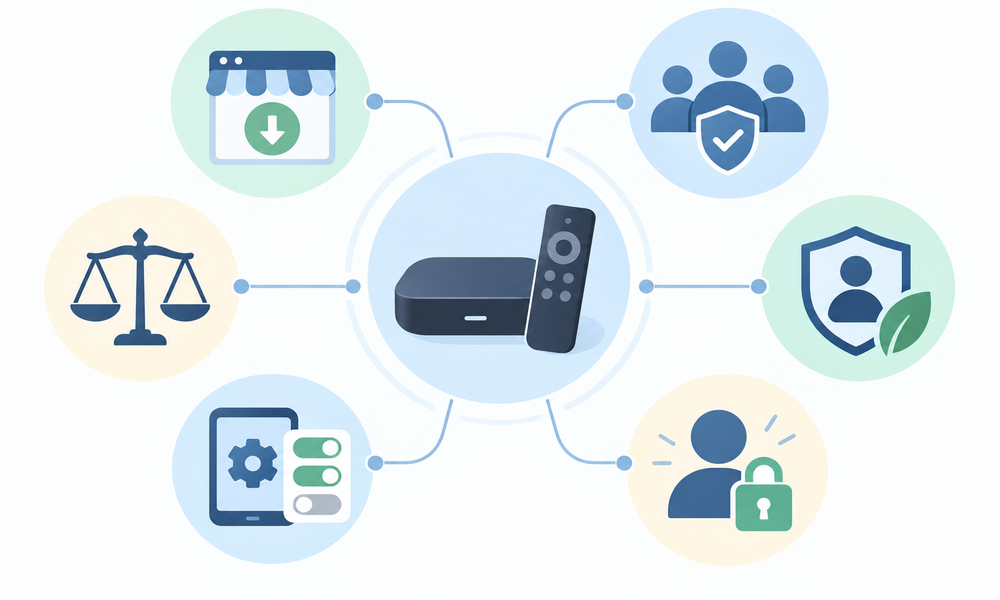
The assessment began with Stremio-controlled pages for downloads, privacy, terms, addon definitions, account controls, and public development repositories. Store disclosures supplied another view of stated mobile data practices. Government guidance supported general password, update, multifactor, and copyright context. Claims were narrowed whenever the source applied only to one platform or jurisdiction.
We then mapped responsibility across six layers: official distribution, client security, addon operation, content authorization, personal-data flows, and account or device controls. Each conclusion states its boundary. The absence of a published advisory was not treated as proof of no vulnerabilities, and a public repository was not treated as proof that a downloaded binary matched reviewed code.
- Source Integrity: Does the installer come from Stremio or a recognized store with the expected publisher?
- Addon Accountability: Is the service official, or can an independent operator, host, purpose, and policy be identified?
- Content Rights: Can the viewer establish authorization for the exact title, source, region, and use?
- Privacy Exposure: Which accounts, servers, identifiers, requests, tokens, and third parties may receive data?
- Local Controls: Are permissions, updates, caching, remote access, sideloading, and device protections proportionate?
- Recovery Readiness: Can sessions, addons, tokens, linked accounts, local data, and the account itself be removed?
Verdict
Stremio can be used safely enough for many lawful, informed viewers, but only within clearly checked boundaries. The official client, minimal official addons, authorized providers, current software, restrained permissions, and protected accounts reduce risk. Community hosts, ambiguous streams, unofficial installers, and exposed tokens require separate scrutiny, while no setup earns a permanent security or legality guarantee.
- Stremio: Use the official distribution route, keep the client and device updated, and retain built-in security checks during installation on every device and during every future update.
- Addon Rule: Prefer official components; investigate every community operator, manifest domain, requested account, data flow, permission, and removal method before adding it.
- Legal Boundary: Play only content whose provider and authorization can be established for the exact title, plan, location, account, and intended use.
FAQs
Is Stremio safe to install?
The official app can be reasonable to install with ordinary precautions. Use Stremio’s download page or a recognized store, verify the publisher, keep device protections enabled, and avoid modified installers.
Is Stremio legal in the United States?
The application has lawful uses, but legality depends on the specific source and conduct. Unauthorized uploading or downloading of protected works can infringe U.S. copyright, and access-control rules may also apply.
Are Stremio community addons safe?
Safety varies by operator. Community addons are independent remote services, so review the developer, manifest host, policy, requested accounts, configuration data, maintenance history, and documented purpose before installation.
Are official Stremio addons always safe?
No service is guaranteed safe forever. Official status provides clearer responsibility and maintenance, but linked providers, software defects, account connections, changing infrastructure, and device conditions still require normal checks.
Does Stremio contain malware?
No responsible review can guarantee every future build or unofficial package is malware-free. Reduce exposure by using verified official distribution, preserving operating-system protections, updating software, and avoiding repackaged downloads.
Does Stremio track what I watch?
Stremio’s privacy policy says it does not retain a history of addons and sources used, while describing other account, technical, and analytics data. Independent addons and providers have separate data practices.
Is Guest Login completely private?
No. Guest use can reduce account data, but Stremio support describes anonymized usage information such as visit length and device or operating-system details. Network participants and addons may process other metadata.
Can a VPN make Stremio legal?
No. A VPN changes routing and some visibility; it does not grant copyright permission, a subscription, geographic entitlement, household access, or authorization from the source delivering a stream.
Does a VPN make Stremio anonymous?
No. Stremio warns that VPN use is not complete anonymity. Addon hosts, signed-in services, endpoints, payment providers, device records, leaks, or the VPN operator can preserve identifying signals.
Is a debrid service safer for Stremio?
It may change link retrieval, but it adds an operator, account, policy, and credential. It cannot prove source authorization, neutralize malicious software, prevent phishing, or create viewing rights.
What permissions should Stremio need?
Expected permissions depend on platform and feature. Local-file or storage access may support personal media, while unrelated contacts, accessibility, administration, certificate, or microphone requests deserve a clear documented reason.
What should happen after a Stremio account is compromised?
Change the unique password, secure the linked identity and email accounts, use Delete All Sessions, revoke addon tokens, inspect devices and permissions, and investigate how the credentials were exposed.
Can Stremio be used safely on a Fire TV or Android TV?
Yes, with appropriate precautions: use the official store or Stremio-hosted route, update the television platform, minimize sideloading and addons, review permissions, and avoid leaving personal accounts on shared devices.
How can an addon be removed from Stremio?
Use Stremio’s normal addon controls to open installed addons and choose uninstall where available. Also revoke associated OAuth access, rotate exposed private manifest tokens, and remove abandoned account connections.
Is public source code proof that Stremio is safe?
No. Public code enables scrutiny, but it does not prove every binary, dependency, build system, server, third-party package, or future release is harmless. Always verify the official distribution channel and keep platform security protections enabled.