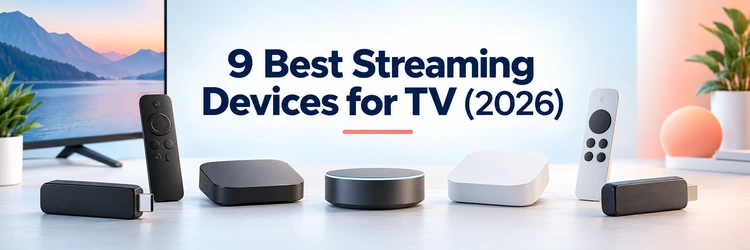
9 Best Streaming Devices for TV (2026)

Key Takeaway: Apple TV 4K is the best overall choice for polish, performance, and Apple integration. Roku Ultra offers the strongest simple premium experience, while Google TV Streamer (4K) combines generous storage, Gigabit Ethernet, casting, and Google Home controls. Budget buyers should compare regional availability and the complete accessory cost.
Best Streaming Devices: Quick Comparison
- Apple TV 4K
- Roku Ultra
- Google TV Streamer (4K)
- NVIDIA Shield TV Pro
- Amazon Fire TV Cube (3rd Gen)
- Amazon Fire TV Stick 4K Max (2nd Gen)
- onn. 4K Pro Streaming Device (2026)
- Roku Streaming Stick Plus
- Roku Streambar SE
| Device | Best For | Platform | Current Official Price | Visit Site |
|---|---|---|---|---|
| Apple TV 4K | Best overall | tvOS | $129 | Visit Site |
| Roku Ultra | Best simple premium streamer | Roku OS | $99.99 sale | Visit Site |
| Google TV Streamer (4K) | Best for Google Home | Google TV | $149.99 | Visit Site |
| NVIDIA Shield TV Pro | Best for local media | Android TV | $199.99 | Visit Site |
| Amazon Fire TV Cube (3rd Gen) | Best hands-free Alexa box | Fire OS | $109.99 sale | Visit Site |
| Amazon Fire TV Stick 4K Max (2nd Gen) | Best compact Fire TV | Fire OS | $49.99 sale | Visit Site |
| onn. 4K Pro Streaming Device (2026) | Best budget Google TV box | Google TV | $59.98 | Visit Site |
| Roku Streaming Stick Plus | Best simple budget stick | Roku OS | $39.99 sale | Visit Site |
| Roku Streambar SE | Best streaming and sound upgrade | Roku OS | $99.99 sale | Visit Site |
Disclaimer
OTTWatchGuide may earn a commission from qualifying links, although no sponsored placement was supplied for this package and rankings remain editorial. This article provides general information, not legal, financial, or technical guarantees. Product availability, applications, features, regional support, return terms, and prices can change. Use streaming devices and services only with content you are authorized to access, and verify current seller terms before purchase.
The best streaming device should make a television faster, easier to navigate, and more useful without demanding features the household will never use. Current choices range from compact sticks to premium boxes and combined soundbars, with meaningful differences in applications, recommendations, picture formats, networking, storage, remotes, privacy, and regional support.
For this guide, I compared nine currently available options using official specifications, support pages, and United States store listings accessed in September 2026. The ranking separates everyday subscription viewing from local media, smart-home control, travel, and audio upgrades, while carefully treating temporary discounts as snapshots instead of guaranteed long-term prices.
Read More
Why You Can Trust OTTWatchGuide?
OTTWatchGuide based this comparison on official manufacturer product pages, technical specifications, help material, and first-party store listings accessed September 14, 2026. The process distinguished documented capabilities from hands-on testing and excluded products that were officially sold out or lacked verifiable current pricing. Rankings weigh household usefulness and limitations rather than advertising language or unverified benchmark claims.
- Official Sources: Product, specification, support, and store pages ground capabilities, compatibility, and current prices.
- Freshness Review: Availability and pricing were checked on September 14, 2026 and promotions were identified separately.
- Evidence Boundary: No laboratory measurements, purchases, or hands-on tests are claimed when official research was used.
- Editorial Independence: No sponsored destination was supplied, and every external link uses ordinary nofollow attributes.
1) Apple TV 4K
Apple TV 4K is the strongest all-around streaming device for viewers who prioritize responsive navigation, restrained recommendations, broad premium formats, and close integration with Apple hardware. Its A15 Bionic processor and mature tvOS application catalog suit a primary television, while the small box remains quiet, cool, compact, and visually unobtrusive.
I rank it first because everyday operation feels coherent across discovery, playback, AirPlay, account management, and smart-home control. The meaningful limitation today is price: inexpensive sticks deliver the same major subscription services, and buyers need the 128GB version to gain Ethernet and Thread rather than relying entirely on dual-band Wi-Fi.
Features:
- Performance and Storage: The A15 Bionic chip gives tvOS generous processing headroom for quick application launches, smooth menu movement, supported games, and high-resolution video. Apple sells a 64GB Wi-Fi model and a 128GB model, leaving substantially more application space than entry-level sticks with only eight or sixteen gigabytes. System storage remains shared.
- Picture and Sound: Output reaches 4K with Dolby Vision, HDR10+, HDR10, and HLG, while Dolby Atmos is available with compatible applications, titles, televisions, receivers, and speakers. Automatic dynamic-range and frame-rate matching can preserve source characteristics, although visible HDMI resynchronization may occur when a display changes formats. Source quality still matters.
- Networking and Ports: Both versions include HDMI and dual-band Wi-Fi, but only the 128GB configuration adds Gigabit Ethernet and Thread networking. That split matters when a crowded wireless room needs a stable cable or when Apple Home accessories use Thread. Apple does not include the required HDMI cable in the box.
- Siri Remote: The included third-generation Siri Remote combines a touch-enabled clickpad with conventional directional presses, television power and volume controls, mute, voice input, and USB-C charging. Its aluminum body feels substantial, though some users may prefer a remote with backlit buttons and dedicated service shortcuts for a dark family room.
- Apple Ecosystem: AirPlay, iCloud Photos, Apple Music, Apple Arcade, Fitness+, FaceTime on television, and HomeKit make the player especially cohesive for households already using iPhones, iPads, or Macs. Purchases and subscriptions stay linked to the Apple account, yet mainstream third-party streaming applications remain available without buying Apple media. Paid services remain separate.
- Privacy and Profiles: Apple provides per-user profiles, purchase controls, privacy settings, and app tracking choices within tvOS. I appreciate that the home screen can emphasize installed applications instead of continuously mixing storefront promotions into every row. Families should still review analytics, location, microphone, Photos, and purchase permissions during initial setup.
- Important Limitations: Apple TV 4K offers no USB media port, and the cheaper 64GB model omits wired Ethernet and Thread. Android-oriented casting workflows are less native than AirPlay, while the premium hardware price is difficult to justify for a secondary television used only for one or two common streaming applications.
| Pros | Cons |
|---|---|
| Fast A15 performance keeps daily navigation consistently responsive | Costs considerably more than capable compact streaming sticks |
| Broad HDR formats and strong premium audio compatibility | Ethernet requires the more expensive wired 128GB configuration |
| Polished interface integrates smoothly with Apple household devices | No HDMI cable ships inside the retail box |
| My preferred privacy controls remain clear and accessible |
Pricing:
- 64GB Wi-Fi model: $129 one-time purchase from Apple in the United States.
- 128GB Wi-Fi + Ethernet model: $149 one-time purchase; this version also adds Thread networking.
- Returns and extras: No hardware trial is advertised; confirm Apple’s current return terms. HDMI cable, subscriptions, rentals, games, and AppleCare+ are separate.
Link: apple.com
2) Roku Ultra
Roku Ultra is the premium choice for households that want an approachable, service-neutral interface without committing to an Apple, Google, or Amazon ecosystem. The current box combines 4K HDR playback, Dolby Vision, Dolby Atmos, Wi-Fi 6, Ethernet, USB media access, and a rechargeable voice remote with genuinely useful convenience controls.
I recommend it for shared living rooms where guests and less technical viewers need predictable navigation, yet enthusiasts still want wired networking and premium picture formats. The regular price now overlaps other flagship boxes, and Roku includes advertising on its home screen, so simplicity does not mean a promotional-free experience.
Features:
- Picture and Audio: Roku Ultra supports HD, 4K, HDR10+, Dolby Vision, and Dolby Atmos on compatible equipment and content. This format coverage makes it suitable for premium televisions without forcing buyers into a particular phone brand. Actual picture and sound still depend on the application, title, HDMI path, television, and audio system.
- Wireless and Ethernet: Wi-Fi 6 improves capacity and efficiency when paired with a compatible router, while the built-in 10/100 Ethernet port gives difficult rooms a stable wired alternative. The Ethernet speed is modest beside Gigabit ports on some competitors, but it comfortably exceeds the bandwidth normally required by commercial 4K streaming services.
- Voice Remote Pro: The rechargeable Voice Remote Pro includes backlit buttons, television controls, hands-free voice operation, a lost-remote finder, private-listening support, and two programmable shortcut buttons. USB-C charging avoids disposable batteries, though voice features are optional and can be disabled when a household prefers button-only control. Voice availability varies regionally.
- USB Media Playback: A USB 3.0 port supports compatible personal video, audio, and photo files through Roku Media Player. This is useful for local playback from a drive, but Roku Ultra is not a full media-server platform and does not match the codec flexibility, expandable storage, or server tools of NVIDIA Shield TV Pro.
- Application Experience: Roku OS emphasizes a grid of installed channels, cross-service search, free programming, and straightforward settings. Major subscription applications are widely represented, while The Roku Channel adds free ad-supported viewing. I find the learning curve gentle, although promoted tiles and sponsored recommendations prevent the interface from feeling entirely neutral.
- Accessibility and Listening: Private listening works through compatible Bluetooth headphones or the Roku mobile application, providing a practical late-night option. Voice search, captions, screen-reader features, and remote-finder tools support varied household needs. Availability and exact behavior can differ by application, language, connected television, and regional Roku service support. Application support remains uneven.
- Important Limitations: Roku Ultra is larger and more expensive than compact sticks that open the same core services. Its 100Mbps wired port is slower than Gigabit alternatives, advertisements remain present, and advanced local-media users may encounter format limitations. The box makes most sense when its premium remote, Ethernet, USB, and Dolby Vision will be used.
| Pros | Cons |
|---|---|
| Simple Roku interface works well across mixed households | Regular price now reaches premium streaming box territory |
| Rechargeable backlit remote includes excellent lost-device finder controls | Home screen advertising cannot be completely removed permanently |
| Wi-Fi 6 and Ethernet support difficult television locations | Ethernet port remains limited to one hundred megabits |
| My favorite Roku model adds useful USB playback |
Pricing:
- Current promotion: $99.99 one-time purchase on Roku.com during research.
- Regular price: $149.99; Roku labels the lower amount as a limited-time offer.
- Returns and extras: No trial is advertised; confirm current return eligibility. Subscriptions, rentals, headphones, and accessories cost separately.
Link: roku.com
3) Google TV Streamer (4K)
Google TV Streamer replaces the older Chromecast dongle with a faster tabletop device designed for entertainment, casting, and connected-home control. Its 4GB of memory, 32GB of storage, Gigabit Ethernet, Matter support, Thread border router, Dolby Vision, Dolby Atmos, and redesigned remote create a highly capable connected centerpiece for Google-oriented households.
I recommend it to Android, Nest, and Google Photos users who want discovery across supported services plus a visible home-control panel. The required HDMI cable is sold separately, Wi-Fi remains the older 802.11ac standard, and the United States price is considerably higher than the device originally cost at launch.
Features:
- Memory and Storage: Four gigabytes of memory support smooth interface switching, while 32GB of storage provides more breathing room for applications than most mainstream sticks. Google states the processor is faster than its previous Chromecast generation. The box remains intended for streaming applications rather than large offline movie libraries or demanding local server workloads.
- Video and Audio: The player outputs up to 4K HDR at 60 frames per second and supports Dolby Vision, HDR10, HDR10+, HLG, Dolby Digital, Dolby Digital Plus, and Dolby Atmos. This wide set serves modern televisions and sound systems, although every application and title determines which formats are actually delivered.
- Ethernet and Wireless: Gigabit Ethernet is built into the enclosure, avoiding an adapter when stable wired playback matters. Wireless connectivity uses dual-band 802.11ac rather than Wi-Fi 6, and Bluetooth 5.1 handles remotes and compatible accessories. I would prioritize Ethernet in congested rooms or when high-bitrate local playback exposes wireless instability.
- Google TV Discovery: Google TV aggregates recommendations, watchlists, purchases, free channels, and supported subscriptions around individual profiles. Casting from compatible phone, tablet, and computer applications remains available. The content-forward home screen can simplify discovery, but viewers who prefer a plain application grid may find recommendations visually busy or overly dependent on account history.
- Smart-Home Hub: A Google Home panel can show compatible cameras and control connected devices without leaving playback. Matter hub capability and an integrated Thread border router extend the box beyond entertainment, particularly in Nest-centered homes. Smart-home usefulness depends on compatible devices, account configuration, network design, country support, and current Google Home services.
- Voice Remote: The compact Voice Remote adds a customizable button, input control, television power and volume keys, voice search, and a finder function triggered from the streamer. The layout is approachable, but branded shortcut buttons and voice results reflect regional services. Multiple profiles can share downloaded applications while maintaining separate recommendations and watchlists.
- Important Limitations: Google omits the HDMI 2.1 cable required for connection, and the tabletop design is less hidden than a stick. The current official price competes with Apple TV 4K and Roku Ultra. Google TV recommendations, account integration, and data collection settings deserve review during setup, especially on a shared household screen.
| Pros | Cons |
|---|---|
| Generous memory and storage suit larger application libraries | Current official price is substantially higher than launch |
| Built-in Gigabit Ethernet avoids a separate networking adapter | Required HDMI cable is not included in box |
| Matter and Thread features strengthen Google Home integration | Wireless hardware remains on the dual-band Wi-Fi five generation |
| My preferred Google box includes useful remote finding |
Pricing:
- Google TV Streamer (4K): $149.99 one-time purchase from the United States Google Store.
- Financing shown: $12.50 monthly for 12 months for qualified buyers; financing terms apply.
- Returns and extras: No hardware trial is advertised; confirm Google Store return rules. A certified HDMI 2.1 cable and subscriptions are separate.
Link: store.google.com
4) NVIDIA Shield TV Pro
NVIDIA Shield TV Pro remains the specialist streaming device for local libraries, expandable storage, audio paths, Plex Media Server, and cloud gaming. Its Tegra X1+ processor, AI-enhanced upscaling, dual USB 3.0 ports, Gigabit Ethernet, Dolby Vision, Dolby Atmos, and Android TV software still distinguish it from sealed consumer sticks.
I place it below newer mainstream boxes because the hardware design dates from 2019 and the $199.99 price is difficult to justify for ordinary subscription viewing. Power users can value its ports, passthrough options, server capability, and GeForce NOW support, provided they accept older silicon and modest internal storage.
Features:
- Processing and Upscaling: The Tegra X1+ processor powers responsive Android TV navigation and NVIDIA AI-enhanced upscaling for supported 720p and 1080p video on compatible 4K televisions. Upscaling cannot recreate missing source detail, and effectiveness varies by content. Native high-quality 4K remains preferable whenever the application and connection provide it. Native resolution remains preferable.
- Local Media Flexibility: Two USB 3.0 ports accept compatible drives and peripherals, while broad player application support helps with personal media libraries. Gigabit Ethernet is especially useful for high-bitrate files stored on network-attached storage. I favor this hardware when local playback matters, but codec, subtitle, container, and audio compatibility still depend on software.
- Plex Media Server: Shield TV Pro can run Plex Media Server and act as a compact host for a modest household library. This consolidates playback and serving in one box, though large collections, multiple transcodes, backups, and long-term storage are better handled by dedicated hardware. Plex subscriptions or premium features may add separate costs.
- Home-Theater Formats: Dolby Vision HDR, Dolby Atmos, and advanced audio passthrough options suit receiver-based rooms and compatible media. HDMI 2.0 output supports 4K HDR, but owners should confirm the exact application, file format, receiver path, and television capabilities. Licensing and service restrictions can differ between commercial apps and personal files.
- Networking and Expansion: Gigabit Ethernet, dual-band Wi-Fi, Bluetooth, two USB ports, HDMI, and expandable storage provide unusual flexibility for a living-room streamer. The included triangular remote offers motion-activated backlighting, voice search, television control, a customizable button, and a locator. An appropriate high-speed HDMI cable remains a separate requirement. Cable routing needs planning.
- Games and Applications: GeForce NOW adds cloud gaming, and Google Play supplies mainstream television applications, media tools, utilities, and compatible games. Controller, membership, latency, and regional catalog requirements vary. Shield no longer targets every gaming workflow equally, so buyers should verify their specific service and accessory support instead of assuming console-like compatibility.
- Important Limitations: The platform is older, internal storage is only 16GB, and the premium price exceeds many current boxes with newer memory and smart-home features. Software support has been unusually durable, but future updates are never guaranteed. Buyers focused only on Netflix, YouTube, or Disney+ can obtain comparable basic playback for much less.
| Pros | Cons |
|---|---|
| Excellent local-media and audio passthrough capabilities remain distinctive | Premium price is difficult for ordinary subscription streaming |
| Two USB ports and Gigabit Ethernet support expansion | Hardware platform now dates from the year twenty nineteen |
| AI upscaling can improve suitable lower-resolution video sources | Sixteen gigabytes of internal storage feels increasingly modest |
| My preferred power-user box runs Plex Media Server |
Pricing:
- Shield TV Pro: $199.99 one-time purchase listed by NVIDIA in the United States.
- Related model: Standard Shield TV is listed at $149.99 and omits Pro-specific USB and server advantages.
- Returns and extras: No trial is advertised; confirm seller return terms. HDMI cable, GeForce NOW, Plex features, storage, and subscriptions may cost separately.
Link: nvidia.com
5) Amazon Fire TV Cube (3rd Gen)
Amazon Fire TV Cube combines a fast streamer, far-field Alexa microphones, equipment control, and an HDMI input in one visible living-room box. Its octa-core processor, 16GB storage, Wi-Fi 6E, Ethernet adapter, Dolby Vision, Dolby Atmos, and AV1 decoding make it the most capable current Fire TV hardware for integrated setups.
I recommend the Cube when hands-free commands, input switching, compatible cable-box control, or smart-home responses will be used daily. The official list price has risen sharply, its included Ethernet connection is limited to 100Mbps, and households uncomfortable with room microphones should choose a remote-only device or disable the microphones physically.
Features:
- Processor and Storage: The third-generation Cube uses an octa-core processor with four cores reaching 2.2GHz and four reaching 2.0GHz, giving Fire OS more headroom than stick-class models. Sixteen gigabytes of internal storage accommodates a practical application collection, though games and large caches can still consume available space quickly.
- Hands-Free Alexa: Eight far-field microphones enable supported voice commands without holding the remote, including playback, compatible equipment control, timers, questions, and smart-home actions. A physical microphone control helps when voice listening is not wanted. I would only pay the premium when hands-free operation genuinely improves the room. Privacy settings deserve review.
- HDMI Input and Control: An HDMI input can display compatible cable or satellite equipment through the Cube, allowing Alexa and the included remote to coordinate playback, source switching, volume, and selected set-top boxes. Compatibility is not universal, and Amazon publishes a supported-provider list. HDMI and IR extender cables are sold separately.
- Wireless and Ethernet: Wi-Fi 6E supports compatible 6GHz routers using appropriate security, which can reduce interference in crowded homes. Amazon includes a 10/100 Ethernet adapter for wired operation, but the port is much slower than Gigabit alternatives. Real commercial streaming rarely needs more bandwidth, while local high-bitrate files can expose the difference.
- Video and Audio: The Cube supports 4K Ultra HD, Dolby Vision, HDR10, HDR10+, HLG, Dolby Atmos, and AV1 decoding across compatible services and equipment. Its HDMI path and audio behavior should be tested with the actual television, receiver, and application. Protected content can impose additional HDCP or account requirements. Service tiers still matter.
- Fire TV Experience: Fire OS provides major subscription applications, live television integrations, Alexa discovery, Amazon Photos, games, and smart-home controls. Prime Video and Amazon promotions receive prominent placement, which benefits deeply invested households but can feel crowded to viewers wanting a plain application launcher. Profiles and purchase controls should be configured during setup.
- Important Limitations: The Cube occupies shelf space, costs considerably more than Fire TV sticks, and contains always-ready microphones unless disabled. Its wired networking is only 100Mbps, while the HDMI input supports selected equipment rather than every source. Buyers needing neutral discovery, Gigabit Ethernet, or minimal visibility may prefer another platform.
| Pros | Cons |
|---|---|
| Fastest current Fire TV hardware handles busy interfaces | Regular list price has entered premium hardware territory |
| Hands-free Alexa works without reaching for the remote | Included Ethernet connection is limited to one hundred megabits |
| HDMI input coordinates selected external home television equipment | Amazon promotions occupy substantial Fire OS home-screen space |
| My preferred Alexa box supports modern Wi-Fi 6E |
Pricing:
- Current promotion: $109.99 one-time purchase on Amazon during research.
- List price: $199.99; Amazon identifies the lower amount as a limited-time deal.
- Returns and extras: No hardware trial is advertised; confirm the checkout return window. HDMI cable, IR extender, subscriptions, and accessories cost separately.
Link: amazon.com
6) Amazon Fire TV Stick 4K Max (2nd Gen)
Fire TV Stick 4K Max delivers Amazon’s strongest stick-class performance without adding a box beneath the television. The second-generation model combines a 2.0GHz quad-core processor, 2GB memory, 16GB storage, Wi-Fi 6E, Dolby Vision, Dolby Atmos, AV1 decoding, and an Alexa remote in a compact HDMI-connected design for Prime-centered households.
I choose it for wall-mounted screens, guest rooms, and travel where Fire OS familiarity matters more than wired ports or a neutral home screen. Amazon’s current list price has increased, Ethernet needs an optional adapter, and the interface prominently promotes Amazon content, but sale pricing can substantially improve its value.
Features:
- Processor and Memory: A 2.0GHz quad-core processor and 2GB of memory support smoother menus and quicker application launches than lower-tier Fire TV sticks. The hardware also targets supported cloud gaming and Ambient Experience features. Performance remains below premium boxes for demanding multitasking, and free internal capacity decreases after system software and updates.
- Sixteen-Gigabyte Storage: Sixteen gigabytes doubles the capacity of many older mainstream sticks, creating more room for services, utilities, games, and cached data. It is still not designed for a large offline library. External-storage workarounds add hubs, power considerations, cables, and application-specific limitations that reduce the convenience of the hidden stick form.
- Picture and Sound: The device supports 4K Ultra HD, Dolby Vision, HDR10, HDR10+, HLG, Dolby Atmos, and AV1 decoding with compatible applications and equipment. I regard that coverage as excellent for a compact player. HDMI negotiation, television settings, internet capacity, and individual service plans still determine the final experience. HDMI settings still matter.
- Wi-Fi 6E: Tri-band Wi-Fi 6E can use 2.4GHz, 5GHz, or 6GHz networks with a compatible router and configuration. The newer band may avoid household interference, but range, walls, placement, and router quality still matter. Wired Ethernet requires a separate compatible adapter and typically operates at only 100Mbps on this platform.
- Alexa Voice Remote: The Alexa Voice Remote Enhanced includes microphone input, television power and volume controls, channel buttons, and customizable shortcuts. Voice search works across supported services and can coordinate compatible smart-home devices. Button arrangement and service shortcuts vary, while hands-free Alexa requires pairing an Echo because the stick itself lacks far-field microphones.
- Fire OS Applications: Fire OS carries major subscription services, free ad-supported applications, live channels, utilities, and supported games through Amazon’s application catalog. Deep Prime Video and Alexa integration is convenient for existing customers. The home experience also contains prominent promotions, and not every Android application is distributed or optimized for Fire television devices.
- Important Limitations: The stick consumes an HDMI port and needs reliable external power, while wall-mounted placement can weaken wireless reception behind some televisions. Ethernet and storage expansion add accessories. Buyers who dislike commercial recommendations, need Gigabit networking, or want advanced local-media ports should consider a premium box despite its larger footprint.
| Pros | Cons |
|---|---|
| Strong compact performance handles mainstream streaming applications smoothly | Ethernet requires purchasing and wiring an optional adapter |
| Sixteen gigabytes provides useful extra application storage capacity | Home screen strongly emphasizes Amazon content and promotions |
| Wi-Fi 6E and broad HDR support suit modern rooms | Full list price now exceeds several capable competitors |
| My preferred Fire stick includes customizable remote buttons |
Pricing:
- Current promotion: $49.99 one-time purchase on Amazon during research.
- List price: $84.99; Amazon marks the lower amount as a limited-time offer.
- Returns and extras: No hardware trial is advertised; confirm the checkout return window. Ethernet adapter, subscriptions, rentals, and accessories are separate.
Link: amazon.com
7) onn. 4K Pro Streaming Device (2026)
Walmart’s 2026 onn. 4K Pro is a complete budget Google TV box for buyers in the United States and Puerto Rico. It combines 3GB memory, 32GB storage, Wi-Fi 6, Ethernet, USB expansion, Dolby Vision, Dolby Atmos, a backlit remote finder, hands-free voice control, and Gemini-enabled discovery at a modest price.
I include it because its connectivity and storage undercut premium boxes without abandoning certified mainstream applications. Geographic availability is the decisive limitation, long-term hardware support may be less predictable than larger platform vendors, and buyers outside Walmart’s supported markets should not assume the same model, warranty, price, or application certification.
Features:
- Memory and Storage: Three gigabytes of memory and 32GB of storage provide comfortable capacity for mainstream services, utilities, and updates at this price. The 2026 model represents a meaningful step beyond older eight-gigabyte budget devices. Advertised capacity includes system software, so the space available to users is lower than the headline number.
- Picture and Sound: The device outputs 4K UHD and supports Dolby Vision plus Dolby Atmos on compatible televisions, applications, titles, and audio systems. HDR and immersive audio are valuable only when the complete signal chain supports them. I would confirm each subscription tier because some services reserve premium formats for more expensive plans.
- Wi-Fi and Ethernet: Wi-Fi 6 improves wireless efficiency with compatible routers, while an Ethernet port supplies a simple wired fallback for difficult television locations. Bluetooth connects the remote and supported accessories, and USB 2.0 expands peripheral options. Exact throughput and accessory support should be confirmed for demanding local-media or controller workflows.
- Google TV and Gemini: Google TV organizes supported subscriptions, free channels, purchases, watchlists, applications, profiles, and casting in one account-centered interface. Gemini-powered assistance can answer broader questions and improve voice discovery where available. Regional language support, application catalogs, recommendations, and assistant features can change independently of the underlying hardware. Feature availability varies regionally.
- Remote and Microphones: The backlit remote supports voice commands, television controls, and a finder feature for misplaced controllers. Far-field microphones enable hands-free operation, while a physical switch lets households disable that listening mode. Purchase PINs, child profiles, account access, voice history, and privacy settings deserve review before leaving the device shared.
- Ports and Placement: A tabletop enclosure makes the Ethernet and USB connections easy to reach and avoids hiding wireless antennas directly behind the television. The box requires shelf space and a power outlet, yet its compact footprint remains manageable. Owners should provide ventilation, protect cables from strain, and use the supplied power equipment.
- Important Limitations: Walmart primarily sells onn. streaming hardware in the United States and Puerto Rico, making this a regional recommendation rather than a global default. Support, replacements, warranty handling, and future updates may differ from premium vendors. Budget pricing also does not include streaming subscriptions, rentals, faster internet, or optional accessories.
| Pros | Cons |
|---|---|
| Excellent specifications deliver unusually strong value for money | Official retail availability remains geographically restricted by Walmart |
| Thirty-two gigabytes comfortably supports much larger application collections | Long-term software support is less clearly established publicly |
| Ethernet and USB ports add flexible wired expansion | Budget construction feels less premium than flagship competitors |
| My preferred budget box includes a physical microphone switch |
Pricing:
- 2026 onn. 4K Pro: $59.98 one-time purchase, sold and shipped by Walmart.com during research.
- Return note: The listing displayed free 30-day returns; current eligibility and conditions should be reconfirmed at checkout.
- Extras: Streaming subscriptions, rentals, and optional accessories cost separately.
Link: walmart.com
8) Roku Streaming Stick Plus
Roku Streaming Stick Plus is the straightforward budget choice for adding 4K HDR streaming to a secondary television, dorm room, bedroom, or travel setup. Its slim design, Roku OS interface, voice remote with television controls, Bluetooth headphone mode, dual-band Wi-Fi, and television-powered USB-C arrangement keep installation tidy and navigation approachable.
I recommend it when low cost and simplicity matter more than Dolby Vision, Ethernet, USB media ports, or a rechargeable premium remote. The stick’s price has increased, wireless placement behind a television can affect reception, and buyers need to confirm that their television’s USB port supplies power for reliable operation.
Features:
- 4K HDR Playback: The stick streams HD and 4K content with HDR support on compatible televisions and applications. Roku’s official page does not list Dolby Vision for this model, separating it from the more expensive Streaming Stick 4K and Ultra. Buyers should match the device to the television rather than paying for unsupported formats.
- Simple Interface: Roku OS centers installed channels, search, free programming, and a familiar settings structure that works well for mixed-ability households. Major services are broadly available, though regional catalogs vary. I find it easier to explain than heavily personalized platforms, despite promoted tiles and advertisements remaining part of the home screen.
- Voice Remote: The included voice remote controls compatible television power and volume while supporting spoken search and ordinary directional navigation. Its replaceable batteries are convenient during travel, but it lacks the Ultra’s rechargeable design, backlighting, hands-free commands, finder, and programmable shortcuts. Preset application buttons can vary by unit and market.
- Bluetooth Headphone Mode: Compatible Bluetooth headphones can provide private listening without routing audio through a phone, helping shared bedrooms or late-night sessions. Wireless audio may introduce latency or device-specific behavior, and application sound formats still matter. Users should test lip synchronization and keep a conventional speaker option available for guests.
- Compact Power Design: The player plugs directly into HDMI and can draw power through USB-C from a compatible television, eliminating a visible wall brick in suitable installations. Television USB output differs widely, so underpowered ports can cause restarts or warnings. The supplied power arrangement should be used whenever stability is uncertain.
- Wireless Connectivity: Dual-band Wi-Fi supports common 2.4GHz and 5GHz home networks. The hidden position is tidy, yet metal television panels and wall mounts can reduce signal quality. This model has no built-in Ethernet, and adapter support is not presented as a core feature, so challenging rooms favor a wired box.
- Important Limitations: There is no Dolby Vision, built-in Ethernet, USB media expansion, rechargeable remote, or large internal storage advantage. The model targets uncomplicated subscription streaming rather than local-library enthusiasts. Its value also depends on sale pricing because the regular amount approaches devices with broader formats, faster wireless standards, or more useful ports.
| Pros | Cons |
|---|---|
| Affordable 4K HDR playback suits secondary televisions well | No Dolby Vision support for compatible premium televisions |
| Simple Roku interface remains easy for guests to learn | Built-in Ethernet and USB expansion are both absent |
| Compact USB-C design avoids a separate power brick | Regular pricing overlaps more capable streaming hardware choices |
| My preferred low-cost remote controls television power and volume |
Pricing:
- Current promotion: $39.99 one-time purchase on Roku.com during research.
- Regular price: $59.99; Roku presents the reduction as a limited-time offer.
- Returns and extras: No trial is advertised; confirm current return eligibility. Subscriptions, rentals, headphones, and replacement accessories cost separately.
Link: roku.com
9) Roku Streambar SE
Roku Streambar SE combines a 4K HDR Roku player with two front-facing speakers and a bass port, making it useful when a small television needs both smarter streaming and clearer dialogue. HDMI ARC, optical input, Bluetooth, USB media support, sound modes, and a voice remote simplify a compact room upgrade.
I recommend it for bedrooms, studios, dorms, and televisions whose speakers are difficult to understand. It does not support Dolby Audio or DTS playback, wired Ethernet needs an adapter, and home theaters deserve a sound system. The value is strongest when both its streaming and audio functions replace separate purchases.
Features:
- Two-in-One Design: The compact enclosure contains a Roku 4K streaming player, two 1.9-inch full-range drivers, and a dedicated bass port. One device therefore upgrades both applications and everyday television sound. It suits limited furniture space better than separate components, though stereo separation and low-frequency output remain constrained by the short cabinet.
- Picture Support: Streaming reaches 4K at 60 frames per second with HDR10 and HDR10+ on compatible televisions using HDCP 2.2. Dolby Vision is not listed for this model. I would choose it for practical combined value rather than the widest premium format support, especially beside an ordinary bedroom television.
- Speech and Volume Modes: Enhanced speech clarity emphasizes dialogue, while leveling and night modes can reduce disruptive volume swings. Movie, music, dialogue, night, and standard sound modes address common listening situations. Processing cannot repair every poor source mix, and users seeking precise cinema reproduction should consider a more capable soundbar or receiver system.
- ARC and Optical Setup: The simplest connection uses HDMI ARC, carrying video to the television and returning audio through one cable. Televisions without ARC can use HDMI plus the included optical cable. Compatibility depends on available ports and settings, so owners should confirm ARC, optical output, HDMI input, and remote-control behavior before purchase.
- Bluetooth and Expansion: Bluetooth Headphone Mode enables quiet listening, while music can play through the Streambar from a compatible mobile device. Roku also supports adding selected wireless bass products. Expansion improves impact but raises the total cost, and this entry-level bar does not become a fully flexible receiver-based theater system.
- Network and USB: Dual-band 802.11ac Wi-Fi handles streaming, while wired Ethernet requires a separately sold USB adapter. A USB 2.0 port supports listed H.264, H.265, VP9, audio, and image formats through compatible playback software. Local file support is useful but less comprehensive than specialist media boxes.
- Important Limitations: Roku support states that Streambar SE cannot play Dolby Audio or DTS formats, an important distinction from devices that pass those signals to external equipment. The bar is visible, needs appropriate television ports, and costs more than a stick. Its 2-in-1 convenience matters more than maximum picture or sound flexibility.
| Pros | Cons |
|---|---|
| Combines 4K Roku streaming with clearer television dialogue | Dolby Audio and DTS playback are not supported |
| Compact enclosure suits bedrooms dorms and smaller living rooms | Dolby Vision is absent from official picture specifications |
| HDMI and optical cables support flexible television connection | Wired Ethernet requires purchasing a compatible USB adapter |
| My preferred sound mode reduces disruptive late-night volume swings |
Pricing:
- Current promotion: $99.99 one-time purchase on Roku.com during research.
- Regular price: $149.99; Roku labels the reduction as a limited-time offer.
- Returns and included items: No trial is advertised; confirm return eligibility. HDMI and optical cables are supplied; subscriptions and bass products cost separately.
Link: roku.com
How to Choose the Right Streaming Device
Start with the television and services already in the household, then compare operating systems before processors or promotional discounts. The platform determines application availability, account setup, recommendations, casting, voice assistance, privacy controls, and how easily other people can navigate the screen. Hardware matters only after that daily experience fits the room.
A premium box earns its price through features you will repeatedly use: wired networking, larger storage, faster navigation, better remotes, local-media support, or smart-home integration. A low-cost stick remains sensible for a secondary screen running a few mainstream services. Avoid paying for formats, ports, or assistants your television and household cannot use.
- Platform: Choose tvOS, Roku OS, Google TV, or Fire OS around services and household familiarity.
- Primary Use: Separate basic subscription viewing from local media, gaming, travel, smart-home control, or improved television sound.
- Room Needs: Consider shelf space, wall mounting, remote visibility, power outlets, router distance, and nighttime listening needs.
- Household Access: Compare profiles, purchase PINs, child controls, accessibility tools, guest friendliness, and account recovery before setup.
- Regional Support: Confirm the exact model, warranty, application catalog, assistant language, and seller availability for your country.
- Upgrade Reason: Replace built-in television software only when speed, missing applications, formats, updates, or controls create real friction.
Match Picture and Audio Features to Your Television
A streaming device cannot deliver formats the rest of the signal chain cannot accept. Check the television, HDMI input, receiver or soundbar, cable, application, account tier, and title before treating Dolby Vision or Atmos as guaranteed. HDR10 remains broadly compatible, while HDR10+, Dolby Vision, HLG, and advanced audio support vary across equipment.
Resolution is only one part of image quality. Frame-rate matching can reduce motion judder, dynamic-range matching can avoid unnecessary conversion, and reliable HDMI negotiation prevents blank screens. Audio may be decoded by the streamer or passed to another component. Official support language should be read carefully because application behavior can differ from hardware capability.
- Resolution: Use 4K hardware with a 4K display, suitable HDMI input, sufficient bandwidth, and eligible content tier.
- HDR Formats: Verify whether the television supports Dolby Vision, HDR10+, HDR10, or HLG before paying for compatibility.
- Frame Rate: Sports and film benefit when applications and displays correctly negotiate native cadence without unwanted conversion.
- Audio Path: Check whether sound is decoded, passed through, or limited by the television, receiver, bar, or application.
- HDMI Cable: Use a certified cable appropriate for required bandwidth, especially when vendors omit one from premium boxes.
- Settings: Enable enhanced HDMI modes and matching features cautiously, then verify stable playback across several demanding titles.
Plan for Wi-Fi, Ethernet, Ports, and Storage
Reliable streaming depends more on the complete network path than the wireless generation printed on the package. Router placement, congestion, walls, interference, internet consistency, and the hidden position behind a television can outweigh Wi-Fi 6E. Ethernet offers predictable performance, but ports range from 100Mbps adapters to built-in Gigabit connections on premium boxes.
Storage affects how often applications must be removed, although the advertised number includes operating-system space. USB ports can add drives, controllers, adapters, or media, but power and software limitations matter. Local high-bitrate files demand more from networking and codecs than commercial streaming. Choose expansion only after defining the real media and accessory workflow.
- Router Placement: Keep the access point away from interference and avoid burying a stick behind dense metal panels.
- Ethernet Speed: One-hundred-megabit ports handle ordinary 4K services, while Gigabit better serves demanding local files and transfers.
- Wi-Fi 6E: The 6GHz band can reduce congestion but needs compatible routers, security, range, and regional spectrum support.
- Internal Storage: Sixteen gigabytes is workable; thirty-two reduces application juggling, updates, cache pressure, and storage warnings.
- USB Expansion: Confirm supported filesystems, power, adapters, media applications, and whether the port remains available for Ethernet.
- Cable Management: Plan power, HDMI, Ethernet, optical, and accessory paths without bending connectors or blocking ventilation.
How Did We Evaluate These Streaming Devices?
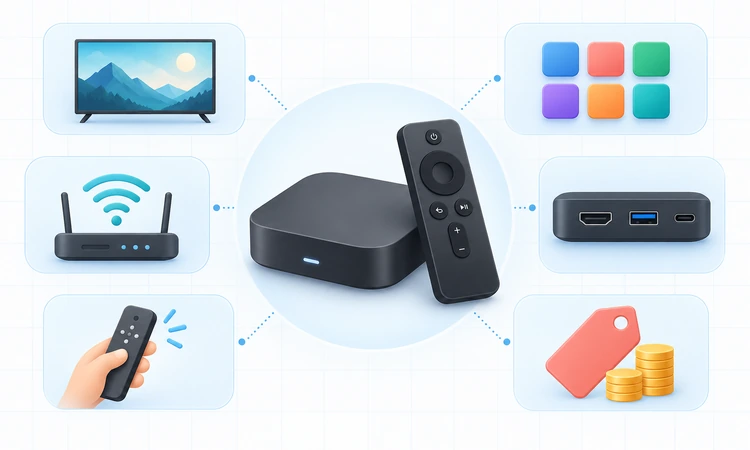
This ranking combines current official specifications, manufacturer support material, current seller availability, and official United States pricing checked on September 14, 2026. I compared platform fit, picture and sound formats, application access, memory, storage, networking, ports, remote controls, privacy options, accessibility, regional limitations, and the complete cost of useful accessories.
The evaluation does not claim laboratory measurements, long-term ownership, or hands-on testing that did not occur. Product pages establish capabilities, not guaranteed household performance. Rankings therefore favor useful combinations and transparent limitations over isolated specifications. Temporary discounts are separated from regular prices, and discontinued or officially sold-out products were excluded from the final nine recommendations.
- Official Evidence: Manufacturer product, specification, support, and store pages anchored every time-sensitive capability and price claim.
- Platform Fit: Application breadth, discovery, profiles, voice control, casting, smart-home links, and promotional intensity shaped daily usability.
- Media Support: Resolution, HDR, audio, matching controls, codecs, and local playback were compared with clear equipment qualifications.
- Connectivity: Wi-Fi generation, Ethernet speed, Bluetooth, USB, HDMI, optical connections, and accessory requirements affected flexibility.
- Value: Current price, regular price, included cables, storage, remote quality, region, and likely extras informed ranking.
- Limitations: Older hardware, unavailable regions, advertisements, missing formats, microphone concerns, and support uncertainty lowered recommendations.
Set Up a Streaming Device for Reliable Everyday Use
Complete system and remote updates before judging speed or compatibility because retail units may have spent months in distribution. Use the supplied power adapter unless the vendor explicitly supports television USB power, connect the correct HDMI input, and confirm that the display recognizes resolution and HDR. Keep packaging available until stable operation is established.
Next, install only needed applications, configure profiles and purchase controls, review microphone and analytics settings, and test demanding video over the intended network. Compare wired and wireless playback using the same title before blaming hardware. If problems continue, simplify the HDMI path, restart network equipment, update applications, and consult official support documentation.
- Update First: Install current operating-system and remote firmware before evaluating application speed, formats, networking, or control behavior.
- Use Stable Power: Underpowered television USB ports can cause warnings, restarts, corrupted updates, or unreliable accessory operation.
- Verify HDMI: Select enhanced input modes carefully and test direct television connection before adding receivers or switchers.
- Secure Accounts: Enable strong passwords, multifactor authentication, purchase PINs, child profiles, and appropriate voice-history controls.
- Test Consistently: Compare the same demanding title across connections while recording application, format, device temperature, and error behavior.
- Prepare for Transfer: Factory-reset the device and remove linked accounts before selling, recycling, gifting, or returning the hardware.
Verdict
Apple TV 4K ranks first for its speed, polished interface, format support, privacy options, and broad Apple integration. Roku Ultra is the better premium choice for a straightforward mixed-device household, while Google TV Streamer suits Google Home. The remaining picks earn narrower roles based on local media, Alexa control, budget, portability, or improved television sound.
- Apple TV 4K: Best overall for viewers wanting premium performance and Apple integration, but the price and separately sold HDMI cable reduce value on secondary televisions.
- Roku Ultra: Best premium Roku for simple shared navigation, Ethernet, USB, and a rechargeable remote, though home-screen advertising and the higher regular price remain drawbacks.
- Google TV Streamer (4K): Best for Google Home, casting, storage, and wired networking, provided buyers accept the content-forward interface, separate HDMI cable, and current premium price.
FAQs
What is the best streaming device overall?
Apple TV 4K is the most balanced choice for responsive performance, premium formats, privacy controls, and long-term platform polish.
How do I choose between Roku, Fire TV, Google TV, and Apple TV?
Choose around the household ecosystem and preferred interface.
Is a streaming device better than smart TV software?
Often, but not automatically. A separate player can add faster navigation, missing applications, newer formats, better remotes, or longer practical usefulness. A recent television with responsive software may not need another device.
Is a 4K streaming device necessary for a 1080p television?
No. Most 4K streamers can output a lower resolution, but a basic HD player may be cheaper for an older screen.
Do streaming devices include Netflix and other subscriptions?
They provide compatible applications, not paid memberships. Netflix, Disney+, Prime Video, live television, sports packages, rentals, purchases, cloud gaming, and music services normally require separate accounts or payments. Availability and plan features vary by country.
How much storage should a streaming device have?
Sixteen gigabytes is workable for mainstream applications, while 32GB provides more comfortable room for updates, games, utilities, and caches. Advertised storage includes system software, so usable capacity is lower.
Is Ethernet better than Wi-Fi for streaming?
Ethernet is predictable and avoids wireless interference, making it useful for difficult rooms and high-bitrate local media. Strong modern Wi-Fi is usually sufficient for commercial 4K services.
Are Dolby Vision or Dolby Atmos necessary?
Only when the television, audio system, HDMI path, application, subscription tier, and title all support those formats. HDR10 and ordinary stereo or surround audio remain widely usable. Dolby badges do not guarantee better results by themselves.
Can streaming sticks travel between televisions?
Yes, compact sticks travel well, but hotel and guest networks may require browser-based sign-in, and regional service restrictions still apply. Pack the remote, batteries, power adapter, and any HDMI extender.
Are streaming devices safe and legal to use?
The hardware and mainstream applications are lawful consumer products. Legality depends on the content source, rights, subscription, and local law.
Can a VPN improve streaming on these devices?
A VPN can protect traffic on some networks or change the apparent connection location, but it may reduce speed and conflict with service terms or regional licensing. It cannot legalize unauthorized viewing.
What internet speed is needed for 4K streaming?
Requirements differ by service, codec, picture quality, and household activity, so use the provider’s current guidance. A stable connection matters more than a brief speed-test peak.
How long should a streaming device last?
There is no guaranteed lifespan. Hardware can continue working after applications or operating systems stop receiving support, while remotes and power accessories may fail sooner.
Should microphone-equipped streaming devices be avoided?
Not necessarily, but households should understand when microphones listen, how voice recordings are handled, and whether a physical switch exists. Review voice history, account permissions, guest access, and child controls.
What should buyers check before choosing a streaming device?
Confirm the exact model, official seller, current price, return terms, regional warranty, required applications, television resolution, HDR formats, audio path, HDMI ports, network conditions, power supply, remote features, and privacy controls. Include cable and adapter costs.
Compare the final checkout price with the regular price rather than judging a temporary discount in isolation.
Verify that the official return window gives enough time to test every important application and connection.
Check whether replacement remotes, power supplies, Ethernet adapters, and HDMI cables are readily available in your region.
Read recent official support notes for known compatibility limits before discarding packaging or mounting the device permanently.
Carefully recheck official details before buying.