10 Best Stremio Alternatives (2026)

Key Takeaway: Kodi is the strongest television-friendly choice for local and network media, Plex balances personal libraries with licensed free programming, and Jellyfin offers the most control for self-hosting. The remaining alternatives suit Apple devices, simple playback, home-server streaming, Windows HTPCs, or legal provider discovery.
Best Stremio Alternatives: Quick Comparison
- Kodi — Builds a highly customizable television interface for local and network media, but reputable add-ons and careful setup matter.
- Plex — Combines an approachable personal server with licensed free streaming, although remote personal playback may require a paid pass.
- Jellyfin — Keeps personal libraries under your control without feature fees, while leaving server maintenance and secure remote access to you.
- Emby — Offers polished household controls and broad clients for personal media, but several desirable capabilities sit behind Premiere.
- Infuse — Gives Apple households elegant direct playback from servers and network storage, with advanced formats and syncing reserved for Pro.
- Universal Media Server — Serves and transcodes home media across many renderers for free, though its server-first workflow feels technical.
- Serviio — Streams files to televisions, consoles, phones, and network players, while browser and remote features require Pro.
- MediaPortal — Turns a Windows PC into a remote-friendly media center with strong tuner support, but excludes non-Windows households.
- JustWatch — Finds legal subscription, rental, purchase, and free offers quickly, but sends playback to the selected provider.
- VLC — Opens an exceptionally broad range of files and network streams without charge, yet lacks Stremio-style catalog aggregation.
| Tool Name | What It Replaces | Best For | Price | Visit Site |
|---|---|---|---|---|
| Kodi | Television media center | Flexible living-room playback | Free | Visit Site |
| Plex | Library and discovery hub | Easiest mixed media setup | Free; optional paid plans | Visit Site |
| Jellyfin | Personal media server | Private self-hosting | Free | Visit Site |
| Emby | Personal media server | Household administration | Free; Premiere from $4.99 monthly | Visit Site |
| Infuse | Apple video client | Direct-play Apple setup | Free; Pro from $1.99 monthly | Visit Site |
| Universal Media Server | Home streaming server | Broad renderer support | Free | Visit Site |
| Serviio | DLNA media server | Older televisions and consoles | Free; Pro $25 | Visit Site |
| MediaPortal | Windows HTPC interface | Tuner and DVR users | Free | Visit Site |
| JustWatch | Catalog discovery | Finding legal providers | Free; optional Pro | Visit Site |
| VLC | Universal media player | Quick local and network playback | Free | Visit Site |
Disclaimer
This article provides general information, not legal, security, privacy, or subscription advice. No ranked placement is sponsored. Prices, applications, catalogs, device support, and regional availability can change after October 7, 2026. OTTWatchGuide did not test every file, network, device, or account combination. Use official downloads and media you own, license, or are otherwise authorized to access; privacy tools do not create viewing rights.
The best Stremio alternative depends on which part of Stremio you actually want to replace. Some readers need a couch-friendly player, while others want a private media server, synchronized progress, or a reliable way to find licensed streaming services. I separate those roles so you can compare genuinely useful options instead of ten unrelated video apps.
This guide prioritizes accountable developers, official downloads, clear pricing, broad device documentation, and lawful media use. None of these tools automatically includes the movies, television shows, or live channels in your personal library. Before switching, check whether you need content discovery, local-file playback, remote access, transcoding, television controls, or a server that remains running at home.
Read MoreRead Less
Why You Can Trust OTTWatchGuide?
OTTWatchGuide reviewed official product pages, documentation, pricing pages, download listings, support material, and current platform information for every recommendation. The ranking distinguishes media players, personal-media servers, streaming guides, and content services rather than pretending they perform the same job. Judgments reflect documented capabilities and practical tradeoffs, not invented hands-on tests, unsupported speed claims, or community download links.
- Primary Sources: Product capabilities, supported platforms, prices, and restrictions were checked against official pages.
- Role Clarity: Each entry states whether it plays files, serves a library, discovers providers, or supplies content.
- Current Review: Pricing and major compatibility claims were verified on October 7, 2026.
- Safety Boundary: Unverified scraper packages, unofficial builds, and piracy-oriented aggregators were excluded.
1) Kodi
Kodi suits viewers who want a remote-friendly media center instead of a synchronized online catalog. It organizes movies, shows, music, photos, games, and compatible television backends in one customizable interface. I would start here when local files, network shares, and a living-room screen matter more than effortless cloud syncing today.
Its strength is flexibility, which is also the main complication. Kodi supplies no media and requires careful source, metadata, and add-on choices. Official builds cover Windows, macOS, Linux, Android, iOS, and tvOS, but installation routes and feature depth vary. Beginners should keep their first setup small, lawful, and carefully documented.
Features:
- Television Interface: Kodi uses a ten-foot interface designed for televisions and remote controls, making large libraries comfortable from the couch. Home-screen sections, watched indicators, artwork, and information pages can be arranged around your habits. I suggest testing the default skin before adding visual themes, because elaborate skins can slow modest streaming hardware noticeably.
- Local Library: The application imports movies, television episodes, music, photos, and other authorized files from attached or network storage. Scrapers can enrich correctly named folders with posters, plots, and cast information. A tidy directory structure reduces mismatches, while manual corrections remain available when unusual editions or home videos confuse automated identification.
- Network Playback: Kodi can read common home-network sources and work with several media-server arrangements, so a collection does not need to live beside the television. Network performance still controls start times and high-bitrate playback. Use wired Ethernet where practical, confirm share permissions, and avoid exposing file-sharing services directly to the public internet.
- Official Add-ons: Kodi supports community-created extensions for recognized services, utilities, subtitles, visualizations, and other functions. The software itself does not provide content, and repository quality varies outside official channels. Install only an add-on whose developer, source, permissions, and content rights you can verify; a familiar interface does not make an unknown source lawful.
- PVR Support: Compatible backends can bring live television, guide data, recordings, timers, and channel groups into Kodi. This is useful for viewers with an authorized tuner or legitimate service, but Kodi is usually the front end rather than the broadcaster. Hardware, backend software, guide data, and local reception rules must be configured separately.
- Format Handling: Kodi plays a broad range of video, audio, subtitle, disc-image, and streaming formats without requiring a different player for every file. Hardware decoding and audio passthrough depend on the operating system, device, receiver, and build. Confirm HDR, lossless audio, and refresh-rate behavior on the exact playback chain before standardizing the household.
- Customization: Profiles, skins, keymaps, menus, remote applications, and library views can reshape Kodi for a family room or dedicated theater. Deep control rewards patient users, yet every customization adds another troubleshooting variable. Save a known-good configuration, change one component at a time, and document any nondefault repository or network setting you decide to keep.
| Pros | Cons |
|---|---|
| Excellent television interface for large personal media libraries | Initial configuration can overwhelm first-time media center users |
| Free modern open-source software with broad operating-system availability | Unofficial add-ons demand careful source and rights verification |
| Flexible network playback, metadata, subtitle, and audio controls | Cross-device progress needs additional services or careful configuration |
| My preferred choice for dedicated remote-controlled theater computers |
Pricing:
- Kodi: Free and open-source; no official subscription or license fee.
Link: kodi.tv
2) Plex
Plex suits households wanting personal media, broad client support, and licensed free programming in one polished application. Its free server organizes files, while Plex applications reach televisions, phones, browsers, consoles, and streaming devices. I rank it highly because clear setup guidance and extensive client availability reduce friction for mixed-device families.
The tradeoff is a commercial account ecosystem. Local-network playback starts free, while remote access and premium conveniences may require Remote Watch Pass or Plex Pass. Plex also offers an ad-supported catalog, but title availability changes by region and should not be confused with files stored in your own server library.
Features:
- Personal Media Server: Plex Media Server catalogs movies, programs, music, and photos stored on your computer or network storage. It can retrieve artwork and metadata, track progress, and serve compatible clients. Good filenames still matter, and the server computer must remain available whenever household members expect to stream files from that library.
- Client Coverage: Official Plex applications are available across many smart televisions, streaming boxes, mobile platforms, consoles, and browsers. That coverage makes household adoption easier than solutions requiring one specific player. I would confirm whether each device supports direct playback, because transcoding demands server resources and may affect picture quality or simultaneous-session capacity.
- Free Streaming: Plex includes licensed, advertising-supported movies, shows, and live channels separate from personal libraries. It can provide useful background viewing without a server, although catalogs, advertisements, channels, and sign-in requirements vary by market. Treat the free catalog as a changing service benefit rather than a permanent replacement for a purchased title.
- Universal Search: Search and watchlist tools can surface availability across Plex and selected external services, helping viewers decide where a title is offered. Results are discovery information, not proof that a subscription or purchase is included. Check the destination service, price, region, and account entitlement before assuming the selected result will actually play.
- Remote Access: Plex can stream a personal library away from home when the server, account, network, and current plan allow it. Upload speed and transcoding capability determine practical quality. Use secured account access, review sharing permissions, and test one external connection before promising relatives a library that may struggle under several simultaneous transcodes.
- Premium Tools: Plex Pass adds capabilities including hardware transcoding, downloads, intro and credit skipping, and enhanced personal-media features. Remote Watch Pass targets remote personal playback at a lower price. Plan boundaries have changed, so compare the current feature table rather than relying on an old tutorial, lifetime price, or mobile unlock description.
- Household Controls: Managed users, sharing choices, metadata editing, collections, and playback settings separate a family server from an unstructured folder share. Administrative simplicity is valuable, but every invited account expands the privacy surface. Remove unused access, protect the administrator account, and verify age restrictions on each client instead of assuming one setting applies everywhere.
| Pros | Cons |
|---|---|
| Polished applications cover most popular household streaming devices | Important remote features increasingly depend on paid plans |
| Personal libraries and licensed free programming share one interface | Free catalog availability and advertising differ across regions |
| Straightforward metadata tools simplify organization for new administrators | Account-centered design provides considerably less independence than Jellyfin |
| My easiest recommendation for families using mixed device brands |
Pricing:
- Free: Local-network personal media and the free Plex application; licensed ad-supported content is available where supported.
- Remote Watch Pass: $2.99 USD monthly or $29.99 USD yearly, with a 14-day trial shown on the official plans page.
- Plex Pass: $6.99 USD monthly, $69.99 USD yearly, $249.99 USD every five years, or $749.99 USD lifetime.
Link: plex.tv
3) Jellyfin
Jellyfin suits viewers wanting a personal-media server without subscriptions, central tracking, or locked premium features. You install the server, add authorized media, and connect supported clients across televisions, phones, computers, and browsers. I favor it for privacy-conscious households willing to accept both the practical advantages and daily responsibilities of self-hosting.
No hosted Jellyfin service stores or serves your library. Server installation, storage, backups, transcoding capacity, and secure remote access remain your job. Official and third-party clients differ in polish and codec support. The result can be powerful and private, but it is considerably less turnkey than a commercial, account-based platform.
Features:
- No Feature Fees: Jellyfin states that its server and official clients are free, without premium licenses or hidden feature tiers. That makes budgeting predictable and avoids reserving hardware transcoding or user management for subscribers. Donations support the volunteer project, while electricity, storage, backup hardware, and any remote-access infrastructure remain real household costs outside the software.
- Self-Hosted Control: Libraries and server configuration stay on equipment you choose instead of a mandatory vendor cloud. The project says it has no central servers collecting library data or phone-home tracking. I still recommend protecting administrator credentials, applying updates promptly, reviewing plugins, and treating public remote access as a security project rather than a checkbox.
- Broad Media Types: Jellyfin manages movies, episodic programs, music, books, comics, magazines, and photos within organized libraries. Metadata and artwork make collections easier to browse, while permissions can limit which users see each library. Automated matching works best with documented naming conventions; unusual cuts, specials, and personal recordings may need manual metadata corrections.
- Client Ecosystem: Official and community clients cover web, desktop, Android, Apple platforms, Amazon devices, Roku, Kodi, and additional environments. Availability does not guarantee identical playback capability. Before committing, test the exact client with representative codecs, subtitles, HDR formats, and audio tracks, because a client may request server transcoding when another device plays directly.
- Live TV and DVR: Supported tuners and guide sources can add live television and scheduled recordings to the server. Jellyfin supplies the management layer, not broadcast rights, reception, or a channel package. Confirm tuner compatibility, legal access, guide-data terms, storage capacity, and recording conflicts before treating it as a complete replacement for an existing DVR.
- User Separation: Multiple accounts can maintain individual progress, favorites, and permissions within one server. This is practical for households and for separating children from unsuitable libraries. Remote sharing increases bandwidth and administrative demands, so grant only necessary access, remove dormant users, and monitor whether transcoding sessions exceed the server’s processor or graphics capability.
- SyncPlay: SyncPlay coordinates playback among connected viewers, making a shared movie session possible without relying on one physical room. All participants still need authorized access to the media and a sufficiently stable connection. Server latency, client differences, subtitles, and transcoding can affect synchronization, so test the intended group before planning a time-sensitive watch party.
| Pros | Cons |
|---|---|
| Fully free server and official clients without premium tiers | Server setup and maintenance remain entirely your responsibility |
| Strong privacy posture avoids mandatory central library tracking | Client polish and codec support vary across platforms |
| Flexible users, libraries, live television, and SyncPlay support | Secure remote access requires deliberate networking and updates |
| I value its transparent open-source development and documentation |
Pricing:
- Jellyfin: Free for the server and official clients; hardware, storage, electricity, and optional donations are separate.
Link: jellyfin.org
4) Emby
Emby suits households wanting a polished personal-media server with detailed controls and a conventional paid upgrade path. It organizes media, streams across common clients, supports compatible television hardware, and offers remote access. I would consider it when Jellyfin feels too hands-on but Plex’s broader discovery and account ecosystem seems unnecessary.
Emby says it is not a streaming service and provides no content, so you need a server and authorized files or a compatible tuner. Basic use can be free, while downloads, hardware transcoding, DVR functions, application access, and other conveniences require Premiere or separate unlocks. Review those boundaries before deployment.
Features:
- Library Management: Emby scans personal movies, shows, music, photos, and home videos into organized libraries with artwork and metadata. Administrators can edit matches and presentation details when automation gets an item wrong. Consistent names simplify the process, while large or irregular archives still need patient cleanup before every household profile receives dependable search results.
- User Controls: Separate users, library access, profile restrictions, and administrative settings support shared homes without exposing every folder to everyone. I find this distinction especially useful when adult, children’s, and personal-video libraries coexist. Configure limits on the server, then verify them from the actual television client, because presentation and playback controls can differ by application.
- Remote Streaming: Emby can serve your library beyond the home network with adaptive playback based on client and connection conditions. Reliable results depend on server availability, upstream bandwidth, transcoding resources, and correct security configuration. Avoid exposing unrelated server services, keep Emby updated, and test from a cellular connection to reveal problems hidden by local networking.
- Premiere Features: The paid license adds offline media, DVR capabilities, hardware-accelerated transcoding, application access, scheduled conversion, cover-art tools, configuration backup, folder sync, and other enhancements. A standard key is designed for one household and carries a 30-device limit. Count devices and confirm needed features before choosing a monthly, yearly, or lifetime term.
- Live Television: Compatible tuners and guide data can bring channels, recordings, series rules, and playback into Emby. Premiere is required for relevant DVR features, and regional guide support is not universal. The server does not grant broadcast rights, so verify local reception, tuner support, guide coverage, storage consumption, and household recording demand separately.
- Transcoding: Emby can convert incompatible video and audio for a client, with hardware acceleration available through Premiere on supported systems. This solves many compatibility gaps but does not make weak hardware unlimited. Review simultaneous streams, subtitle burn-in, HDR handling, and the graphics driver path using representative files before relying on transcoding for every device.
- Offline and Sync: Supported mobile clients can download personal media for offline playback under current Premiere features. That is useful for travel, yet available storage, server permissions, conversion settings, and application support affect the result. Download while connected to trusted Wi-Fi, confirm playback before departure, and remove old copies from shared or lost devices promptly.
| Pros | Cons |
|---|---|
| Detailed household permissions suit carefully managed shared libraries | Several desirable advanced server capabilities require Emby Premiere |
| Broad client availability supports common televisions and mobile devices | Free-versus-paid boundaries require especially careful detailed feature comparison |
| Polished metadata, remote access, and compatible tuner support | Self-hosted server still needs maintenance, storage, and bandwidth |
| My practical middle ground between Plex and Jellyfin administration |
Pricing:
- Basic Emby: Free server features are available, with some client playback or advanced functions requiring an unlock.
- Emby Premiere Monthly: $4.99 USD each month, recurring.
- Emby Premiere Yearly: $54 USD for one year.
- Emby Premiere Lifetime: $119 USD one time for the life of the product under current terms.
Link: emby.media
5) Infuse
Infuse suits an Apple-centered home storing video on a Mac, PC, NAS, cloud drive, or media server. It plays many formats directly and presents a refined library on iPhone, iPad, Mac, Apple TV, and Vision. I rank it lower because its otherwise polished client coverage remains limited to Apple platforms.
This is primarily a client, not a server or licensed movie catalog. It connects to Plex, Emby, Jellyfin, Kodi, network shares, and supported cloud services, but you provide media and access. The free edition covers core playback, while advanced formats, cloud connections, premium audio, casting, and synchronization require Infuse Pro.
Features:
- Apple-Native Coverage: Infuse runs on iPhone, iPad, Mac, Apple TV, and Apple Vision with interfaces designed for those platforms. Shared Apple households can benefit from familiar navigation and supported Family Sharing arrangements. I would not choose it for a mixed Android, Roku, or Windows-client environment because those devices need another playback application.
- Direct Connections: The application can browse media from computers, NAS devices, Wi-Fi drives, and common network protocols without requiring its own server. It also connects to Plex, Emby, Jellyfin, and Kodi environments. Permissions and network discovery must be correct, while remote access should use the server’s secure method instead of publicly exposed file-sharing ports.
- Format Playback: Infuse emphasizes direct playback across common containers and codecs, reducing conversion work for Apple hardware. Pro expands format and audio capabilities, including advanced Dolby and DTS options on compatible equipment. Exact HDR, Atmos, passthrough, and profile behavior depends on the source, Apple device, operating system, display, receiver, and current application version.
- Library Presentation: Metadata, artwork, collections, playlists, watched status, and progress transform folders into a browsable television library. Incorrect file names can still produce mismatched artwork or episodes. Organize files using the support guidance, correct persistent errors manually, and remember that metadata providers describe a title but do not supply the underlying video or viewing permission.
- Server Integration: Plex, Emby, and Jellyfin connections allow Infuse to act as the playback front end while preserving supported watched history and ratings. This can avoid server-side transcoding for compatible files. Test progress synchronization carefully before switching clients, because multiple libraries, duplicate versions, user profiles, and server permissions can produce unexpected matches or visibility.
- Cloud and Sync: Pro can connect to supported cloud-storage providers and use iCloud to synchronize libraries, settings, history, and in-progress items across Apple devices. Convenience depends on the selected provider’s terms, bandwidth, and file limits. Keep account security strong, review shared folders, and avoid assuming a cloud-storage subscription includes media licensing or unlimited playback traffic.
- Privacy Position: Firecore states that Infuse has no advertisements, tracking, or harvesting of library information. That is a meaningful distinction for personal collections, although connected servers and cloud services maintain their own policies. Review every service in the chain, restrict unnecessary access, and secure Trakt or cloud integrations separately when enabling optional synchronization functions.
| Pros | Cons |
|---|---|
| Elegant Apple interfaces make personal libraries easy to browse | No native clients for Android, Roku, or Windows |
| Direct playback can reduce server-side transcoding on compatible files | Best formats and synchronization features require Infuse Pro |
| Connects with popular servers, shares, and cloud-storage providers | Supplies no media server or licensed entertainment catalog |
| My top client choice for an Apple-only viewing household |
Pricing:
- Infuse: Free download with core features.
- Infuse Pro Monthly: $1.99 USD per month.
- Infuse Pro Yearly: $16.99 USD per year.
- Infuse Pro Lifetime: $99.99 USD one time.
Link: firecore.com
6) Universal Media Server
Universal Media Server suits households sending personal media to televisions, consoles, browsers, and network renderers. It runs on Windows, macOS, Linux, and Docker, then serves or transcodes files according to device capability. I recommend it to technical users who value compatibility and control more than a polished, unified commercial ecosystem.
The free server differs from Stremio’s account-based discovery and synchronized add-on catalog. Each renderer may expose libraries differently, and playback depends on discovery, profiles, codecs, and transcoding resources. Its browser interface adds a richer option, yet setup feels like home infrastructure rather than installing one entertainment application on every screen.
Features:
- Renderer Compatibility: Universal Media Server uses DLNA, UPnP, and HTTP/S to reach a wide range of televisions, consoles, mobile clients, browsers, and other network players. Its value is the ability to meet devices where they already are. I would first test every important renderer, because discovery behavior and supported controls vary among manufacturers.
- Automatic Transcoding: The server can pass a file through unchanged when a client supports it or transform media for the device, network, and language settings. FFmpeg and related components power broad format handling. Transcoding consumes processor or graphics resources, so confirm subtitle behavior, maximum bitrate, and concurrent streams using the least capable household client.
- Instant Access: Media can remain accessible while deeper scanning continues, reducing the wait before browsing a newly added folder. Additional scanning enriches organization and metadata over time. Large libraries still benefit from clean names and sensible paths, while removable drives or sleeping disks may cause delays that no catalog interface can completely hide.
- Web Interface: A browser-based interface supplies dynamic pages for media on phones, computers, and other web-capable devices. Filters can organize video by actor, director, genre, year, and related metadata. Browser compatibility, authentication, and remote exposure deserve careful attention; local convenience should not lead to placing an unsecured personal server on the public internet.
- Metadata Sources: Integrations with services including TMDB, Discogs, and MusicBrainz can add artwork and descriptive information for videos and music. These sources improve browsing but do not alter ownership or viewing rights. Incorrect matches remain possible, especially for home videos and unusual releases, so inspect the first scan before sharing the catalog widely.
- Physical and Network Media: The server supports local files, disc drives, disc images, online radio, podcasts, RSS material, and configured sources. That range can centralize a varied household collection. Use only sources you are allowed to access, and remember that DRM-protected purchases may not play merely because the server recognizes a container or directory.
- Cross-Platform Server: Official downloads cover major desktop operating systems, package managers, AppImage, and Docker, allowing the server to fit several home-lab styles. Containerization can simplify updates but adds volume, port, permission, and hardware-device decisions. Keep configuration backups and verify access after upgrades instead of assuming every renderer profile remains unchanged forever.
| Pros | Cons |
|---|---|
| Broad renderer support reaches many existing household devices | Device discovery can behave differently across television brands |
| Free server streams or transcodes numerous personal media formats | Interface consistency is weaker than account-based commercial platforms |
| Browser access supplements traditional DLNA and UPnP playback | Secure remote access requires networking knowledge and maintenance |
| I appreciate its active releases and cross-platform installation choices |
Pricing:
- Universal Media Server: Free; no official paid software tier is listed.
Link: universalmediaserver.com
7) Serviio
Serviio fits readers wanting a lightweight home server for personal video, music, and images across televisions, consoles, phones, tablets, and other renderers. It supports Windows, macOS, Linux, and several NAS environments, with profiles that adapt delivery for particular devices. I see it as a practical choice for older, mixed hardware.
Its free edition covers DLNA serving, local and configured online sources, transcoding, subtitles, and unlimited installations. Pro adds MediaBrowser, an internet-access API, access controls, and mobile options. The interface is less polished than Stremio, and major-version licensing means a future Serviio 3.x release would require another Pro license purchase.
Features:
- Device Profiles: Serviio detects many renderers and applies profiles intended to accommodate each device’s format limitations. Editable profiles give advanced administrators another level of control. I recommend confirming the exact television or console behavior before buying Pro, because a profile improves compatibility but cannot fix every firmware bug, subtitle limitation, or network discovery problem.
- Transcoding Engine: Unsupported audio or video can be converted in real time for a client instead of rejected. This extends the life of older televisions and game consoles, but it moves the workload to the server. Test high-resolution files, image-based subtitles, and simultaneous sessions before assuming a low-power NAS can transcode everything smoothly.
- Library Updates: Serviio automatically notices added, changed, or removed media and refreshes the library. Metadata can come from embedded tags, local files, or selected online sources. Clean filenames and folders remain essential, particularly when several editions share a title. Review the console after bulk imports to catch mistaken categories and incomplete artwork early.
- Subtitle Support: The server handles several common subtitle formats and can pair them with video for compatible renderers. Real behavior depends on whether the client accepts an external track or needs the server to burn text into the picture. The latter requires transcoding and more processing power, so test accessibility needs on each main screen.
- Online Sources: RSS feeds, online radio, live streams, playlists, and plugin-supported sources can appear beside local media when configured. Availability and legality belong to the source, not Serviio. Add only accountable feeds you are permitted to use, and remove broken plugins rather than weakening server security or installing unknown packages to preserve one stream.
- Pro Remote Tools: Serviio Pro unlocks the MediaBrowser web player, internet-access API, supported remote applications, and controls for shared content. Remote access expands the attack surface, so use strong credentials, current software, and a deliberate network design. Do not expose the server merely because a guide recommends forwarding a port without explaining protection.
- License Terms: New installations receive a 15-day Pro evaluation and automatically revert to free when it expires. The $25 license covers current 2.x releases and minor updates, while a future 3.x version requires a new license. That is affordable, but buyers should understand it is not a lifetime entitlement to every major release.
| Pros | Cons |
|---|---|
| Free edition includes capable DLNA streaming and transcoding | Interface feels technical beside modern consumer streaming applications |
| Profiles support numerous televisions, consoles, phones, and renderers | Remote browser access and controls require paid Pro edition |
| Fifteen-day Pro evaluation permits meaningful household compatibility checks | Major version upgrades require purchasing another Pro license |
| My sensible choice for extending older network playback hardware |
Pricing:
- Serviio Free: Free with core DLNA server, transcoding, profiles, and local-network use.
- Serviio Pro Trial: 15 days with automatic reversion to the free edition.
- Serviio Pro 2.x: $25 USD for personal use and all minor 2.x updates.
Link: serviio.org
8) MediaPortal
MediaPortal turns a Windows computer into a living-room HTPC, particularly when an authorized television tuner and recording schedule matter. It combines local video, music, photos, discs, radio, live television, and extensions inside a remote-friendly interface. I recommend it only when Windows is an intentional and permanent part of the setup.
The software is free, but hardware and configuration demands exceed a simple streaming guide. Tuner drivers, guide data, codecs, storage, remotes, plugins, and television output need coordination. Its strength is a customizable PC media center; its limitation is the notable absence of Stremio’s broad client ecosystem and centralized cloud account.
Features:
- Windows HTPC Design: MediaPortal turns a Windows PC connected to a television or projector into a full-screen entertainment system. Standard menus and remote support make couch control practical once configured. I would dedicate the computer to media duties where possible, because unrelated startup applications, sleep settings, notifications, and driver updates can interrupt living-room reliability.
- Television Engine: Compatible tuners can deliver live television, scheduled recordings, series rules, time shifting, and guide navigation. MediaPortal supplies software rather than channels, reception, or program rights. Carefully verify the tuner, signal standard, regional guide source, storage path, and concurrent recording limits before replacing a dependable traditional household set-top recorder.
- Local Media Libraries: Movies, television files, music, photos, DVDs, Blu-ray content, and home videos can be browsed through multiple views and sorting choices. Disc support and protected commercial media depend on system capabilities and lawful access. Consistent file organization helps with artwork and information, while personal recordings may require manual naming or custom metadata.
- Multiroom Options: A television server can distribute authorized live or recorded media to other MediaPortal clients across a home network. This reduces duplicated tuner hardware but adds server availability and network capacity as dependencies. Measure wired and wireless performance, then test simultaneous viewing and recording before relying on the arrangement during important broadcasts.
- Plugins and Skins: Extensions and skins can add sources, utilities, weather, visual changes, remote functions, and other features. The ecosystem creates flexibility, though maintenance and quality vary. Prefer actively maintained components from recognized project channels, read version compatibility notes, and remove unused plugins that increase startup time or complicate troubleshooting after an update.
- Remote Controls: MediaPortal supports common remotes and configurable mappings so everyday navigation does not require a keyboard and mouse. Receiver compatibility and button behavior depend on hardware and Windows drivers. Establish a small, predictable button map, then document the power and input sequence for other household members who will not troubleshoot the HTPC themselves.
- Open-Source Cost: The application is free under an open-source license, which removes subscription fees and permits extensive customization. A practical system may still require a Windows computer, tuner, storage, receiver, remote, and electricity. Compare the total household cost and ongoing maintenance time with a simpler streaming box before calling the software itself a free solution.
| Pros | Cons |
|---|---|
| Strong television tuner, guide, recording, and timeshift capabilities | Windows-only design excludes many server and client environments |
| Remote-friendly interface suits a dedicated living-room media computer | Initial hardware and driver coordination can become demanding |
| Free open-source platform permits deep plugin and skin customization | Plugin freshness and compatibility vary across the ecosystem |
| My preferred specialist option for a tuner-focused Windows HTPC |
Pricing:
- MediaPortal: Free and open-source; television tuners, Windows hardware, storage, remotes, and guide services may add separate costs.
Link: team-mediaportal.com
9) JustWatch
JustWatch suits readers who need to find where a movie or show is legally available instead of playing personal files. It compares supported subscription, advertising-funded, rental, and purchase providers for the selected country. I use it narrowly: discover an offer, then complete playback through the provider’s official application or website.
The service does not replace a home server, universal player, or add-on system. Coverage, prices, and catalogs change by region, while a result may require another subscription or transaction. Core discovery is free, and Pro adds useful filters and interface benefits without including access to listed third-party streaming catalogs today.
Features:
- Provider Search: Search a title to compare recognized streaming, rental, purchase, and free offers available in the selected market. Results reduce service-by-service checking, but the destination remains authoritative for final price and entitlement. I recommend opening the provider page before planning a viewing session, especially for a title that recently changed catalogs or seasons.
- Country-Specific Results: JustWatch organizes availability by country, acknowledging that streaming rights are territorial. Selecting the correct market matters more than a generic worldwide search. Travel, billing region, device location, and account terms may still influence access, so treat the guide as current discovery information rather than a guarantee that every displayed offer will play.
- Watchlist: A free account can maintain a watchlist across signed-in devices, reducing the need to remember which service holds each title. Lists improve planning but do not reserve access. When a provider removes a title, the guide may point elsewhere, require a purchase, or show that no legal offer is listed.
- Discovery Filters: Users can browse catalogs by provider, release year, genre, rating, price, age rating, and other supported dimensions. These filters are useful when subscriptions overlap or a family needs age-appropriate choices. Catalog totals can change, and metadata occasionally differs from provider listings, so confirm the final title, season, language, and version before paying.
- Free Offer Visibility: Price filters can surface advertising-supported or otherwise free legal options where partners make them available. “Free” can still involve advertisements, account creation, library membership, or regional restrictions. Review the provider’s own conditions and privacy policy rather than assuming the discovery label describes every cost, data requirement, or device limitation.
- Device Applications: JustWatch provides free applications for mobile devices and supported television platforms alongside the website. Television integration can simplify handoff, while not every feature appears identically on every client. Sign in with the same account when synchronization matters, and use the provider’s official application for playback, billing, downloads, and parental-control decisions.
- Optional Pro: JustWatch Pro adds features such as advanced filtering, hiding viewed or disliked titles, and reduced advertising under current terms. The official support material describes a monthly fee but displays final pricing in the app or website. Pro improves discovery; it does not bundle Netflix, Disney+, rentals, purchases, or other provider subscriptions.
| Pros | Cons |
|---|---|
| Quickly compares legal offers across many recognized streaming providers | Redirects playback instead of acting as a universal player |
| Country selection makes territorial catalog differences easier to understand | Final prices and availability can change at providers |
| Free core search, filters, and watchlist solve discovery friction | Provides no personal media server or local file library |
| My preferred discovery-only alternative for ordinary subscription viewers |
Pricing:
- JustWatch: Free core application and website.
- JustWatch Pro: Optional monthly subscription; the current price is shown within the official app or website for the user’s region.
Link: justwatch.com
10) VLC
VLC suits viewers needing a dependable player for local files, discs, devices, and network streams. It runs across desktop and mobile platforms, opens an unusually broad range of formats, and avoids advertisements or paid feature tiers. I choose it when immediate playback matters more than artwork-rich discovery or synchronized progress.
It is not a catalog, personal-media server, or synchronized watchlist service. You select the file or authorized stream yourself, and library presentation is basic compared to Kodi, Plex, or Jellyfin. That narrow mission helps: VLC remains a fallback when another client rejects a codec, subtitle track, disc, or network source.
Features:
- Broad Format Support: VLC handles many video, audio, subtitle, container, disc, and streaming formats without requiring separate codec packs. This makes it a useful diagnostic and fallback player for mixed archives. I still recommend keeping the application updated, because old builds can miss security fixes, platform changes, decoder improvements, and support for newer formats.
- Cross-Platform Apps: Official versions cover Windows, macOS, Linux, Android, iOS, Apple TV, and additional systems, although interfaces differ notably. Cross-platform availability does not create cloud synchronization or a shared catalog. Each device needs access to the same local, network, or transferred file if you expect comparable playback across several screens.
- Network Streams: VLC can open several recognized streaming protocols and network sources when you provide a legitimate address or share. Reliability depends on the source, connection, server, and protocol. Avoid pasting unknown playlists from random websites; the player cannot verify content rights, protect you from a malicious destination, or guarantee a stream’s continued operation.
- Subtitle Controls: Subtitle tracks, timing adjustment, text appearance, and multiple common formats make VLC useful when another client displays captions incorrectly. Results vary with file encoding and image-based formats. Match subtitles to the exact release, confirm language and synchronization, and obtain files from accountable sources rather than installing unknown extensions to solve one mismatch.
- Audio and Video Filters: Playback-speed controls, equalization, synchronization, cropping, deinterlacing, and other filters help with unusual or imperfect files. These tools modify playback rather than repairing the underlying media. Save important originals, avoid extreme settings that distort presentation, and reset experimental filters before deciding that another file or device has developed a fault.
- Hardware Decoding: VLC can use hardware decoding on supported platforms and fall back to software where required. Successful acceleration depends on the codec, operating system, graphics hardware, driver, and output path. If playback stutters, compare hardware and software decoding with the same file, then check resolution, bitrate, thermals, and network throughput methodically.
- Privacy and Cost: VideoLAN describes VLC as completely free, without spyware, advertisements, or user tracking. The nonprofit project is supported by donations and open-source contributions. Download from the official VideoLAN domain or a recognized app store, because lookalike installers can bundle unwanted software and undermine the privacy advantage that makes official VLC attractive.
| Pros | Cons |
|---|---|
| Plays an exceptionally broad range of media formats | Lacks polished catalog discovery and cross-device progress syncing |
| Free open-source software contains no advertisements or tracking | Basic library presentation trails full media center applications |
| Official applications cover desktop, mobile, and Apple TV platforms | Does not automatically organize or serve a household collection |
| My reliable fallback when another client rejects a file |
Pricing:
- VLC: Free and open-source; donations to VideoLAN are optional.
Link: videolan.org
How to Choose the Right Stremio Alternative
Start with the job, not the brand. Stremio combines discovery, organization, playback, progress syncing, and add-on results, so no replacement wins every category. A viewer with files on a NAS needs different software from someone who only wants to learn where a title is streaming. I recommend writing down the source, screens, and required access first.
Next, test the shortest realistic workflow on your weakest important device. Add one representative high-bitrate file, one subtitle format, and one remote connection if applicable. Check the amount billed today, not merely a monthly equivalent, then review household sharing and privacy settings. A successful trial should prove daily convenience without depending on unknown sources or fragile workarounds.
- Primary Role: Decide whether you need discovery, direct playback, a television interface, or a persistent home server.
- Media Source: Confirm whether the tool supplies licensed programming, redirects elsewhere, or requires your authorized personal files.
- Essential Devices: Test the oldest important television, phone, or streamer before rebuilding an entire library around one platform.
- Remote Needs: Separate local household playback from travel access, which adds bandwidth, security, and sometimes subscription requirements.
- Format Reality: Check representative codecs, HDR, audio, and subtitles instead of assuming “plays everything” covers your collection.
- True Cost: Include hardware, storage, electricity, app unlocks, subscriptions, tuners, guide data, and major-version upgrade terms.
Media Players, Servers, and Streaming Guides Explained
A media player opens a file or stream available to the device. A server catalogs files, manages users, and delivers suitable versions to clients. A streaming guide compares legal provider availability but commonly redirects playback. A media center can combine several of these roles, yet content rights remain separate. Confusing the categories creates most disappointing Stremio comparisons.
Choose Kodi, Infuse, MediaPortal, or VLC when the client experience is the central problem. Choose Plex, Jellyfin, Emby, Universal Media Server, or Serviio when a household collection needs a continuously available host. Choose JustWatch when discovery is the actual frustration. You can also combine one server with a preferred client, provided both officially support that connection.
- Player: Opens selected local, disc, device, or network media without necessarily maintaining a household server.
- Server: Stores library information and delivers personal media to clients that connect locally or remotely.
- Media Center: Prioritizes couch navigation, artwork, remote control, and several media categories in one interface.
- Streaming Guide: Shows where licensed offers exist, while billing and playback remain with the listed provider.
- Content Service: Supplies its own licensed catalog under regional advertising, account, device, or subscription conditions.
- Add-on System: Extends a host application, but each add-on still needs accountable development and lawful sources.
Free Versus Paid Alternatives
Free software can be an excellent choice when you are comfortable supplying hardware, storage, setup time, and maintenance. Kodi, Jellyfin, Universal Media Server, MediaPortal, and VLC do not charge software subscriptions. Their real cost may appear as a server, tuner, electricity, backup drive, or the time needed to secure remote access and correct metadata.
Paid tiers usually buy convenience rather than movies. Plex Pass, Emby Premiere, Infuse Pro, and Serviio Pro unlock particular playback, server, remote, or management features. Compare the feature you need with the amount charged at checkout, renewal behavior, device limit, and lifetime definition. Avoid buying a long plan until the free version or trial succeeds on your devices.
- Free Software: Best when you value control and can maintain the hardware, updates, permissions, and network yourself.
- Optional Subscription: Sensible when one paid capability removes recurring friction across several frequently used household devices.
- Lifetime License: Compare product-life wording, major-version coverage, and realistic break-even time before paying a large amount.
- Trial Window: Test direct play, transcoding, subtitles, remote access, and household permissions before the trial expires.
- Hardware Cost: Include server upgrades when free software needs more processing power, storage, or tuner equipment to perform well.
- Catalog Cost: A player or server purchase rarely includes the subscriptions, rentals, or files you plan to watch.
How Did We Evaluate These Stremio Alternatives?
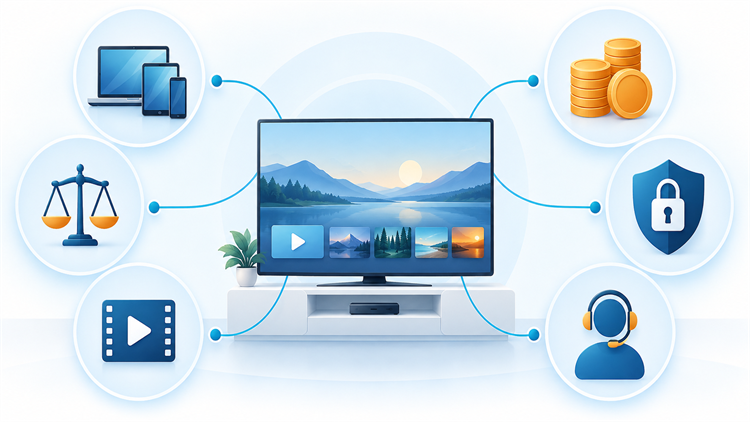
The evaluation starts by identifying what each product actually replaces: discovery, playback, a media center, or a server. Official documentation then establishes current platforms, media sources, feature boundaries, and pricing. We excluded tools centered on anonymous scrapers, unverified packages, or unclear distribution rights, even when their screen layout looked closer to Stremio at first glance.
Ranking also reflects the consequence of each tradeoff. A powerful server falls when ordinary users cannot maintain it safely, while a polished guide ranks lower if it cannot play or organize personal files. Current official pages were checked on October 7, 2026, but readers should verify dynamic catalogs, regional prices, and device requirements immediately before committing.
- Role Accuracy: Products received credit only for documented jobs, without treating a player as a content subscription.
- Source Accountability: Official downloads, maintained documentation, clear developers, and lawful-use boundaries outweighed superficial catalog similarity.
- Device Coverage: We compared server platforms and playback clients separately, because installation does not guarantee identical capability.
- Cost Clarity: Free tiers, trials, recurring charges, one-time licenses, device limits, and separate hardware costs were distinguished.
- Control and Privacy: Account dependence, self-hosting responsibility, permissions, tracking claims, and remote exposure influenced each recommendation.
- Practical Reliability: Updates, format handling, transcoding demands, metadata workflow, and troubleshooting complexity shaped the final order.
Verdict
Kodi is the best all-around choice for a flexible television media center, while Plex offers the easiest household blend of personal files and licensed free programming. Jellyfin is better when privacy and full server control outweigh setup effort. Match the tool to discovery, playback, or hosting, and verify the exact device workflow before moving a large library.
- Kodi: Choose it for a customizable, remote-friendly local and network library, provided you can manage settings and verify add-ons carefully.
- Plex: Choose it for broad household client support and easy administration, while checking which remote and premium capabilities require payment.
- Jellyfin: Choose it for a private, subscription-free personal server when you are prepared to maintain hardware, networking, security, and clients.
FAQs
What is the best overall Stremio alternative?
Kodi is the strongest overall alternative when you want a television-friendly media center for local files, network shares, compatible backends, and carefully selected add-ons. Plex is easier for mixed-device households, while Jellyfin provides more self-hosted control. The best choice depends on whether your priority is a client interface, discovery, or a home server.
Which Stremio alternative is easiest for beginners?
Plex is generally the easiest personal-media option because its setup guidance and client availability reduce friction across common televisions, phones, consoles, and browsers. JustWatch is simpler if you only need legal streaming discovery. Neither automatically includes every title, and Plex remote personal playback may require a current paid plan depending on the account and use case.
Are Stremio alternatives legal to use?
The applications listed here are legitimate players, servers, media centers, or streaming guides. Legality depends on the files, channels, streams, add-ons, and services connected to them. Use media you own or are authorized to access, install software from official sources, and check local rules. A player’s availability never proves that an unknown stream has distribution rights.
Do these alternatives include free movies and television shows?
Most entries organize or play media rather than supplying it. Plex includes a licensed advertising-supported catalog where available, and JustWatch can identify legal free offers from third-party providers. Kodi, Jellyfin, Emby, Infuse, Universal Media Server, Serviio, MediaPortal, and VLC generally require your files, compatible hardware, or authorized sources for the viewing experience described.
Is Kodi better than Stremio?
Kodi is better for deep customization, local and network libraries, remote-controlled television use, and compatible tuner backends. Stremio is often simpler for synchronized discovery through its add-on model. Kodi demands more configuration and careful extension choices, while Stremio depends more heavily on its account, catalog, and installed add-ons. The better product follows the job you need performed.
Is Plex free to use as a Stremio replacement?
Plex starts free for adding personal media and streaming it on the home network, and its own advertising-supported programming is also free where offered. Remote personal streaming, downloads, hardware transcoding, and other premium functions can require Remote Watch Pass or Plex Pass. Check the live plan comparison before assuming an older free workflow still applies to your account.
Is Jellyfin completely free?
Jellyfin says its server and official clients are free, without paid feature tiers. You still provide the server computer, storage, electricity, backups, internet connection, and administrative work. Some third-party client environments or supporting services may have their own costs. Free software therefore removes license charges without removing the practical expense of reliable self-hosting.
Which alternative works best on Apple TV?
Infuse is the most polished choice for Apple TV when you already have authorized files on network storage, a computer, cloud storage, Plex, Emby, or Jellyfin. Kodi and VLC also have Apple-platform routes, but availability and functionality differ. Verify the exact tvOS version, desired audio formats, HDR behavior, and Pro requirements before standardizing playback around one client.
Can you use a Stremio alternative without running a server?
Yes. Kodi and VLC can play local or network media directly, Infuse can connect to shares and supported services, MediaPortal can operate on a dedicated Windows HTPC, and JustWatch needs no personal server for discovery. Plex also offers licensed free programming without your server. Personal libraries shared across several devices usually become easier to manage with one.
Which alternative is best for privacy?
Jellyfin offers the clearest self-hosted privacy model because it states that it has no central servers collecting library data or phone-home tracking. VLC also advertises no tracking for its player. Privacy still depends on server exposure, connected metadata sources, cloud providers, accounts, plugins, and administrator choices. I never treat self-hosting as automatic security.
Can these tools play content remotely?
Plex, Jellyfin, Emby, and Serviio Pro can support remote personal-media access when configured correctly, while Infuse can connect through supported server or cloud arrangements. Remote viewing adds upstream bandwidth, authentication, transcoding, plan, and security considerations. Test away from home, protect accounts, apply updates, and avoid exposing raw file-sharing protocols directly to the public internet.
Which Stremio alternative supports live television and DVR?
Kodi, Jellyfin, Emby, and MediaPortal can work with compatible tuners or backends for live television, guide data, and recordings. Required hardware, paid features, guide coverage, and client support differ substantially. These applications do not create channel rights. Confirm local reception, tuner compatibility, legal service access, recording capacity, and regional guide availability before replacing an existing DVR.
Is VLC a complete Stremio replacement?
VLC replaces the playback portion well because it opens many local files, discs, devices, subtitles, and authorized network streams. It does not reproduce Stremio’s artwork-rich discovery, add-on catalog, synchronized library, or unified progress. Use VLC as a lightweight primary player or dependable fallback, then pair it with a server or streaming guide when organization and discovery matter.
Should you pay for a lifetime media-server plan?
Buy a lifetime plan only after the free tier or trial works with your real files, subtitles, devices, and remote network. Compare the upfront amount with monthly or annual break-even time, device limits, refund terms, and the vendor’s definition of lifetime. Product-life licenses and major-version licenses do not necessarily cover every future release or service indefinitely.
Can you keep several Stremio alternatives installed?
Yes. A common arrangement uses Jellyfin, Plex, or Emby as the server, Infuse or Kodi as a preferred television client, VLC as a troubleshooting player, and JustWatch for provider discovery. Keep roles clear to avoid duplicate metadata, conflicting progress, and unnecessary remote exposure. Use one authoritative server library and document which application manages watched status.