10 Best Trakt Addons (2026)

Key Takeaway: Trakt for Kodi is the most direct choice for Kodi libraries, TheMovieDb Helper is strongest for Trakt-driven discovery, and PlexTraktSync offers the deepest self-hosted Plex control. Choose by platform, sync direction, and maintenance tolerance, then verify current account limits before connecting several services.
Best Trakt Addons: Quick Comparison
- Trakt for Kodi — the simplest official-repository scrobbler for Kodi libraries, although accurate identifiers still determine whether episodes match correctly.
- TheMovieDb Helper — excellent for browsing Trakt lists through rich Kodi metadata, but it is a discovery layer rather than a complete scrobbler.
- PlexTraktSync — flexible two-way Plex synchronization without a required premium plan, with command-line setup and ongoing maintenance responsibilities.
- Jellyfin Trakt Plugin — an official-catalog option for per-user watch-state syncing, best tested cautiously before importing a large established history.
- Infuse Trakt Sync — polished Apple-device tracking with free one-way sending, while full two-way sync requires Infuse Pro.
- Emby Trakt Plugin — convenient server-side syncing from Emby’s catalog, though multi-user profiles and scheduled tasks need careful configuration.
- Trakt Plex Sync — the first-party route for casual Plex users, with server count, library size, and refresh controls varying by plan.
- Trakt for MediaPortal — useful for established Windows home-theater systems, but prospective users should verify current MediaPortal-version compatibility first.
- Stremio Trakt Integration — built-in scrobbling and history import across supported Stremio clients, with documented delays and platform-specific setup differences.
- MrMC Trakt Integration — integrated tracking for an Apple-focused media center, but its older public documentation makes update checks essential before purchase.
| Tool Name | Best For | Platform | Price | Visit Site |
|---|---|---|---|---|
| Trakt for Kodi | Direct Kodi scrobbling | Kodi 20 and 21 | Free | Visit Site |
| TheMovieDb Helper | Trakt list discovery | Kodi 20 and 21 | Free | Visit Site |
| PlexTraktSync | Self-hosted Plex sync | Python, Docker, Unraid | Free, open source | Visit Site |
| Jellyfin Trakt Plugin | Jellyfin watch states | Jellyfin Server | Free, open source | Visit Site |
| Infuse Trakt Sync | Apple-device playback tracking | iPhone, iPad, Apple TV, Mac | Free one-way; Pro two-way | Visit Site |
| Emby Trakt Plugin | Emby server syncing | Emby Server | Free plugin | Visit Site |
| Trakt Plex Sync | First-party Plex connection | Plex and Trakt web | Free and VIP limits | Visit Site |
| Trakt for MediaPortal | Windows HTPC tracking | MediaPortal | Free, open source | Visit Site |
| Stremio Trakt Integration | Simple cross-platform scrobbling | Stremio clients | Free | Visit Site |
| MrMC Trakt Integration | Apple TV media libraries | Apple TV, iPhone, iPad | Paid app; varies by store | Visit Site |
Disclaimer
OTTWatchGuide may earn a commission from qualifying links, although no sponsored placement was supplied for this article and rankings remain editorial. This guide provides general information, not legal, privacy, security, compatibility, or performance guarantees. Features, prices, account limits, platform support, and regional availability can change. Use lawful media sources, review every permission request, and follow the terms of Trakt and each connected service.
The best Trakt addons keep watched status, progress, ratings, and lists consistent without pretending that every integration works the same way. I compared official repositories, developer documentation, supported platforms, authentication methods, update signals, sync scope, price disclosures, and practical limitations. This guide includes genuine plugins plus built-in integrations because both solve the same tracking problem for viewers.
Your safest choice is usually the connection maintained by the media platform itself or distributed through its official catalog. A Trakt connection does not provide movies or channels, and it cannot repair poor metadata automatically. Before enabling two-way sync, back up important history, confirm the active user profile, and test one clearly identified movie and episode.
Read More
Why You Can Trust OTTWatchGuide?
This ranking uses current primary documentation from Trakt, platform support pages, official plugin catalogs, maintained source repositories, and app-store listings checked on October 12, 2026. It separates scrobbling from library synchronization, identifies one-way and two-way behavior where documented, and records known setup or maintenance tradeoffs. No unperformed installation, playback test, paid purchase, or support interaction is presented as personal experience.
- Primary Sources: Every core feature was checked against a platform page, official catalog, maintained repository, or current listing.
- Role Clarity: The comparison distinguishes media-center plugins, server tools, built-in app connections, and scheduled synchronization utilities.
- Freshness Check: Maintenance activity, account limits, pricing language, compatibility, and authentication guidance were reviewed before drafting.
- Safety Boundary: Inclusion does not endorse any media source, bypass account rules, or make unauthorized viewing lawful.
1) Trakt for Kodi
Trakt for Kodi is the clearest choice for people who keep a scraped Kodi library today. It installs from Kodi’s official repository and automatically records watched movies and episodes. I rank it because it handles the essential tracking job directly, without tying history to a separate video-source addon or skin.
The addon can synchronize watched status, collections, ratings, and playback activity, but clean metadata remains essential. Incorrect season numbers or duplicate library entries can reach the wrong Trakt record. It suits users wanting one accountable scrobbler for lawful media and official services rather than overlapping integrations competing to update history.
Features:
- Official Repository Access: Kodi distributes Trakt through its built-in addon repository for current supported releases, removing the need to enable unknown sources or type a third-party repository address. That safer installation route also gives users normal update handling. Confirm the listed author and repository before authorizing an account, especially after restoring an older Kodi profile.
- Automatic Scrobbling: Playback events can tell Trakt when a movie or episode starts, pauses, resumes, or finishes. This reduces manual history work across devices connected to the same account. Scrobbling depends on accurate media identifiers and stable network access, so a similarly titled special or incorrectly numbered episode may still require a manual correction.
- Watched-State Sync: The addon can reconcile watched markers between Kodi and Trakt, which is useful after rebuilding a device or adding another room. I recommend testing with one movie and one episode before a broad import. Two-way changes can spread an incorrect match quickly when multiple clients update the same history at the same time.
- Collection Updates: Kodi library scans can send movies and television episodes to a Trakt collection. This makes the catalog useful as a record of owned media rather than only recent plays. Review collection settings before the first run because an automatic clean option may remove records that no longer appear in the selected Kodi library.
- Ratings Support: Viewers may rate completed titles without opening a separate phone or browser session, helping Trakt refine recommendations and preserving personal scores. Rating behavior is distinct from watched status, so verify both options independently. Shared Kodi profiles should avoid automatic rating prompts when several household members use one local user and one Trakt account.
- Configurable Exclusions: Settings allow users to control which media types and synchronization behaviors apply, reducing unnecessary writes to an established account. A conservative configuration is easier to audit than every switch enabled at once. Record the starting choices before troubleshooting because library cleaning, scrobbling, and rating options can create several different explanations for mismatched data.
- Account Revocation: Trakt lists authorized applications in account settings, allowing a lost device or retired Kodi installation to be disconnected centrally. Revocation is important because uninstalling an addon does not necessarily invalidate its previous token. After removing access, authorize only the active profile and confirm the username displayed in Kodi matches the intended Trakt account.
| Pros | Cons |
|---|---|
| Installs through Kodi’s trusted official addon repository today | Incorrect metadata can send plays to wrong titles |
| Handles scrobbling watched status collections and personal ratings | Initial synchronization needs careful direction and cleanup choices |
| Works independently from any particular video source addon | Multiple Kodi profiles require deliberate separate account authorization |
| My preferred baseline keeps Kodi tracking responsibilities clearly separated | |
| Central Trakt revocation simplifies retiring or replacing devices |
Pricing:
- Addon: Free through the official Kodi repository; Trakt account limits and optional VIP features apply separately.
Link: kodi.wiki
2) TheMovieDb Helper
TheMovieDb Helper is a companion for Kodi users who want Trakt lists to shape browsing rather than record completed playback. It combines metadata from services with directories and widgets that can expose watchlists, trending titles, and lists. I place it second because its discovery role complements the dedicated Trakt scrobbler.
This is not a content catalog and should not be treated as one. Player routing is configurable, while availability depends on lawful apps and local sources a user has. The addon best serves people comfortable arranging Kodi skins and menus who will keep playback, metadata, and watch-history responsibilities separated today.
Features:
- Trakt List Browsing: TheMovieDb Helper can present watchlists and Trakt lists as Kodi directories, bringing saved ideas into a television-friendly interface. That makes list curation more useful without copying titles manually. List visibility still follows Trakt account limits and privacy choices, so confirm a missing list is accessible before resetting the addon or rebuilding widgets.
- Metadata-Led Navigation: Movie and television pages combine posters, descriptions, cast details, identifiers, and related titles from supported metadata providers. Richer pages improve discovery but do not prove streaming availability. When artwork or seasons mismatch, clear the relevant cache and verify identifiers rather than assuming the Trakt connection itself failed or attempting repeated account authorization.
- Skin Widget Paths: Directory paths let Kodi skins display Trakt-powered rows on the home screen. This can turn a watchlist into an approachable queue for a remote control. Skin updates or directory changes may break shortcuts, so keep a note of important widget paths and avoid building a home screen around too many nested filters.
- Player Routing: The addon can hand a selected title to configured players or other installed addons. I view this as a routing convenience, not a source endorsement. Use only authorized destinations, inspect player files before importing them, and remember that a correct Trakt entry can still lead to a service unavailable in the viewer’s location.
- Official Kodi Listing: Current Kodi wiki pages list TheMovieDb Helper in the repositories for Kodi 20 and 21, with its license and author identified. Official-repository distribution reduces installation ambiguity, although individual features may still depend on external APIs. Check the addon information screen before updating a heavily customized skin because behavior can change between releases.
- Search and Discovery: Search can connect a title to metadata, related works, cast filmographies, and selected Trakt lists without requiring several separate menus. That breadth helps research but may create duplicate-looking results. Prefer identifier-backed entries, and avoid adding the same title through multiple lists when a clean watchlist is more useful than several overlapping collections.
- Role Separation: TheMovieDb Helper excels at menus, metadata, and routing, while Trakt for Kodi remains the clearer tool for library scrobbling. Using each for its documented role reduces double writes and troubleshooting confusion. Disable redundant watched-state options in other addons when unexpected plays appear, then reintroduce integrations one at a time after confirming normal behavior.
| Pros | Cons |
|---|---|
| Turns Trakt lists into polished Kodi discovery directories | Does not replace a dedicated library scrobbling addon |
| Official repository listing offers a traceable installation route | Advanced widgets require compatible skins and careful configuration |
| Rich metadata helps identify titles before adding them | External metadata APIs can create cache and matching issues |
| My preferred discovery layer keeps playback sources user-controlled | |
| Flexible paths support watchlists, personal lists, and home widgets |
Pricing:
- Addon: Free and open source; optional metadata services or connected playback services may have separate costs.
Link: kodi.wiki
3) PlexTraktSync
PlexTraktSync is a capable choice for technical Plex owners who want scheduled or event-driven synchronization without relying solely on Trakt’s first-party Plex connection. The Python project covers watched status, ratings, collections, watchlists, and lists. I rank it third because its control is excellent, but operation belongs to the server owner.
The project supports pipx, containers, scheduled runs, and a watch command, making it adaptable across self-hosted environments. It stores credentials and configuration locally, so file permissions, backups, updates, and logs matter. Beginners wanting a managed connection should compare Plex Sync before accepting the maintenance and troubleshooting workload this tool creates.
Features:
- Two-Way Synchronization: PlexTraktSync can exchange watched states, ratings, collections, and watchlists between Plex and Trakt according to configured options. This is broader than simple scrobbling, but bidirectional tools deserve caution. Run a limited first sync, inspect unmatched items, and back up valuable records before allowing a new configuration to modify a long-established library.
- Flexible Installation: Official documentation covers pipx, Docker Compose, Unraid, and other community-supported paths. Multiple routes help experienced administrators fit the tool into existing infrastructure. They also create environment-specific failure points, so follow one documented method, pin a stable release where appropriate, and avoid combining fragments from unrelated tutorials that assume different paths or permissions.
- Scheduled or Watched Mode: A full sync can run periodically, while watch mode listens for Plex activity and sends updates more. I prefer scheduled synchronization during initial validation because changes are easier to inspect in batches. Event-driven operation becomes useful after identifiers, account ownership, time zones, and conflict behavior have been confirmed through household viewing.
- Selective Scope: Commands and configuration can limit work to movies, shows, watchlists, ratings, or libraries. Narrow scope reduces API load and prevents a test collection from affecting a profile. Exclude home videos and poorly matched libraries, then review unmatched reports rather than forcing uncertain titles into records belonging to a different release or series.
- Unmatched Reporting: The project can identify Plex items that it cannot confidently pair with Trakt, giving administrators a queue for metadata repair. This is safer than silently guessing every title. Correct IDs inside Plex first, rerun a focused check, and accept that specials, alternate cuts, or unusual season structures may require manual handling outside automation.
- No Required Premium Plans: Project documentation states that its core synchronization does not require Plex Pass or Trakt VIP, unlike some webhook-based workflows. Plan rules and API policies can change, so verify current Trakt limits before deployment. Free access does not remove server, electricity, domain, backup, or administrator time costs associated with running reliable automation.
- Credential Responsibility: Local configuration contains sensitive tokens or keys that can authorize account changes. Do not expose configuration folders in screenshots, support bundles, public repositories, or unsecured shares. Restrict access, redact logs before posting, rotate credentials after suspected exposure, and treat every copied container volume as account-bearing data rather than disposable application cache.
| Pros | Cons |
|---|---|
| Broad sync scope covers history ratings collections and watchlists | Command-line operation requires continuing server administration skills ongoing |
| Multiple supported deployment routes suit common self-hosting environments | Local configuration contains credentials needing careful access controls |
| Selective commands make cautious staged synchronization reasonably practical | Metadata mismatches still demand manual Plex library cleanup |
| My advanced Plex choice provides unusually transparent configuration options | |
| Active repository documents stable releases and troubleshooting commands |
Pricing:
- Software: Free and open source; hosting and administrator time are separate costs, while Trakt or Plex paid features remain optional.
Link: github.com
4) Jellyfin Trakt Plugin
Jellyfin Trakt Plugin suits self-hosters who want states connected at the server level instead of configuring every television client. It is part of the Jellyfin project and available through the plugin catalog. I recommend it for multi-device households, provided each user authorizes the correct Trakt account and tests sync direction.
The plugin’s official repository describes watch-state synchronization, while Jellyfin documentation identifies it as an official general plugin. Releases track particular server versions, so compatibility matters during upgrades. Issue activity makes conservative permissions, timely updates, and a small validation library sensible before enabling broader account changes on a shared server today.
Features:
- Official Catalog Route: Jellyfin lists Trakt among its official plugins, allowing administrators to install it through the server dashboard instead of adding an unknown repository. That improves provenance and update visibility. Confirm the plugin version supports the installed Jellyfin server release before upgrading either side, particularly when moving between major server branches with changed dependencies.
- Server-Level Tracking: Playback from compatible Jellyfin clients can update one central plugin, reducing repeated setup on televisions, phones, and browsers. Centralization simplifies management but increases the importance of correct server users. Shared logins collapse several people into one history, so create separate profiles and link only the Trakt account belonging to each viewer.
- Watched-State Exchange: Scheduled tasks can import or export watched information, helping rebuilt libraries recover progress. I would begin with the direction that preserves the known-good account, then inspect results before enabling broader exchange. Special episodes and alternate metadata orders can create mismatches even when the connection and authorization token are functioning normally.
- Per-User Authorization: Each supported Jellyfin user can connect an individual Trakt account rather than sending an entire household into one profile. This separation improves recommendations and history ownership. Administrators should still review plugin permissions, keep normal users distinct from server administrators, and remove stale links when accounts or household devices are retired or reassigned.
- Scheduled Tasks: Jellyfin’s task system provides visible runs and logs for recurring import or export jobs. Logs help distinguish authentication failures from matching or network problems. Avoid aggressive schedules because large libraries create unnecessary API traffic, and never post an unredacted server log until checking for tokens, usernames, paths, addresses, and other private configuration details.
- Open Development: Source code, releases, issues, and pull requests are publicly reviewable in the Jellyfin organization. That transparency helps users assess activity and known limitations. It does not guarantee that every reported security or compatibility issue is resolved, so keep the server private where possible and apply reviewed updates instead of exposing management endpoints publicly.
- Free Software Model: The plugin and Jellyfin server are free and open source, making direct software cost predictable. Operational caution still matters: storage, backups, remote access, updates, and secure administration remain the owner’s job. A free plugin can still become expensive if a poorly planned sync requires extensive history repair.
| Pros | Cons |
|---|---|
| Official Jellyfin plugin catalog provides clear installation provenance | Version compatibility matters during major Jellyfin server upgrades |
| Central server tracking serves many supported playback clients | Shared profiles can mix histories between different household viewers |
| Per-user links keep separate Trakt accounts logically isolated | Large first syncs require patient validation and clean metadata |
| My self-hosted preference offers inspectable open development activity | |
| Scheduled tasks and logs support structured sync troubleshooting |
Pricing:
- Plugin: Free and open source; Jellyfin server hardware, storage, and remote-access infrastructure are separate.
Link: github.com
5) Infuse Trakt Sync
Infuse Trakt Sync is approachable for viewers using Infuse across Apple TV, iPhone, iPad, Mac, or Vision devices today. Firecore documents watched history, playback position, ratings, and comments as supported data. I place it fifth because setup is polished, while two-way behavior and media-server connections include plan and direction limits.
Infuse can send data to Trakt, whereas Infuse Pro adds pulling updates back for two-way sync. When Infuse connects to Plex, Emby, or Jellyfin, the server remains the source for history and progress. Understand that distinction before paying, because two-way Trakt behavior does not apply identically in every connection mode.
Features:
- Apple Device Coverage: One Infuse account experience spans supported iPhone, iPad, Apple TV, Mac, and Vision devices, fitting households centered on Apple hardware. Trakt can supplement that continuity for watched history and ratings. Availability and purchases vary by store region, so inspect the listing on every platform before assuming one transaction covers all intended devices.
- Free One-Way Sync: Firecore states that free Infuse can send watched information to Trakt. This suits viewers wanting a record without importing changes elsewhere. I would use this mode when Infuse is the trusted playback source, because one-way behavior reduces conflict risk and makes it easier to identify which app created an unexpected history entry.
- Pro Two-Way Sync: Infuse Pro adds sending data and pulling Trakt updates back into Infuse, supporting changes made on the website or another connected app. The benefit is broader continuity, but two-way movement can also reproduce mistakes. Confirm the correct profile and matching title before importing a mature account with years of carefully edited history.
- Progress and Ratings: Documented sync includes watched history, in-progress playback positions, ratings, and comments. These data types may update on different schedules and serve different purposes. Test each behavior separately rather than using one successful scrobble as proof that imported ratings, comments, and cross-device resume positions all operate identically in the chosen setup.
- Media-Server Exception: With Plex, Emby, or Jellyfin connections, Infuse sends watched history to Trakt but relies on the server for incoming watched state and playback progress. This avoids competing authorities inside the player. It also means someone expecting Trakt to overwrite the server’s state may see no change despite successful authorization and ordinary outgoing scrobbles.
- Straightforward Controls: Trakt login and related options appear within Infuse settings rather than a separate server container or command line. That simplicity suits less technical viewers. Protect the Apple device account, confirm which family member is active, and remove the connection through Trakt account settings when selling a device or transferring it outside the household.
- Store-Based Pricing: Infuse Pro pricing is presented through app-store and Firecore purchase surfaces, where currency, billing period, and regional taxes can differ. Inspect the checkout screen rather than rely on an old article. The free mode is sufficient for outgoing history, so test it before deciding that two-way sync justifies upgrading.
| Pros | Cons |
|---|---|
| Polished integration needs no separate home server script | Full two-way Trakt syncing requires an Infuse Pro plan |
| Supports history progress ratings and comments across Apple devices | Media-server connections use different incoming sync behavior rules |
| Free tier provides useful outgoing watch-history synchronization today | Apple-focused platform coverage excludes many television ecosystems today |
| My easiest Apple recommendation clearly documents sync direction limits | |
| Settings-based authorization keeps ordinary setup approachable for households |
Pricing:
- Free: One-way sending to Trakt is included.
- Infuse Pro: Two-way Trakt sync is included; current price varies by region and selected store plan.
Link: support.firecore.com
6) Emby Trakt Plugin
Emby Trakt Plugin fits Emby owners who want watch history connected without running a synchronization container. It installs through Emby’s plugin catalog and links users by Trakt authorization. I rank it below Jellyfin because public documentation is dispersed, although community support confirms the plugin remains part of the server workflow.
Scheduled tasks can import play states or export library activity, and support discussions show that plugin updates matter after Trakt API changes. Setup is manageable for an Emby administrator, but not set-and-forget. Confirm user mapping, update both server and plugin, and keep private logs available for troubleshooting when authorization fails.
Features:
- Catalog Installation: Emby administrators can find the Trakt plugin through the server catalog rather than downloading an unknown package. That makes the management interface the place to check version information and updates. If the plugin appears missing, verify server compatibility and catalog refresh status before installing a file obtained from a forum attachment or mirror.
- User Authorization: The plugin associates a selected Emby user with a Trakt device authorization flow, preserving account separation on shared servers. Check the active user before entering a PIN because the same browser may already be signed into another Trakt profile. Revoke unused connections centrally after removing an Emby user or rebuilding the server.
- History Export: Playback and played states can move from Emby toward Trakt, allowing server activity to maintain a viewing record. I recommend exporting a small, well-matched library first. An incorrect series order inside Emby can produce authenticated but inaccurate history, and authentication troubleshooting will not repair metadata that points to the wrong episode identifiers.
- Play-State Import: Scheduled import can bring Trakt watched information into Emby, useful after adding a server or restoring a library. Choose the authoritative side before enabling it. If Emby already contains newer household changes, a broad import may create surprising watched markers, so compare a sample of movies and episodes before running the complete task.
- Scheduled Task Visibility: Emby exposes plugin tasks through its server scheduler, giving administrators an understandable place to run, time, and inspect synchronization. Avoid overlapping imports and exports while diagnosing a problem. Capture timestamps and relevant error lines privately, but redact access tokens, external addresses, usernames, and local paths before sharing a support extract.
- Community Support Trail: Emby’s official community includes staff responses, solved authorization cases, and current plugin discussions. These pages can confirm whether a failure followed an API change or update. They are not a substitute for release information, so install the latest compatible plugin before adopting an old workaround that downgrades components or edits server files.
- Server-Centric Operation: One Emby plugin can serve compatible clients throughout a household, avoiding separate Trakt setup on every television. Server-level mistakes also propagate broadly. Separate users, maintain backups, and do not expose Emby administration publicly merely to make authorization easier; use a secure management route appropriate to the installation today.
| Pros | Cons |
|---|---|
| Installs through Emby’s normal managed plugin catalog today | Public feature documentation is scattered across support discussions |
| Server-level operation covers multiple compatible Emby playback clients | API changes may require prompt plugin and server updates |
| Per-user authorization supports distinct household Trakt viewing histories | Sync direction needs careful scheduled-task configuration and testing |
| My Emby choice avoids maintaining another synchronization container | |
| Visible tasks and logs aid structured administrator troubleshooting |
Pricing:
- Plugin: Free through Emby’s catalog; Emby Premiere features and server expenses are separate and not required solely by this plugin listing.
Link: emby.media
7) Trakt Plex Sync
Trakt Plex Sync is the first-party connection for Plex owners preferring a managed workflow over running PlexTraktSync. Trakt’s 2026 direction brings casual Plex synchronization to free users while reserving larger or immediate workflows for VIP. I recommend checking the account page because server, library, and manual-refresh limits can evolve today.
First-party management reduces maintenance, but it does not remove metadata or account decisions. Plex libraries need dependable identifiers, and the correct server and user must be selected. Plex webhooks remain a separate near-real-time route with requirements, so distinguish Plex Sync from a Plex Pass plus Trakt VIP webhook configuration today.
Features:
- Managed Connection: Setup occurs through Trakt and Plex account interfaces instead of a local Python environment or Docker container. This suits viewers who value lower maintenance over scripts. Authorize only the intended Plex server, review permissions before accepting them, and disconnect the service through account settings when a server changes owner or leaves household use.
- Free Casual Direction: Trakt announced a direction in 2026 that makes Plex Sync useful to free users for casual library and tracking needs. Limits remain account-dependent and may change. I would check the VIP or Plex settings screen before planning a large import, multiple servers, frequent refreshes, or a workflow depending on immediate updates.
- VIP Capacity: VIP is positioned for larger libraries, more servers, near-real-time behavior, and deeper control. Higher limits are valuable only when they match an actual need. Avoid paying solely to compensate for duplicate libraries or weak metadata; clean Plex agents, remove abandoned servers, and verify counts before deciding that the plan ceiling is the problem.
- Library Matching: The managed service relies on Plex metadata and Trakt records to pair movies and shows. Correct editions, specials, and season ordering remain crucial. Inspect a representative sample after the first sync, especially series with alternate orders, because a successful connection can still create the wrong history when identifiers or episode structures disagree.
- Plex Webhook Option: A separate webhook workflow can send playback events promptly, but official guidance ties it to applicable Plex Pass and Trakt VIP requirements. Webhooks are useful for immediate scrobbling, not automatically superior for full reconciliation. Confirm the specific event path and avoid enabling another scrobbler that records the same play twice.
- Account-Level Controls: Trakt settings provide a central place to review connections, limits, and Plex-related options. This visibility is simpler than finding several local configuration files. Still export irreplaceable history before broad changes, because managed convenience does not guarantee that a mistaken clean, import, or account selection can be reversed without manual restoration work.
- Reduced Server Burden: There is no separate scheduler, container image, log rotation job, or local credential file to maintain. The tradeoff is reduced transparency and customization compared with open tooling. If the managed workflow omits a needed filter or conflict rule, PlexTraktSync may provide more control, provided someone can operate it securely and consistently.
| Pros | Cons |
|---|---|
| First-party workflow avoids maintaining scripts containers and schedulers | Current limits vary between free and VIP user accounts |
| Casual Plex sync is available within Trakt’s free tier | Less configurable than open self-hosted PlexTraktSync automation workflows |
| Central account controls simplify connection review and revocation | Immediate webhook tracking can require two paid memberships |
| My managed Plex pick minimizes household server maintenance work | |
| Official product updates explain evolving Plex synchronization priorities |
Pricing:
- Free: Casual Plex Sync is available subject to current account limits.
- VIP: Higher Plex limits and advanced behavior are offered; verify the current price and allowance on Trakt before subscribing.
Link: roadmap.trakt.tv
8) Trakt for MediaPortal
Trakt for MediaPortal remains relevant for Windows home-theater users with an established installation and maintained local library. The open repository provides scrobbling, watched-state exchange, ratings, lists, and related tracking functions. I include it for this audience, not as the easiest starting point for someone choosing a new media center today.
Compatibility deserves the first check because MediaPortal generations, skins, and plugin dependencies differ. An older stable living-room installation may gain continuity from Trakt, while a fresh build could be better served by software with clearer documentation. Back up MediaPortal databases and confirm a compatible package before changing an existing system.
Features:
- MediaPortal Integration: The plugin brings Trakt functions into a Windows-oriented media-center environment used for local movies and television libraries. This avoids a separate tracking app during ordinary remote-control use. Check whether the repository release matches the exact MediaPortal branch installed, because plugin compatibility and packaging can differ across major platform generations and community builds.
- Playback Scrobbling: Movies and episodes can generate Trakt playback activity as they are watched inside MediaPortal. Automatic tracking reduces forgotten entries, but it remains dependent on correct titles and identifiers. Test specials and multi-episode files carefully, as older media-center databases may represent them differently from current online records and create unexpected history events.
- Watched-State Import: Existing Trakt progress can help repopulate watched markers after rebuilding a MediaPortal database or moving to another machine. I would import only after creating a database backup. A legacy library may contain custom naming or manually corrected entries that an automated match cannot reproduce, and those exceptions deserve review before a full exchange.
- Ratings and Lists: The integration can surface account information beyond plays, including ratings and list-related browsing in supported areas. These extras improve continuity for dedicated Trakt users. Interface availability may depend on skin support, so verify the actual controls in the chosen MediaPortal layout instead of assuming screenshots from an older release still match today.
- Open Repository: Public source, issue history, releases, and documentation allow technical users to examine maintenance and compatibility before installation. Transparency helps set expectations but is not proof of active support. Inspect recent commits and open issues, then keep a working installer and backup if the home-theater system depends on a version no longer updated frequently.
- Local Library Focus: MediaPortal is strongest when paired with well-organized lawful local media and stable identifiers. Trakt does not supply playback sources or transform an unrecognized file into correct metadata. Use the platform’s library tools first, correct ambiguous titles, and then allow the plugin to synchronize records that both sides can identify with reasonable confidence.
- Legacy-System Value: Replacing a familiar living-room setup solely for tracking may create more disruption than benefit. The reason for including this plugin is continuity for existing owners, not nostalgia. New users should compare platform support, remote experience, update cadence, and current operating-system requirements before investing time in a MediaPortal-specific configuration.
| Pros | Cons |
|---|---|
| Extends established MediaPortal libraries with Trakt account continuity | Compatibility varies across MediaPortal generations and plugin releases |
| Open repository makes source and maintenance history fully inspectable | Public documentation is less current than leading alternatives |
| Supports tracking features beyond simple completed-play records today | New installations may demand significant Windows HTPC configuration |
| My legacy-system pick avoids replacing a functioning media center | |
| Useful for carefully identified lawful local movie libraries |
Pricing:
- Plugin: Free and open source; MediaPortal hardware, Windows licensing, and household server costs are separate.
Link: github.com
9) Stremio Trakt Integration
Stremio’s official Trakt integration is a built-in choice for viewers wanting playback events recorded without installing a separate synchronization addon. Stremio documents token refresh, improved title matching, and history import for two-way behavior. I rank it ninth because integration is simple, while platform setup and import timing require realistic expectations.
The connection tracks activity from Stremio; it does not validate or license streams that may appear through unrelated addons. Treat tracking and content access separately. Configure Trakt through supported account settings, test authorized media, and use the documented import interval rather than reconnecting when large history does not appear immediately.
Features:
- Built-In Scrobbling: Supported Stremio clients can send playback events through the official integration without adding an unknown manifest. Fewer moving parts simplify account review and updates. The integration records activity generated in Stremio, so external players or unsupported client behaviors may differ; confirm watched results after a movie and episode before relying on it broadly.
- Improved Matching: Stremio’s 2024 technical update describes improved mapping between Cinemeta movies or episodes and Trakt records. Better matching reduces incorrect history, but no automated mapper is perfect. Check alternate cuts, specials, and unusual season orders manually, particularly when a title has been reissued under the same name or different regional release labels.
- Token Refresh: Automated Trakt token refresh reduces the need to repeat authorization when a token expires normally. I still recommend reviewing connected applications periodically and reauthorizing only after confirming the current link has failed. Repeated reconnections can create troubleshooting noise and do not solve an unrelated metadata, client, network, or account-limit problem.
- History Import: A dashboard Import button can bring Trakt history into Stremio’s library to support two-way continuity, subject to the documented cooldown. Importing an established history may create a large visible change, so review the destination account and library first. Do not press import repeatedly when processing is merely delayed or temporarily limited.
- Cross-Platform Reach: Stremio runs on several desktop, mobile, television, and web environments, although feature timing can differ by client. Android TV historically required configuration through another supported surface before scrobbling arrived. Consult current downloads and settings on the target device instead of assuming an old desktop instruction maps exactly to every television build.
- Documented Delay: Stremio notes that playback events can take time to appear on Trakt rather than updating instantly. This is useful troubleshooting context because an immediate missing entry does not always signal failure. Wait through the documented window, refresh once, and check the correct account before revoking authorization or repeating the same title several times.
- Content Neutrality: Trakt and the built-in Stremio connection organize viewing data; neither makes a third-party stream authorized. The recommendation covers tracking only. Install addons from accountable sources, inspect permissions and ownership, use services available in the viewer’s region, and never treat a synced history entry as evidence that the underlying source complied with copyright rules.
| Pros | Cons |
|---|---|
| Built-in integration avoids separate community sync addon installation | Setup details and behavior can differ between Stremio clients |
| Automated token refresh reduces routine reauthorization interruptions substantially | Imported history is limited by a documented cooldown interval |
| Official updates describe matching and two-way sync improvements | Playback events may not appear on Trakt immediately |
| My simple cross-platform pick keeps tracking separate from sources | |
| History import helps rebuild Stremio library viewing context |
Pricing:
- Integration: Free with a Stremio account; optional Trakt VIP features and any lawful streaming subscriptions are separate.
Link: blog.stremio.com
10) MrMC Trakt Integration
MrMC includes Trakt support inside a television-focused media center, making it useful for Apple TV owners preferring one paid player for local files and media servers. Public listings mention Plex, Emby, Jellyfin, network shares, and common formats. I place it tenth because compatibility and maintenance information requires more buyer verification.
The integrated approach avoids Python addon installation, but users depend on the app release rather than replacing one plugin independently. Store price and availability vary by country. Check the latest version date, supported operating systems, reviews, and Trakt authorization behavior on the exact device before buying MrMC primarily for tracking.
Features:
- Integrated Trakt Support: MrMC lists Trakt as a built-in capability rather than a user-installed Python addon. That reduces package management and unknown repository risks. It also ties fixes to app releases, so inspect the store version and release notes before assuming an older public article proves compatibility with today’s Trakt API or operating system.
- Apple TV Interface: A ten-foot design and remote-oriented navigation make MrMC relevant to living rooms where Apple TV is the primary player. Trakt can preserve history beyond one device, while local media remains the playback source. Confirm the app supports the current tvOS generation and required file formats before purchasing around the tracking feature alone.
- Media-Server Clients: Listings describe integrated connections for services such as Plex, Emby, and Jellyfin alongside network storage. This creates several possible authorities for watched status. I would choose one primary source and test direction carefully, because server states, MrMC’s local database, and Trakt can otherwise disagree or repeatedly overwrite the same marker.
- Local Network Playback: SMB, NFS, FTP, and related connections let MrMC organize lawful household media without requiring a public streaming source. Network access should stay securely configured, particularly outside the home. Do not expose file shares directly to the internet, and use a protected remote-access design if off-site playback is an actual requirement.
- Library Metadata: MrMC scans media into a poster-rich library and can use internal or external databases depending on configuration. Accurate metadata supports reliable Trakt matching. Clean filenames, verify editions and season ordering, and correct the local library before troubleshooting account authorization, since a valid token cannot identify an ambiguously named file with certainty.
- Paid App Model: A one-time or store-specific purchase may suit users who dislike subscriptions, but the exact price and supported purchase sharing vary by region. The buying check is current maintenance, not merely the historic feature list. A paid download is poor value when its last compatible platform version cannot authorize or receive ongoing fixes.
- Older Documentation Caveat: Public MrMC release notes confirming Trakt fixes are older than documentation for most tools in this list. That evidence establishes the integration’s design, not guaranteed present performance. Review the latest store listing and support activity, and select another maintained connection if current device compatibility cannot be verified confidently.
| Pros | Cons |
|---|---|
| Built-in Trakt support avoids third-party Python addon installation | Current maintenance details require careful store and support checks |
| Television-friendly interface suits Apple TV local-media libraries well | Paid app value depends heavily on ongoing platform compatibility |
| Integrated server clients provide several lawful library connections | Multiple watch-state authorities can create serious synchronization conflicts |
| My cautious final pick serves established MrMC households best | |
| Network playback supports common home storage protocols and formats |
Pricing:
- App: Paid download; exact price, taxes, platform availability, and family-sharing terms vary by regional app store.
Link: mrmc.tv
What Is a Trakt Addon and What Does It Actually Do?
A Trakt addon or integration connects a media app to a Trakt account so viewing activity can become portable data. Depending on the tool, that may include starts, pauses, completed plays, watched markers, ratings, collections, or lists. Trakt does not host movies, television channels, or playback files, so connection quality should never be confused with content availability.
Scrobbling usually reports playback activity as it happens, while synchronization compares stored records between two libraries. The distinction matters: a scrobbler can record future viewing without importing older history, and a scheduled sync can reconcile history without providing instant “now watching” updates. Choose the narrowest behavior that solves the problem, then expand only after accurate matching is confirmed.
- Scrobbling: Sends playback events so currently watched titles and completed plays can appear in Trakt history automatically.
- Watched Sync: Reconciles completed markers between services, often in one direction or through a scheduled two-way task.
- Progress Sync: Stores partial playback positions when supported, but exact resume behavior differs among apps and servers.
- List Access: Displays watchlists or personal lists for discovery without necessarily changing watched history or playback position.
- Ratings Exchange: Moves personal scores between services, sometimes separately from history and collection synchronization settings.
- Collection Sync: Records media ownership or library membership; it is distinct from a watchlist and viewing history.
How to Choose the Right Trakt Integration
Start with the platform that actually owns the watched state. Kodi library users usually need Trakt for Kodi, while a Jellyfin or Emby household benefits from server-level tracking. A Plex owner can choose a managed first-party route or self-hosted control. Apple viewers should compare Infuse’s clear direction rules with MrMC’s broader media-center approach before paying.
Then decide whether outgoing scrobbles are enough. One-way sending minimizes conflicts, whereas two-way synchronization helps when several applications edit the same account. Free Trakt accounts can face current service or list limits, so review the live account page before connecting many apps. More integrations do not create better accuracy when they all write overlapping data.
- Primary Platform: Connect the app or server that holds the most accurate library identifiers and household user profiles.
- Sync Direction: Prefer one-way sending first; enable imports only after confirming which side contains the authoritative history.
- Account Limits: Check live free and VIP allowances before designing a workflow around several connected services or large libraries.
- Metadata Quality: Repair ambiguous titles, alternate episode orders, and duplicates before expecting reliable automated matching across services.
- Maintenance: Favor official catalogs and active repositories with compatible releases, visible issues, and understandable update instructions.
- Privacy: Protect tokens, personalized URLs, logs, account names, server addresses, and configuration backups from accidental disclosure.
How Did We Evaluate These Trakt Addons?
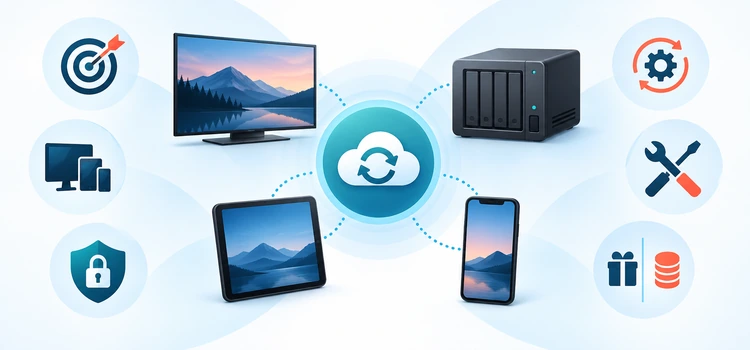
The ranking favors accurate, accountable tracking rather than the longest feature list. Primary documentation established what each connection officially supports, where it is distributed, and whether costs or sync-direction limits apply. Repository activity and current support material helped distinguish maintainable projects from abandoned options. No recommendation depends on an unverified claim of perfect syncing or instant updates.
I also weighed the damage a poor first sync could cause. Tools scored better when they offered clear account separation, selective scope, logs, reversible authorization, official distribution, and realistic documentation. A technically powerful integration ranked lower when setup or maintenance placed greater responsibility on the reader, especially where multiple services could overwrite watched markers or expose credentials.
- Source Quality: Official documentation, platform catalogs, maintained repositories, and current listings outweighed promotional or copied feature claims.
- Sync Clarity: Rankings reward tools that distinguish scrobbling, imports, exports, ratings, collections, lists, and progress accurately.
- Account Separation: Per-user authorization and visible profile selection reduce household history mixing and incorrect recommendation data.
- Maintenance Signals: Compatible releases, recent activity, documented updates, and transparent issues make future troubleshooting more practical.
- Setup Burden: Managed integrations rank higher for beginners, while technical tools must justify additional server and credential work.
- Failure Recovery: Logs, selective scopes, revocation controls, backups, and sample testing help contain mistakes before broad synchronization.
How to Authorize a Trakt Addon Safely
Most current integrations use device authorization instead of asking for a Trakt password inside the addon. The app displays a short code, and the reader enters it on Trakt’s official activation page while already signed in. This keeps the password away from the third-party interface, but the approved application still gains account permissions that deserve regular review and revocation.
Open the connection from the platform’s official settings, note the displayed code, and type the activation address manually or follow a verified official link. Confirm the Trakt username shown before approving access. Return to the app, wait for its success message, and test one authorized movie and episode. Never paste tokens, personalized manifests, or server logs into public comments.
- Verify Origin: Install from an official catalog, maintained repository, or current developer page before beginning authorization.
- Check Account: Confirm the browser shows the intended Trakt profile, especially on shared computers and household tablets.
- Use Official Activation: Enter device codes only on Trakt’s genuine activation page, not a copied form or shortened link.
- Test Narrowly: Start with one movie and one episode before importing, cleaning, or synchronizing an entire established library.
- Review Permissions: Inspect connected applications periodically and revoke retired servers, old devices, duplicate links, or abandoned tools.
- Protect Diagnostics: Redact tokens, usernames, addresses, paths, and identifying library details before sharing any troubleshooting log.
How to Fix Common Trakt Sync Problems
When tracking stops, separate connection failures from metadata and timing issues. A valid authorization does not guarantee that an episode is identified correctly, and a delayed update does not prove the token expired. Check the platform log or task result, confirm the active user, wait through any documented processing window, and compare a title’s identifiers before reconnecting repeatedly.
For widespread mismatches, pause automatic imports and exports before making repairs. Preserve a backup or Trakt data export where available, then choose which service owns the correct history. Update the app and plugin together, repair metadata, revoke only the failing connection, and retest with a tiny sample. Several simultaneous changes make the original cause much harder to isolate.
- Authorization Error: Revoke the single failing app, update it, request a fresh code, and verify the correct account.
- Wrong Episode: Correct season order and identifiers in the media library before deleting or re-adding history entries.
- Delayed Scrobble: Wait for the documented interval and refresh once; repeated playback can create duplicate history records.
- Conflicting Markers: Disable overlapping writers, select one authoritative library, and restore two-way sync only after sample validation.
- Rate or Plan Limit: Review the live Trakt account allowance, reduce unnecessary schedules, and avoid concurrent full-library jobs.
- Plugin Upgrade Failure: Confirm server compatibility, read release notes, restart the supported service, and inspect a redacted error log.
Verdict
The best choice depends less on the longest feature list than on where accurate watched data already lives. Start with an official platform connection, keep one clear authority for history, and test a tiny sample before importing years of activity. Trakt for Kodi leads for Kodi, TheMovieDb Helper improves discovery, and PlexTraktSync rewards experienced Plex administrators needing granular control.
- Trakt for Kodi: Best for direct Kodi library scrobbling and watched-state exchange, provided local metadata is clean and synchronization settings are introduced carefully.
- TheMovieDb Helper: Best for Trakt-powered Kodi lists, widgets, and discovery, but it should complement rather than replace a dedicated scrobbler.
- PlexTraktSync: Best for technical Plex owners wanting selective two-way control, with responsibility to secure credentials and maintain reliable automation carefully.
FAQs
What is the best Trakt addon overall?
Trakt for Kodi is the best overall choice for a Kodi library because it comes from Kodi’s official repository and focuses directly on scrobbling, watched status, collections, and ratings. The best option changes by platform: Jellyfin and Emby users should prefer their server plugins, while Plex owners can choose managed Plex Sync or PlexTraktSync.
Are Trakt addons free?
Most plugins in this comparison are free, including Trakt for Kodi, TheMovieDb Helper, PlexTraktSync, and the Jellyfin plugin. Infuse offers one-way Trakt sending for free but reserves two-way behavior for Pro. MrMC is a paid app. Trakt itself offers free access with current limits and an optional VIP plan for higher allowances.
Is Trakt VIP needed for scrobbling?
Basic scrobbling through many supported apps does not inherently require VIP, but Trakt’s free account limits and integration rules can change. Certain advanced Plex workflows, higher library allowances, multiple services, or near-real-time features may require VIP. Check the live Trakt account page before purchasing because older guides can describe plans or limits that no longer apply.
Is Trakt legal and safe to use?
Trakt is a watch-tracking service and does not host movies or television streams. Using it with lawful media and authorized services is generally legitimate, but an addon’s content source is a separate issue. Safety depends on installing accountable software, reviewing permissions, protecting tokens and logs, updating plugins, and avoiding unknown repositories or copied activation pages.
Can Trakt sync watched history across several devices?
Yes, connected apps can read or write history associated with the same Trakt account, subject to the capabilities and current account limits of each integration. For reliable household use, assign separate media-server profiles and separate Trakt accounts to different viewers. Otherwise, one person’s progress and ratings can alter recommendations or watched markers for everyone.
Why does Trakt history sometimes update slowly?
Some integrations queue events or run scheduled tasks, and Stremio documents a possible delay before playback appears on Trakt. Network errors, rate limits, expired tokens, mismatched identifiers, or the wrong active profile can also be responsible. Wait through the documented interval, inspect one test title, and check logs before revoking or reconnecting the account.
Can two Trakt addons create duplicate plays?
Yes. If a media server plugin, a player integration, and a separate scrobbler all report the same playback, Trakt may receive overlapping events. I recommend choosing one primary writer per playback path. Disable redundant scrobbling, test a single movie, and keep discovery-only tools from updating history when a dedicated server plugin already owns that job.
Does Trakt provide streaming links or channels?
Trakt organizes viewing data, discovery, lists, and links to supported services; it is not an IPTV provider or a catalog of hosted video. A connected addon may route a title to another app, but the reader must verify availability, subscription requirements, region, and rights independently. Tracking a title does not authorize its underlying playback source.
What is the difference between scrobbling and two-way sync?
Scrobbling reports playback activity as it happens, usually including start, pause, progress, or completion events. Two-way synchronization compares stored states between Trakt and another library, potentially changing records on both sides. Scrobbling is narrower and easier to audit. Two-way sync is more powerful but deserves backups, sample testing, and a clearly defined authoritative history.
Can Trakt work with Plex without Plex Pass?
Trakt’s managed Plex Sync direction includes casual free use under current account limits, and PlexTraktSync states that its core synchronization does not require Plex Pass or Trakt VIP. The webhook route is different and may require paid memberships. Verify today’s account allowances and decide whether managed simplicity or self-hosted control better fits the household.
How is a Trakt addon’s access removed?
Open Trakt account settings, find the connected applications area, identify the exact addon or service, and revoke it. Then remove or disable the integration inside the media platform. Revocation is preferable when retiring a server or losing a device because uninstalling software alone may leave a previously issued authorization token valid until it expires or is withdrawn.
Should every media app connect to Trakt?
No. Connect only applications that genuinely need to read or write your history. A smaller setup is easier to secure and troubleshoot, particularly under current free-account limits. Use one primary scrobbler for each playback route, add a discovery integration only when useful, and review connected applications after replacing devices or changing media servers.