9 Best FREE Streaming Apps (2026)

Key Takeaway: Tubi is the best overall app for a large, straightforward on-demand library. Pluto TV delivers the strongest cable-like channel experience, while Plex combines free streaming with broad device support and personal-media tools. Every option is lawful, but advertisements, accounts, catalogs, borrowing rules, and countries differ.
Best Free Streaming Apps: Quick Comparison
| App | Best For | Main Platforms | Account | Cost | Visit Site |
|---|---|---|---|---|---|
| Tubi | Best overall on-demand choice | Web, mobile, TVs, consoles | Optional for most viewing | Free with ads | Visit Site |
| Pluto TV | Best channel-surfing experience | Web, mobile, TVs, consoles | Optional profile | Free with ads | Visit Site |
| The Roku Channel | Best free originals mix | Web, mobile, Roku, selected TVs | Useful for syncing | Free with ads | Visit Site |
| Plex | Best for streaming plus personal media | Web, mobile, TVs, consoles | Free account recommended | Free with ads | Visit Site |
| Sling Freestream | Best free DVR option | Web, mobile, TVs, streamers | Optional; needed for DVR | Free with ads | Visit Site |
| Xumo Play | Best no-login simplicity | Web, mobile, TVs, streamers | Not required | Free with ads | Visit Site |
| PBS | Best public-media programs | Web, mobile, TVs, streamers | Required on TV apps | Free; Passport optional | Visit Site |
| Kanopy | Best thoughtful films through libraries | Web, mobile, TVs, streamers | Library and account required | Free through institutions | Visit Site |
| Hoopla | Best library variety and downloads | Web, mobile, TVs, streamers | Library and account required | Free through libraries | Visit Site |
Disclaimer
OTTWatchGuide may earn from qualifying links, although no sponsored placement was supplied and rankings remain editorial. This article provides general information, not legal, financial, privacy, or technical advice. Catalogs, advertisements, accounts, devices, prices, and regional availability can change. Use only official apps and content you are authorized to access; privacy tools do not create viewing rights or legalize unauthorized streams.
The best free streaming apps offer licensed movies, television, news, documentaries, and live channels without a recurring entertainment bill. This guide compares nine lawful services across catalog style, advertisements, registration, platform coverage, household features, accessibility, privacy controls, and geographic restrictions. Free access never guarantees a particular title, local channel, resolution, or uninterrupted availability everywhere.
For this 2026 comparison, I reviewed current provider pages, support documentation, app-store listings, and privacy materials instead of relying on old catalog counts. Commercial services generally fund access with advertising, while PBS and library apps use different models. The ranking rewards useful everyday access and transparent limitations, not unsupported playback tests or promises that every region receives identical programming.
Read More
Why You Can Trust OTTWatchGuide?
OTTWatchGuide compared official service pages, current help articles, platform listings, privacy policies, and regional notices accessed September 14, 2026. Research distinguished documented capabilities from hands-on testing and treated library catalogs, channel totals, advertisements, and device support as changeable. Rankings favor lawful access, clear eligibility, useful features, and meaningful limitations rather than copied promotional claims or unverifiable performance measurements.
- Official Evidence: Provider-controlled product, support, legal, privacy, and app-store pages ground every current claim.
- Freshness Review: Access models, accounts, devices, and regional limits were rechecked on September 14, 2026.
- Evidence Boundary: No speed benchmarks, catalog audits, purchases, or hands-on viewing results are claimed.
- Editorial Independence: No sponsored destination was supplied, and commercial links use ordinary nofollow attributes.
1) Tubi
Tubi is the strongest all-around choice for viewers wanting a licensed on-demand library without a subscription or credit card. Its movies, series, live channels, and dedicated applications reach most common televisions, streaming players, phones, tablets, consoles, and browsers. Short advertising breaks finance the service instead of monthly fees for viewers.
I rank Tubi first because it combines easy browsing, broad hardware coverage, useful account features, and legal partnerships. Most ordinary viewing works without registration, although selected live events and personalized tools can require sign-in. Catalogs rotate by country, premium originals are not guaranteed, and advertisements cannot be removed through payment.
Features:
- Licensed Free Catalog: Tubi says studio and independent partners supply its movies and shows, while advertising pays for access. The catalog includes on-demand entertainment and selected live channels without subscriptions or credit-card billing. Availability changes as licenses begin or expire, so a saved title can disappear or differ across countries without indicating a technical problem.
- Device Coverage: Official support lists Amazon Fire TV, Apple TV, Roku, Android TV, Google TV, major smart televisions, PlayStation, Xbox, mobile apps, browsers, and selected cable platforms. Exact operating-system and model requirements vary. Older devices can lose support, while app-store accounts may request billing verification even though Tubi itself remains free.
- Account Options: Registration adds watchlists, Continue Watching, recommendations, parental controls, and easier device linking, but Tubi's privacy policy also covers unregistered users. Selected events, including certain live sports presentations, can require a signed-in free account. I recommend registering only when synchronization or account-based controls provide a clear practical household benefit.
- Household Switching: Tubi supports adding up to eight separate accounts on a compatible device, giving each person distinct history, recommendations, watchlists, settings, and progress. Linked Kids Accounts create a child-oriented experience under an adult account. This is account switching rather than simultaneous-stream guarantees, so households should avoid assuming unlimited concurrent playback.
- Advertisements and Quality: Short commercial breaks fund ordinary movies and television, and there is no paid ad-free Tubi tier. Playback quality depends on the title, device, connection, and event. Certain 2026 live matches advertise 4K only on selected supported hardware with required sign-in, so that special capability should not be generalized across the catalog.
- Regional Availability: Tubi operates in several markets, including the United States, Canada, Australia, Mexico, and selected Latin American countries, but devices and libraries vary. Official support explains that unavailable titles reflect regional licensing or expired rights. A VPN can produce the wrong library or block playback and never changes the underlying content permission.
- Privacy Considerations: Tubi's July 2026 policy describes collection from registered and unregistered users, including device, interaction, advertising, and approximate-location information. Account holders can manage certain data requests and privacy choices. Shared-account users may see one another's history, recommendations, settings, and watchlist, so separate individual accounts are preferable on communal devices.
| Pros | Cons |
|---|---|
| Broad device support covers televisions phones browsers and consoles | Advertising interrupts movies shows and many live channels |
| Large licensed library needs no subscription or credit card | Catalog availability changes frequently across regions and licensing periods |
| Account tools include watchlists progress and parental controls | |
| My preferred overall free app balances access and usability | No paid option removes advertisements from standard viewing |
Pricing:
- Standard access: Free with advertisements; no subscription or credit card is required for ordinary catalog viewing.
- Account: Free; selected events and personalization features can require registration.
- Paid tier: Tubi does not publish a paid ad-free plan on its official site.
Link: tubitv.com
2) Pluto TV
Pluto TV best recreates the feeling of switching on cable and moving through channels without choosing a subscription. Hundreds of themed live streams sit beside thousands of on-demand movies and episodes. The service works through browsers, phones, tablets, smart televisions, streaming players, consoles, and selected provider boxes in supported markets.
I place Pluto TV second because its guide makes casual background viewing and genre discovery unusually simple. No payment or credit card is required, and viewing can begin without registration. A profile improves favorites, watchlists, and cross-device progress, while schedules, commercial breaks, rotating programs, and regional restrictions reduce viewer control.
Features:
- Live Channel Guide: Pluto TV organizes continuous channels around movies, classic television, news, sports, comedy, reality, crime, children, and other themes. The familiar guide supports browsing what is playing now and next. Most streams are programmed linearly, so viewers cannot always restart, pause, or choose a specific episode on demand.
- On-Demand Library: Thousands of movies and shows complement the live guide, letting viewers select a title instead of following a schedule. Licensed availability rotates and differs by market, language, and distribution rights. Pluto TV's homepage provides current browsing, but promotional catalog totals should remain snapshots rather than promises that every named title stays available.
- No-Cost Access: Pluto TV states that short commercial breaks finance the service, with no subscription, payment, or credit card required. Viewers can start on the web or supported apps without purchasing hardware from Pluto. I treat the unavoidable advertising and inability to buy an ad-free upgrade as meaningful tradeoffs, especially for long movies.
- Optional Profile: Creating a free profile can synchronize favorite live channels, watchlists, and resume progress across supported devices. Anonymous viewing remains the quickest route when personalization is unnecessary. Account availability and exact features can vary by app version or country, so households should confirm profile behavior on the devices they plan to use regularly.
- Platform Range: Official pages show access on major smart televisions, Apple TV, Fire TV, Google TV, Roku, PlayStation, Xbox, Android, iOS, Windows, cable boxes, and browsers. Device support differs internationally and older models may be excluded. Closed captions are available for many programs, although coverage still depends on the supplied content.
- Regional Programming: Pluto TV partners with international media companies and offers different channels, languages, and catalogs by country. The service can be unavailable entirely in some locations, as its international landing page indicates. Local news and sports references should therefore be read as market-specific, not as guarantees of nearby broadcast stations or major games.
- Privacy and Advertising: Paramount's privacy policy covers activity across services, online identifiers, approximate location, preferences, and advertising relationships used for measurement or personalized promotions. Viewers should review cookie and privacy choices on each device. Watching without a profile reduces submitted registration data but does not eliminate device, usage, or advertising-related collection.
| Pros | Cons |
|---|---|
| Cable-like guide makes casual live channel browsing effortless | Scheduled channels provide less control than true on-demand playback |
| No account credit card or subscription starts viewing quickly | Frequent commercial breaks cannot be removed through paid upgrade |
| Broad app support reaches televisions phones consoles and browsers | |
| My favorite background-viewing option encourages unexpected program discovery | Profiles and synchronization features vary across supported app versions |
Pricing:
- Standard access: Free with commercial breaks; no payment or credit card is required.
- Profile: Free and optional for favorites, watchlists, and cross-device progress.
- Paid tier: Pluto TV does not publicly list a consumer ad-free subscription on its official site.
Link: pluto.tv
3) The Roku Channel
The Roku Channel combines free movies, series, Roku Originals, children’s programming, and hundreds of live channels inside one destination. It no longer requires Roku hardware because viewers can use its website, mobile application, Roku players and televisions, plus supported Fire TV, Google TV, and Samsung television devices in available markets.
I recommend it for households wanting a mixture of scheduled and selectable programs with account synchronization. Free entertainment remains advertising-supported, while Premium Subscriptions add paid catalogs rather than removing every commercial. Geographic availability, device support, local channels, and premium purchase features differ, so Roku's United States experience is not universal.
Features:
- Free Entertainment Mix: Roku advertises thousands of free movies and shows, Roku Originals, children's programs, and hundreds of live channels. The selection changes as agreements and schedules evolve. Free rows can sit beside rentals, purchases, or Premium Subscriptions, so viewers should distinguish the clearly labeled no-cost catalog from optional transactions before selecting content.
- Broader Device Access: The Roku Channel works on Roku devices, the web, Roku's iOS and Android mobile app, and selected Samsung, Amazon Fire TV, and Google TV products. Official support provides model-specific installation guidance. Premium Subscriptions may not work on every third-party platform, and regional application availability remains narrower than the Roku hardware ecosystem.
- Account Synchronization: A free Roku account lets supported devices resume programs and carry preferences across sessions. Some platforms allow viewing before sign-in, but account use improves continuity and manages optional subscriptions. I would avoid adding a payment method unless rentals or premium services are needed because free account creation itself does not require a subscription.
- Live Guide: Continuous news, entertainment, lifestyle, sports, music, and themed channels appear in a television-style guide. Local coverage depends on market and licensing, and free sports channels should not be confused with complete league packages. Linear programs can begin midstream, while on-demand versions may be unavailable or carry different advertising and expiration terms.
- Advertisements and Premiums: Roku describes the core channel as free and ad-supported. Optional Premium Subscriptions bring additional services into the same interface, sometimes with trials that convert to paid plans unless canceled. Buying a premium add-on does not automatically remove advertisements from unrelated free programming, so billing and playback labels deserve separate review.
- Mobile Features: The free Roku mobile app can stream The Roku Channel without owning a Roku player and also supplies search, remote control, voice input, and private listening for compatible Roku devices. Remote features require the phone and player on the same network, while mobile streaming simply needs internet access where the channel is supported.
- Privacy Considerations: Roku's July 2026 policy covers The Roku Channel, devices, mobile apps, advertising services, voice interactions, identifiers, approximate location, searches, viewing, and ad engagement. Third-party channels and platform operators can apply separate policies. Users should review account, voice, personalized advertising, and privacy choices instead of assuming one setting governs every connected service.
| Pros | Cons |
|---|---|
| Originals movies live channels and family programming share one app | Free content appears beside rentals purchases and premium subscriptions |
| Website and mobile apps work without owning Roku hardware | Third-party device coverage remains less universal than Roku devices |
| Free accounts synchronize progress preferences and supported subscriptions | |
| My preferred free originals hub offers polished navigation | Advertising remains present throughout the core free catalog |
Pricing:
- Core channel: Free with advertisements wherever The Roku Channel is available.
- Roku account: Free; no subscription is required for the core catalog.
- Premium content: Optional subscriptions, rentals, and purchases use separately displayed current prices and terms.
Link: roku.com
4) Plex
Plex is the most flexible recommendation for combining free provider-hosted movies and live television with a household's authorized personal-media collection. Its applications span browsers, phones, tablets, streaming players, smart televisions, computers, PlayStation, and Xbox. The commercial catalog works independently, so newcomers do not need to operate a Plex Media Server.
I rank Plex highly for broad compatibility, watchlist discovery, live channels, and organizing owned media in the same interface. Free movies and Plex live television include advertisements that Plex Pass does not remove. Regional exclusions, account complexity, rentals, and paid server features make the service less immediately simple than Tubi.
Features:
- Free Movies and Shows: Plex provides licensed on-demand movies, documentaries, and television to users through an advertising-supported catalog. The service operates independently of personal servers, so no computer must remain running. Titles vary by country and distributor, with Plex listing several countries where its on-demand catalog is unavailable because of local regulations or restrictions.
- Live Television: Hundreds of scheduled channels cover news, entertainment, sports, children, food, lifestyle, and niche interests. Favorites can organize the guide, but these internet channels are not the same as local antenna broadcasts or complete premium networks. Programs, channel totals, and geographic availability change, and most streams include unskippable advertising breaks.
- Personal Media Option: Plex Media Server can organize lawfully owned videos, music, and photos for compatible players. Basic local-network video playback remains free, while some remote, mobile, DVR, hardware-transcoding, and household features require Remote Watch Pass or Plex Pass. I recommend separating free catalog expectations from the server feature and subscription matrix.
- Device Coverage: Official support lists Amazon Fire TV, Android, Android TV, Apple TV, Chromecast, iOS, Linux, macOS, PlayStation, Roku, supported smart televisions, Windows, Xbox, and the Plex web app. Particular features can differ by client. Older models, rental support, codecs, and personal-server playback capabilities need careful device-specific confirmation before setup.
- Discovery and Watchlist: Plex search and its universal watchlist help locate programs across the free catalog, personal libraries, rentals, and linked streaming services. Results can point outside Plex to subscriptions or transactions, so availability does not mean included access. Account-based profiles and managed-user controls can organize family use, subject to current feature eligibility.
- Advertisements and Payments: Free on-demand and Plex live television are funded by ads before or during playback. Plex says Plex Pass does not remove those ads. Optional rentals, purchases, Plex Pass, and Remote Watch Pass serve different purposes; none should be described as necessary for the ordinary free catalog unless Plex changes access rules.
- Privacy Considerations: Plex's current privacy materials distinguish personal-library activity from provider-hosted content and describe account, device, service usage, ad, and privacy-choice handling. Users can review sharing or sale preferences for certain data. Personal server operators should secure remote access, accounts, and invited users because server ownership creates responsibilities absent from simple free streaming.
| Pros | Cons |
|---|---|
| Free streaming and personal media share one interface | Interface complexity can overwhelm viewers wanting immediate simple playback |
| Excellent platform coverage includes computers consoles televisions and phones | Plex Pass does not remove free catalog advertisements |
| Universal watchlists help locate titles across multiple sources | |
| My preferred power-user choice rewards careful account setup | Optional passes rentals and server features complicate pricing explanations |
Pricing:
- Free streaming: On-demand movies, shows, and Plex live television are free with advertisements.
- Plex account and server: Basic account, Media Server, and eligible local-network personal-video playback are free.
- Optional upgrades: Plex Pass, Remote Watch Pass, rentals, and purchases have separate official prices and do not remove ads from free streaming.
Link: plex.tv
5) Sling Freestream
Sling Freestream is the best free streaming app for viewers who want scheduled channels plus a cloud DVR without starting a paid television package. It offers hundreds of live channels and a substantial on-demand library through browsers, mobile apps, streaming devices, and supported televisions. Basic watching can begin without registration.
I include Freestream because a free account unlocks favorites, watchlists, profiles, parental controls, rewards, and ten hours of DVR storage without a credit card. Its interface promotes Sling rentals and paid plans, the service is limited to the United States and Puerto Rico, and channel availability can change without notice.
Features:
- Free Channel Lineup: Sling Freestream combines hundreds of continuous channels with on-demand movies and shows across news, drama, reality, comedy, documentaries, sports, international programming, and other categories. Current totals change as channels enter or leave. Free sports streams are complementary programming, not substitutes for Sling's paid national networks, regional coverage, or major-event rights.
- No-Account Viewing: Official pages state that anyone can watch Freestream through the web or Sling app without an account, subscription, payment, or credit card. Registration becomes useful for personalization rather than basic access. I value that low barrier, although television and mobile use still requires installing the Sling TV application and accepting its platform requirements.
- Free Account Extras: Signed-in users can save favorites, maintain watchlists, continue viewing, create up to four profiles, enable parental controls, and participate in rewards where offered. Accounts can also expose rentals and paid upgrades, so households should protect purchase controls. Feature support varies by device, and anonymous sessions do not preserve the same personalized state.
- Ten-Hour DVR: Freestream accounts include ten hours of cloud DVR at no charge, with recordings expiring after thirty days according to Sling support. Older recordings are removed when space is needed, and not every channel or program permits recording. The DVR allowance is per account rather than per profile, requiring coordination in shared households.
- Supported Devices: Sling provides web playback and applications for phones, tablets, streaming players, smart televisions, Xbox, and other supported equipment. Exact models and features vary, while installation support advises that viewing is restricted to the fifty United States and Puerto Rico. Browsers can access Freestream without downloading an application, provided the device remains compatible.
- Advertising and Upsells: Freestream is an advertising-supported television service, and channel ad loads depend on programming partners. Paid Sling packages, rentals, pay-per-view events, and expanded DVR sit nearby but are optional. Viewers should confirm labels before selecting content and avoid assuming a free login prevents every purchase prompt or promotional message in the shared interface.
- Privacy and Controls: Sling settings provide communication choices, information-sharing options, device history, bandwidth controls, captions, and parental controls, while Dish privacy materials explain broader data practices. Account holders should review device lists and sign out unused hardware. Anonymous viewing reduces account personalization but still involves cookies, service operation, advertising, and approximate-location enforcement.
| Pros | Cons |
|---|---|
| Anonymous viewing starts without subscription account or credit card | Interface promotes paid Sling plans rentals and upgrades prominently |
| Free accounts include profiles controls watchlists and cloud DVR | Ten-hour DVR recordings expire after only thirty days |
| Hundreds of channels cover broad genres and several languages | |
| My favorite free DVR option supports practical scheduled viewing | Channel lineup and recording eligibility can change unexpectedly |
Pricing:
- Freestream: Free with advertisements and no credit card required.
- Freestream account DVR: Free account includes 10 hours; recordings expire after 30 days.
- Optional purchases: Paid Sling plans, rentals, events, and Unlimited DVR use separate current prices and terms.
Link: sling.com
6) Xumo Play
Xumo Play suits viewers who want free live channels and on-demand programs with no setup. The service advertises hundreds of channels and thousands of titles without a subscription or login. It works on the web and phones, tablets, smart televisions, streaming players, cable devices, and Xumo hardware in supported territories.
I recommend Xumo for guest rooms, shared televisions, and casual viewers who prefer channel browsing over account features. Its regional reach is limited, access paths differ in Canada and the United Kingdom, and there is no cross-device profile system to preserve favorites or progress. Advertising and schedule-based playback remain tradeoffs.
Features:
- Immediate Free Viewing: Xumo describes Xumo Play as a free service requiring no subscription or login. Viewers can open the website or compatible app and start live or on-demand programming without providing account credentials. Advertising funds access, and internet service, devices, or mobile data remain the viewer's responsibility despite content carrying no recurring fee.
- Live and On-Demand Mix: The catalog combines hundreds of themed channels with thousands of movies and shows on demand. Linear streams encourage browsing, while selectable titles provide more control. Counts, schedules, and programs can change, so I would use the live service rather than any static list when checking whether a particular channel remains available.
- Device Selection: Official support lists Fire TV, Android, Google TV, Chromecast, desktop browsers, Hisense, iPhone, iPad, Roku, Samsung, Sony, Vizio, Xfinity devices, Xumo products, and selected Canadian or British provider hardware. Not every platform works in every country, and some older television models can be removed from support over time.
- Regional Limits: Xumo support says direct Xumo Play access is available in the United States, through Rogers or Shaw Ignite devices in Canada, and through Sky Glass or Stream devices in the United Kingdom. Other territories can be blocked. Some Xumo channels appear inside partner platforms, but that does not equal the complete application.
- No Account Synchronization: Avoiding registration improves simplicity and reduces submitted profile data, but it also limits cross-device favorites, household profiles, watchlists, and reliable Continue Watching. Multiple supported devices can access the service, yet official wording does not establish an unlimited simultaneous-stream entitlement. Households needing persistent personalization should choose an account-based alternative.
- Advertising Experience: Xumo Play is a FAST service, so advertising appears within linear channels and on-demand content. Ad load, repetition, and placement can differ by program, platform, and region. There is no officially listed consumer subscription for removing commercials. Users should also distinguish Xumo Play from paid third-party apps preloaded on Xumo televisions or boxes.
- Privacy Considerations: Xumo directs users to Comcast-governed privacy resources and provides privacy, cookie, advertising, and sale-or-sharing choices. Xumo's 2026 advertising materials describe first-party and approved third-party data used for targeting and measurement. No login does not prevent device, cookie, approximate-location, or viewing-related data from supporting service delivery and targeted advertising.
| Pros | Cons |
|---|---|
| No login subscription or payment makes access exceptionally easy | Missing profiles limits watchlists progress and household personalization |
| Live and on-demand formats serve different viewing moods | Advertising appears without an available commercial-free consumer tier |
| Apps cover many common televisions phones and streaming players | |
| My simplest guest-room recommendation needs almost no setup | Canadian and British access depends on selected provider devices |
Pricing:
- Xumo Play: Free with advertisements; no subscription or login is required.
- Account: Xumo Play does not publicly require or price a consumer account for ordinary viewing.
- Separate services: Internet, mobile data, devices, and third-party subscriptions on Xumo hardware can cost extra.
Link: xumo.com
7) PBS
The PBS app is the best free choice for United States public-media viewers seeking documentaries, news, science, history, arts, children’s programming, and a local station livestream. Many episodes stream without payment, while apps reach mobile devices, browsers, streaming players, smart televisions, and selected Comcast equipment. Catalog access reflects local rights.
I value PBS for educational and cultural programs that commercial FAST libraries underrepresent. Television apps require an account and activation, and some episodes carry the Passport compass icon because extended access is reserved for donors. International streaming is restricted, downloads are unavailable, and local schedules depend on the selected station.
Features:
- Free Public-Media Programs: PBS offers many episodes from news, science, history, nature, current affairs, arts, and drama programs without a fee. Availability windows differ because digital rights expire, and the free catalog does not include every season indefinitely. PBS Passport extends access for eligible donors but is not required for all website or app videos.
- Local Station Livestream: Viewers within a participating station's immediate area can watch its live feed through PBS.org or supported apps. Location rules protect broadcast rights, so the stream is not a nationwide duplicate for every station. I recommend setting the correct local station and confirming program availability instead of expecting identical schedules across regions.
- Supported Platforms: PBS lists iOS, Android, Fire Tablet, Roku, Apple TV, Android TV, Google TV, Fire TV, Chromecast, Samsung, Vizio, LG, and Comcast Xfinity among supported destinations. Exact models change, and some help pages lag newer additions. Browsers also stream video, while mobile browser behavior can differ from the dedicated application.
- Account and Activation: PBS.org provides many videos without an account, but television streaming apps generally require activation through PBS.org/tv and a free PBS, Google, Facebook, or Apple sign-in. Mobile apps may open without device activation. Accounts synchronize preferences, while Passport must be linked to the same credentials used for qualifying station membership.
- Passport Boundary: PBS Passport is an optional local-station donor benefit that unlocks extended access to marked programs. A common qualification is a $5 monthly or $60 annual donation, but each station sets its requirement. Free videos and local livestreams remain available separately, so Passport should never be presented as a mandatory subscription for using PBS.
- Playback Limitations: PBS currently does not support offline video downloads, and international online viewing is restricted by program rights. Multiple devices can sign in, but simultaneous different streams can strain the household network. Video resolution, captions, audio description, and live availability depend on the title, local station, app version, and supported device.
- Privacy Considerations: PBS's policy describes account information, service usage, device details, cookies, and geolocation used across its websites and applications. Third-party sign-in providers apply their own policies. Users can stream certain website videos without registering, but station selection and regional livestream enforcement still rely on location signals and service data needed for delivery.
| Pros | Cons |
|---|---|
| Distinctive documentaries news arts and educational programs cost nothing | Many complete seasons require optional Passport donor access |
| Local station livestream brings regional public television online | International streaming is restricted by program licensing rights |
| Broad television and mobile support covers common platforms | |
| My favorite public-media app complements commercial free catalogs | Television apps generally require account activation on another device |
Pricing:
- PBS website and app: Free to download, with many videos and local livestreams available without a viewing fee.
- PBS account: Free; TV apps generally require sign-in and activation.
- PBS Passport: Optional donor benefit; commonly $5 monthly or $60 annually, while each local station sets qualification rules.
Link: pbs.org
8) Kanopy
Kanopy is the strongest free app for thoughtful cinema, documentaries, world film, educational programs, and selected family viewing through a participating public library or university. It has no commercials and works on browsers, phones, tablets, major streaming players, and supported smart televisions. Access depends entirely on an eligible institution's agreement.
I recommend Kanopy when curated depth matters more than blockbusters or live channels. Public-library users need a card, PIN when required, and a Kanopy account; academic access can follow authentication. Monthly tickets, viewing windows, local catalogs, and institutional participation vary, although Kanopy Kids and designated unlimited titles avoid ticket use.
Features:
- Institution-Funded Access: Kanopy partners with public libraries and universities so eligible patrons watch without personal subscription fees or advertisements. Libraries decide whether to participate and which catalog or access model applies. A card from a nonparticipating library does not unlock service, and university authentication, public-library registration, and available titles can differ substantially between institutions.
- Film Selection: The catalog emphasizes documentaries, independent cinema, international films, classics, educational programs, and selected mainstream titles. Each library licenses its own collection or access arrangement, so another patron may see different options. Catalog depth is a strength, but viewers seeking current commercial series, continuous news, or cable-style channels should use another application.
- Tickets and Windows: Public libraries assign a monthly ticket allowance, and titles display their ticket cost plus the viewing period. Tickets reset monthly and unused tickets do not roll over. I advise checking the counter before starting a series because one season can require multiple tickets, and expired access may consume more tickets to resume.
- Unlimited Viewing: Designated unlimited titles require zero tickets and can be replayed without a monthly cap. Kanopy Kids programs also remain unlimited where the library provides that collection. This makes family and selected educational viewing more flexible, although availability still depends on the institution and titles can move between access models as licensing arrangements change.
- Device Coverage: Current support lists web browsers, iOS, Android, Fire tablets, Chromecast, AirPlay, Android TV, Google TV, Apple TV, Fire TV, Roku, and supported Samsung televisions. Mobile video should use the application rather than a mobile browser. Operating-system minimums matter, and older television platforms or gaming consoles are not universally supported.
- Account and Family Controls: Public-library users create an account with library credentials, name, email, and password or supported federated sign-in. Parental controls restrict the experience to Kanopy Kids until a PIN is entered. Academic viewers can sometimes watch through institutional authentication without a personal account, though accounts add watchlists, continued viewing, playlists, and app access.
- Privacy Considerations: Kanopy's privacy link and account flow explain that personal and institution-related information supports authentication, service operation, lists, and viewing. Library credentials remain managed by the library, while Kanopy credentials secure the app account. Patrons should review both institutional and Kanopy policies, especially when using federated Google or Apple sign-in options.
| Pros | Cons |
|---|---|
| Commercial-free films and documentaries reward deliberate viewing choices | Participating library or university access is always required |
| Kanopy Kids and unlimited titles avoid monthly tickets | Ticket allowances and title costs vary between libraries |
| Browser mobile and television applications cover common platforms | |
| My preferred thoughtful-film service includes useful parental controls | No live channels or broad commercial television replacement |
Pricing:
- Patron access: Free without commercials through a participating public library or university.
- Tickets: Monthly allowance, ticket costs, and viewing windows are set through each library's Kanopy arrangement.
- Library membership: Any eligibility or nonresident-card fee comes from the institution, not a consumer Kanopy subscription.
Link: kanopy.com
9) Hoopla
Hoopla is the most versatile library-funded recommendation because one account can borrow movies, television, audiobooks, ebooks, comics, magazines, and music. Participating public libraries pay for access, so patrons see no subscription fee, advertisements, or late charges. Its apps support browsers, mobile devices, major streaming players, and several smart television brands.
I place Hoopla ninth because its advantage is broader digital borrowing rather than the deepest video catalog. A valid participating-library card, account, and PIN may be required. Monthly limits and collective daily budgets can temporarily block borrowing, catalogs vary by library, and three-day movie or television windows demand timely viewing.
Features:
- Library-Funded Catalog: Hoopla supplies licensed movies, series, music, audiobooks, ebooks, comics, magazines, and BingePass collections through participating public libraries. Patrons pay no subscription or late fee, and the core experience is advertising-free. Library participation and locally selected availability determine access, so the same search can produce different results for patrons using different cards.
- Instant and Flex Borrowing: Instant titles are available without a hold, while Flex titles behave more like physical copies and may require waiting. Returned Flex titles can replenish that separate allowance. I recommend checking the icon and borrowing type before planning a viewing night because availability, renewal, and limit behavior differ between the two models.
- Monthly Borrow Limits: Each library sets how many Instant titles a patron may borrow monthly, and unused allowances do not roll over. Returning an Instant title does not restore that monthly borrow. Hoopla supports library-wide daily budget limits, which can stop additional checkouts until midnight even when a patron has personal borrows remaining.
- Viewing and Download Windows: Movies and television programs generally remain available for three days after borrowing, while other media use different periods. Many mobile titles can be downloaded inside the app and expire automatically. Television apps focus on streaming and require account linking, so travelers should prepare downloads before losing dependable internet access.
- Device Support: Hoopla works through desktop and laptop browsers, iOS, Android, and supported Roku, Apple TV, Fire TV, Android TV, Google TV, Samsung, and LG applications. Exact models and media types can differ. A code links television apps to an existing account, while mobile devices provide the broadest download and cross-format functionality.
- BingePass and SeasonPass: A BingePass can unlock an entire partner collection for a stated period using one borrow, and SeasonPass can package episodes efficiently where offered. Availability depends on the library and current partnerships. These tools stretch limited borrows but do not remove collective daily caps, personal monthly limits, or rights-based regional and catalog differences.
- Privacy and Account Security: Hoopla requires a personal account and library validation, while its 2026 terms direct users to a privacy policy and require secure, individual credentials. The service synchronizes borrowed titles and progress across devices. Patrons should protect library numbers, PINs, email accounts, and television-linking codes, then remove access from shared or retired devices.
| Pros | Cons |
|---|---|
| Movies shows books comics music share one free account | Personal monthly borrowing limits vary by participating library |
| No advertisements subscriptions late fees or physical returns | Collective daily library budgets can temporarily block new borrows |
| Mobile downloads support temporary offline viewing during loans | |
| My preferred all-format library app offers broad device support | Video catalog depth differs widely between local library systems |
Pricing:
- Patron access: Free, ad-free, and subscription-free with a valid card from a participating public library.
- Borrowing: Monthly personal limits and any collective daily budget are set by the library.
- Library card: Eligibility or nonresident fees, when applicable, are determined by the issuing library rather than Hoopla.
Link: hoopladigital.com
How to Choose the Right Free Streaming App
Start with the programs and viewing style that matter, then compare access conditions before catalog size. FAST services work well for casual channels and rotating movies but include commercials. Public media provides distinctive educational programming with regional rights, while library apps trade advertisements for eligibility and borrowing limits. One app rarely covers every household need efficiently.
The best setup often combines two complementary services: a broad commercial catalog for everyday entertainment and PBS, Kanopy, or Hoopla for programming the large FAST libraries underrepresent. Check every television, phone, traveler, and child in the household. Registration, privacy preferences, captions, downloads, and regional rules can matter more than a temporary headline title.
- Content Style: Choose on-demand movies, scheduled channels, public media, documentaries, children’s shows, or library collections around actual habits.
- Advertising: Decide whether commercial interruptions are acceptable or whether institution-funded Kanopy and Hoopla fit better.
- Registration: Anonymous access reduces setup, while accounts enable progress, profiles, watchlists, controls, DVR, and device synchronization.
- Eligibility: Confirm local PBS rights and participating-library access before relying on public or library-funded programming.
- Devices: Check exact television model, operating system, mobile version, console support, casting method, and browser compatibility.
- Regional Access: Treat every catalog, channel, live event, and app-store listing as country-specific until official support confirms otherwise.
Compare Ads, Accounts, Profiles, and Viewing Limits
“Free” describes the viewer's subscription price, not an identical business model. Tubi, Pluto TV, The Roku Channel, Plex, Sling Freestream, and Xumo Play fund programming through advertisements. PBS combines public-media distribution with optional donor access, while libraries fund Kanopy and Hoopla. These differences shape commercials, registration, data collection, borrowing limits, and catalog stability.
Accounts add real value when several devices need synchronized progress or children require controls, but they also create credentials and stored activity. Anonymous viewing is simpler on supported commercial apps. Library services necessarily validate eligibility, and PBS television apps require activation. Read the privacy policy and inspect account choices before entering information merely to test a free catalog.
- Ad Funding: FAST services exchange commercial attention for licensed access, and paid upgrades usually do not remove every free-channel advertisement.
- Optional Accounts: Tubi, Pluto TV, Sling Freestream, and selected Roku experiences permit viewing before registration on supported platforms.
- Required Accounts: Kanopy, Hoopla, and PBS television apps require credentials because they authenticate eligibility or synchronize activated devices.
- Profiles: Confirm whether a service offers true profiles, account switching, managed users, or only one shared viewing history.
- Concurrent Viewing: Never infer unlimited streams from broad device support; provider and content restrictions can still limit simultaneous playback.
- Borrowing Limits: Kanopy tickets and Hoopla borrows reflect library budgets, resetting under institution-specific rules rather than subscription billing.
Device Compatibility, Travel, and Offline Viewing
A service advertised for smart televisions may support only recent models, selected operating systems, or one country's app store. Check the exact television model and software version, then keep a browser or inexpensive streaming player as a fallback. Mobile compatibility also changes: some providers require dedicated apps, while others support ordinary desktop browsers but not mobile-browser playback.
Travel adds regional licensing, hotel-network sign-in, mobile-data, and download questions. Streaming rights follow the viewer's current location, not the home catalog. Hoopla supports many temporary mobile downloads, whereas PBS does not offer offline video. Commercial FAST apps primarily expect live internet. Download only through official controls; screen recording or copying licensed streams is not authorized.
- Television Models: Verify year, operating system, store region, storage, and current application version before depending on native software.
- Streaming Players: Roku, Fire TV, Apple TV, and Google TV often extend support when aging television apps disappear.
- Mobile Apps: Confirm operating-system minimums, data consumption, caption controls, downloads, casting, AirPlay, and background-play behavior separately.
- Browser Access: Desktop playback is common, but mobile browsers can be unsupported or less capable than the official application.
- Travel Rights: A saved account does not preserve the home catalog when the viewer crosses a licensing boundary.
- Offline Limits: Only use provider-authorized downloads, observe expiration windows, and never treat local copies as permanent ownership.
How Did We Evaluate These Streaming Apps?
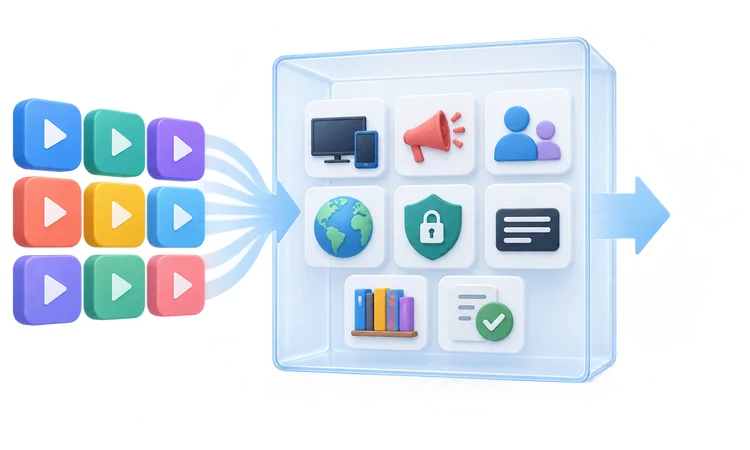
This ranking uses current official service, support, legal, privacy, and app-store material accessed September 14, 2026. I compared lawful catalog models, advertisements, registration, household features, platform breadth, regional access, public or library eligibility, privacy controls, and important limitations. Published channel or title totals were treated as changeable snapshots rather than audited inventories or performance measurements.
The evaluation does not claim hands-on playback, speed tests, account purchases, catalog sampling, or laboratory results that did not occur. Official documentation establishes stated capabilities and terms, not guaranteed household performance. Apps earned stronger positions when their free value is broadly useful, setup is clear, device coverage is practical, and restrictions are explained rather than hidden behind promotional language.
- Lawful Access: Only official services with licensed, public-media, institutional, or library-authorized distribution models qualified for recommendation.
- Free Value: Rankings separate genuinely free catalogs from trials, donor benefits, rentals, purchases, and optional subscriptions.
- Platform Coverage: Television, streaming-player, phone, tablet, console, and browser support were checked against current official documentation.
- Account Friction: Registration requirements, profiles, progress, controls, DVR, tickets, borrows, and activation steps shaped practical usability.
- Regional Limits: Country availability, local stations, institutional participation, catalog variation, and location enforcement reduced overbroad recommendations.
- Privacy Clarity: Current policies and available controls informed cautions without claiming that any online service eliminates data collection.
Safe Setup, Privacy, and Troubleshooting
Install apps only from the provider's official site or the recognized store on the television, phone, tablet, console, or streaming player. Activation scams sometimes imitate free services and request unexpected fees or credentials. Type official addresses directly, verify the publisher, reject unrelated downloads, and never provide payment details when the documented free setup does not require them.
After installation, update the app and device, review privacy choices, enable purchase and child controls, and test captions on the intended screen. When playback fails, confirm regional eligibility, restart the app and network equipment, and check official status or support pages. Disabling a VPN may resolve location errors, but doing so does not expand viewing rights.
- Official Stores: Verify developer names and official links before installing similarly named streaming applications or television activation helpers.
- Account Security: Use unique passwords, multifactor authentication where offered, secure email access, and remove unused linked devices promptly.
- Purchase Controls: Add payment methods only for intentional rentals or subscriptions, then protect transactions with platform and account PINs.
- Privacy Review: Inspect personalized-advertising, sale-or-sharing, location, voice, history, recommendation, cookie, and communication settings on devices periodically.
- Playback Recovery: Update software, restart equipment, test another official title, reduce network congestion, and consult provider-specific error guidance.
- Lawful Use: Privacy tools can protect traffic but never grant a license, override service terms, or legalize unauthorized content.
Verdict
Tubi ranks first for its broad, lawful on-demand catalog, extensive device support, and useful optional accounts. Pluto TV is better for effortless scheduled channel surfing, while Plex serves viewers combining free programming with personal media and discovery tools. PBS and the library apps add distinctive alternatives, but regional rights, eligibility, advertisements, registration, and borrowing limits remain decisive.
- Tubi: Best overall for varied on-demand movies and shows across many devices, although advertisements, rotating catalogs, and country differences remain unavoidable.
- Pluto TV: Best for cable-like channel browsing without registration, but fixed schedules, commercial breaks, regional differences, and limited availability substantially reduce viewer control.
- Plex: Best for households mixing lawful free streaming with personal media, provided they accept account complexity, ads, and regional exclusions.
FAQs
What are the best free streaming apps overall?
Tubi leads for on-demand viewing, Pluto TV excels at scheduled channels, and Plex combines content with personal media. Choose by location, devices, advertisements, and programs.
Are free streaming apps legal?
These nine services distribute licensed, public-media, institutional, or library-authorized content. Viewers must respect provider terms and regional rights, and avoid unofficial copies.
Do free streaming apps require a credit card?
Tubi, Pluto TV, Sling Freestream, and Xumo Play require no card for viewing. Roku, Plex, and PBS show purchases, while libraries authenticate Kanopy and Hoopla.
Which free streaming apps work without an account?
Pluto TV, Sling Freestream, and Xumo Play support no-login viewing on platforms. Tubi serves unregistered viewers, although events and personalization require sign-in.
Which free streaming app has the most live channels?
Channel totals and lineups change. Pluto TV, Sling Freestream, Plex, Xumo Play, and The Roku Channel all merit a current guide check.
Can free streaming apps replace cable television?
They can replace entertainment and many channels, but rarely every local station, sports network, service, or major event. Required channels determine whether another service is necessary.
Can advertisements be removed from free streaming apps?
Most free catalogs rely on advertisements without an ad-free upgrade. Plex Pass does not remove Plex ads. Kanopy and Hoopla are ad-free through institutions.
Do these apps support multiple profiles?
Support varies. Tubi allows account switching, Sling provides up to four profiles, and Plex offers household features. Other services use accounts, synchronization, or no account.
Can viewers download free movies for offline viewing?
Hoopla supports downloads for mobile loans. PBS provides no offline video, while commercial FAST apps expect internet access. Downloads expire and never become files.
What is the best free streaming app for children?
PBS offers programming, Tubi provides Kids Accounts, Kanopy Kids includes unlimited viewing, and Hoopla carries media. Parents should review ratings, privacy, and local availability.
What is the best free app for documentaries and independent films?
Kanopy is a choice through libraries or universities. PBS adds science, history, nature, and arts, while Hoopla adds borrowing. Eligibility and catalogs depend on institutions.
Are free streaming catalogs the same in every country?
No. Distribution agreements, partners, and app stores produce different catalogs by country. Some services operate only in markets, and PBS video is primarily United States-restricted.
Does a VPN unlock more free streaming legally?
A VPN can protect traffic, but can slow playback, trigger location errors, or conflict with terms. It never creates distribution rights or makes content lawful.
Why did a free movie or channel disappear?
Catalogs rotate when licenses change or expire. Channels can be renamed, while library collections reflect budgets. Check the official app before diagnosing a device fault.
How should I safely install a free streaming app?
Use the provider's official link or a device store, verify the developer, update the app, and enter activation codes only on the exact official domain. Reject unexpected fees or remote-support software.