10 Best IPTV Apps for Google TV (2026)

Key Takeaway: EagleCast TV leads with three included connections and documented Google TV setup material; OrigineTV publishes clear one- and two-connection prices; Tellystudio offers a free one-day trial. These are subscription services. The final three entries are player apps that require a separate lawful source.
Best IPTV Apps for Google TV: Quick Comparison
- EagleCast TV: Three included connections and a Google TV download route suit multi-screen homes, but the published checkout uses cryptocurrency.
- OrigineTV: One- and two-connection tiers make household costs easier to compare; activated service has restrictive refund conditions.
- Tellystudio: A free one-day trial and a short monthly option reduce initial commitment; confirm the exact television player first.
- USA LIVE IPTV: Official material names Google TV and Android TV, although buyers must verify channels, rights, and starting connections.
- Velino TV: Public Xtream setup instructions simplify compatible-player configuration; conflicting connection and renewal wording needs clarification before checkout.
- IPTV Harmony: A free 24-hour trial, account controls, and Android TV support help evaluation; its placement is Germany-focused.
- TiviPlanet: Android TV support, a free one-day trial, and annual multi-connection tiers suit households; verify the required Google TV app.
- TiviMate: Remote-first guide management and three login formats make it the strongest player, but premium prices appear during purchase.
- Sparkle TV: Explicit Google TV support and broad DVR tools stand out; several useful controls require the paid Plus tier.
- Kodi with PVR IPTV Simple Client: Free M3U and XMLTV flexibility rewards advanced users, though configuration is denser than dedicated players.
| Tool | Type and Best For | Google TV Evidence | Starting Price | Visit Site |
|---|---|---|---|---|
| EagleCast TV | Service; three included connections | Official download page names Google TV | $14.99/month | Visit Site |
| OrigineTV | Service; clear connection tiers | Android TV boxes named officially | €34.99/three months | Visit Site |
| Tellystudio | Service; short trial route | Chromecast and Android devices named | Free one-day trial | Visit Site |
| USA LIVE IPTV | Service; longer prepaid choices | Google TV named officially | $49.96/three months | Visit Site |
| Velino TV | Service; public Xtream setup | Android route and TV player guidance | $16/month | Visit Site |
| IPTV Harmony | Service; Germany-focused evaluation | Android TV devices named officially | Free 24-hour trial | Visit Site |
| TiviPlanet | Service; household connection tiers | Android TV shown as compatible | Free one-day trial | Visit Site |
| TiviMate | Player; remote-first guide control | Android TV listing and large-screen design | Free install; in-app purchases | Visit Site |
| Sparkle TV | Player; DVR and timeshift | Listing explicitly names Google TV | Free; Plus from $1.49/month | Visit Site |
| Kodi with PVR IPTV Simple Client | Player; configurable M3U/XMLTV | Ten-foot interface and TV listing | Free and open source | Visit Site |
Disclaimer
This article is documentation-based research, not legal advice, a licensing certification, or a guarantee of uptime, channel availability, refunds, app support, or picture quality. Some links may be affiliate links; see the Affiliate Disclaimer. Prices, regions, and store listings can change. Use only subscriptions, playlists, streams, and recordings you are authorized to access; privacy tools do not create viewing rights.
The Best IPTV Apps for Google TV comparison needs two different product types: a subscription service that supplies authorized account access and player software that organizes compatible credentials. I reviewed seven eligible services first, followed by three genuine television players, while keeping their costs, responsibilities, and device claims separate so readers can build a workable setup.
Google TV uses Android TV technology, but a broad Android claim does not guarantee television-store availability, remote navigation, or feature parity. Check the exact television, region, operating-system version, required login format, connection allowance, and lawful channel lineup before paying. A polished player cannot repair expired credentials, unavailable streams, missing rights, or an undersized provider plan.
Read More
Why You Can Trust OTTWatchGuide?
This comparison uses current provider websites, official pricing and policy pages, approved service destinations, developer documentation, and Google Play listings. It distinguishes subscription services from software-only players, records important unknowns, and avoids presenting marketing claims as measured performance. Compatibility, lineup, rights, refund eligibility, and checkout totals should still be confirmed for the exact household and Google TV device.
- Source Review: Official provider, developer, pricing, support, policy, and app-store pages supplied the factual evidence.
- Freshness Check: Service status, approved destinations, plans, device claims, and player listings were reviewed in September 2026.
- Editorial Boundary: Rankings reflect documentation and decision value, not purchased accounts, long-term streaming tests, or licensing audits.
- Product Separation: Subscription services appear first, while software-only players are identified clearly and include no channels.
1) EagleCast TV
EagleCast TV is the strongest service entry for households that want several screens without immediately buying separate accounts. Its published packages include three connections, and its download material expressly names Google TV. That combination is concrete, although app installation can involve a provider download rather than the television’s Play Store.
I ranked it first for connection transparency and device-specific documentation, not for independently measured streaming quality. Monthly access keeps the first payment lower than annual plans, while a free trial supports a compatibility check. The main purchasing drawback is cryptocurrency-only checkout, which makes refund terms and merchant verification especially important.
Features:
- Three Connections Included: Standard plans list three connections instead of treating extra screens as an undisclosed upgrade. This can suit a household with several televisions, but simultaneous viewing rules still need confirmation. Three connections do not automatically permit account sharing across homes, public display, or several multiview panels from one subscription.
- Google TV Route: EagleCast’s official download page names Google TV, Android TV, Fire TV Stick, and ONN Box, then presents provider applications for television use. That is stronger evidence than a generic Android logo. Confirm the correct download, publisher identity, update route, and whether Play Protect accepts the installation before entering credentials.
- Shorter Paid Term: The one-month plan offers a smaller commitment than the annual and two-year packages. Compare the actual upfront amount with the lineup and connections you need. A low annual equivalent matters only if service continuity, lawful availability, customer support, and household compatibility remain acceptable throughout the prepaid period.
- Trial Window: A free 48-hour trial is advertised, giving enough time to check login delivery, remote focus, guide data, and concurrent playback. Schedule the trial when the intended televisions are available. A successful weekend test can reveal immediate problems, but it cannot prove future uptime, channel continuity, or distribution rights.
- Status Information: The provider maintains a separate service-status page covering streaming delivery, authentication, channel data, guides, and customer access. I value that diagnostic route for informed troubleshooting when playback fails. Its notices remain provider-reported, however, and cannot guarantee that every account, region, or individual channel shares the displayed platform status.
- Payment Constraint: Published checkout information limits payment to cryptocurrency rather than ordinary credit or debit cards. That reduces familiar dispute options and adds exchange-rate or network-fee questions. Confirm the receiving merchant, invoice, final amount, refund mechanism, and order reference carefully before transferring funds, especially for a long prepaid service term.
- Support Boundary: Official material publishes support contacts and renewal guidance, but availability is not the same as measured response quality. Ask device, lineup, and refund questions before paying, then retain written answers. If the required Google TV route or lawful channel availability remains unclear, delay the order instead of relying on broad marketing language.
| Pros | Cons |
|---|---|
| Three connections are included across published standard service durations. | Cryptocurrency-only checkout removes familiar card dispute protections for buyers. |
| My comparison values its dedicated Google TV installation documentation. | Provider-hosted downloads require careful publisher and update verification first. |
| A 48-hour trial supports practical household compatibility checks. | Refund language does not promise unconditional purchase reversal after activation. |
| Monthly access reduces the first prepaid commitment substantially. |
Pricing:
- One month: USD $14.99 with three connections.
- Three months: USD $29.99 with three connections.
- One year: USD $69.69 with three connections.
- Two years: USD $119.99 with three connections.
- Trial and payment: A free 48-hour trial is advertised; checkout is cryptocurrency-only. Obtain current refund terms before payment.
Link: eaglecast.tv
2) OrigineTV
OrigineTV suits buyers who want connection counts and totals displayed before checkout. Its official pricing separates one- and two-connection packages, while device material includes Android TV boxes and compatible applications. Google TV is not named separately, so the exact player, store listing, and login method require confirmation for the television.
I placed OrigineTV second because the public plan structure makes household comparisons easier than a vague multi-device claim. Its manual-renewal policy can prevent surprise recurring charges. The tradeoff is refund exposure: published terms limit eligibility after digital access arrives, making a trial and device-specific setup confirmation essential before completing payment.
Features:
- Connection Tiers: Pricing cards distinguish one active connection from two across several durations. Count simultaneous playback, not the number of installed apps, when selecting a tier. Two televisions can share stored credentials yet still require a two-connection package whenever both stream together, so confirm permitted household and network use in writing.
- Television Compatibility: Official material names Android TV boxes, smart televisions, streaming devices, and several common player applications. That supports a service-plus-player workflow but does not identify one universal Google TV app. Ask support for instructions tied to the exact model and operating-system version before assuming any Android-labelled installation will navigate properly.
- Manual Renewal: The FAQ states that subscriptions do not renew automatically, so access ends unless the customer purchases another term. Record the expiration date and keep the order email. Manual renewal limits surprise billing, yet a changed server address or replacement credentials could affect saved favorites and guide data inside the chosen player.
- Bonus Access: Twelve-month packages advertise an additional month for both connection levels. Treat the offer as a prepaid total rather than a permanent monthly rate. Confirm when the bonus begins, whether both connections remain included, and how renewal works. Extra time provides value only while the account, lineup, and permitted territory remain suitable.
- Trial Check: The website offers a trial request route, although public duration details can vary across pages. I would confirm the start time, included lineup, and connection allowance before activation. Use the test on the intended Google TV, inspect remote navigation and EPG mapping, and avoid evaluating only on a phone.
- Refund Limitation: Terms say electronically delivered credentials can sharply restrict refund eligibility after activation. Resolve application compatibility, connection needs, and regional access before the account is issued. Save the checkout description and policy version, because a general support promise should not be mistaken for an unconditional right to reverse a functioning digital service.
- Lineup Verification: Broad channel totals do not establish every local station, sports event, language feed, or territorial right. Request a dated list for must-have programming and confirm its authorized viewing region. A sales screenshot can document what was offered, but it cannot independently prove licensing, future availability, playback quality, or guide completeness.
| Pros | Cons |
|---|---|
| One- and two-connection prices are separated across standard terms. | Activated digital access faces restrictive published refund eligibility conditions. |
| My review found clear manual-renewal information before purchasing access. | Google TV requires confirmation of the exact compatible player. |
| Android TV boxes appear in official device compatibility material. | Trial duration should be confirmed before scheduling household testing. |
| Annual plans state their extra month of access clearly. |
Pricing:
- One connection: EUR €34.99 for three months, €48.99 for six months, or €67.99 for twelve months plus one bonus month.
- Two connections: EUR €69.99 for three months, €97.99 for six months, or €135.99 for twelve months plus one bonus month.
- Lifetime offers: EUR €99.99 for one connection or €199.99 for two; the label does not guarantee business continuity.
- Refund check: Confirm trial timing and eligibility before credentials are delivered because activated digital access is restricted by policy.
Link: originetv.com
3) Tellystudio
Tellystudio works best for a buyer who wants a no-cost trial and several prepaid durations before making a long commitment. Its website names Android devices, Chromecast, smart televisions, and Fire TV. Google TV is not explicit, so confirm whether support recommends a native television app, casting, or another compatible route.
I ranked it third because the one-day trial and 30-day package create a sensible test-then-pay sequence. Published plans use one connection, simplifying the comparison. The limitations are equally important: refund language includes conditions and processing steps, while broad all-device marketing does not guarantee a comfortable remote interface on every television.
Features:
- Free One-Day Trial: The advertised trial offers 24 hours with one connection and no subscription charge. Request it when the intended Google TV is available, then test login delivery, a must-have authorized channel, EPG timing, subtitles, and remote focus. A brief successful test cannot establish long-term reliability or future catalogue stability.
- Single-Connection Baseline: Each displayed plan starts with one connection, making the first price easy to understand. Confirm whether an additional connection can be purchased and whether it may operate from another network. Installing the account on several devices does not mean those screens can stream simultaneously without triggering limits or account action.
- Device Route: Tellystudio names Android phones, tablets, Chromecast, smart televisions, and Amazon Fire TV among compatible devices. That breadth suggests several viewing methods, not one verified Google TV application. Ask which exact player and credential format support recommends, whether the app costs extra, and how updates arrive after installation each time.
- Guide Availability: Electronic program guide access is advertised, but useful listings depend on channel identifiers, time zones, and provider data matching the selected player. Verify one familiar programme during the trial. A blank or shifted grid may require corrected source information rather than reinstalling the television app or changing unrelated decoder settings.
- Plan Variety: Monthly, quarterly, half-year, annual, two-year, three-year, and lifetime labels appear on the pricing page. I prefer the shortest practical term until compatibility and support are understood. Lower displayed monthly equivalents require much larger upfront payments and provide no independent guarantee that channels, rights, or business operations will continue.
- Refund Process: Published refund material describes eligibility, troubleshooting, and processing rather than a universal satisfaction promise. Read the complete policy before ordering, retain the trial results, and save written support answers. Device incompatibility or an unverified channel request may not qualify after access has been delivered and used successfully elsewhere.
- Rights and Catalogue: The provider promotes a large worldwide catalogue, sports, movies, and on-demand programming. Treat those figures as advertising rather than an independently audited inventory. Confirm specific channels, languages, events, territorial permissions, parental controls, and connection rules before payment; a listing visible during one trial can still change later.
| Pros | Cons |
|---|---|
| Free one-day trial supports testing before any paid commitment. | Google TV application route is not identified explicitly online. |
| Numerous prepaid durations accommodate different initial budget preferences. | Published catalogue and performance claims remain provider supplied only. |
| My shortlist values the clear one-connection starting point. | Refund eligibility depends on conditions and support resolution attempts. |
| A 30-day plan limits the first paid exposure. |
Pricing:
- Trial: Free for one day with one connection.
- Short terms: USD $15 for 30 days, $35 for 90 days, or $65 for 180 days.
- Long terms: USD $95 for 365 days, $165 for 730 days, or $235 for 1,095 days.
- Lifetime label: USD $365; treat this as the life of the service, not the buyer.
Link: tellystudio.com
4) USA LIVE IPTV
USA LIVE IPTV is the clearest service entry for direct Google TV wording. Its official device material names Google TV alongside Android TV, phones, tablets, and common streaming hardware. That statement supports a compatibility investigation, but buyers still need the player, credential format, connection count, and channel availability before ordering.
I placed it fourth because the device evidence is strong while the shortest term is long. Published pricing begins at three months, increasing the value of pre-sale questions. Marketing around quality and catalogue size remains provider supplied, so it should not replace a trial, lineup confirmation, or written refund explanation.
Features:
- Explicit Google TV Claim: Official compatibility copy names Google TV rather than relying only on an Android badge. Ask which app, package name, and login method correspond to that claim. Device support may mean using third-party player software, and a service account does not automatically cover the cost of premium features inside that player.
- Prepaid Durations: Three-month, one-year, and two-year totals are published, with bonus months attached to longer offers. Compare the full upfront payment instead of the displayed monthly equivalent. Extended prepaid access increases exposure if lineup, rights, support, or compatibility changes, so verify renewal and refund rules before choosing a longer package.
- Connection Ambiguity: Website material describes multi-device compatibility, but the starting simultaneous-stream allowance needs confirmation for the selected checkout. I would ask how many televisions can play at once and whether different networks are permitted. Installing credentials on several devices is not evidence that concurrent viewing is included in the entry price.
- Guide and Catch-Up: Provider materials advertise EPG and catch-up features, yet both depend on source data and player integration. Confirm whether the supplied account maps correctly in the recommended Google TV app. Test one known schedule and one permitted replay before assuming every channel offers accurate listings or archived programmes.
- Regional Lineup: The brand emphasizes United States access, sports, and international programming. Request a current dated list for essential local stations, leagues, blackout rules, languages, and territory. A large advertised number cannot establish that one specific event is available legally or that its distribution rights extend to the viewer’s location.
- Payment and Renewal: Fixed-term pricing appears alongside claims about nonrecurring payment. Save the final checkout page and order confirmation because promotions or bonus periods can change. Confirm carefully whether stored payment details are retained, when access begins, and how renewal affects the server address, usernames, favorites, and guide configuration inside the television player.
- Support Evidence: Official pages advertise setup help and customer assistance, which can matter when a television app rejects credentials. Availability is not measured response speed. Ask a concrete Google TV question before purchasing and judge the completeness of the reply. Unclear instructions are a practical reason to postpone a multi-month commitment.
| Pros | Cons |
|---|---|
| Official device material directly identifies Google TV compatibility. | Standard paid access begins with a three-month commitment. |
| Longer packages publish their advertised bonus access periods clearly. | Starting simultaneous connection allowance needs direct checkout confirmation. |
| My evaluation favors the specific television-platform wording provided. | Catalogue and uptime figures are not independently verified measurements. |
| Several device classes are listed for household flexibility. |
Pricing:
- Three months: USD $49.96.
- One year: USD $95.98 with one advertised bonus month.
- Two years: USD $139.98 with three advertised bonus months.
- Before payment: Confirm connection count, trial availability, renewal, taxes, region, lineup, and refund eligibility at checkout.
Link: iptvliveus.com
5) Velino TV
Velino TV suits someone who values visible player-setup instructions before first buying a subscription. Its guide separates Android, smart television, Fire Stick, Apple, computer, and set-top-box routes, while explaining Xtream credentials for compatible software. Google TV is not named directly, so the exact store app and remote behavior need confirmation.
I ranked it fifth because the public setup material reduces credential-format guesswork and the monthly option limits initial spending. The website contains wording that can be read differently about connections and renewal. Resolve those points before checkout, particularly when two televisions must stream together or automatic billing is a concern.
Features:
- Xtream Setup Guidance: The official setup page explains entering a username, password, and server URL into compatible player software. That is useful when support issues credentials in this format. Confirm the recommended Google TV app, its developer identity, any premium license cost, and whether the same instructions remain current for the television’s operating system.
- Monthly Starting Point: A one-month plan provides a smaller first commitment than quarterly, half-year, or annual choices. Use the shorter term until the player, lineup, and support route are proven. The annual total may appear economical, but savings disappear quickly if household connection needs or regional channels differ from the original expectation.
- Device Categories: Velino publishes separate routes for Android, smart TVs, Fire Stick, iOS, computers, and MAG or Formuler equipment. These categories show broad setup intent without proving identical features. Google TV users should confirm native remote navigation, EPG behavior, subtitles, storage access, and whether sideloading is required on the exact model.
- Connection Clarification: Pricing pages can emphasize one device while other website language suggests broader installation or account use. I would ask specifically how many simultaneous streams the chosen plan permits and whether an extra connection changes the price. Avoid treating device compatibility, saved credentials, and concurrent playback as interchangeable promises.
- Refund Conditions: Published policy describes a seven-day window with qualifying circumstances and exclusions involving internet service, hardware, and account misuse. Read the detailed terms before activation and retain troubleshooting records. A short window does not guarantee approval, especially when the service works on another device but fails on the intended television.
- Guide and Replay: The provider advertises EPG, replay, and subtitle functions, but these depend on source data and the selected player. Verify a known programme, language track, and permitted replay during the first days. Changing player settings cannot create an archive or subtitle feed that the account does not supply.
- Renewal Wording: Different pages use fixed-duration and renewal language that deserves a direct checkout check. Save the billing summary, start date, and cancellation method before paying. If automatic renewal is possible, record the deadline and confirmation route; if access expires manually, ask whether fresh credentials will disrupt stored favorites and guide mappings.
| Pros | Cons |
|---|---|
| Public setup instructions explain common Xtream credential entry clearly. | Google TV is not named separately in compatibility material. |
| Monthly access provides a modest first paid commitment. | Connection and renewal wording requires direct written clarification first. |
| My review values the separated device setup categories online. | Refund approval includes device, network, and misuse exclusions. |
| EPG and replay support are described for compatible setups. |
Pricing:
- One month: USD $16 for the displayed one-device offer.
- Three months: USD $38.
- Six months: USD $49.
- One year: USD $65.
- Policy check: Confirm simultaneous connections, renewal authorization, taxes, trial availability, and seven-day refund conditions before payment.
Link: velino.tv
6) IPTV Harmony
IPTV Harmony is a clearly Germany-focused service entry with useful pre-purchase testing options. Its official material names Android TV devices and several compatible player brands, while offering a free 24-hour trial and a longer paid test. Google TV users should confirm the chosen application and country-specific channel rights before activation.
I placed it sixth because the trial choices, visible one-account pricing, and account-control features support a structured evaluation. Geographic fit is the main qualification: a Germany-oriented placement is not proof of worldwide availability. Its refund policy relies on support attempts and excludes several compatibility problems, making the trial especially important.
Features:
- Android TV Evidence: The provider explicitly names Android TV devices, Fire TV Stick, smart televisions, phones, tablets, and computers. That supports a television route without proving one native Google TV application. Ask support which official-store player, credential format, and premium license are needed, then verify remote controls on the intended model during testing.
- Two Trial Choices: A free 24-hour trial requires no payment details, while a seven-day extended test is advertised for €9.99. The longer window can cover weekday and weekend viewing. Confirm trial eligibility, starting time, lineup, and account functions before requesting access, because limited periods begin when credentials are issued.
- Account Controls: Official material describes tools for channel selection, favorite ordering, connected-device management, and network reset through a private control link. These functions can simplify administration. I would protect that link like a password, confirm which controls apply to the selected plan, and avoid sharing screenshots that expose reusable account details.
- One-Account Baseline: Standard pricing displays one account across quarterly, half-year, and annual durations, while higher account counts have separate totals. Compare equivalent simultaneous allowances across providers rather than headline prices alone. Switching between devices does not necessarily mean both can stream together, so confirm concurrency before planning a multi-room household setup.
- Regional Fit: The current placement is Germany-focused, and the provider promotes several European channel groups. Request confirmation of must-have stations, languages, subtitles, sports rights, and permitted location. A country name in a menu or global catalogue claim cannot establish carefully that every listed network is authorized and continuously available there.
- Refund Restrictions: Policy language considers refunds after unresolved complete service failure and support troubleshooting, while app incompatibility or configuration errors can be excluded. Use the trial on the exact television first. Save setup instructions and support exchanges, and do not interpret an offered trial as an unconditional satisfaction guarantee after a longer purchase.
- Prepaid Pricing: Three-, six-, and twelve-month one-account totals are public, which makes upfront cost easy to compare. Confirm tax, payment method, renewal, and activation before checkout. A lower annual equivalent offers no independent assurance of uptime or catalogue continuity, so balance the discount against geography, refunds, and untested long-term service behavior.
| Pros | Cons |
|---|---|
| Free and paid trials provide different evaluation windows. | Germany-focused placement requires a separate regional lineup check. |
| Android TV devices appear in current official compatibility copy. | Refund policy excludes several application and configuration problems. |
| My assessment values the documented private account-control features. | One-account plans need simultaneous-use clarification for multiple rooms. |
| Fixed-term one-account prices are displayed before contacting support. |
Pricing:
- Free trial: 24 hours with no payment details, subject to eligibility and scheduling.
- Extended trial: EUR €9.99 for seven days.
- One account: EUR €34.99 for three months, €48.99 for six months, or €64.99 for twelve months.
- Before purchase: Confirm the required Google TV player, simultaneous use, region, renewal, tax, and refund conditions.
Link: iptvharmony.net
7) TiviPlanet
TiviPlanet is the seventh service because its site shows Android TV compatibility and separates one-connection plans from annual household packages. A free one-day trial and guided setup create a practical evaluation route. Google TV still requires confirmation of the recommended player, credential format, store availability, and remote behavior before payment.
I included TiviPlanet for transparent euro pricing and clear simultaneous-connection tiers rather than an unverified performance advantage. The public page advertises catch-up on many channels, not every channel, and a seven-day money-back message. Buyers should carefully read the applicable refund conditions and verify their exact lineup during the trial window.
Features:
- Android TV Listing: The device section includes Android TV among supported television, streaming-stick, mobile, tablet, and desktop categories. That indicates platform intent without naming one universal Google TV application. Ask for the current setup guide, official app publisher, accepted login type, and premium software cost before assuming another Android workflow transfers unchanged.
- Connection Tiers: Single-connection packages cover several durations, while annual plans list two, three, or four simultaneous connections. This helps households compare like with like. Confirm whether streams may operate from different networks and whether each television needs a separate player license, because provider connections and application purchases solve different limitations.
- Free One-Day Trial: TiviPlanet advertises a 24-hour trial without payment, offering a low-risk compatibility check. Schedule it when the exact television and network are available. Test credential import, guide timing, favorites, subtitles, and a must-have authorized channel carefully. One successful day cannot prove long-term uptime, rights, or future catalogue continuity.
- Guided Setup: The provider says support supplies access details and helps select the appropriate device setup. That assistance can reduce errors when M3U and Xtream information are unfamiliar. I would request written Google TV instructions before ordering, then retain the app name and server details securely instead of exposing account tokens in screenshots or messages.
- Catch-Up Qualification: Pricing material describes catch-up on many channels, which is narrower than universal replay. Confirm one specific programme, retention period, and supported player during the trial. A past title visible in an EPG does not guarantee a working archive, and changing decoder options cannot create replay data the provider never supplied.
- Euro Billing: One-connection and household plans are denominated in euros, so buyers elsewhere may encounter exchange rates, bank fees, and taxes. Compare the final charged total, not only the displayed monthly equivalent. Multi-connection savings require a larger annual payment, increasing exposure if lineup, support, or device needs change during the term.
- Regional and Rights Check: The service describes international channels and broad device coverage without documenting every territory or network right publicly. Request a dated lineup for required countries, languages, sports, and local stations. Compatibility proves only that credentials can load; it does not certify distribution permission, continuing availability, or lawful recording in every location.
| Pros | Cons |
|---|---|
| One through four simultaneous connection options are displayed clearly. | Exact Google TV player requires confirmation before subscription purchase. |
| Free one-day trial needs no payment according to site. | Multi-connection savings require a substantial annual upfront payment. |
| My comparison values its explicit Android TV compatibility listing. | Catch-up is advertised for many, not all, channels. |
| Guided setup can reduce credential and player-selection errors. |
Pricing:
- Trial: Free for one day without payment, subject to current availability.
- One connection: EUR €15 monthly, €30 quarterly, €45 for six months, or €70 yearly.
- Annual household plans: EUR €120 for two, €160 for three, or €200 for four simultaneous connections.
- Checkout check: Confirm tax, conversion, renewal, refund conditions, player cost, region, and exact simultaneous-use rules.
Link: tiviplanet.com
8) TiviMate
TiviMate is clearly built for Android TV screens and directional remotes, making it the strongest starting point for viewers who want a polished grid instead of a mobile interface enlarged for television. It accepts M3U, Xtream Codes, and Stalker Portal sources, while supplying no playlists, channels, or viewing rights itself.
I ranked it first because the current listing documents multiple playlists, favorites, search, catch-up, recording, multiview, and parental controls in one remote-oriented package. The tradeoff is purchasing opacity: official web terms describe subscriptions and a lifetime option, but current numeric prices are shown only at the current point of purchase.
Features:
- Television-first controls: The developer says TiviMate is intended for Android TV devices and remote controls, not touch-first phones or tablets. That distinction matters on Google TV because focus states, Back behavior, long presses, and guide movement must work from the sofa. Confirm the listing appears for the exact television account before purchasing Premium.
- Source compatibility: M3U playlists, Xtream Codes credentials, and Stalker Portal connections are documented. These methods organize a source obtained elsewhere and are not interchangeable promises from every provider. My recommendation is to confirm the issued login format first, then import only those details without using converter sites that could expose account tokens.
- Guide and search: The electronic program guide, channel search, favorites, and customizable layout make large catalogs easier to navigate. Guide completeness still depends on identifiers and schedule data supplied by the source. A beautiful empty grid indicates missing or mismatched data, so verify one familiar channel and time zone before changing unrelated playback settings.
- Catch-up boundary: Catch-up can expose earlier programs when the provider supplies working archive information and replay URLs. A past title appearing in the guide does not guarantee playable video. Check one authorized item, its retention window, and the provider connection allowance before assuming every channel supports replay or blaming the player for missing archives.
- Recording limits: Recording is documented, yet successful capture depends on writable storage, available capacity, provider permission, and a stream remaining accessible. Google TV devices often reserve much of their advertised storage for the operating system and updates. Test a brief recording and playback before scheduling important programs or attaching an external drive.
- Multiview demands: Multiview can place several channels on one screen, but every panel may consume bandwidth, decoder resources, memory, and another provider connection. Start with two modest streams, confirm the account permits simultaneous playback, and monitor heat or dropped frames. The feature cannot expand a one-connection subscription merely because multiple tiles are visible.
- Privacy and purchases: Playlist URLs and portal credentials can contain reusable account tokens, so protect screenshots, backups, and support logs. TiviMate’s official terms explain that paid plans unlock app features only and include no content. Review renewal and refund conditions inside the current purchase channel; store policies can differ from direct website purchases.
| Pros | Cons |
|---|---|
| Remote-first interface handles large television guides particularly well. | Numeric Premium pricing is hidden until the purchase flow. |
| Three documented login formats cover many authorized subscription arrangements. | Phones and tablets are explicitly outside its optimized design. |
| I value its clear separation between player and content. | Recording and multiview can require extra provider connections. |
| Search, favorites, catch-up, and parental tools reduce friction. |
Pricing:
- Free installation with optional Premium subscriptions and a one-time lifetime purchase.
- Official public pages do not display current numeric Premium prices; verify the amount, currency, device allowance, renewal, and refund route before purchase.
Link: play.google.com
9) Sparkle TV
Sparkle TV is the clearest choice when DVR, timeshift, multiview, and several source types matter more than keeping every function free. Its current official listing explicitly names Android TV and Google TV, supports remote controls, and separates Basic tools from starred Plus features. It contains no channels or subscription access.
I placed Sparkle second because its developer publishes unusually detailed compatibility and pricing information. M3U, M3U8, XMLTV, Xtream Codes, Stalker, Jellyfin, Plex, Tvheadend, and tuner sources are documented. The main caution is dependency: recordings, archives, guide images, and multiple streams still require compatible data, storage, permissions, and provider account connections.
Features:
- Google TV evidence: The official store description expressly names Google TV, Android TV, and Fire TV, while noting that most features target television devices. That is stronger evidence than a generic Android badge. Store eligibility can still change by model, account, and region, so confirm installation from the Google TV Play Store before buying Plus.
- Broad source support: Sparkle accepts M3U or M3U8 playlists, XMLTV guides, Xtream Codes, Stalker Portal, Jellyfin, Plex, Tvheadend, HdHomeRun, and several PVR servers. This breadth helps mixed households, although each connection needs valid authorized details. My advice is to add one source first and verify its guide mapping before combining several systems.
- DVR scheduling: Plus includes scheduled recording and playback for compatible streams. A dependable result requires writable storage, persistent source access, adequate free space, and permission to record. Run a short capture, reopen the file, and check whether recording consumes another provider connection before relying on an overnight series schedule or external USB destination.
- Timeshift controls: Timeshift can pause, resume, and seek supported live streams, giving television viewing familiar playback control. Buffer length and stability depend on storage and continuous delivery. Long pauses may fill limited capacity or lose the session. Confirm the configured location and provider behavior before assuming a live channel can always be resumed later.
- Guide and discovery: Program and channel guides, images, favorites, sorting, search, and home-screen integration improve navigation when the source supplies matching metadata. Incorrect XMLTV identifiers can create blank or shifted listings. Check one known program and its time zone, then correct the source mapping instead of treating every guide fault as an application failure.
- Multiview and catch-up: Plus supports multiview, VOD, and catch-up when the source exposes those assets. Several visible streams can exceed provider allowances or hardware decoding capacity. Start conservatively, and separate player presentation from source entitlement. A polished movie poster or archive row never proves that the provider has supplied a working authorized playback URL.
- Published data safety: Google Play currently reports the developer’s declaration that Sparkle shares and collects no data, while imported playlists still contact their own hosts. That store statement is useful but not a universal privacy guarantee. Review the provider separately, protect credential-bearing URLs, and reconsider any support request that asks for an unredacted playlist.
| Pros | Cons |
|---|---|
| Explicit Google TV support appears in official documentation. | Many advanced controls require a recurring or lifetime upgrade. |
| Published prices make Basic versus Plus decisions unusually transparent. | DVR reliability depends on storage and continuous source access. |
| My shortlist favors its unusually broad supported-source catalog. | Multiple streams may exceed provider connection allowances quickly. |
| Data-safety declaration reports no collection or third-party sharing. |
Pricing:
- Basic version: free.
- Sparkle TV Plus: $1.49 monthly, $7.99 yearly, or $20.99 one time on the official developer site; local store currency and taxes may differ.
Link: play.google.com
10) Kodi with PVR IPTV Simple Client
Kodi is best for viewers who want one configurable living-room media center rather than a narrowly focused IPTV player. Its official Google Play listing describes a ten-foot remote interface, while the official PVR IPTV Simple Client add-on can connect an authorized M3U playlist and XMLTV guide to Kodi’s television menus.
I placed Kodi sixth because it is free, mature, and flexible, but setup requires more decisions than dedicated apps above. The official installation includes no channels, playlists, or viewing rights. Add-on configuration, guide mapping, storage permissions, and Android version differences can create friction for someone seeking a quick login screen.
Features:
- Living-room interface: Kodi’s official listing describes a ten-foot design intended for remote control, making it appropriate for television viewing. The Estuary skin provides a stable starting point. Avoid changing skins while diagnosing input problems, and confirm that directional focus, context menus, guide access, and the Back button work correctly on the Google TV remote.
- Official PVR add-on: PVR IPTV Simple Client is available through Kodi’s official add-on system and accepts an M3U television source. Enable the client, enter only authorized details, and restart when requested. My recommendation is to avoid unknown “fully loaded” builds because bundled repositories can obscure who controls updates, data, and stream sources.
- XMLTV mapping: The add-on can connect XMLTV schedule data to Kodi’s television guide. Channel identifiers and time zones must match, or rows may be blank or shifted. Test one known program before importing artwork or extra repositories. A guide problem should be corrected at the source or mapping layer rather than hidden with cosmetic changes.
- Catch-up configuration: Catch-up can work when compatible archive properties and replay addresses are present. Kodi’s flexibility also means providers may require specific formatting. Confirm one authorized past program and its retention period. Do not assume that every title visible in an EPG has a playable archive, or that an add-on can invent missing provider metadata.
- Recording conditions: Kodi’s PVR framework can record when the client, stream, permissions, storage path, and source arrangement support it. Android storage rules have changed across versions, and external folders may be restricted. Test a short recording and playback before scheduling; monitor free space and confirm whether capturing consumes another provider connection.
- Open-source boundary: Kodi is free and open source, and Google Play reports no developer-declared collection or sharing. That does not vet every installed repository, add-on, or remote source. Keep the installation minimal, update through official channels, review permissions, and remove third-party components whose ownership or purpose cannot be explained clearly.
- No included content: Kodi supplies a media center rather than television entitlements. Users provide lawful local media, network sources, or approved add-ons. Successful playback is not evidence of licensing. Keep playlist tokens private, distinguish Kodi support from provider support, and avoid instructions that promise premium channels through unofficial repositories or preconfigured boxes.
| Pros | Cons |
|---|---|
| Free open-source media center supports official PVR extensions. | Configuration is denser than dedicated IPTV player onboarding. |
| Ten-foot interface is designed around living-room remote use. | Android storage permissions can complicate local guides and recordings. |
| I value official repositories and transparent project documentation. | No playlist, subscription, channels, or rights are included. |
| XMLTV and M3U integration can build a flexible guide. |
Pricing:
- Kodi and PVR IPTV Simple Client are free and open source.
- Provider access, network service, storage hardware, and any extra permitted connections are separate expenses.
Link: play.google.com
How Should You Choose a Google TV IPTV App?
Begin with the source format and television model, not the longest feature list. An M3U-only account does not need an elaborate portal workflow, while a Stalker or Xtream login narrows the candidates quickly. Remote navigation, readable guides, subtitles, and restart behavior usually matter more in daily use than dozens of rarely opened settings.
Then separate app cost from every other expense. A player license does not include channels, extra provider connections, external storage, or better internet. Recording, catch-up, and multiview can fail even inside a capable app when the source lacks archives, the account permits one stream, or the device cannot write enough data continuously.
- Confirm the format: Match M3U, Xtream Codes, Stalker, XMLTV, or server credentials before installing or paying.
- Check the television: Verify the current Play listing from the exact Google TV model and account region.
- Test the remote: Navigate guide, search, favorites, settings, and playback without relying on touch or a mouse.
- Separate expenses: Compare player upgrades, provider connections, storage, network service, and any recurring account charges independently.
- Read privacy terms: Playlist addresses may contain tokens, while cloud synchronization can move credentials beyond the television.
- Use the trial: Check required formats, channels, guide timing, subtitles, restart behavior, and support before paying.
Which Features Matter Most on Google TV?
The television interface should expose obvious focus states, tolerate repeated Back presses, and keep guide text readable from normal seating distance. Quick channel changes are helpful, but they depend partly on source response. Search, favorites, and category hiding save more time than decorative themes when a playlist contains hundreds or thousands of entries.
Advanced features need supporting resources. DVR requires writable storage and a stable stream; timeshift needs buffer space; multiview needs decoding capacity and concurrent connections; catch-up needs archive URLs. Treat each feature as a chain. One missing link can break the outcome even when the player accurately advertises the button or menu.
- Remote focus: Visible selection and predictable Back behavior matter throughout setup, guide browsing, and playback menus.
- Guide quality: XMLTV mapping, time zones, refresh schedules, and source identifiers determine whether listings remain useful.
- Storage access: Recording and timeshift need writable capacity that survives operating-system permissions, sleep, and restarts.
- Track controls: Audio and subtitle selection support accessibility only when the source includes correctly labeled tracks.
- Connection awareness: Recording or multiview may consume additional provider streams beyond ordinary single-screen playback on the same account.
- Recovery tools: Backup, account recovery, or movable device slots reduce the cost of replacing hardware later.
How Can You Set Up an IPTV Player Safely?
Install from the developer’s official Google Play listing whenever it is offered for the television. Confirm the developer name and package rather than choosing a look-alike with a familiar title. Enter only credentials supplied for an authorized source, and avoid websites that offer to convert, validate, or preload token-bearing playlist addresses without a clear need.
After import, test a small representative set: one live channel, one guide row, one subtitle track, one archive item, and one restart. Keep passwords and playlist URLs out of screenshots. If support needs diagnostics, redact tokens first. A player’s privacy statement does not cover the separate provider or every server contacted by an imported playlist.
- Use official stores: Confirm developer, package, update date, device class, and privacy link before installation.
- Protect credentials: Treat playlist URLs, portal addresses, usernames, passwords, and linking codes as reusable account secrets.
- Start small: Add one source and verify essential playback before enabling synchronization, recording, or multiple playlists.
- Review permissions: Storage, network, and notification requests should correspond to features you actually plan to use.
- Redact support evidence: Remove passwords, tokens, email addresses, and payment details from screenshots or logs.
- Keep a fallback: Store original authorized credentials securely so an app outage does not lock away the source.
What Common Problems Can You Troubleshoot?
Start by locating the boundary between player, source, network, television, and storage. If every channel fails, confirm account expiry and playlist syntax. If one channel fails in several players, the source is more likely. If guides fail while video works, inspect XMLTV data. If recordings fail, examine permissions, space, sleep, and connections.
Change one variable at a time. Restart the app and television, test a known authorized stream, compare one alternate player, and preserve the working credentials. Clearing all application data too early can erase useful evidence and favorites. A VPN should not be the first assumption, and it never grants rights to unavailable or unauthorized material.
- Blank screen: Compare playback engines, codecs, and one known stream before blaming the whole application.
- Empty guide: Recheck XMLTV address, channel identifiers, time zone, refresh timing, and provider-side schedule data.
- Frequent buffering: Test wired connectivity, another authorized stream, provider status, and bandwidth without changing everything simultaneously.
- Failed recording: Confirm writable space, permissions, sleep behavior, source continuity, and the provider’s simultaneous-stream allowance first.
- Remote confusion: Return to the default theme and verify focus, Back, long-press, and menu behavior again.
- Lost purchase: Check the purchasing Google account, device allowance, restore workflow, and developer support documentation.
How Did We Evaluate These Google TV IPTV Apps?
The evaluation began by separating subscription services from player software. Every service needed current eligibility, a working approved destination, official pricing, and credible television evidence. Each player needed an official developer or Google Play route supporting television use, plus useful documentation covering formats, remote controls, guide handling, paid features, privacy, and updates.
I then compared what each product controls against what remains dependent on another service, application, network, or device. Rankings reward documentation and decision value, not unperformed long-term streaming tests. Provider claims remain attributed, unknown prices stay unknown, and recording or catch-up features are qualified by storage, connections, rights, data, and source support.
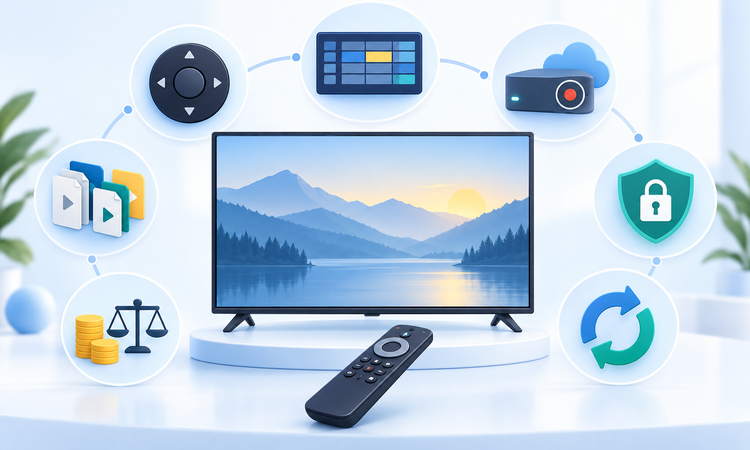
- Device evidence: Explicit Google TV or Android TV support outweighed a generic Android compatibility statement.
- Remote usability: D-pad navigation, guide readability, focus behavior, and television-scale layouts directly shaped practical suitability.
- Format coverage: M3U, Xtream, Stalker, XMLTV, tuner, and server support were recorded without assuming interchangeability.
- Feature boundaries: DVR, timeshift, catch-up, multiview, and subtitles were tied to storage and source requirements.
- Commercial clarity: Published prices, trials, renewals, device allowances, refunds, and important unknowns remained clearly separated.
- Privacy restraint: Store declarations and account workflows were reported without claiming an independent security audit.
Verdict
EagleCast TV is the strongest service starting point for three included connections and a documented Google TV route, while OrigineTV leads for visible connection-tier pricing. Tellystudio offers the lowest-risk initial test through its free one-day trial. Choose the subscription and player separately, confirm lawful channels, and verify every device, format, refund, and connection requirement before paying.
- EagleCast TV: Best for households needing three published connections and a documented Google TV route, provided cryptocurrency checkout and provider-hosted installation are acceptable.
- OrigineTV: Best for comparing one- and two-connection prepaid tiers, although buyers should resolve application compatibility and restrictive post-activation refund conditions first.
- Tellystudio: Best for a free one-day trial and short initial commitment, with the exact Google TV player and regional channel rights requiring confirmation.
FAQs
What is the best IPTV app for Google TV?
TiviMate is the strongest general choice for remote-first guide navigation, multiple playlists, recording, catch-up, and multiview. Sparkle TV is better when diverse tuner or server sources and transparent Plus pricing matter. The right answer still depends on the authorized source format, required features, television model, storage, and provider connection allowance.
Do IPTV player apps include channels?
The first seven entries are subscription services, while TiviMate, Sparkle TV, and Kodi are software-only players that include no channels or viewing rights. Player upgrades unlock application features, not content. Confirm the selected service’s lawful lineup, territory, credential format, connection count, refund terms, and separate player costs before paying.
Do Android TV apps always work on Google TV?
Google TV uses Android TV technology, but application visibility and behavior can still vary by device, operating-system version, manufacturer, region, and account. Check the listing directly from the intended television. Remote navigation, launcher rows, storage permissions, purchases, and background behavior may differ even when the same package installs on another Android TV product.
Which Google TV player supports M3U playlists?
TiviMate, Sparkle TV, and Kodi’s PVR IPTV Simple Client document M3U-based workflows, while supported service accounts may issue M3U or other credentials for a compatible player. Exact formats differ. Confirm whether the selected provider supplies M3U, M3U8, XMLTV, Xtream Codes, Stalker, or another method before choosing software.
Which apps support Xtream Codes?
TiviMate and Sparkle TV explicitly document Xtream-compatible login routes, while several listed services describe supplying player credentials after activation. Kodi’s basic PVR client focuses on M3U and XMLTV. Use only the method issued by the authorized source, protect the server address and password, and avoid unknown credential-conversion websites.
Can these apps record live television?
TiviMate and Sparkle TV document recording, while Kodi can record under compatible PVR configurations. Recording also needs provider permission, continuous source access, adequate writable storage, and sometimes another simultaneous connection. Test a brief authorized programme and play it back before trusting a long schedule or external storage destination.
Is catch-up included with every IPTV app?
No. A player may support catch-up while the source supplies no archive. Replay requires compatible guide information, retention rules, and working URLs from the provider. Test one permitted past program. A visible earlier title does not guarantee playback, and changing player settings cannot create an archive that was never supplied.
How much storage does recording require?
Storage depends on bitrate, duration, format, and whether the player keeps a timeshift buffer. Advertised device capacity also includes the operating system, applications, caches, and updates. My practical check is a short recording: inspect its actual size, confirm playback, and preserve generous free space before scheduling several hours of authorized content.
Is a free IPTV player enough?
Often, yes. Free versions can handle basic playlists and guides, while paid tiers commonly add recording, timeshift, multiview, synchronization, or advertisement removal. Compare only the features you will use. The provider subscription, extra connections, storage, and network service remain separate costs regardless of whether the player itself is free.
Are IPTV player apps legal?
Player software is generally a legitimate tool, but legality depends on the content source, licensing, location, recording activity, and applicable rules. Use official app sources and streams you are authorized to access. Successful playback does not prove distribution rights, and a VPN cannot turn an unauthorized source into a lawful one.
Should You Use a VPN with a Google TV IPTV App?
A VPN can change routing and may protect traffic from some local observers, but it can also reduce speed or trigger provider restrictions. It does not grant channel rights, remove territorial terms, or guarantee privacy. Check local law, the source agreement, and the VPN policy, then troubleshoot ordinary playback without exposing credentials.
How Can You Protect Playlist Credentials?
Treat playlist URLs, portal addresses, usernames, passwords, and pairing codes as secrets because they may permit account access. Enter them only into the official app or developer site, redact screenshots, secure backups, and remove unused devices. Ask support what diagnostic data is needed before sending any log or configuration export.